Top 11 FreePBX Alternatives and Competitors to Consider in 2026

SUMMARY:
We evaluated and tested 30+ open-source, cloud, and on-premise PBX solutions and chose the 11 best FreePBX alternatives for businesses in 2026, based on deployment flexibility, ease of use, feature depth, CRM integrations, pricing transparency, compliance certifications, and customer support quality.
11 best FreePBX alternatives by use case:
Quick Comparison Table of the 11 Best FreePBX Alternatives
How We Chose the Best FreePBX Alternatives
To create this guide, we evaluated 30+ leading PBX and business calling platforms using verified user reviews, product documentation, real-world feature comparisons, and market research. Our evaluation criteria included ease of deployment, feature depth, CRM integrations, pricing clarity, compliance certifications, and customer support responsiveness. We analyzed 1,000+ verified customer reviews from G2, Capterra, TrustRadius, Reddit, and Quora to identify patterns in user satisfaction and real-world limitations.
Why Trust Our VoIP & PBX Reviews?
For nearly a decade, CloudTalk has helped over 30,000 professionals choose and implement better communication tools. We've reviewed 200+ VoIP, PBX, and contact center solutions—analyzing 5,500+ verified reviews from G2 and Capterra, and drawing insights from real user discussions on Reddit, Quora, and industry forums. In the past year alone, we've published 1,000+ articles, all written and reviewed by humans for humans, to provide reliable, data-backed insights you can trust.
Learn how we keep our content integrity and follow our software review methodology.
Top 11 FreePBX Alternatives & Competitors in 2026
Once you've identified your non-negotiables—cloud vs. on-premise, budget, compliance requirements—compare them against these leading alternatives. We've made it easy by providing a roundup of the most popular FreePBX competitors with their standout features, pricing, and ideal use cases.
1. CloudTalk: Best Cloud-Based Business Calling Software for Sales & Support
What Is CloudTalk?
CloudTalk is a cloud-based call center and business calling software built to maximize your customer support and sales efforts across all channels. All you need to do is choose a number for one of the 160+ supported countries, and you can instantly start optimizing your workflows with advanced features, including IVR, click-to-call, power dialers, and more! CloudTalk also supports 35+ other powerful integrations for helpdesk, e-commerce, and CRM systems, including HubSpot and Zendesk.
What Are CloudTalk's Key Features?
- Call Monitoring.
- Smooth workflow with our Intelligent call-routing tools
- Callback feature that redials the number until connected with the agent
- Redirecting calls during busy hours or when outside the office
What Is CloudTalk Best For?
CloudTalk is the perfect phone system for mid-sized companies looking to grow. Typically, it's used in sales for outbound calls and in customer service for inbound calls.
What Are CloudTalk's Plans & Pricing?
- CloudTalk's pricing includes 5 plans - $19 – $49 per user/month billed annually. The price of a Custom plan is available upon request.
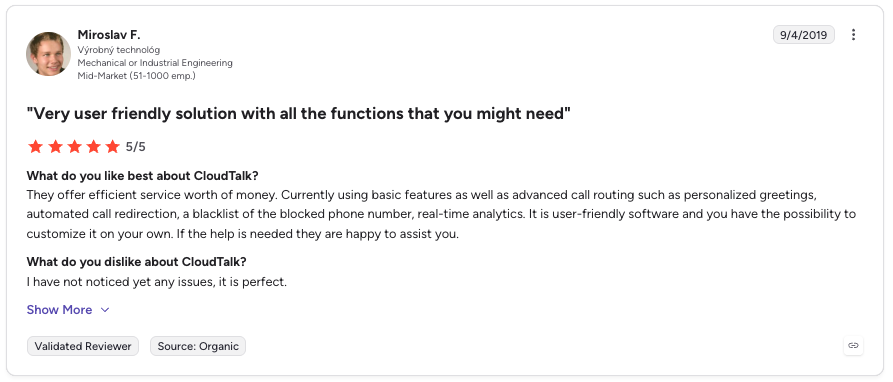
What Are CloudTalk's Customers Saying?
2. 3CX: Best Software-Based PBX with Unified Communications
What Is 3CX?
3CX is a software-based PBX system that offers a complete unified communications solution. It provides businesses of all sizes with enterprise-level features that allow them to improve their communications processes. 3CX has an easy-to-use interface and provides advanced features that boost productivity and improve customer experience.
What Are 3CX's Key Features?
- Web-based management console: The web-based console enables you to manage your phone system from anywhere in the world.
- Mobile Apps: The mobile app allows you to take your office with you, giving you access to all the features of your desk phone.
- Advanced call center features: The system provides all the features required to operate a professional call center, such as call queuing, call routing, and call monitoring.
- SIP Trunks: 3CX supports many popular SIP trunks, making it easier to connect with other VoIP services.
- Integration with popular CRMs, such as Salesforce, Microsoft Dynamics, and HubSpot, allowing for a streamlined sales process.
- Video conferencing: 3CX provides video conferencing that supports up to 250 people. This feature is available on desktop, mobile, and in your browser.
- WebRTC technology: This enables you to make and receive voice and video calls directly from your web browser.
What Is 3CX Best For?
3CX is best suited for small and medium-sized businesses that need a phone system that is easy to set up and manage, with low costs, and reliable customer support. It's also an excellent choice for remote teams as the platform can be used from anywhere with an internet connection.
What Are 3CX's Plans & Pricing?
3CX's pricing includes 3 plans at $195–$245 per user/month.
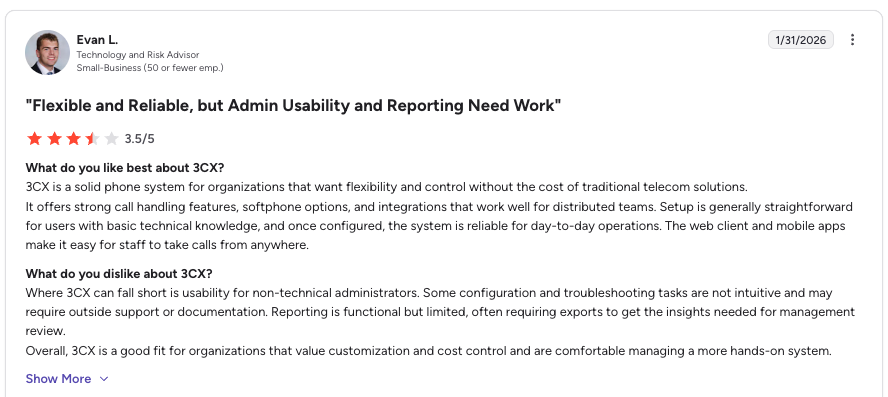
What Are 3CX's Customers Saying?
3. RingCentral: Best Enterprise VoIP and Omnichannel Platform
What Is RingCentral?
When you think about VoIP telephony solutions, RingCentral is among the first ones that come to mind. It's no wonder the company has been on the market for over 20 years and has built quite a reputation.
RingCentral has a great variety of features and offers HD-quality voice and video. The provider is a good fit for enterprises since it provides an omnichannel experience, lead qualification tools, management, collaboration, and performance features – all in a single software.
What Are RingCentral's Key Features?
- SIP Trunking
- IVR
- Call Recording
- Call Routing
- Contact Management
What Is RingCentral Best For?
RingCentral MVP is a flexible cloud-based solution ideal for businesses of all sizes.
What Are RingCentral's Plans & Pricing?
RingCentral's pricing includes 3 plans, $20 – $35 per user/month billed annually.
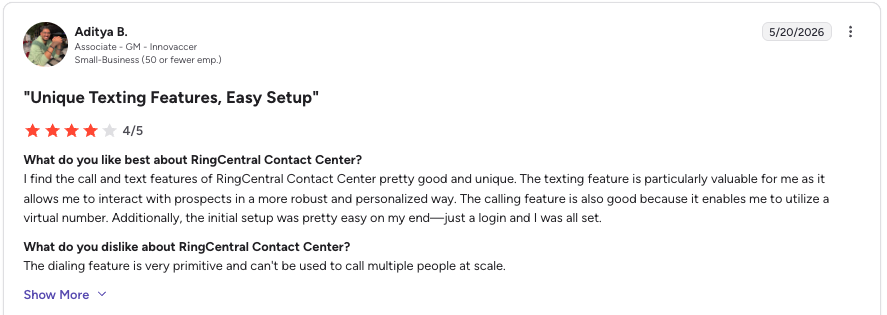
What Are RingCentral's Customers Saying?
4. OpenPhone: Best for Small Teams Prioritizing Intuitive Interface
What Is OpenPhone?
OpenPhone helps small to large businesses set up international phone lines to manage internal and external global calls or messages. You can handle all your call center interactions while working from anywhere.
OpenPhone has an intuitive user interface with applications that work on any platform. Features like call recording, customizable IVR, and extensions make OpenPhone a great solution for customer support teams.
What Are OpenPhone's Key Features?
- API.
- Automated Attendant.
- Call Center Management.
- Call Logging.
- Call Recording.
What Is OpenPhone Best For?
OpenPhone is an all-in-one phone system for teams. It brings your business calls, texts, and contacts into one delightful app that works anywhere.
What Are OpenPhone's Plans & Pricing?
Openphone's pricing includes 2 plans at $15 – $23 per user/month billed annually. For Enterprise pricing, you'll need to reach out to the sales team directly.
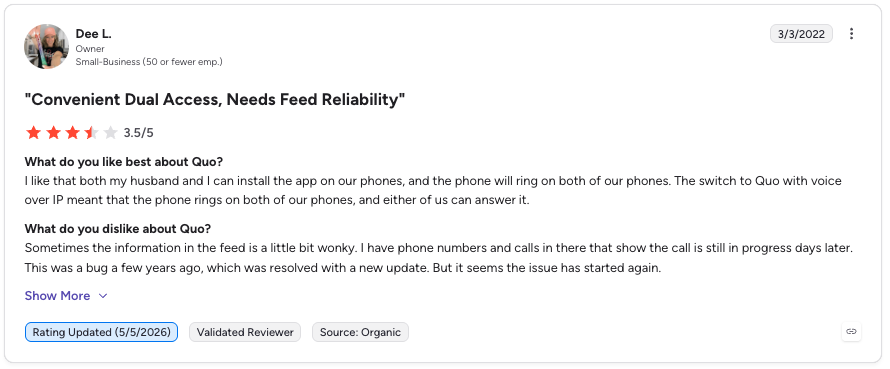
What Are OpenPhone's Customers Saying?
5. Cisco Unified Communications Manager (Webex): Best for Enterprise Security & Scale
What Is Cisco Unified Communications Manager?
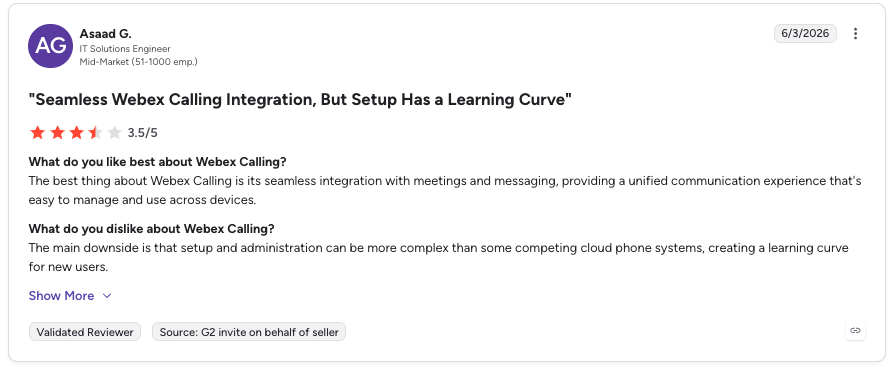
Cisco is one of the biggest and most well-established companies on the market. Consequently, its Webex applications for meetings and VoIP come with big expectations. Is it worth the money, though? Let's find out.
Cisco is a reliable solution designed to help companies maximize the performance of their employees. It helps businesses scale easily as they grow. Cisco also provides high-level security through encryption, authentication, and access control to protect against cyber attacks. Another advantage is management tools for easy monitoring, management, and configuration.
What Are Cisco's Key Features?
- Security (ASA firewall, ISE for identity and access management, cloud-based Cisco Umbrella security platform)
- Comprehensive network visibility and analytics capabilities (NAE, Cisco Tetration, Stealthwatch products)
- Wide range of cloud networking solutions
- Network Virtualization technology
- Interoperability
- Mobility
- Internet of Things (IoT)
What Is Cisco Best For?
Cisco is a household name for a reason – its solution comes packaged with various tools and features that you'll be able to use to your advantage. However, due to its reputation, you'll need to pay extra. As such, it wouldn't be a great choice for smaller or mid-sized businesses.
What Are Cisco's Plans & Pricing?
Cisco's pricing offers a free tier and paid plans start at $132. For Enterprise pricing, you'll need to reach out to the sales team directly.
What Are Cisco's Customers Saying?
6. GoTo Connect: Best for Seamless GoTo Product Integration
What Is GoTo Connect?
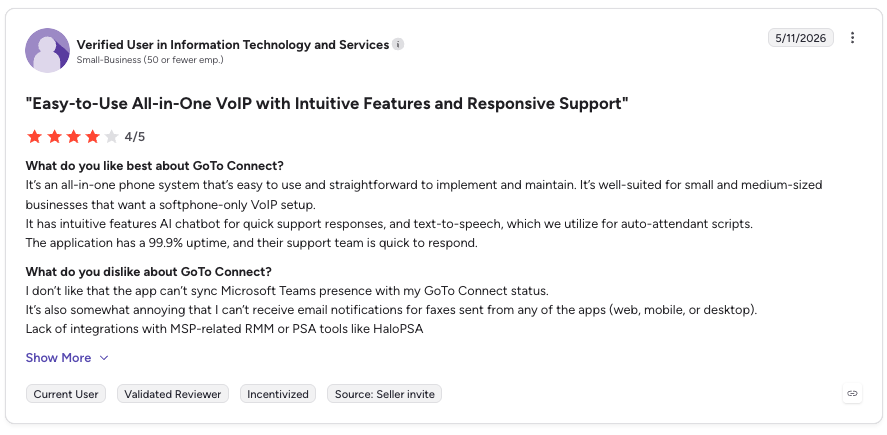
GoTo Connect is a cloud-based business communication platform that provides voice, video, and messaging services. It integrates with other GoTo products and offers a range of features, including call management, screen sharing, and virtual meetings.
What Are GoTo Connect's Key Features?
- Voice and video calling: Make and receive calls from anywhere.
- Screen sharing: Share screens to collaborate on documents and presentations.
- Virtual meetings: Host and join virtual meetings from any device.
- Call management: Manage calls and voicemails through an intuitive interface.
- Mobile app: Access GoTo Connect features from a mobile device.
What Is GoTo Connect Best For?
Scaling businesses that want an efficient path to the top of their industry.
What Are GoTo Connect's Plans & Pricing?
- Not specified on their website.
What Are GoTo Connect's Customers Saying?
7. Vonage Business Communications: Best Established Provider with 20+ Years Track Record
What Is Vonage Business Communications?
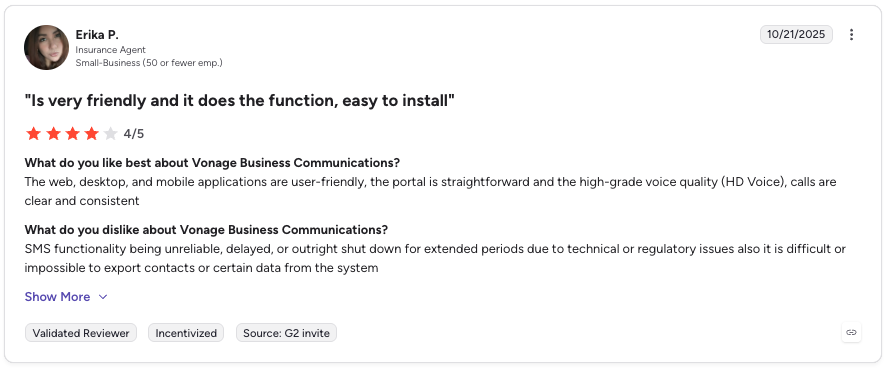
Vonage is among the best-known virtual phone providers in the world. They've been in the business for over 20 years and have established an enviable market leader reputation.
What Are Vonage's Key Features?
- Stability and reliability
- Auto-attendant
- CRM integrations
- Voice and video conferencing
- Call forwarding services
What Is Vonage Best For?
Vonage is best for companies looking for a well-established provider.
What Are Vonage's Plans & Pricing?
Vonage offers 3 quote-based plans. Vonage pricing also includes many hidden fees that make the service far more expensive than expected.
What Are Vonage's Customers Saying?
8. Dialpad: Best AI-Powered VoIP with Sentiment Analysis
What Is Dialpad?
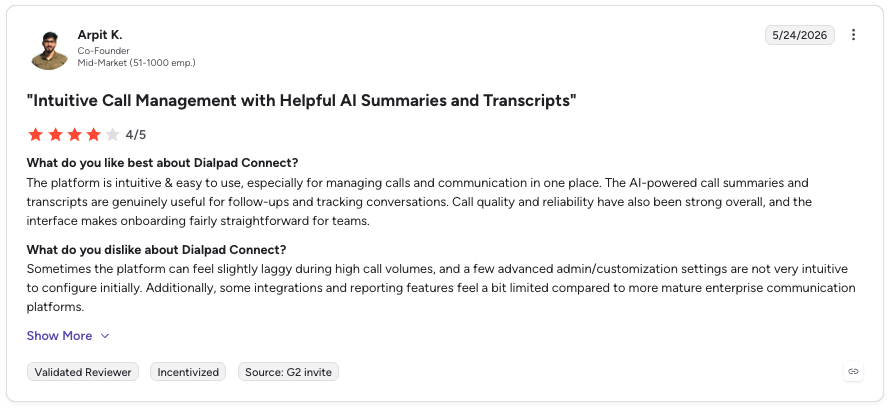
Unless you're new to the VoIP telephony market, you'll surely have heard of Dialpad. It's a reliable, unified telephony solution with simple built-in AI and advanced analytics. A live chat, phone hotline, and knowledge base make it a great deal for customer support teams.
Dialpad's main advantages are voice intelligence and uptime between 99% and 100%. You'll get conference video calls, sentiment analysis, voicemail transcriptions, call tracking metrics, Speech-to-Text for an automatic call recording, and much more.
With Dialpad, you can call the US and Canada for free and from anywhere in the world. Inbound and outbound calling within your country is also free of charge. The provider has a modern, well-organized UI, plenty of training videos, and a well-built mobile application.
What Are Dialpad's Key Features?
- Call Recording
- Machine Learning
- Call Analysis
- Customer Scoring
- Call Routing
What Is Dialpad Best For?
Any size of sales organization looking to drive agent efficiency and speed up ramp times.
What Are Dialpad's Plans & Pricing?
Dialpad's pricing ranges from $15 to $25 per user/month.
What Are Dialpad's Customers Saying?
9. Nextiva: Best for HIPAA Compliance, Healthcare & 24/7 Support
What Is Nextiva?
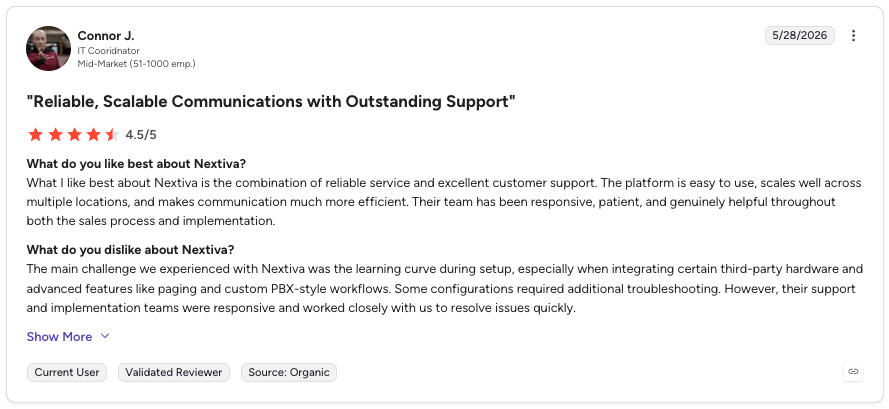
Nextiva is a big player in the VoIP market, providing services to more than 15,000 customers. Nextiva is widely regarded as user-friendly — users can start calling within minutes thanks to a simple and intuitive setup process. Furthermore, the system is hosted by Nextiva, which makes maintenance of the software Nextiva's responsibility.
Nextiva offers various advanced features, including conference calling, voicemail transcription, multi-level attendant, and much more. The provider also integrates with solutions like Zendesk, ConnectWise, or MS Teams. Nextiva's HIPAA-compliant virtual faxing makes it a great solution for healthcare workers. Furthermore, 24/7 support means agents are always on hand to assist you.
What Are Nextiva's Key Features?
- Unlimited Calling
- Video Conference Recordings
- Mobile & Desktop Apps
- Workflow Optimization
- Omnichannel Communications
What Is Nextiva Best For?
Businesses that need a robust, secure, and reliable enterprise phone system that works across every device and has advanced features like video conferencing, mobile apps, call recording, and more.
What Are Nextiva's Plans & Pricing?
Nextiva's pricing includes 3 plans at $15 – $75 per user/month, billed annually.
What Are Nextiva's Customers Saying?
10. Aircall: Best for Sales Teams with Advanced Smart Dialers
What Is Aircall?
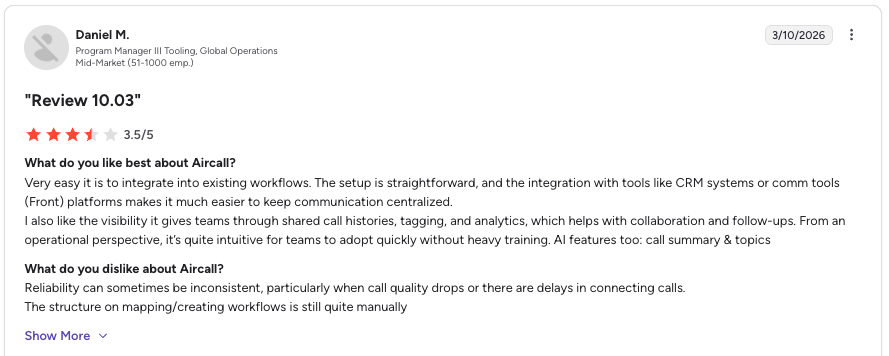
Aircall is an advanced calling solution used by 15,000+ clients. It's designed to speed up sales processes, boost communication with prospects, and close more deals. You can automatically dial multiple candidates in a back-to-back queue and surface crucial contact information directly within the phone interface.
Aircall excels when it comes to automation. The provider also features many useful integrations, including Intercom, Pipedrive, and Zapier. Furthermore, it offers advanced automation tools, user-friendly apps, and reliable customer support.
What Are Aircall's Key Features?
- Automatic Call Distribution
- Call Monitoring
- Call Transfer
- Call Recording
- Call Routing
What Is Aircall Best For?
Aircall is a calling software primarily targeted at small businesses using the phone to conduct sales and support business daily, but certainly not all of them. Think about how frequently your team uses smart dialers. You might consider looking elsewhere if they're a core part of your day-to-day work.
What Are Aircall's Plans & Pricing?
Aircall's pricing ranges from $30 – $50 per user/month.
What Are Aircall's Customers Saying?
11. Genesys CloudCX: Best Enterprise Contact Center with Predictive Routing
What Is Genesys CloudCX?
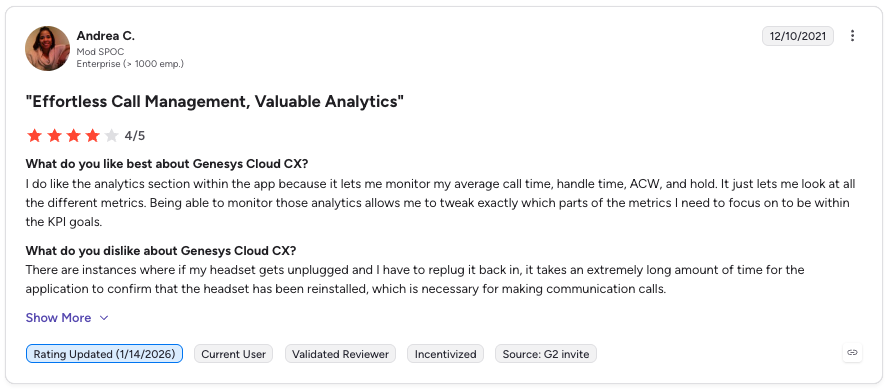
Genesys is a cloud-based contact center solution that aims to improve customer experiences with its omnichannel capabilities. The platform offers various features, such as predictive routing, real-time analytics, workforce engagement management, and more.
What Are Genesys CloudCX's Key Features?
- Predictive Routing: Uses AI to match customers with the right agent.
- Real-time Analytics: Provides actionable insights to improve performance.
- Workforce Engagement Management: Improves agent productivity and engagement.
- Omnichannel: Enables interaction across all channels.
- Integrations: Easily connect with other software.
What Is Genesys CloudCX Best For?
Genesys is a suitable solution for large enterprises with complex customer service needs that require advanced features like predictive routing, workforce engagement management, and omnichannel capabilities.
What Are Genesys CloudCX's Plans & Pricing?
Genesys' pricing includes 3 plans at $75 – $155 per user/month billed annually.
What Are Genesys' Customers Saying?
The Pros and Cons of FreePBX
On the positive side, FreePBX offers flexibility, cost savings, and a wide range of features. However, it also comes with drawbacks, such as complex installation and the need for paid modules for advanced tools.
Let's examine the pros and cons in detail.
Pros of FreePBX
- No setup fee and free trial: FreePBX is cost-effective, with no setup fees and a free trial available.
- Open source and customizable: Users can customize and adapt FreePBX to their specific needs, offering great flexibility, especially for scaling phone systems.
- International language support: Supports multiple languages which makes it suitable for international businesses.
- Reliable and secure: Maintained by Sangoma with regular in-house testing and security updates.
- Wide range of features: Includes fax-to-email, calling queues, voicemail, call transfer, softphone support, webRTC, mobile phone support, and more.
- Community support: A large and active community provides extensive resources and support.
- Cost savings: Reduces telephony costs by eliminating the need for additional hardware and support.
- Ease of use: Simplifies the setup and management of PBX systems, even for those without extensive technical expertise.
Cons of FreePBX
- Complex installation: The installation can be complicated and time-consuming for non-technical users, who may need community support due to its steep learning curve.
- Premium features are locked behind a paywall: Advanced features are often only available through paid add-ons, which can increase costs.
- Updates can cause disruptions: Updates may occasionally cause calling issues, particularly if not properly executed.
- Limited built-in functionality: Out-of-the-box, FreePBX includes only basic features; advanced capabilities require paid add-ons.
- Lack of built-in video conferencing: Does not offer native video conferencing capabilities, requiring users to seek alternative solutions for this feature.
FreePBX vs. Asterisk: What Is the Difference?
Think of Asterisk as the engine powering everything, handling calls and all telephone functions such as routing, call recording, and voicemail, which developers configure.
On the other hand, FreePBX is built on top of Asterisk. It's a web interface that simplifies configuring and managing Asterisk. It allows users to set up extensions, voicemail menus, and conferences without needing to write complex code. It's like a user-friendly control layer over Asterisk.
In summary, Asterisk does the heavy lifting of managing calls and telephone functions, while FreePBX helps you configure everything more easily through a web interface.
How to Pick the Right FreePBX Alternative?
Here are some key factors to consider when choosing a FreePBX alternative:
- Ease of use: Look for a system with an intuitive, user-friendly interface that requires minimal technical expertise to set up and manage.
- Feature set: Decide which PBX features are essential for your business, such as Call recording, IVR menus, etc. Compare the amount of features included by default versus those that need paid add-ons.
- Pricing: Consider the total cost of both initial and ongoing expenses.
- Integrations: Look for a system that easily integrates with your existing business tools, such as CRM platforms.
- Support: Assess how good the company's customer support is. Look for a provider that offers 24/7 support and has a reputation for helping customers quickly resolve issues related to their phone systems.
Discover the Top FreePBX Alternative
Choosing the right PBX system is crucial for smooth operations and cost savings. While FreePBX is popular for its flexibility and features, exploring alternatives can provide enhanced capabilities and better cost-effectiveness.
Among these competitors, CloudTalk stands out with its AI-powered features like IVR and call transcription, which are ideal for remote work with access from any device. It scales easily without new hardware costs, integrates seamlessly with other tools, and ensures high security and reliability with its cloud infrastructure.
Its user-friendly interface facilitates quick onboarding, making it the smart choice for modern businesses.
Ready to upgrade and see CloudTalk in action for free? Book a strategic call with us.
3CX and FreePBX are solid open-source IP PBX solutions with a large user base and strong feature sets. However, FreePBX is ideal for users who want a highly customized PBX with a large community.
FreePBX offers extensive documentation and community support, making troubleshooting user-friendly and easier. It lacks native multitenant capabilities but is highly customizable with add-ons. FusionPBX, while less documented, supports multitenancy and requires more technical proficiency for setup and maintenance.
CloudTalk is the best FreePBX alternative for sales teams. It offers Power Dialer and Smart Dialer for automated outbound calling, AI Sentiment Analysis for real-time coaching, and 35+ CRM integrations including Salesforce, HubSpot, and Pipedrive. CloudTalk's cloud infrastructure means zero hardware setup, fast deployment, and scales easily as your team grows.
Yes, CloudTalk is an excellent FreePBX alternative for businesses seeking a modern, cloud-based solution without complex setup. Unlike FreePBX which requires technical expertise and on-premise infrastructure, CloudTalk is hosted in the cloud with built-in AI features, automated call routing, multi-channel communication (calls, SMS, email), and seamless CRM integrations. Most teams go live within a week.
The best open-source PBX alternatives to FreePBX include Asterisk (the core engine FreePBX runs on), FusionPBX (with multitenant capabilities), and 3CX (with a modern UI and video conferencing). However, if you are seeking a commercial, cloud-based alternative with top-notch support and AI features, CloudTalk, RingCentral, and Nextiva are excellent choices that eliminate the complexity of on-premise infrastructure.
3CX offers a simpler interface and support, while FreePBX provides more customization and open-source flexibility.
Yes. Asterisk, FusionPBX, Issabel, and VitalPBX are popular open-source alternatives to FreePBX.
FreePBX is more flexible and open source, while 3CX is simpler to deploy and manage.
Asterisk is the PBX engine, while FreePBX is a web interface for managing Asterisk.
CloudTalk, 3CX, RingCentral, and Nextiva are strong Asterisk alternatives.
FreePBX, Asterisk, FusionPBX, and 3CX are among the most popular open-source PBXs.
FusionPBX supports multitenancy, while FreePBX offers stronger documentation and community support.
CloudTalk, 3CX, RingCentral, OpenPhone, Nextiva, and Genesys are leading PBX platforms.
CloudTalk, 3CX, OpenPhone, and Aircall are strong FreePBX alternatives for small teams.
CloudTalk is a top cloud PBX, offering AI features, CRM integrations, and easy scalability.
CloudTalk is a leading FreePBX replacement with AI tools and no hardware requirements.
CloudTalk, 3CX, RingCentral, OpenPhone, Nextiva, and Aircall are top alternatives.
FreePBX offers flexibility, 3CX is easier to use, Asterisk is the underlying engine, and FusionPBX supports multitenancy.
CloudTalk, Dialpad, Nextiva, and Vonage are known for reliable cloud-based calling.
CloudTalk is ideal for support teams thanks to AI features, intelligent routing, and CRM integrations.