TL;DR: 10 Best Alternatives to 8x8 in 2026
| # | Platform | Best for | Starting Price (annual billing) | G2 Rating |
|---|---|---|---|---|
| 1 | CloudTalk | Growing, data-driven sales & support teams (SMB to mid-market) | $19/user/mo | 4.4/5 |
| 2 | Dialpad | Teams prioritizing native AI coaching | $15/user/mo | 4.4/5 |
| 3 | Nextiva | US-based teams needing maximum uptime | $15/user/mo | 4.6/5 |
| 4 | RingCentral | App ecosystem integrations | $20/user/mo | 4.2/5 |
| 5 | Aircall | Teams strictly standardized on Salesforce | $30/user/mo | 4.4/5 |
| 6 | Zoom Phone | Ecosystems consolidating within Zoom | $10.50/user/mo | 4.6/5 |
| 7 | PanTerra Networks (Streams AI) | Healthcare and legal teams needing HIPAA defaults | $24.95/user/mo | 4.5/5 |
| 8 | Ringover | Global recruitment and staffing agencies | $21/user/mo | 4.6/5 |
| 9 | JustCall | High-volume outbound sales teams | $29/user/mo | 4.3/5 |
| 10 | Genesys Cloud CX | Massive enterprise contact centers | $75/user/mo | 4.4/5 |
Skip the reading. See it live.
Why Are Teams Searching for an 8x8 Alternative?
Teams outgrow 8x8 when they realize its fragmented backend architecture and legacy paywalls actively damage their data integrity. That is why a top priority for modern IT leaders should be migrating to a business VoIP platform (Voice over Internet Protocol) that supports seamless software connections without artificial upselling.
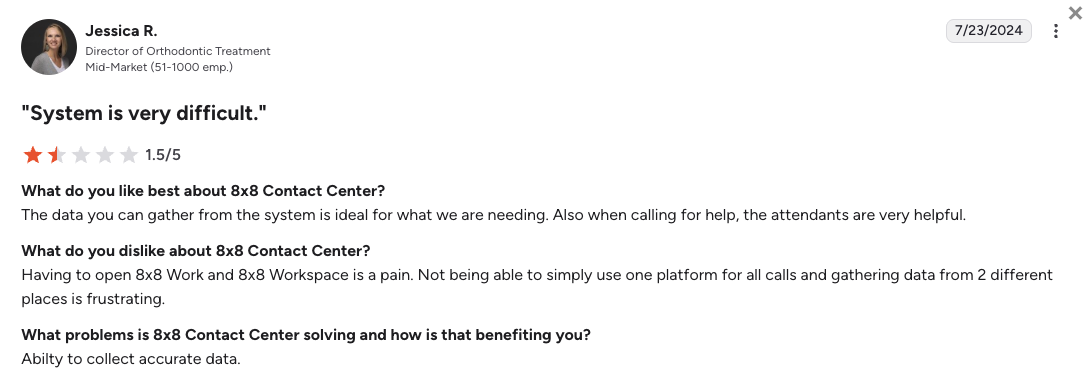
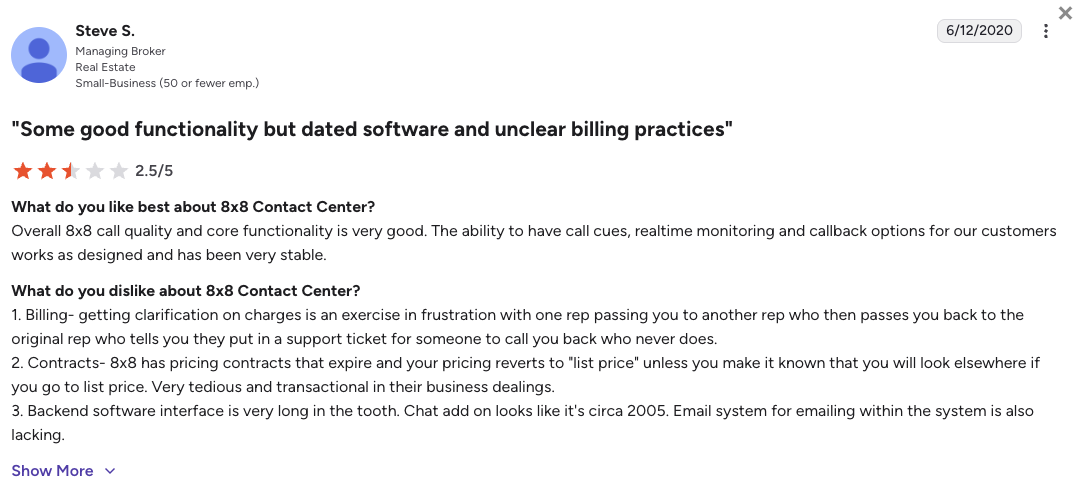
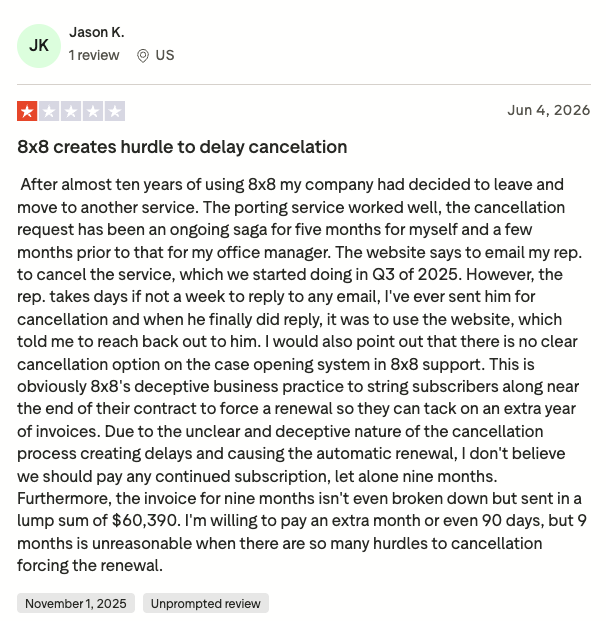
While 8x8 obscures its true costs behind mandatory 'Contact Sales' walls, your initial custom quote is rarely your final bill. The unavoidable costs of broken CRM syncs, manual agent data entry, and extreme early termination fees quickly burden your budget. Based on verified G2 reviews (where 8x8 scores 4.1/5 out of 200+ reviews), Trustpilot reviews (here 8x8 only scores 3.0/5), and direct user feedback from platforms like Reddit and Quora, growing teams typically leave this established comms giant because of five massive operational landmines.
5 Main Cons of 8x8 That Make Growing Teams Leave
- The "dirty mayo" backend data sync:8x8's technology stack is built on multiple legacy acquisitions, causing severe, silent synchronization errors with third-party tools. Your dashboard will show a successful connection, but weeks of call recordings and SMS transcripts will randomly fail to log into your CRM.
- Unclear billing and predatory contracts:8x8 forces growing teams behind a 'Contact Sales' wall, completely obscuring their pricing. While third-party industry estimates place their basic entry tier around $24/user, essential contact center capabilities are gated behind enterprise upgrades that inflate actual costs to over $140 per seat. You won't know the true cost until you are already on a sales call.
- Complex administrative interfaces:The backend administrative portal is notoriously dated and lacks intuitive, visual drag-and-drop workflow tools. Setting up simple multi-level routing trees or modifying auto-attendants requires navigating labyrinthine paths, frequently forcing companies to buy third-party IT configuration assistance.
- Degrading technical support resolution:When your business phone lines go down, you are routed through unresponsive ticketing queues and automated chatbot loops. Live support engineers frequently default to distributing basic network analyzer tools to deflect blame onto your local ISP, leaving critical tickets open for weeks.
- Application instability and late texts:Remote employees frequently experience severe latency when switching operational statuses on the mobile and desktop apps. Inbound phone calls will randomly fail to ring across devices, and client text messages frequently suffer silent delivery failures, arriving over 24 hours late.
What Is the Best Alternative to 8x8?
CloudTalk is the best alternative to 8x8 for scaling sales and support teams (SMB to mid-market org size). With transparent, modular plans starting at $19/user/month and transparently priced add-ons, CloudTalk acts as an agile, AI-powered communication engine for your daily workflows.
The main reason why CloudTalk is better than 8x8 is that it guarantees total data integrity through a modern, native API architecture. Instead of wrestling with a fragmented backend that silently drops customer context, CloudTalk offers reliable, bi-directional syncing with major software tools. Every conversation logs instantly into your existing database, protecting your reps from expensive manual labor.
Why Do Teams Consider CloudTalk the Best 8x8 Alternative?
5 Main Pros of CloudTalk: Based on Real User Experience
- Flawless CRM Synchronization:CloudTalk breaks down the data silos created by legacy platform fragmentation. Every call note, text segment, and audio recording syncs seamlessly to 100+ CRM and helpdesk tools like HubSpot and Salesforce in real time, giving agents complete customer context before they answer.
- Transparent, Non-Punishing Pricing:Say goodbye to unexpected upsells and unavoidable compliance recovery fees. CloudTalk provides clear, predictable plans and add-ons, giving you advanced routing analytics and automation workflows without forcing you onto a bloated enterprise contact center tier.
- Advanced Smart Dialing:CloudTalk helps outbound teams maximize connection speed without system lag. With built-in Power Dialers and Smart Dialers, your reps can automatically move through lead campaigns, completely eliminating manual data logging.
- Native Conversational AI:Unlike older platforms that charge unpredictable usage rates for their AI features, CloudTalk leads the market with transparent pricing for its AI productivity tools. You can deploy real-time call transcription and sentiment analysis via a flat-rate add-on, or launch autonomous AI Voice Agents to handle routine tasks 24/7.
- Massive Global Footprint:8x8 strictly restricts its core unlimited routing packages to select zones. CloudTalk utilizes a highly redundant, low-latency multi-carrier network to let you instantly assign virtual phone numbers in 160+ countries, making it the ultimate international expansion tool.
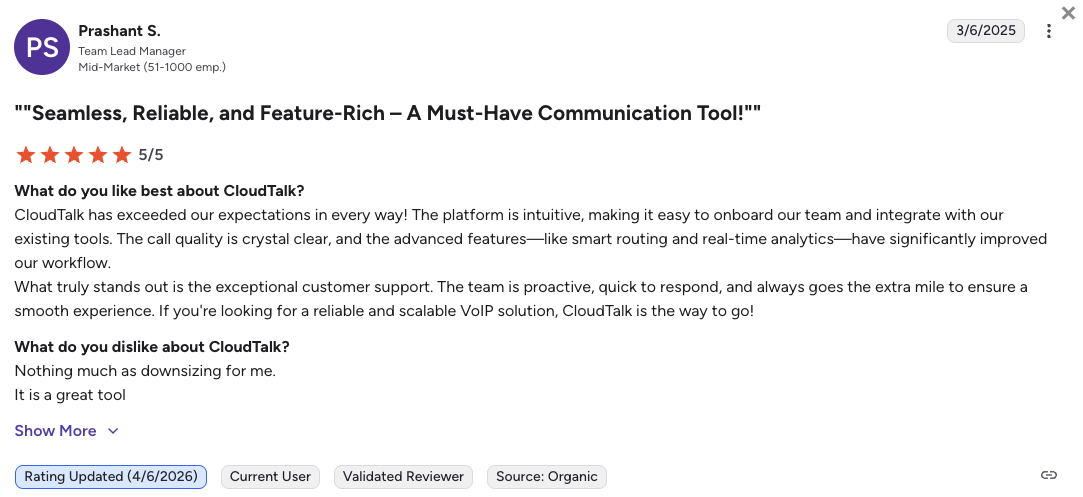
Ready to leave unexpected fees, broken data logging, and slow support loops behind?
How We Evaluated the Top 8x8 Competitors in 2026
To identify the best competitors of 8x8, we went through extensive market data and unfiltered system administrator discussions across Reddit, Quora, G2, and Trustpilot. We focused specifically on cloud phone systems for agile teams that directly fix the structural pain points legacy 8x8 users suffer from most: broken data sync, opaque contracts, and complex admin portals.
Our evaluation focused on six core areas essential for growing mid-market businesses:
- Total Cost of Ownership (TCO): We audited pricing grids to expose seat minimums, mandatory contract terms, and undisclosed compliance upcharges that inflate monthly invoices.
- CRM Deep-Sync Architecture: We evaluated the depth and stability of native integrations, verifying that platforms execute real-time data transfers without rate-limiting errors.
- AI Productivity & Automation: Our focus was on embedded productivity tools, including automated call summaries, sentiment scoring, and native dialing workflows that accelerate outbound volume.
- Network Stability & Reach: We tracked carrier network redundancy, global SLA uptime guarantees, and the ease of provisioning high-quality international virtual lines.
- Administrative Usability: We prioritized modern platforms featuring visual, drag-and-drop call flow builders that allow non-technical managers to modify routing instantly without IT help.
- Support Response Mechanisms: We heavily favored vendors offering transparent onboarding frameworks and direct, 24/7 access to live human technical experts over asynchronous email tickets.
The Top 10 Alternatives to 8x8 for 2026
Before we dive into the individual breakdowns, here’s a quick look at how the top 8x8 competitors compare across entry pricing, seat rules, and core functionality.
8x8 Alternatives Compared
| Feature | 8x8 | CloudTalk | Dialpad | Nextiva | RingCentral |
|---|---|---|---|---|---|
| Starting Price (Annual) | $24/user/mo (reported by users) | $19/mo | $15/mo | $15/mo | $20/mo |
| Minimum Seats | 1 User | 1 User | 1 User | 1 User | 1 User |
| CRM Sync Stability | Poor ("dirty mayo" gaps) | Native deep-sync (100+ tools) | Stable syncing | Tier-dependent | Highly complex |
| Global Coverage | 14 to 48 Countries | 160+ Countries | 70+ Countries | North America focus | 110+ Countries |
| AI Conversation Engine | Requires expensive tiers | Native flat-rate add-on | Bundled natively | Separate $99 add-on | Costly legacy add-on |
| Visual Routing Builder | No | Yes | Yes | Yes | Yes (but basic and clunky) |
| Free Trial | N/A | 14 Days | 14 Days | 14 Days | 14 Days |
The inevitable costs of legacy paywalls:
8x8 positions its brand around mid-market solutions, but completely hides its tiers behind mandatory sales calls. If your growing support team needs custom hold queues or deep analytics, you are forced into blind negotiations for plans estimated to cost up to $140 per seat.
CloudTalk focuses on total transparency from day one. We believe in pricing transparency, and we want you to be able to calculate your exact ROI without jumping through corporate sales hoops.
1. CloudTalk: The Best 8x8 Alternative for Scaling SMB Sales & Support Teams
What Is CloudTalk?
CloudTalk is an AI-powered business phone system designed specifically for growing sales and customer support teams, who primarily need automation tools to grow without adding much headcount.
CloudTalk’s software replaces traditional, fragmented office phone hardware with a highly stable digital workspace app. The platform acts as a flexible center for offices that need to run high-volume international phone operations without needing dedicated engineers.
Trusted by 4,000+ businesses worldwide, CloudTalk lets growing SMB to mid-market teams manage customer calls across global markets fast, smart, and reliably.
Why Is CloudTalk a Strong 8x8 Alternative?
- Wipes out data logging errors: CloudTalk runs on a modern, native API setup that syncs with your software instantly. Every single phone interaction, text message, and voicemail automatically updates inside tools like HubSpot (Essential plan) or Salesforce (Expert plan) without data drops.
- Keeps your monthly software invoices predictable: Advanced call routing tools, visual data dashboards, and text configurations are open from the start. You don’t have to buy expensive enterprise licenses just to see standard performance metrics.
- Routes phone calls over stable networks: CloudTalk uses an intelligent multi-carrier server setup to keep background audio crystal clear. This setup eliminates the sudden call drops, echoes, and device disconnections that often slow down 8x8 users.
- Speeds up outbound outreach automatically: Reps don’t have to copy and paste phone numbers all day. Built-in Power Dialers and Smart Dialers (Expert plan) dial your target lists sequentially, keeping your agents connected to live prospects.
- Offers live technical help around the clock: If you need to fix a routing layout or activate a new line, real support experts answer your questions 24/7 (phone support available on Expert). Your office doesn’t have to deal with automated chatbots or wait weeks for an email reply.
- Transforms conversations into actionable insights: Via a flat-rate Conversation Intelligence add-on (just $9/mo), CloudTalk automatically transcribes and rates every call for customer sentiment. Managers can review team call scores at a glance without spending hours listening to individual audio files.
What Are the Pros & Cons of CloudTalk?
| Pros | Cons |
|---|---|
| Massive number choices: Buy local, mobile, or toll-free numbers in 160+ countries to build local trust. | No native video meetings: The software handles voice and texts, meaning you need an extra app for video calls. |
| Reliable CRM syncing: Two-way sync prevents data loss across 100+ major CRM tools from day one. | Base plan geographic limits: The starting plan limits outward call coverage mostly to the NA and LATAM regions. |
Visual call designer: Non-tech managers can arrange complex phone menus in minutes using a drag-and-drop tool. | Multi-line dialing costs: Using Parallel dialer to ring up to 10 numbers at once requires a separate flat-rate add-on. |
| Clear subscription rates: The pricing structures protect your business from surprise telecom compliance fees. | |
| Flat monthly AI rates: Conversation analytics tools are bundled for a predictable monthly fee instead of variable rates. |
What Are CloudTalk's Plans & Pricing?
CloudTalk pricing starts at $19/user/month (billed annually), with the following plans:
- Lite - $19/user/month
- Starter - $25/user/month
- Essential - $29/user/month
- Expert - $49/user/month
- Custom - Quote-based pricings
The value of workflow automation:
A business phone tool should save your team time, not add manual typing to their day. Because CloudTalk syncs your call notes directly to your existing customer files, your reps get hours of their week back to spend on live revenue tasks.
What Are CloudTalk Customers Saying?
Managers who move their teams from 8x8 or other legacy systems to CloudTalk notice an instant drop in admin workload and super stable voice connections.
- Clear call connections: Users consistently note that call audio remains stable without lag or echo during international conversations.
- Zero administrative friction: Sales leaders report that phone logs and transcripts land inside their databases perfectly every time.
- Minor support queue wait times: A small group of administrators mention that reaching engineers during peak regional office hours can take a few extra minutes.
How G2 Users Rate CloudTalk?
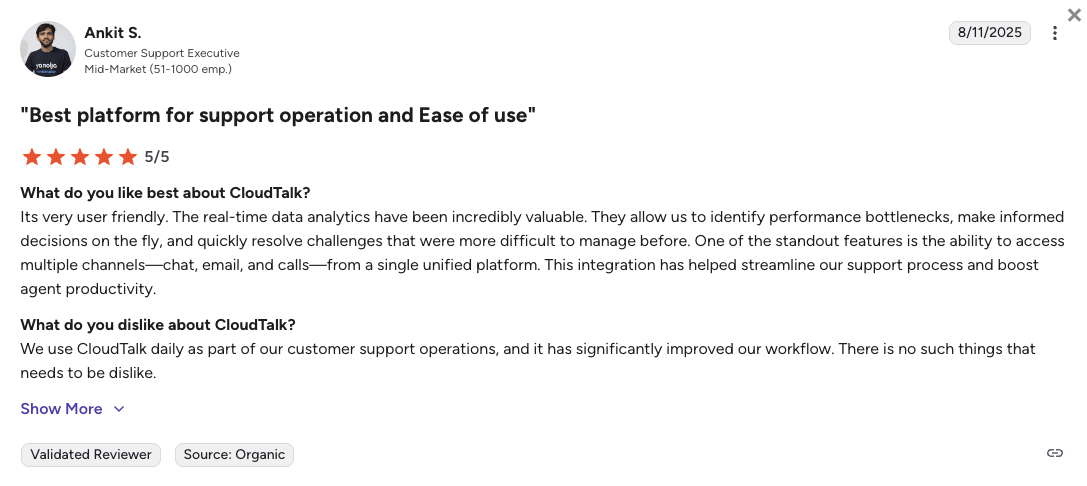
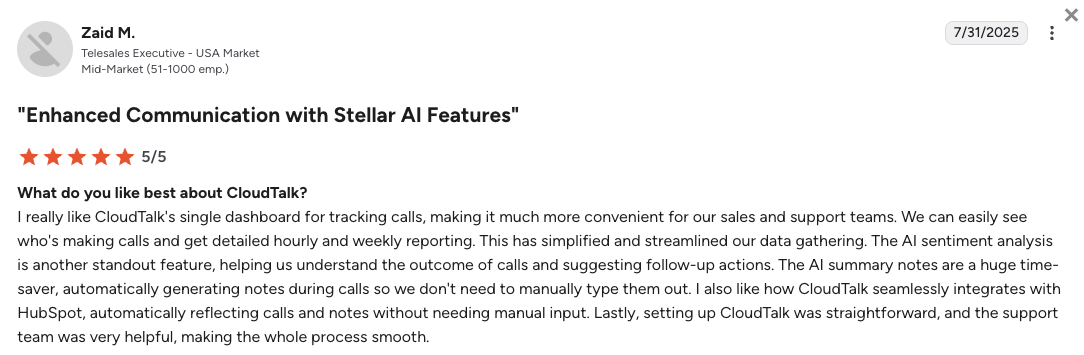
CloudTalk’s current G2 rating is 4.4/5, out of 1,800+ verified user reviews.
Like what CloudTalk offers? Try it free.
2. Dialpad: Best for Teams Prioritizing Native AI Coaching
What Is Dialpad?
Dialpad is a modern UCaaS (Unified Communications as a Service) app built around AI workflows. The platform centers on automated call transcription, live agent tracking, and digital team messaging across computers and mobile devices. Dialpad is a great fit for growing mid-market sales floors that want automated coaching cues delivered to agents while they are actively talking to prospects.
Why Is Dialpad a Strong 8x8 Competitor?
- Guides agents during live client calls: The built-in AI tracks ongoing calls and shows helpful tip sheets on screen the moment a customer brings up a pricing concern or competitor name.
- Saves summaries to your system instantly: The platform transcribes phone calls as they happen, dropping written recaps directly into your customer profiles to fix documentation gaps.
- Combines team channels in one interface: Video meetings, external cell calling, and client texting run inside a clean desktop screen, avoiding backend software lag.
What Are the Pros & Cons of Dialpad?
| Pros | Cons |
|---|---|
| Instant call transcription: The system documents active conversations continuously to capture action items. | Month-to-month pricing penalties: Skipping an annual contract spikes your standard subscription rate by 80%. |
| Zero mandatory seat counts: Single operators can launch an account without paying for extra, unused lines. | Gated 24/7 support channels: Round-the-clock telephone help requires moving away from the basic tier. |
| Modern software visuals: The clean application layout makes it simple for new hires to learn without training. | Locked routing mechanisms: Skill-based call distribution and complex queues require separate software tiers. |
What Are Dialpad’s Plans & Pricing?
Dialpad pricing starts at $15/user/month (billed annually), with the following plans:
- Standard - $15/user/month
- Pro - $25/user/month
- Essentials - $39/user/month
- Advanced - $95/agent/month (ideal for contact centers)
The contact center tier trap:
While the starting price looks highly affordable, creating a complete support team setup changes the numbers. Accessing deep call queues and advanced routing options requires moving to the premium tier, which increases your monthly software bill.
What Are Dialpad Customers Saying?
Dialpad users generally like the accuracy of the automated transcripts, but some state that tier updates can get expensive.
- Helpful automated summaries: Evaluation records show that the system catches specific keywords well, giving managers fast insights.
- Unified application windows: Reps report that moving from chat channels to external voice lines works without app crashes.
- Unresolved call routing delays: System managers note that fixing line performance glitches can involve waiting for tier-two email support.
How G2 Users Rate Dialpad?
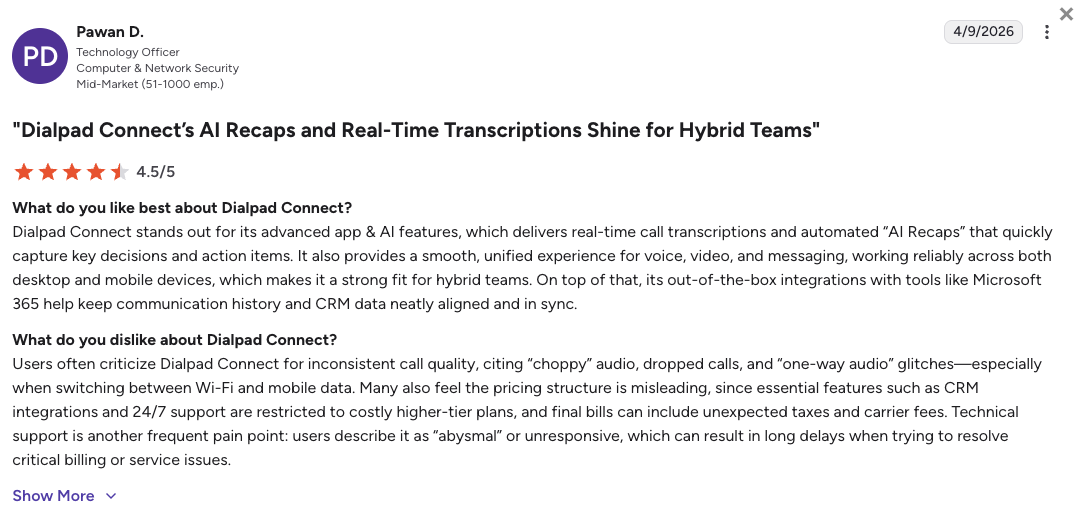
Dialpad’s current G2 rating is 4.4/5, out of 4,000+ verified user reviews.
3. Nextiva: Best for US-Based Reliability and Uptime
What Is Nextiva?
Nextiva is an established UCaaS system that focuses on regional network stability and domestic customer service. The software bundles traditional phone routing, team messaging, video spaces, and basic survey tools into a central hub. Nextiva mainly targets North American companies that want stable infrastructure and straightforward management screens over complex software tools.
Why Is Nextiva a Strong Competitor of 8x8?
- Eliminates unexpected system drops: Backed by an established multi-point server network, Nextiva keeps your phone system alive through heavy regional office hours.
- Connects you to domestic engineers: Technical support operates with responsive, live human teams based in the US, avoiding automated help desk dead-ends.
- Simplifies call routing adjustments: The backend features a clear visual layout tool, letting non-technical staff adjust phone trees without touching code.
What Are the Pros & Cons of Nextiva?
| Pros | Cons |
|---|---|
| Highly stable network cores: Redundant processing nodes protect your office lines from sudden blackouts. | Expensive AI modernizations: Accessing smart transcript options requires separate add-on modules starting at $99/month. |
| Cohesive team workspace apps: Internal chats and external calling use a single desktop frame. | Rigid contract structures: The lowest rates tie you to fixed 12-month terms and limit overall team sizes. |
| Dedicated deployment support: Implementation staff help your team transfer numbers to prevent phone downtime. | Metered international calling: Global outreach uses pay-per-minute structures that can inflate sales bills. |
What Are Nextiva’s Plans & Pricing?
Nextiva pricing starts at $15/user/month (billed annually), but to get even basic call center capabilities, you’ll need the $25/mo Engage plan. Here’s the full breakdown:
- Core - $15/user/month
- Engage - $25/user/month
- Scale - $75/user/month (Contact center features)
- Professional - Quote-based (Enterprise plans)
The basic plan feature limit:
Make sure to check the feature matrix before signing your contract. The baseline Core plan lacks essential contact center tracking options and skips standard call recording, forcing most active teams to buy higher packages.
What Are Nextiva Customers Saying?
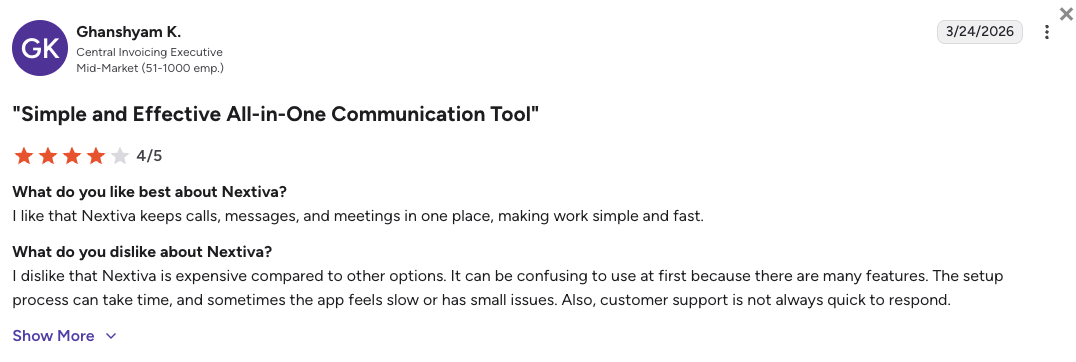
Nextiva users highlight the system reliability and phone support, though some mention the backend feels quite outdated.
- Consistent call performance: Office teams praise the fact that calls do not suffer from audio distortion or sudden drops.
- Knowledgeable help desks: Reviews show that the live customer support teams stay on the line until your routing issues are completely resolved.
- Clunky admin screens: Network managers state that updating individual user profiles involves digging through old-style menu trees.
How G2 Users Rate Nextiva?
Nextiva’s current G2 rating is 4.5/5, out of 3,400+ verified user reviews.
4. RingCentral: Best for Enterprise Integration Depth
What Is RingCentral?
RingCentral (known for its RingEX and RingCX suites) is a large-scale comms platform built to handle high user counts across multi-site corporations. The software packs deep technical governance, internal team forums, video calling, and digital fax options into an enterprise ecosystem. RingCentral mainly serves enterprise operations that require deep compliance settings and hundreds of pre-built software links.
Why Is RingCentral a Strong 8x8 Competitor?
- Connects to dense enterprise systems: The marketplace features over 300 pre-built native software integrations, easily outperforming 8x8.
- Switches devices with a single tap: Reps using Nextiva can push active phone conversations from physical desk devices to their mobile apps without lagging or dropping calls.
- Meets strict industry security regulations: The global server network carries advanced industry certifications, keeping financial data and medical files safe.
What Are the Pros & Cons of RingCentral?
| Pros | Cons |
|---|---|
| Massive integration selection: The platform slides into complex database frameworks across different departments. | Unclear invoice adjustments: Monthly bills are frequently padded with separate administrative fees and cost recovery lines. |
| Seamless call shifting: Moving active calls between laptops and mobile lines requires a single click. | Dense backend setup systems: Setting up advanced call flows requires substantial administrative training or IT support. |
| Enterprise system capacity: The infrastructure handles thousands of active extensions across different global offices easily. | Strict text volume caps: The baseline plan restricts outbound client text messaging to 25 messages per month. |
What Are RingCentral’s Plans & Pricing?
RingCentral pricing starts at $20/user/month (billed annually), with the following plans:
- Core - $20/user/month
- Advanced - $25/user/month
- Ultra - $35/user/month
The impact of add-ons:
While the baseline plan rates look straightforward, keep an eye on extra requirements. Unlocking advanced conversational AI tools or expanding your text limits requires purchasing separate add-on licenses that can cause unexpected budget hikes.
What Are RingCentral Customers Saying?
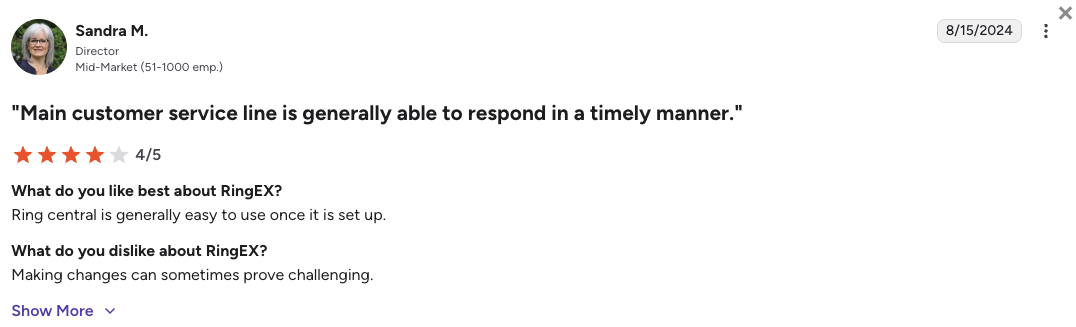
Enterprise directors value Nextiva’s stability, but mid-market teams mention that system adjustments can be slow.
- Unrestricted corporate scaling: IT managers state that the platform accommodates massive team expansions without showing any voice lag.
- Syncs with niche legacy tools: System teams appreciate that the application connects to old database layouts that newer startup apps ignore.
- Complex customer service loops: Smaller teams share that getting custom technical issues fixed can involve navigating long support paths.
How G2 Users Rate RingCentral?
RingCentral’s current G2 rating for its RingEX suite is 4.2/5, out of 1,350+ verified user reviews.
5. Aircall: Best for Teams Standardized on Salesforce
What Is Aircall?
Aircall is a polished, browser-centric phone app designed to embed voice capabilities into existing small business software. Aircall’s system works on a simple idea: your telephone keys should live entirely inside your CRM framework rather than running as an independent program. Aircall services small to mid-sized offices that run daily activities inside tools like HubSpot or Salesforce.
Why Is Aircall a Strong 8x8 Alternative?
- Packs phone controls inside your CRM: Active incoming calls pop up directly within your central database frames, removing the need to switch windows.
- Speeds up line deployment: Admins can buy international numbers and assign them to specific user groups without consulting technical engineers.
- Eliminates cluttered software windows: Aircall’s interface is very clean and easy to find your way around, meaning new hires can start answering client calls on day one with zero training.
What Are the Pros & Cons of Aircall?
| Pros | Cons |
|---|---|
| Instant database update links: Call recordings and interaction data map to your existing user files instantly. | Enforced seat counts: A strict 3-user account minimum blocks smaller teams from launching a single line. |
| Minimal onboarding requirements: The intuitive software design stops employees from getting lost in deep menus. | Extra costs for phone lines: Bundles include limited numbers, meaning extra marketing lines incur monthly fees. |
| Clean desktop application views: The interface focuses strictly on voice and texts, keeping agents fast. | Hard-gated sales automation: Accessing automated power dialing tools requires buying premium tiers. |
What Are Aircall’s Plans & Pricing?
Aircall pricing starts at $30/user/month (billed annually, 3-user minimum), with the following plans:
- Essentials - $30/user/month
- Professional - $50/user/month
- Custom - Quote-based pricing
The 3 license account limit:
Small startups should remember that Aircall enforces license blocks. You cannot open an account for one or two users, creating a mandatory starting cost of $90 a month, regardless of your actual headcount.
What Are Aircall Customers Saying?
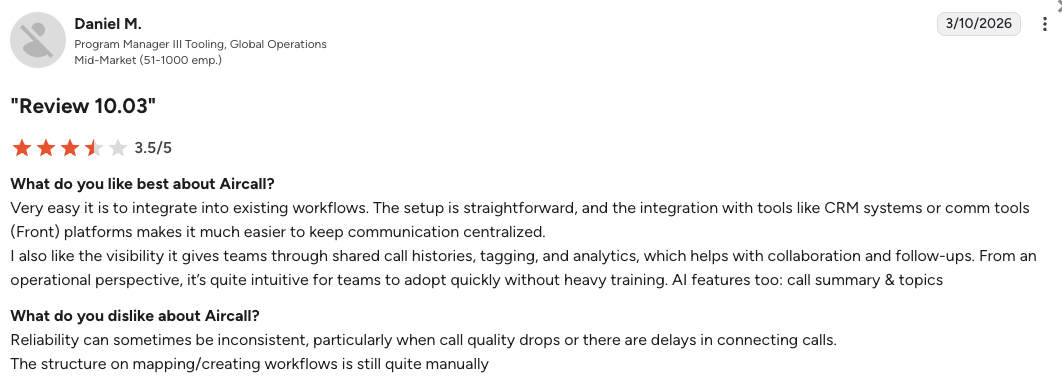
Aircall users enjoy the clean software connections but point out that premium tools require expensive upgrades.
- Smooth software connections: Teams report that matching the dialer to popular helpdesks takes just a few clicks.
- Simple daily calling operations: Agents like the minimalist dial pad because it keeps their workspace uncluttered.
- Audio quality drops: Some technical reviews note voice stuttering or echoes during peak business call windows.
How G2 Users Rate Aircall?
Aircall's current G2 rating is 4.4/5, out of 1,500+ verified user reviews.
6. Zoom Phone: Best for Zoom Workplace Consolidation
What Is Zoom Phone?
Zoom Phone is a streamlined voice tool built right inside the standard Zoom meeting app framework. The platform lets offices activate corporate phone lines inside the exact same program their teams use for video calls. Zoom Phone services companies that want to consolidate their messaging bills and voice lines under one familiar interface.
Why Is Zoom Phone a Strong 8x8 Alternative?
- Wipes out employee training time: Zoom Phone’s external calling dial pad sits right inside the standard Zoom window, so your team does not have to learn a new interface.
- Runs on highly stable global servers: Voice traffic uses Zoom's established global media architecture, preventing the call drops common to older systems.
- Consolidates your communication invoices: Zoom Phone allows procurement leads to combine video spaces, team chats, and telephone lines under one vendor bill.
What Are the Pros & Cons of Zoom Phone?
| Pros | Cons |
|---|---|
| Instant user adoption rates: The tool relies on a video window that your staff already runs every single day. | Metered baseline call pricing: The most affordable plan charges pay-per-minute fees for outbound calls. |
| Cost-effective system add-ons: Adding dial keys to your existing workplace licenses requires very little capital. | Basic statistical reporting: Call dashboards lack the deep analytical metrics needed for busy support floors. |
| One-tap meeting upgrades: Moving an active voice call into a complete video share room takes one second. | Separated contact center frameworks: Parity with advanced call routing tools requires separate product shifts. |
What Are Zoom Phone’s Plans & Pricing?
Zoom Phone pricing starts at $10.50/user/month (Metered, billed annually), with the following main plans:
- US & Canada Metered - $10.50/user/month (Phone, pay-per-minute for outgoing calls)
- US & Canada Unlimited - $16/user/month (Phone, flat rate)
- Pro Plus - $20.50/user/month (Workplace)
- Business Plus - $24.50/user/month (Workplace)
Metered vs. unlimited plans:
Zoom Phone’s $10.50 starting price is highly attractive, but it means you are billed per minute for every call you make. If your team is frequently on the phone, the $16 Unlimited plan is actually much cheaper in the long run.
What Are Zoom Phone Customers Saying?
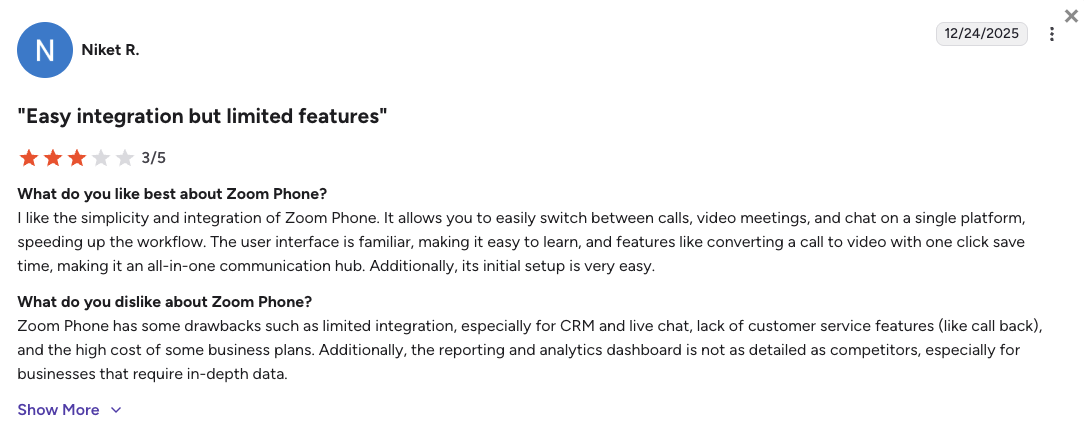
Zoom Phone users really like the simplicity of the interface, but quite many mention that advanced call center features are thin.
- Frictionless communication hub: Employees appreciate having team messaging links, video invites, and line keys in one app frame.
- Excellent voice clarity: Reviews show that audio quality stays clear without the compression issues found on basic software.
- Too simple for active sales: Managers note that the tool lacks the automated dialing speeds needed to run aggressive campaigns.
How G2 Users Rate Zoom Phone?
Zoom Phone’s current G2 rating is 4.6/5, out of 2,600+ verified user reviews.
7. PanTerra Networks (Streams AI): Best for Regulated Industries and HIPAA Defaults
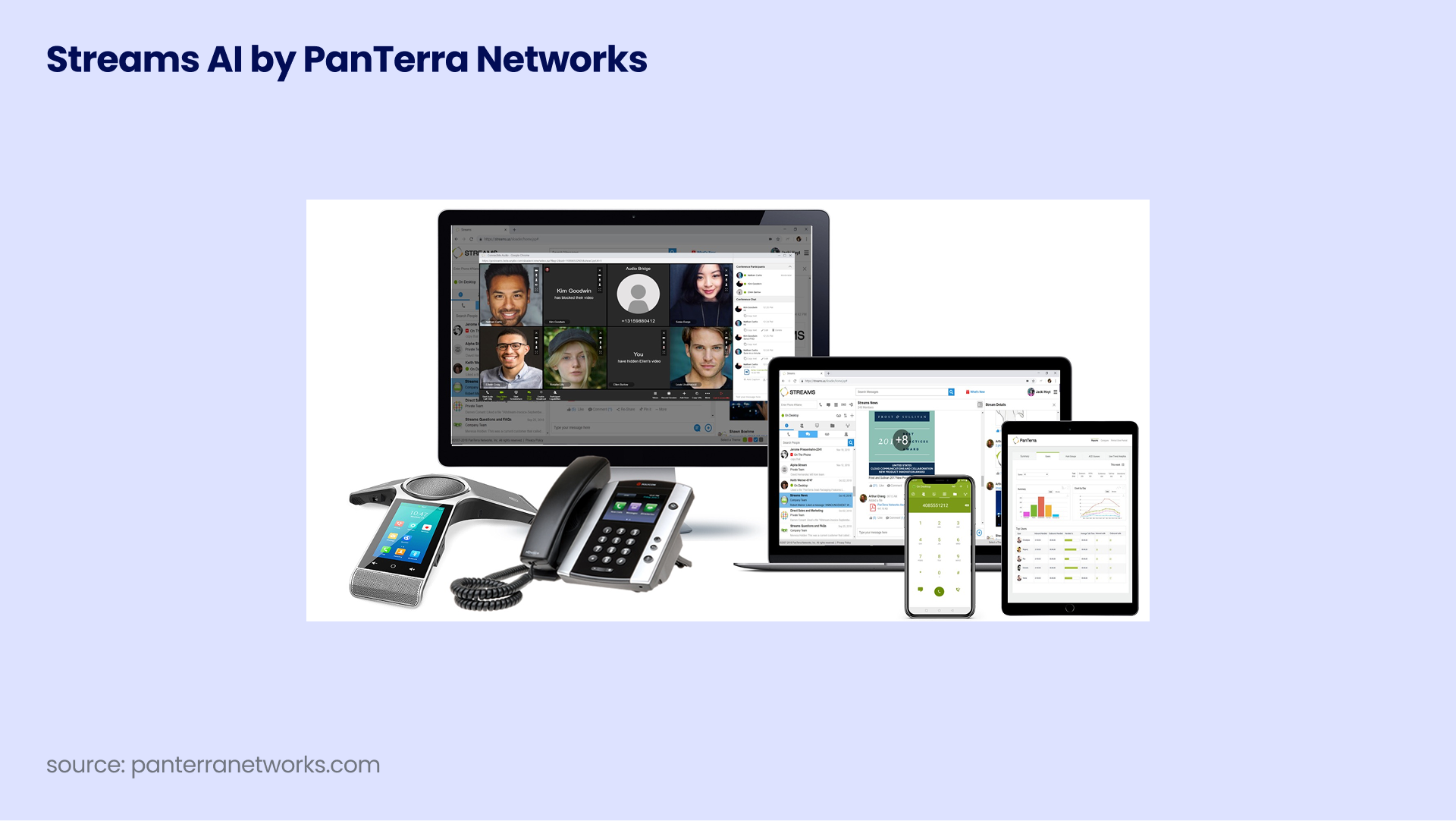
What Is PanTerra Networks?
PanTerra Networks (also known as Streams AI) is a secure, cloud-hosted comms platform built specifically for heavily regulated business models. The platform prioritizes high-level data privacy, secure file routing, encrypted cloud storage, and multi-location management. Panterra Networks and their Streams AI suite caters mainly to medical practices, law firms, and financial offices that must follow strict compliance laws without paying for expensive enterprise upgrades.
Why Is PanTerra Networks a Strong 8x8 Alternative?
- Includes signed privacy agreements instantly: PanTerra delivers a signed Business Associate Agreement (BAA) for HIPAA on its lowest pricing tier, avoiding the security paywalls of legacy providers.
- Simplifies multi-site office management: System administrators can push updates to multiple retail branches or medical clinics from a single screen.
- Bundles secure digital file storage: Subscriptions include encrypted data boxes, letting your staff share patient or client records safely while taking active calls.
What Are the Pros & Cons of PanTerra Networks?
| Pros | Cons |
|---|---|
| Default HIPAA alignment: Compliance guarantees are bundled into baseline rates without custom fees. | North American data limits: Global network footprints are narrow, making it wrong for overseas teams. |
| Centralized clinic controls: IT managers can adjust user permissions across multiple offices instantly. | Dated interface styling: The application screens look old-fashioned compared to modern smartphone layouts. |
| Encrypted cloud cabinets: Data storage tools come standard with your monthly communication profiles. | Elongated system setup windows: Activating compliance tracking requires more planning than lightweight apps. |
What Are PanTerra Networks’ Plans & Pricing?
PanTerra Networks Streams AI pricing starts at $17.95/user/month (billed annually), with the following main paths available:
- Streams Business - $17.95/user/month
- Streams Professional - $24.95/user/month
- Streams Call Center - Custom quote-based rates
The cost value of included compliance:
If your office handles sensitive client records, you are likely overpaying for high enterprise plans just to remain compliant. PanTerra provides data security frameworks on its starting tier, keeping your regulatory costs low.
What Are PanTerra Networks and Streams AI Customers Saying?
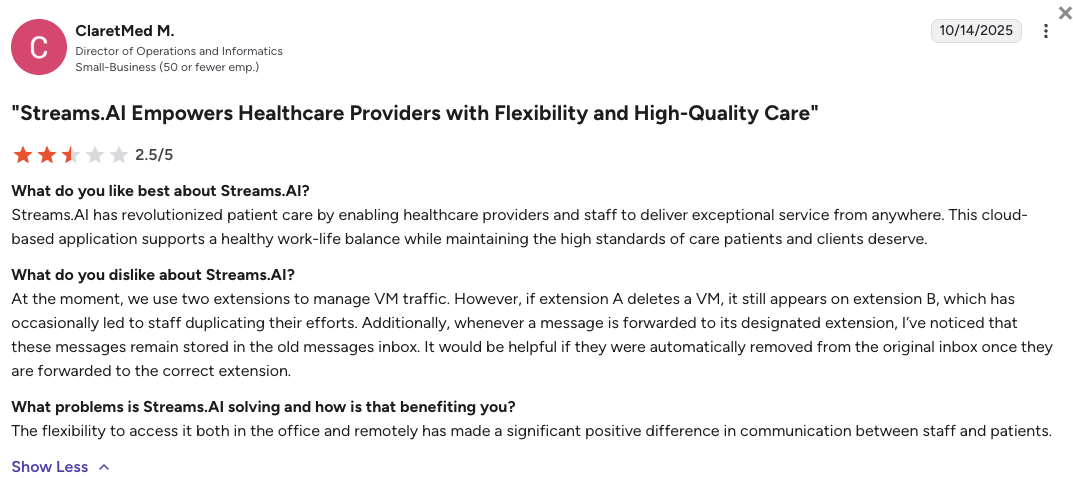
Healthcare and legal buyers appreciate the secure data setups but state the visual interface feels old.
- Worry-free data tracking: Clinic managers value that call records and file transfers meet data privacy laws automatically.
- Reliable multi-site updates: Business owners state that pushing uniform routing updates to different branches is simple.
- Clunky texting screens: Office staff note that the desktop messaging layouts can feel slow and clunky during active days.
How G2 Users Rate PanTerra Networks’ Streams AI Platform?
Stream AI’s current G2 rating is 4.2/5, out of 30+ verified user reviews.
8. Ringover: Best for Global Staffing and Recruitment Agencies
What Is Ringover?
Ringover is a user-friendly cloud phone system designed to help fast-paced recruitment agencies dial candidates at scale. The platform centers on flat-rate international destination calling, browser-native access, and live campaign monitoring tools. Ringover is popular mainly among outbound talent teams that need simple user management and predictable international bills.
Why Is Ringover a Strong 8x8 Alternative?
- Bundles global dial destinations generously: The basic plan packages unlimited calling to 90 international countries, avoiding the unexpected international long-distance fees of legacy operators.
- Gives you browser-native coaching tools: Staffing managers can listen to active recruitment calls and guide new hires live using whisper or barge tools straight inside an internet browser tab.
- Launches extensions in seconds: You can activate new regional phone lines and onboard remote recruiters instantly without waiting for physical hardware shipping.
What Are the Pros & Cons of Ringover?
| Pros | Cons |
|---|---|
| Predictable global dial costs: Flat-rate call allowances across 90 zones bring high cost safety to your office. | Locked software connections: Native data syncing with primary CRMs is restricted to premium packages. |
| Browser-hosted manager keys: Live call intervention tools run smoothly inside tabs without software installation. | Regional texting boundaries: European phone numbers are often blocked from sending text messages to outside zones. |
| Simple daily agent onboarding: Remote recruiters can launch their dial pads and take calls using plain internet browser screens. | Extra picture message fees: Sending media text files triggers separate per-message charges on your monthly bills. |
What Are Ringover’s Plans & Pricing?
Ringover pricing starts at $21/user/month (billed annually), with the following plans:
- Smart - $21/user/month
- Business - $44/user/month
- Advanced - $54/user/month
The CRM link boundary wall:
Keep an eye on Ringover’s integration rules if you use a central sales CRM. Native, automated data links with systems like HubSpot or Salesforce require upgrading away from the starting plan, which pushes your budget toward the higher tiers.
What Are Ringover Customers Saying?
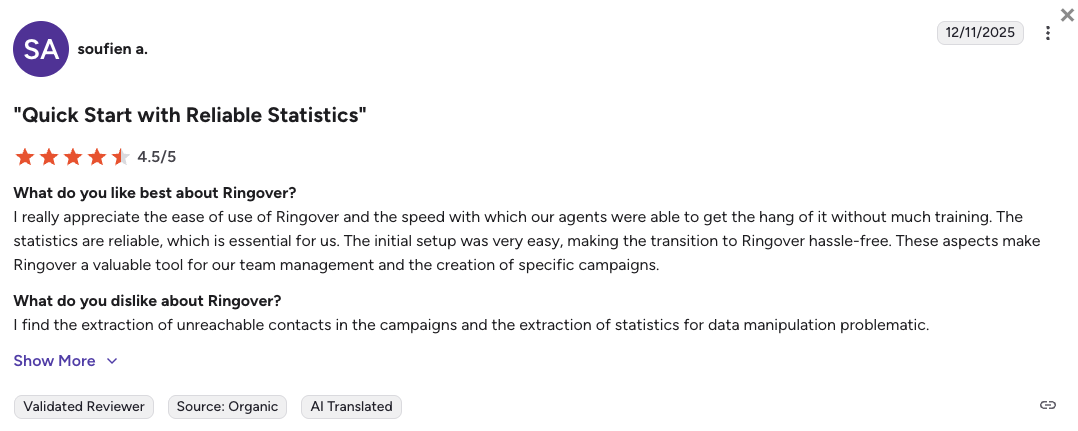
Recruiters using Ringover like the flat-rate global lines but mention that text message delivery rules can be tight.
- Highly predictable bills: Staffing leaders love that calling candidates overseas does not cause surprise monthly bill spikes.
- Minimal app friction: New agents find the software dial pad highly intuitive and easy to navigate from day one.
- Outbound texting blocks: Users report running into message delivery errors when texting talent outside their regional numbers.
How G2 Users Rate Ringover?
Ringover's current G2 rating is 4.6/5, out of 450+ verified user reviews.
9. JustCall: Best for High-Volume Outbound SDR Teams
What Is JustCall?
JustCall is a cloud voice platform built specifically to support high-frequency outbound text sequences and phone sales prospecting. The software prioritizes dialing velocity, bulk text marketing, and campaign automation lists over complex internal corporate communications. JustCall is an ideal fit for aggressive outbound sales development groups that track performance by daily dial speed.
Why Is JustCall a Strong 8x8 Alternative?
- Wipes out agent idle time: Built-in automated dialing workflows call through your lead sheets continuously, skipping manual clicking steps to keep reps talking.
- Bundles client text packages: Subscription plans package large text segment limits from the start, protecting marketing campaigns from unexpected costs.
- Logs outreach automatically: Every dial attempt and client text response records straight to your system files, reducing admin cleanup tasks.
What Are the Pros & Cons of JustCall?
| Pros | Cons |
|---|---|
| High-speed dialing mechanics: Automated campaign lists connect your reps to live prospects with high efficiency. | Forced baseline user minimums: A strict 2-user plan minimum doubles your initial entry costs out of the gate. |
| Unified outreach databases: Outbound text logs and call records route to your existing profiles automatically. | Surprise text overage rates: Moving past your monthly text segment allowances triggers rapid extra fees. |
| Automated texting workflows: The system launches message sequences immediately when a contact status changes in your CRM. | Variable AI minute invoicing: Advanced voice automation tools use usage-based billing that can spike invoices. |
What Are JustCall’s Plans & Pricing?
JustCall pricing starts at $29/user/month (billed annually, 2-user minimum), with the following plans:
- Team - $29/user/month
- Pro - $49/user/month
- Pro Plus - $89/user/month
- Business - Custom quote-based pricing
AI costs down the road:
Be cautious with JustCall’s lower tiers. While the software offers great AI voice agents, they are often billed separately on a pay-as-you-go basis (like $0.99 per minute), creating highly unpredictable monthly invoices.
What Are JustCall Customers Saying?
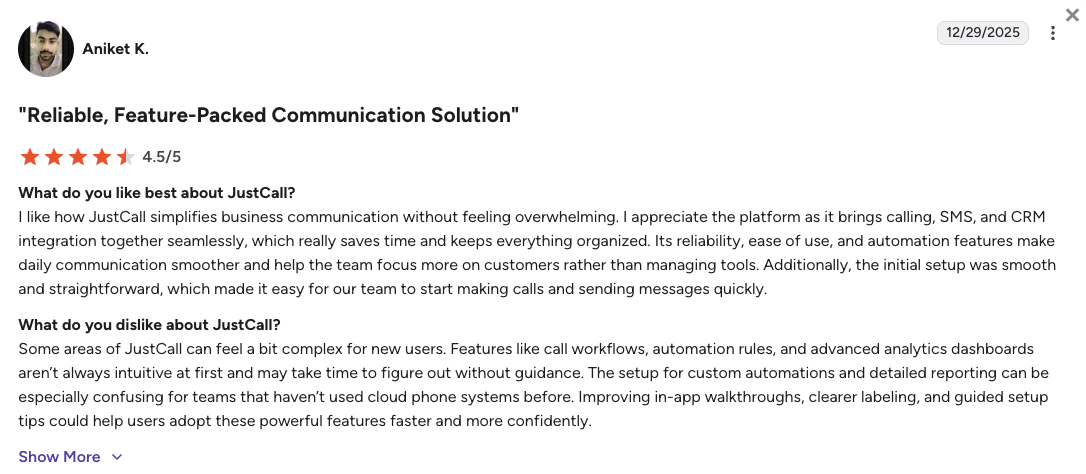
Sales leaders value JustCall’s outbound dialer speed but say that usage-based add-ons require careful tracking.
- Drastic call volume increases: Teams report that running list dialers helps agents double their daily connection rates easily.
- Clean software matching: Managers value the quick data sync with popular sales platforms like Pipedrive and HubSpot.
- Interface screen freezing: Some technical reviews state that the desktop window can stutter when processing heavy text campaigns.
How G2 Users Rate JustCall?
JustCall's current G2 rating is 4.3/5, out of 2,300+ verified user reviews.
10. Genesys Cloud CX: Best Enterprise CCaaS Alternative
What Is Genesys Cloud CX?
Genesys Cloud CX is a large-scale omnichannel contact center built to manage massive user counts across global corporations. The system unifies voice calls, email flows, social media chat streams, and web widgets into a centralized corporate routing engine. Genesys is a popular choice among multinational enterprises and outsourcing call centers that require advanced workforce tracking and full system customization.
Why Is Genesys Cloud CX a Strong 8x8 Alternative?
- Blends all communication fields smoothly: Inbound phone queues, support emails, and social media text streams merge into a single agent window to prevent data silos.
- Optimizes corporate staffing levels: Built-in workforce tracking systems forecast your busiest call hours and suggest optimal agent shift structures automatically.
- Customizes complex call routing logic: Tech teams can build highly tailored data paths to direct high-value clients to specific specialist tiers instantly.
What Are the Pros & Cons of Genesys Cloud CX?
| Pros | Cons |
|---|---|
| Complete customer conversation lines: Voice history and digital text updates sit in a single enterprise framework. | Prohibitive software cost structures: High plan pricing scales fast, completely locking out mid-market and SMB budgets. |
| Advanced staff forecasting systems: Intelligent data models predict seasonal support volumes to balance shifts. | Extreme implementation requirements: Launching and configuring the platform requires substantial engineering teams. |
| Elite enterprise security data keys: Multi-layer encryption structures satisfy strict data safety checks for global banks. | Overwhelming interface depth: The administration dashboard is highly complex for offices managing low lines. |
What Are Genesys Cloud CX’s Plans & Pricing?
Genesys pricing begins around ~$75/user/month (billed annually) for digital entry points, but the platform is almost exclusively custom-quoted:
- Cloud CX 1 - ~$75/user/month (Voice only)
- Cloud CX 2 - ~$95/user/month (Digital omnichannel)
- Cloud CX 3 - ~$135/user/month (Full WEM and AI routing)
The multi-seat operation check:
Remember that Genesys Cloud CX is a heavy corporate system built for large-scale operations. If your business runs under 250 concurrent seats, the administrative overhead and high license costs will quickly outweigh its daily utility.
What Are Genesys Cloud CX Customers Saying?
Enterprise operational leads praise Genesys’ massive data depth but warn that simple changes require engineering help.
- Total control over routing logic: IT directors love the capacity to build hyper-specific automated customer data paths across different continents.
- Deep analytical intelligence: Managers state that the reporting suites deliver total data clarity over multi-country contact center statistics.
- Intense system setup loops: Technical staff note that altering basic phone tree layouts involves navigating complex telecom paths.
How G2 Users Rate Genesys Cloud CX?
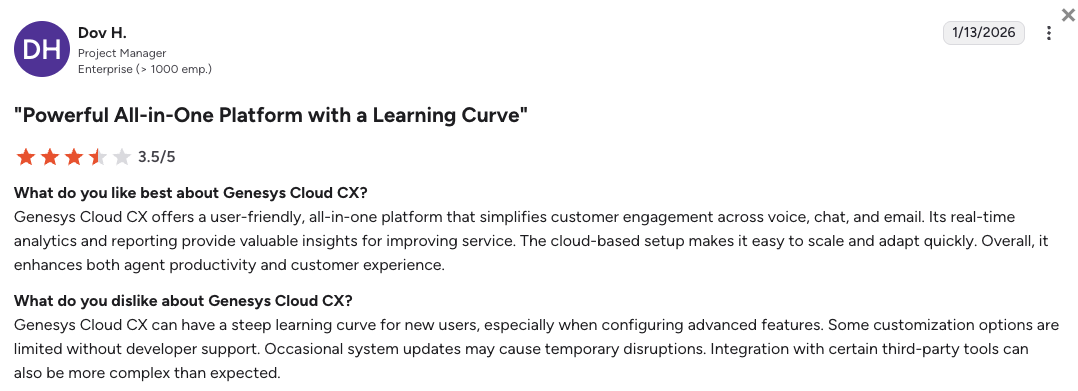
Genesys Cloud CX’s current G2 rating is 4.4/5, out of 1,500+ verified user reviews.
What Users Are Really Saying About 8x8 Alternatives and Competitors
We looked closely at unfiltered discussions on popular public forums to see what business teams encounter when migrating away from 8x8. Reading through these peer-to-peer communities shows a clear trend among system managers and customer service leads.
While 8x8’s legacy system works fine for basic office setups, fast-growing businesses find themselves looking for alternative platforms to solve rigid seat structures, slow customer service replies, and disconnected data logs.
What Redditors Are Asking and Saying about 8x8 Alternatives
Reddit serves as an open workspace where tech managers share honest feedback about their phone systems. On popular message boards like r/sysadmin, IT leads frequently trade tips on how to handle 8x8 configuration limits and explore better choices.
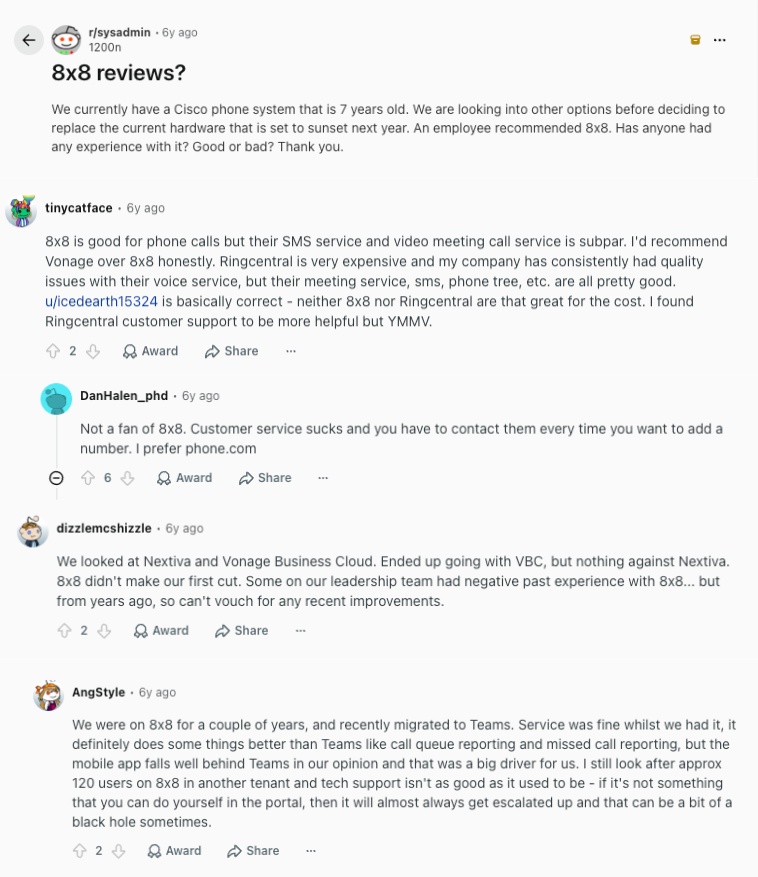
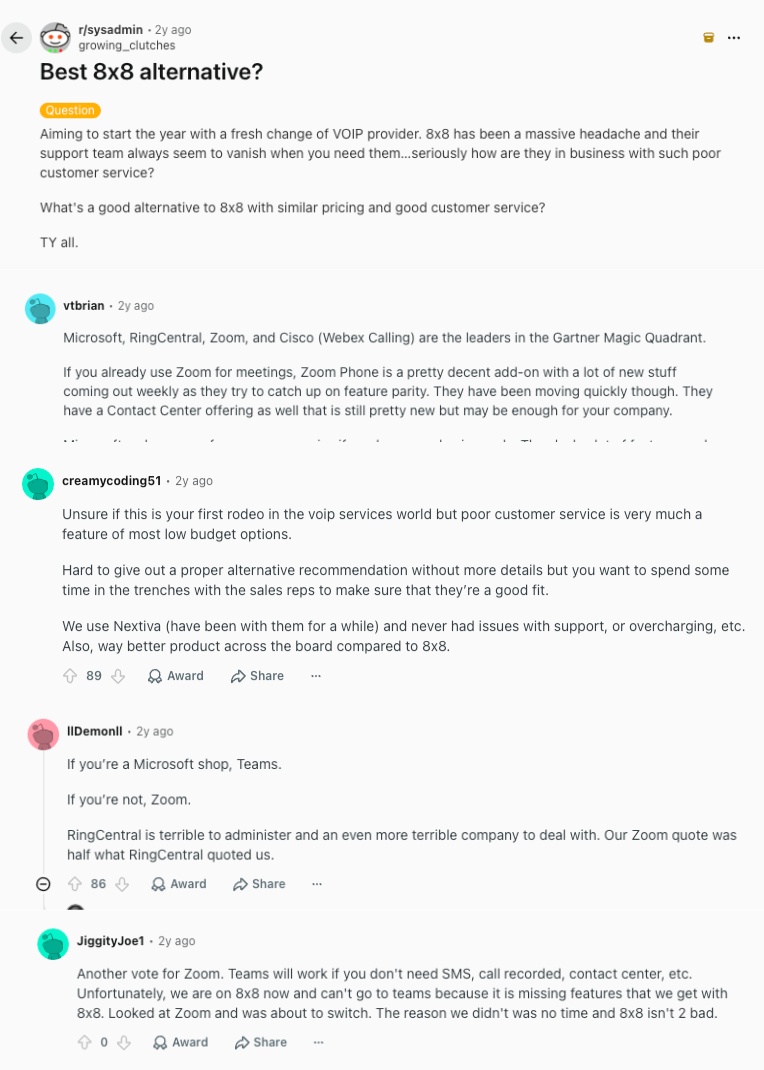
- Vanishing customer service desks: Administrators searching for a reliable partner openly share their frustration with 8x8 customer support, noting that technical help teams frequently disappear entirely during critical software migrations. Experienced network managers suggest moving to platforms like Nextiva or Zoom Phone to ensure your front-line communication remains completely dependable.
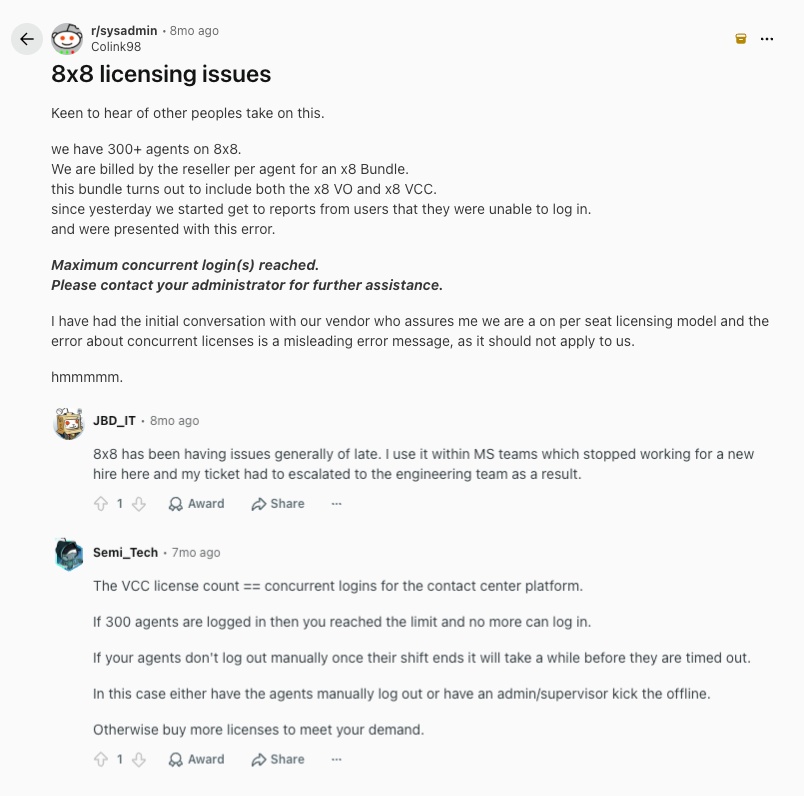
- The concurrent license trap: A tech lead managing a 300+ agent call center detailed a major operational logjam where employees were suddenly blocked from entering the active contact center platform. The community clarified that 8x8's legacy bundle architecture enforces hidden maximum concurrent login metrics. This silently halts shift switchovers unless you purchase extra seat permissions.
- Subpar feature performance for the cost: Senior sysadmins note that while 8x8 handles basic voice traffic well, its text messaging components and mobile app workflows fall significantly behind modern software standards. Technical forum contributors emphasize that their post-sale support tickets routinely drop into deep deflection black holes, making alternative options highly attractive.
What Quora Users Are Asking about 8x8 Alternatives
Public questions on Quora show that modern businesses prioritize software automation over old-fashioned desktop line setups. When evaluating voice software, business software experts highlight two central operational needs.
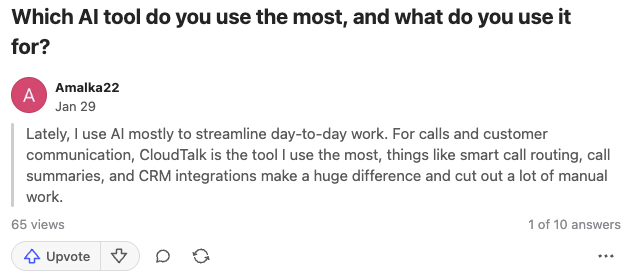
- Streamlining daily work with voice AI: Ops specialists researching modern voice intelligence discuss using automated systems to eliminate manual administrative tasks. Experts point growing offices toward advanced options like CloudTalk because built-in smart call routing configurations, automated data logs, and instant transcripts dramatically reduce manual agent typing fields.
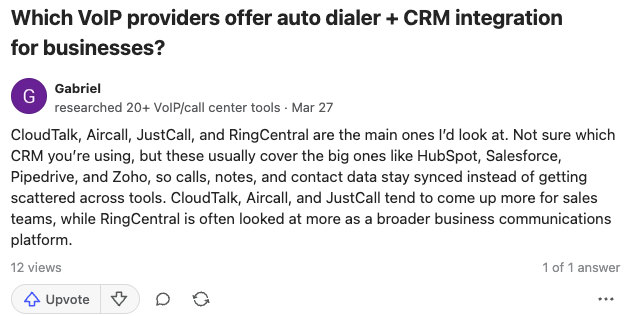
- Linking auto dialers with central sales databases: Sales development leads look for immediate recommendations on which VoIP providers offer the most stable direct integrations with major CRMs. Technology advisors point out that while legacy solutions frequently drop customer context, purpose-built tools like CloudTalk, Aircall, and JustCall reliably sync call files across HubSpot and Salesforce.
What Verified G2 Reviewers Say about Switching from 8x8
Reviews from verified G2 users show exactly why growing teams finally decide to move their phone numbers away from 8x8 to modern platforms:
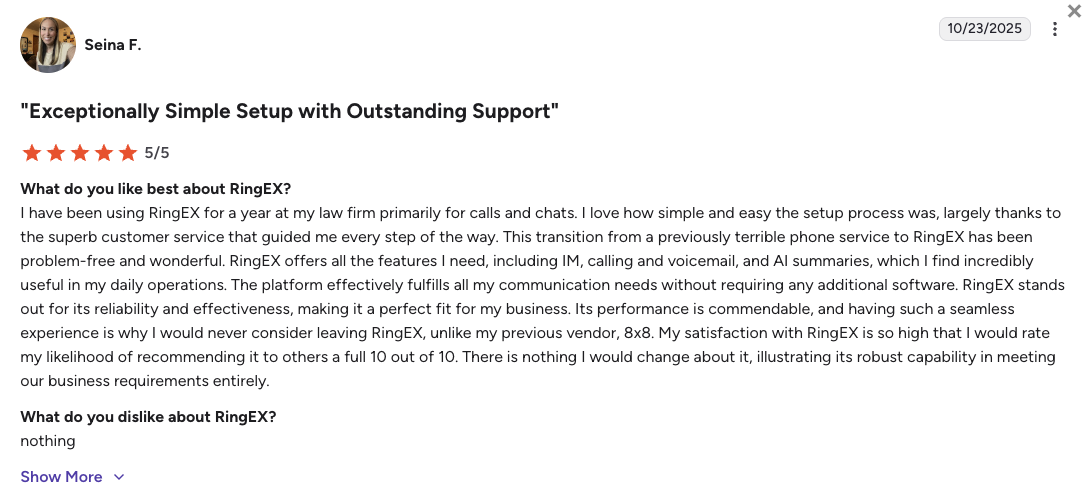
- Fixing data silos with RingCentral: Mid-sized businesses and law firms moving to RingCentral report that having internal team chats, external calls, and AI summaries inside one single app completely fixed their disconnected workflows and gave them clear visibility into client communications. By the way, you can get these exact same unified workflows, plus even deeper, automatic CRM syncing, by switching from 8x8 to CloudTalk.
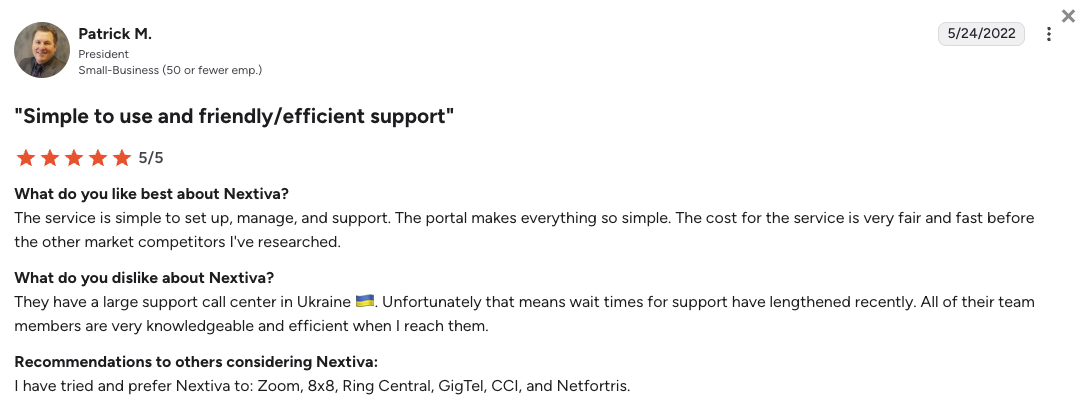
- Clearing up support and billing with Nextiva: Business owners leaving older telecom giants for Nextiva point out how much easier it is to manage global users on a modern interface. They frequently mention that the switch cleared up confusing invoices and finally connected their teams with fast, helpful customer support.
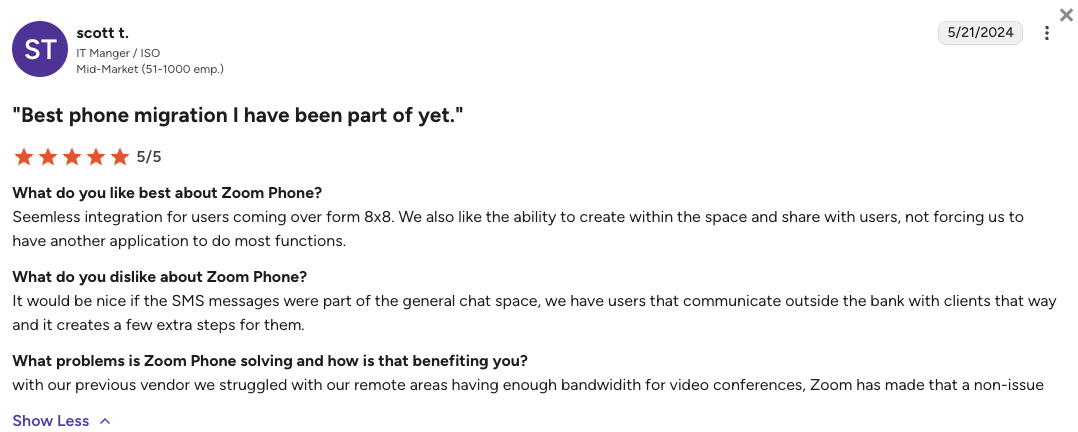
- Stopping audio lag with Zoom Phone: IT managers note that moving remote teams to Zoom Phone fixed their connectivity issues, even in areas with weak internet. Switching allowed them to drop extra communication apps entirely and stopped the frustrating audio lag during important video meetings.
CloudTalk vs. 8x8: Final Head-to-Head Comparison
Choosing between CloudTalk and 8x8 comes down to whether you want a fast, automation-driven tool or a rigid corporate utility. CloudTalk acts as a stable data hub that logs calls and texts automatically, while 8x8 operates as an older infrastructure suite that locks advanced call center features behind enterprise billing walls.
8x8 vs CloudTalk: Head-to-Head Comparison
| Category | CloudTalk | 8x8 | Winner |
|---|---|---|---|
| Starting Price (annual billing) | $19/user/mo | Est. $24/user/mo | CloudTalk |
| Minimum Users | 1 User | 1 User | Tie |
| CRM Synchronization | Native, bi-directional deep sync to 100+ tools | Fragmented API setups with data logging drops | CloudTalk |
| Outbound Sales Dialers | Preview, Smart, Power, and Parallel modes available (Expert plan or via add-on) | Manual entry on standard packages | CloudTalk |
| Visual Call Routing | Drag-and-drop map builder handles changes in minutes | Complex menus that require manual text entry paths | CloudTalk |
| Conversational AI (Intelligence and Voice Agents) | Predictable flat monthly add-on packages | Gated strictly behind premium tier packages | CloudTalk |
| Global Phone Coverage | Virtual numbers and high call quality in 160+ countries | Core unlimited calling is limited to 14 or 48 countries | CloudTalk |
| Network SLA Target | 99.999% uptime guarantee with local carriers | Standard voice networks prone to mobile device lag | CloudTalk |
| Default Compliance Tiers | Custom security setups available via upgrades | Signed HIPAA BAA and FINRA safety standard layouts | 8x8 |
| Support Channels | 24/7 live chat and email help across all tiers (phone support available on Expert) | Asynchronous email queues and automated bots | CloudTalk |
| G2 Rating | 4.4/5 (1,800+ reviews) | 4.1/5 (200+ reviews) | CloudTalk |
| Free Trial | 14-day fully functional trial | N/A | CloudTalk |
The visual routing and data logging relationship explained:
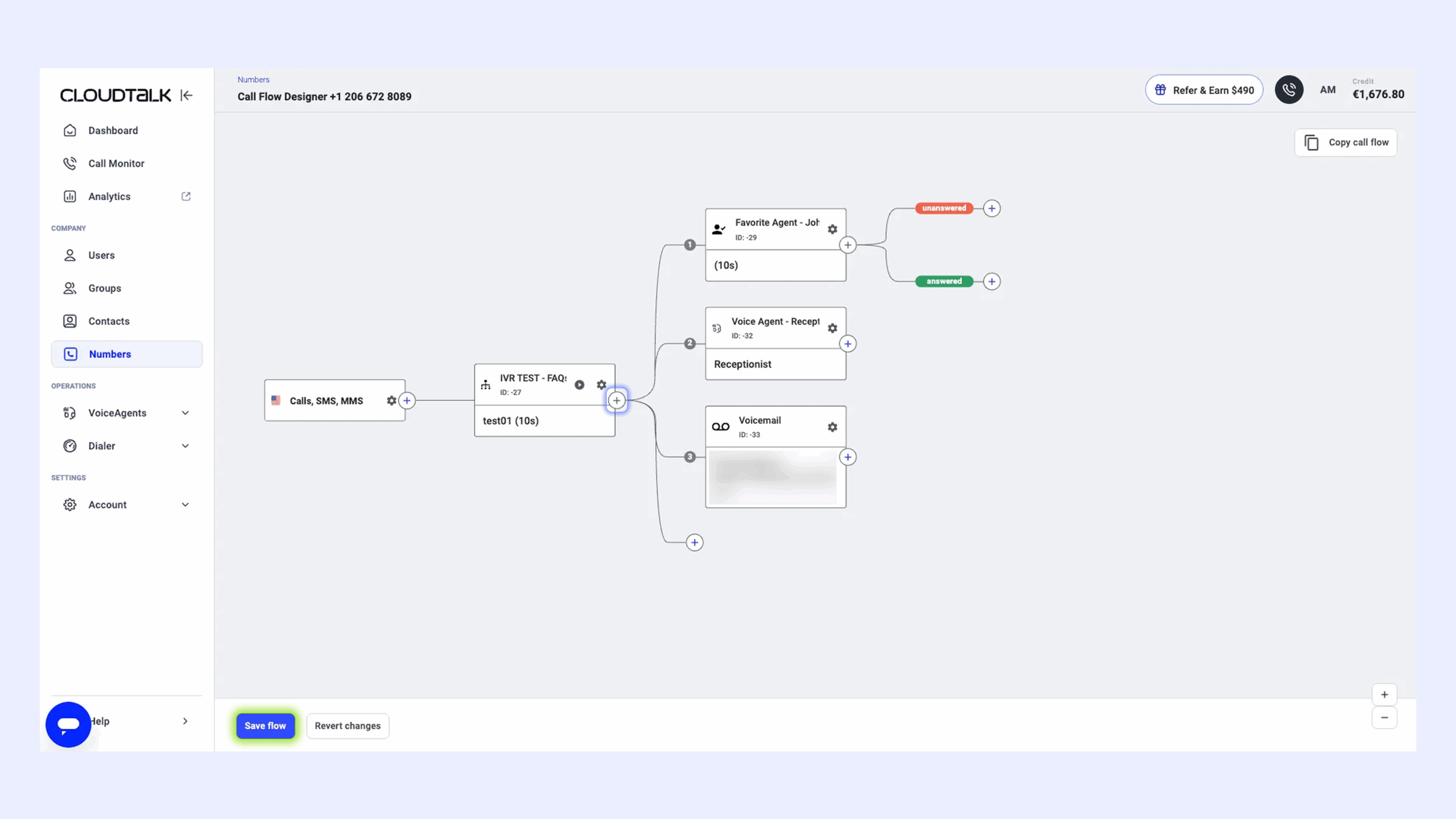
If you run a data-driven office, your managers need to adjust call flows fast without losing client logs. On CloudTalk, you can rearrange your phone lines visually using a drag-and-drop canvas, and every conversation still logs perfectly inside your CRM tools.
On 8x8, the platform's multi-acquisition backend architecture causes silent tracking drops across your customer files when call trees get complicated. This forces your reps to act as expensive data entry clerks to patch the gaps. CloudTalk eliminates this administrative friction entirely, ensuring your call notes and client records stay unified while you scale.
How to Choose the Right 8x8 Alternative for Your Business?
When searching for the perfect replacement for 8x8’s outdated phone lines, choose your platform based on your team's specific operational roadblocks rather than on generic feature lists. Here’s our advice on what to focus on:
1. What Is the Best 8x8 Alternative for Predictable Billing?
If you want to protect your business from surprise cost recovery lines and sudden contract increases, you need a vendor with transparent subscription structures.
- Top Picks: CloudTalk delivers clear, flat-rate tiers and predictable monthly AI bundles from the start. Nextiva is also a great option if you require stable regional voice pricing under fixed commitment terms.
2. Which 8x8 Alternative Has the Best CRM Sync?
If your sales reps are losing hours manually typing up interaction histories because your phone doesn't match your system database, look for a platform built around native API tracking.
- Top Picks: CloudTalk is the premier choice here, using native bi-directional links to feed call recordings and texts into HubSpot, Salesforce, and Pipedrive automatically. Aircall also provides a reliable embedded dialer app for teams using cloud databases.
How CloudTalk x HubSpot saved Revolut 40+ hours/week:
When global fintech Revolut expanded its outbound sales team, their previous VoIP provider lacked the agent oversight and deep CRM syncing they needed to grow. This is exactly where systems with limited global footprints or rigid routing fall short, and why scaling teams often choose CloudTalk over competitors like 8x8.
3. What Is a Good 8x8 Alternative for Global Expansion?
If you run an international prospecting team, 8x8's strict geographic location zones can limit your outward connection velocity. You require a global network that lets you build local trust across multiple continents.
- Top Picks: CloudTalk lets you easily expand globally by providing reliable virtual phone lines in over 160 countries, backed by localized data centers that preserve voice clarity.
4. What Is the Most Reliable 8x8 Alternative with 24/7 Support?
When an entry line stops ringing, your office cannot afford to wait weeks for an asynchronous help ticket resolution. You need immediate connection paths to live system engineers.
- Top Picks: CloudTalk includes live human technical support across every pricing package to help you adjust settings anytime. Nextiva provides highly rated, responsive customer service teams based in the US.
5. What is the Best 8x8 Alternative for Outbound Sales?
If your business development reps depend on daily connection counts to hit outbound revenue targets, phone setups with older architecture will slow down your prospecting flows. You need high-velocity list automation.
- Top Picks: CloudTalk helps agents double their daily call volume by incorporating automatic dialers and smart queue designers. JustCall is another prominent choice built around high-frequency outbound dialing text lists.
6. Overall, What is the Best 8x8 Alternative for Growing Businesses?
If you are running a growing business and want to escape 8x8's complicated admin menus, fragmented data syncing, and unexpected billing hikes, you need a communication platform built specifically for your scale.
- Top Pick: CloudTalk stands out as the ultimate upgrade for small and mid-sized businesses. It provides your scaling office with the perfect blend of reliable CRM sync, predictable pricing, and smart dialing automation without the heavy enterprise contact center costs.
How to Safely Migrate and Port Away from 8x8 DIDs
If you’ve decided to move away from 8x8, don’t skip this part.
Migrating your telecommunications away from 8x8 can be an administrative challenge due to hidden registration details.
When submitting a Letter of Authorization (LOA) to your new provider, ports are routinely rejected because 8x8 frequently logs your business numbers under its own corporate address rather than your actual physical office.
IT admins have successfully bypassed these carrier lockouts by using the following hidden corporate registration data during the port-out process:
A quick guide on How to port away from 8x8 DIDs
| Required Porting Field | 8x8 Hidden Corporate Registration Data |
|---|---|
| Authorized Name | Marcus Moore |
| Service Address | 2125 Onel Dr. San Jose, CA 95131 |
| Standard Porting PIN | 8x82125 (lowercase "x", no spaces) |
Pro tip:
IT professionals strongly advise executing a "Soft Cutover" before your numbers officially move. Set up your complete inbound call routing and user accounts on CloudTalk first, then configure your old 8x8 dashboard to forward all incoming calls to temporary lines on your new platform. This technical bypass guarantees zero dropped client calls while your prolonged carrier porting process clears the upstream queues.
Ready to Make the Switch from 8x8?
Your business operations outgrew 8x8’s legacy comms bottlenecks months ago. Moving your phone lines away from complex setup portals, unlogged customer profiles, and long support ticket loops will instantly revitalize your daily workflows.
When you switch your voice lines from 8x8 to CloudTalk, your team gains major performance advantages on day one:
- Unify your data workflows: Stop typing out call records manually. Every single voice chat and text logs to your customer system files automatically in the background.
- Expand your international connection rates: Build localized brand authority anywhere by getting local or toll-free numbers across 160+ countries with clear audio.
- Deploy modern conversation intelligence: Wring real value from every customer interaction with automated summaries, text call transcripts, and sentiment tracking.
- Wipe out administrative bottlenecks: Adjust your phone menus and route active user extensions instantly using a simple visual editor that requires zero engineering help.
Your phone tools should support your growth, not complicate your files
Frequently Asked Questions
about 8x8 Alternatives
Find quick answers to the most common questions businesses have about 8x8 software and its competitors.
8x8 is an enterprise-grade cloud communication platform that combines traditional unified business telephony with contact center software tools. It handles large multi-country offices well, but growing teams often find its configuration dashboards clunky and its software integration options fragmented.
8x8 is a capable choice for large global corporations that have dedicated IT divisions to configure its dense backend interfaces. However, fast-growing sales teams and mid-market support offices often find its technology platform overly complex, expensive to upgrade, and prone to data synchronization drops.
CloudTalk is widely recognized as the top choice for stable mid-market office communication, maintaining a certified 99.999% uptime target. The platform protects text workflows and clear voice connections by routing call paths over premium carriers instead of cheap data streams.
No, 8x8 does not offer any free account subscriptions or standard free trials for commercial business verification. Launching lines on their platform requires entering fixed multi-year service contracts, and essential analytics features remain gated behind higher-tier subscription plans.
The top cloud-based alternatives to 8x8 include CloudTalk, Dialpad, Nextiva, RingCentral, and Aircall, which all offer unified communication profiles. CloudTalk remains the highest-rated option for data-driven companies because it bundles advanced auto dialers and native CRM updates into standard plans.
RingCentral is better than 8x8 mainly for massive enterprise models that require more than 300 custom technical application links. However, it still shares some of 8x8's problems, including a steep administrative interface path and unexpected cost additions on monthly corporate bills.
Yes, 8x8 includes basic speech transcription tools, but these automated analysis metrics are restricted to their premium pricing packages. Modern alternative vendors build conversation intelligence and automated call recaps natively into starting configurations to save agents time from day one.
Yes, calls on 8x8 can be recorded, but this administrative functionality is entirely plan-dependent and missing from baseline voice accounts. Upgrading your terms to access basic call recording blocks can cause your operational software spend to double unexpectedly.
8x8 provides very strong security controls, featuring global telecom industry certifications and regulatory compliance standards like FINRA and built-in HIPAA structures. This specialized framework makes it highly capable for massive global corporate banking entities that have large funding metrics.
8x8 currently hides its pricing behind quote-based enterprise sales funnels. While historical and third-party estimates place their basic voice plans around $24 per user, true contact center configurations spike quickly from $85 to $160 per seat. This tier progression can catch procurement leads by surprise when they try to expand simple call queues.
Yes, 8x8 packages long-distance calling options across 14 or 48 specific geographic regions depending on your active plan layout. If you need to make calls outside these inclusion blocks, per-minute charges can quickly expand your monthly communication invoicing.
8x8 provides stable voice connections for global corporate enterprises, but delivers poor financial value for scaling teams due to steep feature gating. Accessing simple routing tools or call logs requires expensive account transitions, whereas modern engines bundle complete CRM data logging from the start.
Yes, matching CloudTalk with a modern cloud database like HubSpot or Salesforce creates the perfect, transparent automation engine for small businesses and mid-market teams. This combination allows every phone note and text tracking file to log perfectly in the background without manual administrative intervention.
Compared to 8x8, Aircall ranks as a highly intuitive solution for small teams standardized on Salesforce, but enforces rigid three-user minimum blocks that can price out early startups. While Nextiva offers excellent domestic support and 8x8 targets massive enterprise scales, CloudTalk delivers the most balanced feature mix.
CloudTalk delivers the highest direct feature value for your budget because it opens advanced dialing lists, deep real-time analytics, and live support channels on standard tiers. Traditional environments charge hefty premiums for basic metrics, turning a seemingly low baseline seat price into an expensive setup.
Yes, CloudTalk is the premier calling tool for fast agent expansion because it charges flat subscription rates without additional compliance recovery upcharges. Its drag-and-drop designer allows managers to onboarding new hires and alter international line deployments instantly without using specialized engineering assistance.
CloudTalk offers the best financial deal for a team of about 20 users by delivering enterprise-level automation without forcing you into bloated, expensive contact center tiers. You can easily build the perfect 20-user stack by combining accessible mid-tier plans for native CRM syncing with modular, flat-rate add-ons like Power Dialing. This approach gives your growing team advanced sales workflows while keeping your monthly invoicing completely predictable.
Ready to Try the Best Small Business Alternative to 8x8?
Join 4,000+ businesses growing with CloudTalk. No setup fees. No contracts. 14-day free trial.
Start Free Trial