Best Sales Engagement Platforms in 2026: Reviewed for Every Team Size
TLDR:
The best sales engagement platform depends on your team size, primary channels, and CRM stack. Here are the 10 best options in 2026:
- 01Outreach — Best for enterprise revenue teams (custom pricing)
- 02Salesloft — Best for revenue orchestration & pipeline management (custom pricing)
- 03Apollo.io — Best for prospecting + outreach in one tool (free; from $49/user/mo)
- 04HubSpot Sales Hub — Best for HubSpot CRM teams (free; from $15/user/mo)
- 05Klenty — Best for outbound SDR teams scaling sequences (from $50/user/mo)
- 06Mixmax — Best for Gmail-based revenue teams (free; from $29/user/mo)
- 07Yesware — Most affordable entry point (free; from $19/user/mo)
- 08Reply.io — Best for AI-generated multi-channel sequences (from $89/user/mo)
- 09Groove (Clari) — Best for Salesforce-native enterprise teams (custom pricing)
- 10Instantly — Best for high-volume cold email deliverability (from $47/mo)
Most sales teams already have a CRM. What they are missing is the layer between the CRM and the customer — the system that actually executes outreach, tracks every touchpoint, and feeds the data back automatically. That is what a sales engagement platform does.
Without one, reps switch between email, dialers, LinkedIn, and their CRM manually — spending nearly 60% of their time on administrative work instead of selling. The right sales engagement platform eliminates that friction entirely. This guide reviews 10 platforms across every team size and budget, with verified pricing, honest pros and cons, and clear verdicts on who each tool actually fits.
What Is a Sales Engagement Platform — and How Is It Different from a CRM?
A sales engagement platform (SEP) is software that automates and coordinates outreach across email, phone, SMS, and LinkedIn — and logs every interaction back to your CRM automatically. Where a CRM is a record-keeping system (contacts, deal stages, history), a sales engagement platform is an execution system. It does the work: sends sequences, dials contacts, tracks opens and replies, and updates the CRM so nothing falls through the cracks.
SEP vs. CRM — the key distinction
Your CRM stores what happened. Your sales engagement platform makes it happen. A rep using only a CRM has to manually send emails, log calls, and schedule follow-ups. A rep using an SEP on top of a CRM runs automated sequences, gets AI-suggested next actions, and never loses a prospect because a follow-up slipped through. The two tools are complementary — not competing.
In 2026, the best sales engagement platforms go well beyond simple email sequencing. Modern platforms layer in AI-powered call coaching, intent signal detection, automated CRM updates, and conversation intelligence that scores every call and email automatically. The shift is from manual execution to intelligence-driven outreach — and it is the single biggest unlock available to sales teams today.
Before You Choose an SEP: Add AI-Powered Calling to Your Stack
Most sales engagement platforms handle email, LinkedIn, and SMS well. Phone calling is where most of them fall short — offering basic dialing without the infrastructure, analytics, or coaching tools that actually move connect rates and conversion. That is the gap CloudTalk fills.
CloudTalk is not a sales engagement platform. It is the AI-powered calling layer that makes any SEP more powerful. When CloudTalk connects to your SEP, every call is automatically logged with a recording, AI-generated summary, sentiment score, and outcome — fed back into the sequence so reps never leave a deal stranded between channels. Outreach, Salesloft, HubSpot, Pipedrive, and Salesforce all integrate natively.
For outbound-heavy teams, CloudTalk's Parallel Dialer dials up to 10 lines simultaneously and connects instantly to the first pickup — turning a 30-call morning into a 150-call morning without adding headcount. Plans start at $19/user/month, and the setup takes minutes, not weeks.
What Does CloudTalk Add to Your Sales Engagement Stack?
- AI Sales Dialer: Power, Parallel, and Smart dialing modes — from sequential outreach to 10-line simultaneous calling — with automatic answering machine detection so reps never waste time on voicemail.
- AI Call Summaries: Every call automatically summarized and synced to the SEP the moment it ends. No post-call admin for reps.
- Sentiment Analysis: Every call scored for tone and engagement — surfaces struggling reps and difficult prospects before deals go cold.
- Call Monitoring & Coaching: Managers whisper guidance to reps mid-call without the prospect hearing, or step in to take over — without interrupting the sequence.
- 180+ Country Coverage: Local numbers across 180+ countries — higher pickup rates for international outbound teams running global sequences.
- Outreach Integration & Salesloft Integration: Native two-way sync with both leading SEPs — call data, recordings, and outcomes log automatically without manual entry.
What Are CloudTalk's Pros & Cons?
| Pros | Cons |
|---|---|
| Native integrations with Outreach, Salesloft, HubSpot, Salesforce, and Pipedrive — call data syncs automatically without middleware | Voice-only — not an SEP replacement; needs to be paired with one of the platforms below for email and LinkedIn sequencing |
| Parallel Dialer for outbound teams — dials up to 10 lines simultaneously, connects to the first live answer, and skips voicemails automatically | Helpdesk and CRM integrations from Essential tier — Lite and Starter plans do not include CRM connectivity |
| AI Conversation Intelligence included — call summaries, sentiment scoring, and transcription available from $29/user/month | |
| 14-day free trial — full feature access, no credit card required |
What Is CloudTalk's Pricing?
Flexible Pricing Plans to Scale with You
Already using an SEP? Add AI-powered calling on top in minutes.
10 Best Sales Engagement Platforms in 2026
Use this comparison to match your team size, primary channels, and budget. All pricing is verified from official vendor sources as of June 2026.
10 Best Sales Engagement Platforms in 2026
| Tool | Starting Price (Billed Annually) | G2 Rating | Best For | Free Trial | Key Differentiator |
|---|---|---|---|---|---|
| CloudTalk ⭐ Editor’s Pick Recommended Voice Layer | From $29/user/mo | 4.4/5 | Adding AI-powered calling to any SEP | 14 days | Parallel Dialer + native Outreach, Salesloft & CRM integrations |
| 1. Outreach | Custom (enterprise) | 4.3/5 | Enterprise & mid-market revenue teams | 14 days | Most mature SEP — AI deal insights, forecasting, and multi-stakeholder sequencing |
| 2. Salesloft | Custom (enterprise) | 4.5/5 | Revenue orchestration & pipeline management | 14 days | Cadence + conversation intelligence + deal management in one platform |
| 3. Apollo.io | Free; paid from $49/user/mo | 4.7/5 | SMB & mid-market prospecting + engagement | Free plan | 275M+ contact database + sequencing in one platform |
| 4. HubSpot Sales Hub | Free; Starter from $15/user/mo | 4.4/5 | Inbound-focused teams already on HubSpot CRM | Free plan | Deepest CRM-native SEP — sequences and deals in one workspace |
| 5. Klenty | Starter $50/user/mo (annually) | 4.6/5 | Outbound SDR teams scaling email & call sequences | 14 days | AI-driven list-building, enrichment, and multi-channel cadences |
| 6. Mixmax | Free; from $29/user/mo | 4.6/5 | Gmail-based revenue teams wanting inbox-native sequences | Free plan | Inbox-native sequences — no separate platform to learn |
| 7. Yesware | Free; Pro $19/user/mo | 4.4/5 | Small teams needing lightweight email tracking & templates | Free forever | Most affordable entry point — free forever plan with real tracking |
| 8. Reply.io | Email from $49/user/mo; Multichannel from $89/user/mo | 4.6/5 | Teams wanting AI-generated sequences across all channels | 14 days | AI sequence generation — writes and optimizes cadences automatically |
| 9. Groove (Clari) | Custom pricing | 4.3/5 | Salesforce-native enterprise teams | On request | Built for Salesforce — works inside SFDC, not alongside it |
| 10. Instantly | Growth $47/mo | 4.9/5 | Agencies & founders running high-volume cold email | 14 days | Highest-rated cold email deliverability platform on G2 |
1. Outreach — Best Sales Engagement Platform for Enterprise Revenue Teams
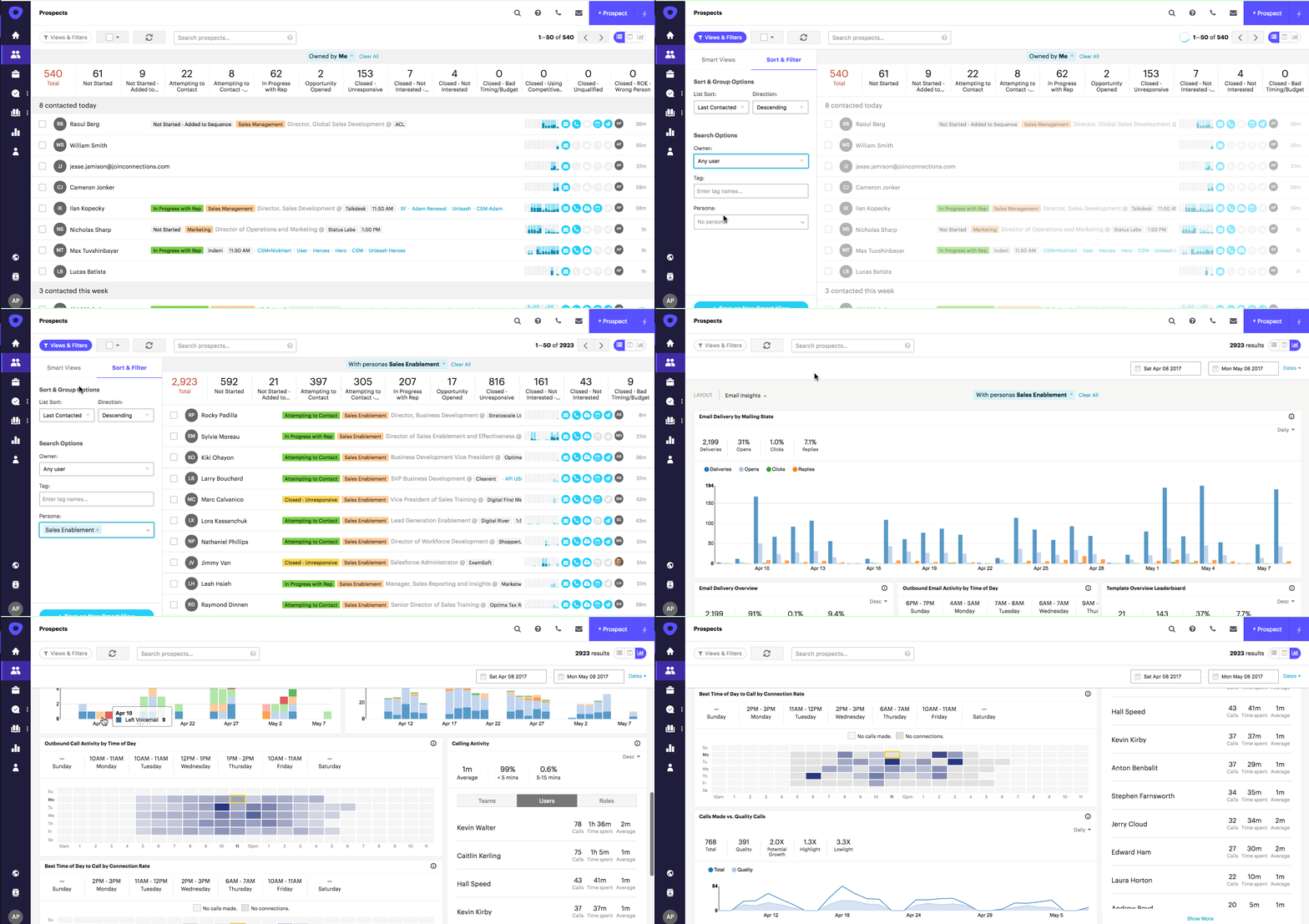
Outreach (now Outreach.ai) is the category leader for enterprise sales teams. It combines multi-touch sequencing across email, phone, LinkedIn, and SMS with AI-powered deal insights, revenue forecasting, and pipeline management — all in one platform. For mid-market and enterprise teams running complex, multi-stakeholder selling motions where multiple reps touch each deal, Outreach is the most mature and capable option on this list.
Who Is Outreach Best For?
Enterprise and mid-market revenue teams where SDRs, AEs, and revenue leaders all need visibility into the same pipeline. Particularly strong for organizations that have outgrown lighter-weight tools and need enterprise-grade compliance, custom workflows, and AI coaching layered across the full revenue cycle. Less suitable for small teams on tight budgets — pricing is enterprise-only and not published.
Key Features
- Multi-channel sequences: Email, phone, LinkedIn, and SMS cadences with built-in A/B testing and send-time optimization.
- Kaia AI: Real-time call coaching, deal intelligence, and meeting summaries — surfaces competitive mentions, objections, and next steps automatically.
- Pipeline analytics: Tracks sequence performance, conversion rates by stage, and rep activity — connected to forecast accuracy.
- Native CloudTalk integration: Sync call recordings, summaries, and outcomes directly into Outreach sequences via the Outreach + CloudTalk integration.
What Are Outreach's Pros & Cons?
| Pros | Cons |
|---|---|
| Most mature SEP on the market — the deepest sequencing, forecasting, and AI coaching in the category | Enterprise pricing only — no published rates; typically $120–$180+/user/month based on market data |
| Kaia AI is genuinely useful — real-time coaching during live calls is a meaningful productivity lever for large sales teams | Steep learning curve — onboarding takes weeks for non-technical teams and often requires dedicated admin resources |
| Strong Salesforce integration — deep bidirectional sync designed for enterprise CRM workflows | Overkill for teams under 20 reps — the feature breadth and admin overhead is excessive for small outbound teams |
What Is Outreach's Pricing?
Outreach uses custom enterprise pricing across three tiers: Amplify Core, Amplify Plus, and Amplify Pro. No rates are published. Typical market contracts land between $120–$180+/user/month depending on seat count, contract length, and add-ons. Request a quote at outreach.io. For a detailed breakdown, see our Outreach pricing guide.
2. Salesloft — Best for Revenue Orchestration and Pipeline Management
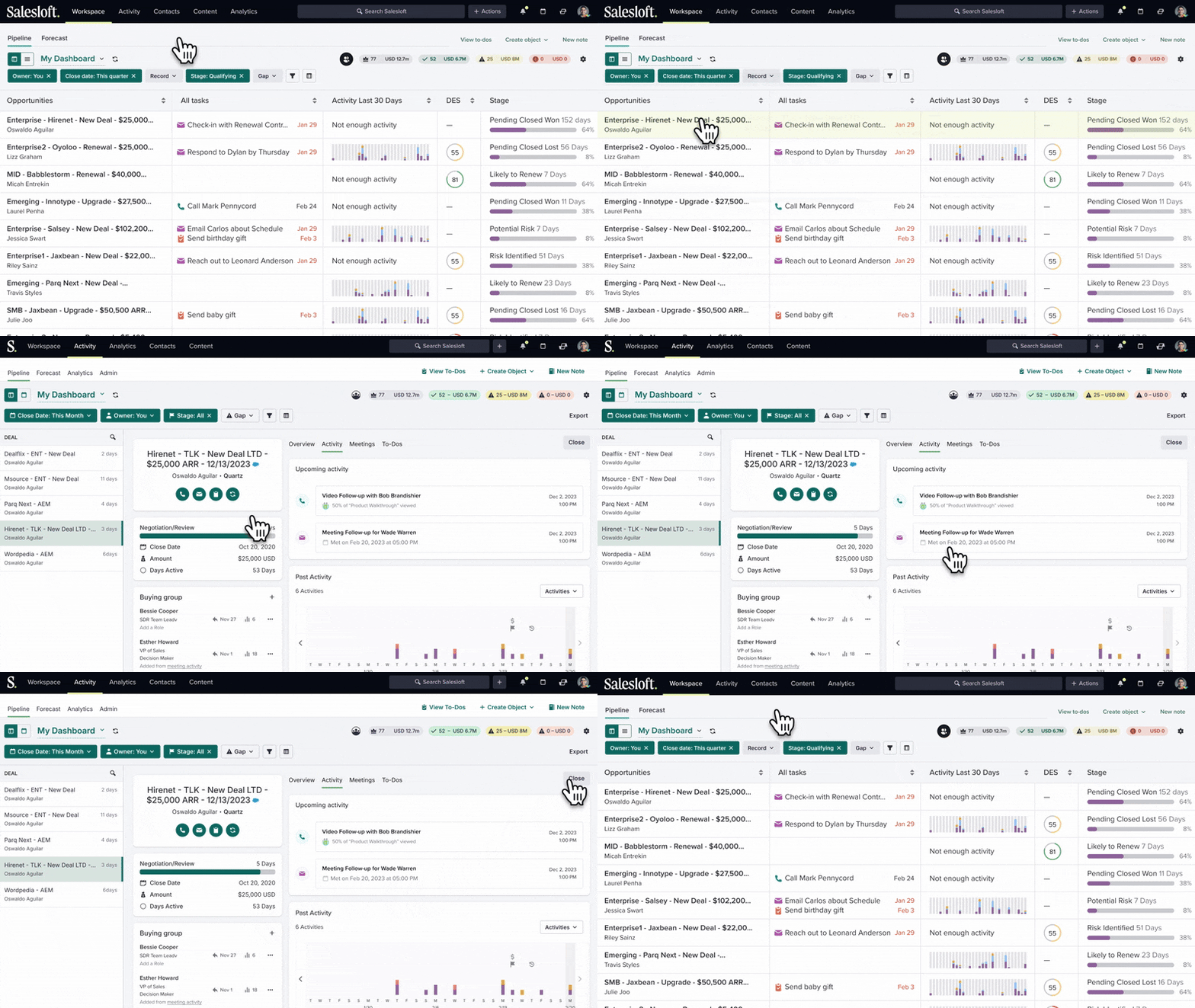
Salesloft positions itself as a Revenue Orchestration Platform — combining cadence management, conversation intelligence, deal management, and pipeline forecasting in one place. Its Copilot ecosystem (Inbox Copilot, Meeting Copilot, Engagement Copilot) recognizes buying signals, recommends next actions, and helps reps prioritize which conversations to advance. For revenue leaders who want a single platform covering the full sales cycle from first touch to close, Salesloft is the strongest unified option on this list.
Who Is Salesloft Best For?
Mid-market and enterprise revenue teams that want cadence automation, conversation intelligence, and deal management without stitching multiple tools together. Particularly strong for sales leaders who need pipeline visibility tied directly to rep engagement activity. Like Outreach, it is not the right fit for lean teams on tight budgets.
Key Features
- Cadence automation: Multi-channel sequences with AI-recommended send times and personalization suggestions.
- Copilot ecosystem: AI assistant that prepares reps for meetings, captures notes automatically, and recommends next actions based on deal context.
- Conversation intelligence: Records and analyzes every call, surfaces competitor mentions, coaching opportunities, and deal risks.
- Native CloudTalk integration: Sync CloudTalk call data into Salesloft cadences via the Salesloft + CloudTalk integration.
What Are Salesloft's Pros & Cons?
| Pros | Cons |
|---|---|
| Strongest unified platform — cadence, conversation intelligence, and deal management under one roof | Custom pricing only — no published rates; enterprise-tier cost comparable to Outreach |
| Copilot ecosystem is genuinely differentiated — proactive AI assistance across inbox, meetings, and engagement | Heavy for small teams — full value requires enterprise deployment with dedicated admin and enablement support |
| Highest G2 rating in this list — 4.5/5 across thousands of verified enterprise reviews | Pricing opacity — total cost is hard to forecast without a full sales process; budget carefully before committing |
What Is Salesloft's Pricing?
Salesloft uses custom enterprise pricing. No rates are published publicly. For a detailed breakdown, see our Salesloft pricing guide.
CloudTalk integrates natively with Outreach, Salesloft, HubSpot, Salesforce, and Pipedrive. Add AI-powered calling to any SEP in minutes.

3. Apollo.io — Best Sales Engagement Platform for Prospecting + Outreach in One Tool
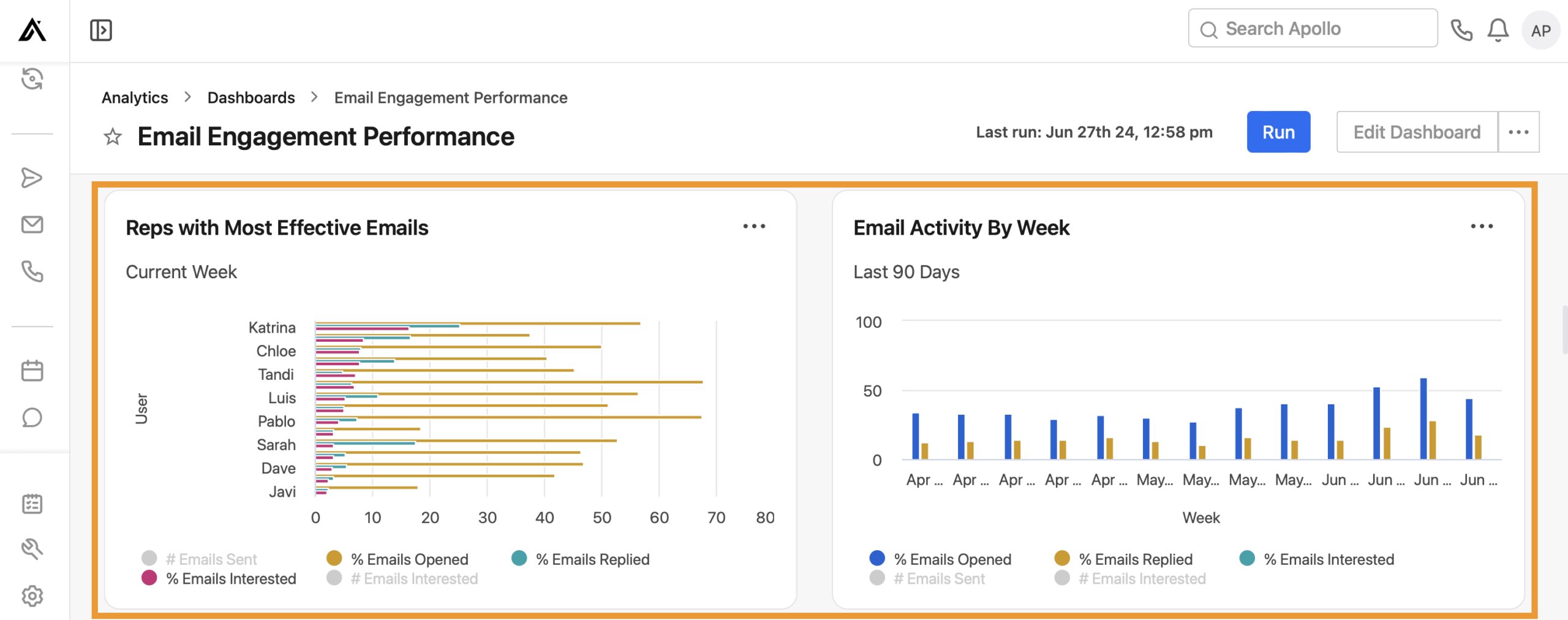
Apollo.io is the only tool on this list that combines a massive B2B contact database (275M+ contacts, 60M+ companies) with a full sales engagement platform in a single workspace. Reps build prospect lists, verify contact data, enrich records, and launch sequences — all without switching tools. For growing teams whose biggest challenge is finding the right people to contact in the first place, Apollo removes the friction between prospecting and outreach entirely.
Who Is Apollo Best For?
SMB and mid-market teams doing outbound prospecting who want data and sequencing in one platform rather than paying separately for ZoomInfo or Clearbit alongside an SEP. Also strong for early-stage companies building their first outbound motion — the free plan is genuinely usable for basic prospecting and email sequences.
Key Features
- Contact database: 275M+ verified B2B contacts with email, phone, and LinkedIn data — updated continuously with intent signals.
- Multi-channel sequences: Email, phone, LinkedIn, and SMS cadences with AI-generated personalization and A/B testing.
- Intent signals: Identifies accounts showing buying intent based on web activity, job postings, and technology changes — prioritizes outreach automatically.
- CRM sync: Native two-way sync with HubSpot and Salesforce — contact and engagement data updates automatically.
What Are Apollo's Pros & Cons?
| Pros | Cons |
|---|---|
| Best all-in-one for prospecting + sequencing — eliminates the separate data enrichment tool for most SMB and mid-market teams | Contact data accuracy varies — some users report outdated emails and phone numbers, especially for smaller companies |
| Free plan is genuinely usable — includes 10,000 monthly email credits, basic sequences, and CRM integrations | Phone calling is basic — built-in dialer exists but lacks the depth of dedicated calling platforms like CloudTalk |
| Highest G2 rating on this list at 4.7/5 — across 7,000+ verified reviews from real SMB and mid-market users | Can feel overwhelming — the breadth of data and features has a learning curve for new SDRs |
What Is Apollo's Pricing?
Free: 10,000 monthly email credits, basic sequences, 5 mobile number exports/month.
Basic: $49/user/month — unlimited email credits, email sequences, and basic analytics.
Professional: $79/user/month — advanced sequences, AI email writing, A/B testing, and call recording.
Organization: $119/user/month (minimum 5 users) — advanced permission controls, custom fields, and SSO. All prices annual billing. For a detailed breakdown see our Apollo pricing guide. Source: apollo.io/pricing
4. HubSpot Sales Hub — Best for Inbound-Focused Teams Already on HubSpot CRM
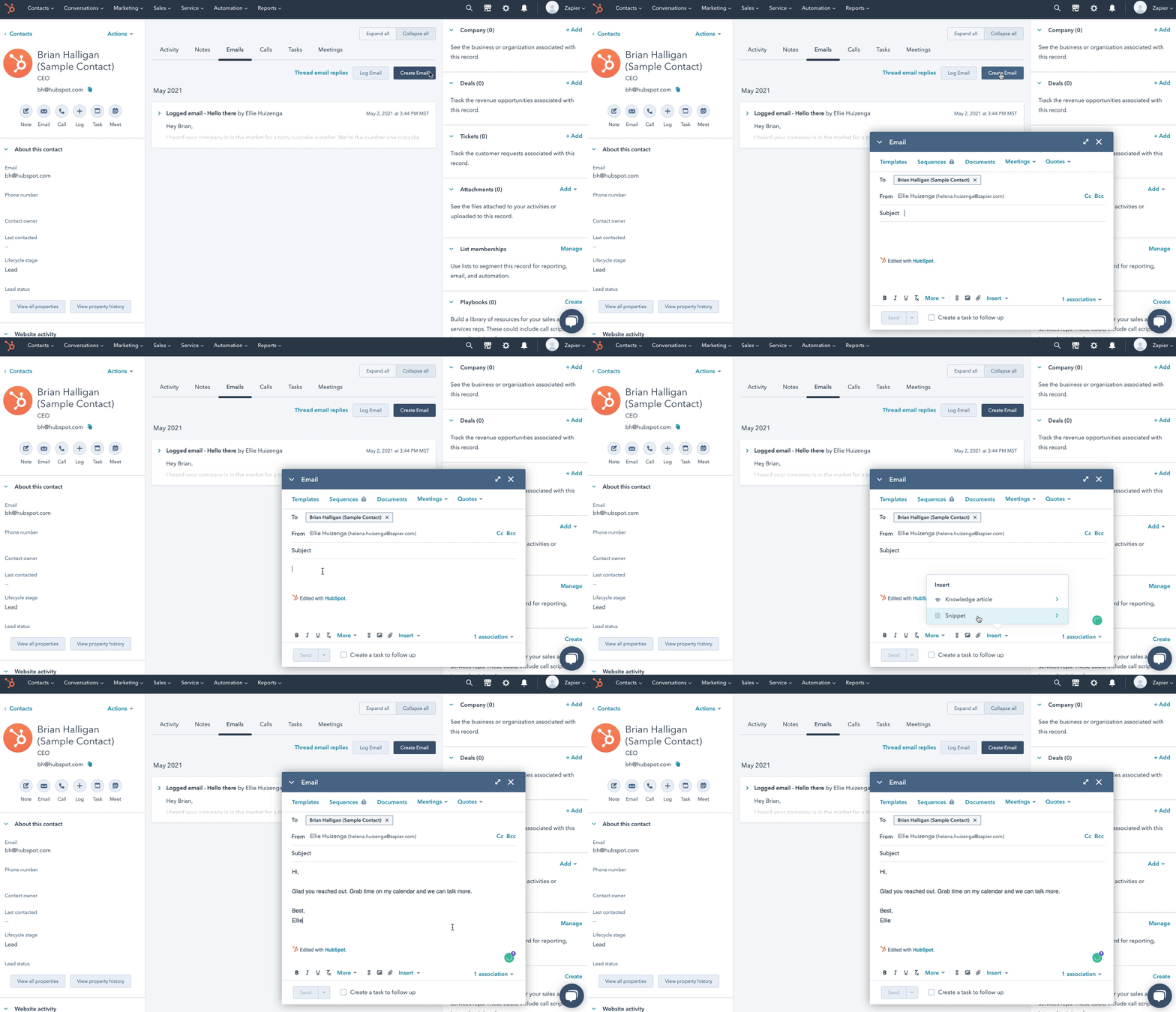
HubSpot Sales Hub keeps sales engagement embedded within the HubSpot CRM ecosystem. Reps run sequences, manage deals, and track engagement without ever leaving the CRM interface — which is the platform's core advantage. For teams already using HubSpot Marketing or Service Hub, adding Sales Hub eliminates the fragmentation between marketing-generated leads and sales outreach entirely.
Who Is HubSpot Sales Hub Best For?
SMB and mid-market teams that are already running on HubSpot CRM or plan to. The strongest use case is inbound sales — where marketing has generated leads and sales needs to engage, qualify, and convert them with email sequences, meeting booking, and deal tracking in one place. Less compelling for teams running pure outbound prospecting with cold contact lists, where Apollo or Klenty offer better prospecting infrastructure.
Key Features
- Sequences: Email and task-based sequences with automated enrollment and personalization tokens — available from the Professional plan ($100/seat/month).
- AI email assistant: Drafts, edits, and A/B tests email content — available from the Professional plan.
- Meeting scheduler: Embeddable booking links that sync to rep calendars — eliminates back-and-forth scheduling entirely.
- Native CloudTalk integration: Full two-way call sync — click-to-call, call logging, and recordings all appear in the HubSpot contact record via the HubSpot + CloudTalk integration.
What Are HubSpot Sales Hub's Pros & Cons?
| Pros | Cons |
|---|---|
| Deepest CRM-native SEP — sequences, deals, and engagement analytics in a single CRM workspace | Sequencing gated behind Professional — email sequences are not available on the Free or Starter plan; Professional starts at $100/seat/month |
| No extra SEP subscription needed — for HubSpot CRM teams, Sales Hub replaces a separate platform entirely | Less powerful for pure outbound — no built-in prospecting database; outbound teams still need a data source like Apollo or ZoomInfo |
| Free forever plan — email tracking, meeting scheduler, live chat, and basic deal management at no cost | Costs compound across the HubSpot suite — teams needing Marketing Hub + Sales Hub + Service Hub face significant total cost |
What Is HubSpot Sales Hub's Pricing?
Free: Email tracking, meeting scheduler, basic deal management, and live chat.
Starter: $15/seat/month (annual) — calling, basic automation, and deal management. Note: email sequences are NOT included in Starter.
Professional: $100/seat/month (annual) + $1,500 mandatory onboarding — full sequences, AI email writing, advanced reporting, forecasting, and Salesforce integration.
Enterprise: $150/seat/month (annual) + $3,500 mandatory onboarding — custom objects, advanced permissions, predictive lead scoring. All prices annual billing. Source: hubspot.com/pricing/sales
Using HubSpot? Add AI-powered parallel dialing and call coaching in one click.
5. Klenty — Best for Outbound SDR Teams Scaling Multi-Channel Sequences
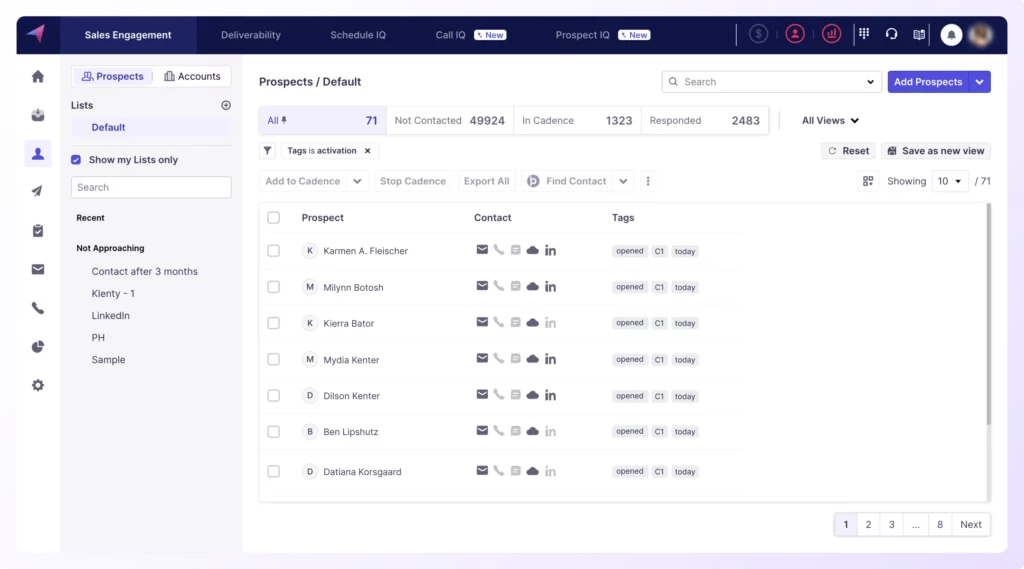
Klenty is built for the full outbound stack — AI agents that build contact lists, research accounts, write cadences, and execute multi-channel outreach across email, phone, LinkedIn, and WhatsApp. Its Connect AI dialing infrastructure is designed to structurally improve connect rates rather than just dial volume, which makes it one of the few platforms to address the core problem that 97–99% of outbound calls go unanswered.
Who Is Klenty Best For?
Outbound SDR teams running high-volume, multi-channel campaigns who need AI list-building, enrichment, and sequencing in one platform. Particularly strong for teams that have found Apollo's sequencing too lightweight or Outreach too expensive, and want a middle-ground tool designed specifically for outbound execution.
Key Features
- Agentic cadences: AI builds a unique engagement plan per account based on research, not copy-pasted sequences.
- Multi-channel sequences: Email, phone, LinkedIn, WhatsApp, and SMS in coordinated cadences — managed from one inbox.
- CRM sync: Deep two-way sync with Salesforce, HubSpot, Pipedrive, and Zoho — all call activity and outcomes sync automatically.
- Action AI: Eliminates post-call admin by automatically generating next steps and syncing outcomes to CRM in real time.
What Are Klenty's Pros & Cons?
| Pros | Cons |
|---|---|
| Agentic cadences are genuinely differentiated — AI builds account-specific engagement plans, not generic sequences | Starter plan is email-only — calling, LinkedIn, and SMS require the Growth plan ($70/user/month) or above |
| Full-stack outbound in one tool — list building, enrichment, sequencing, and calling without stitching multiple tools | Less brand recognition than Outreach or Salesloft — smaller review base makes it harder to validate before committing |
| Strong CRM depth — Salesforce, HubSpot, Pipedrive, and Zoho all supported with automatic activity sync | UI learning curve — the breadth of features takes time to configure effectively for a new outbound team |
What Is Klenty's Pricing?
Starter: $50/user/month (annual) — email sequences, A/B testing, deliverability suite, and Zapier. Email outreach only.
Growth: $70/user/month (annual) — everything in Starter + cold calling, number auto-rotation, SmartLists, LinkedIn and SMS automation, and full CRM integrations (Salesforce, HubSpot, Pipedrive, Zoho).
Plus: $99/user/month (annual) — everything in Growth + agentic cadences, Action AI, account-based selling, AI call coaching suite, and data credits. Source: klenty.com/sales-engagement-platform/pricing/
6. Mixmax — Best for Gmail-Based Revenue Teams Wanting Inbox-Native Sequences
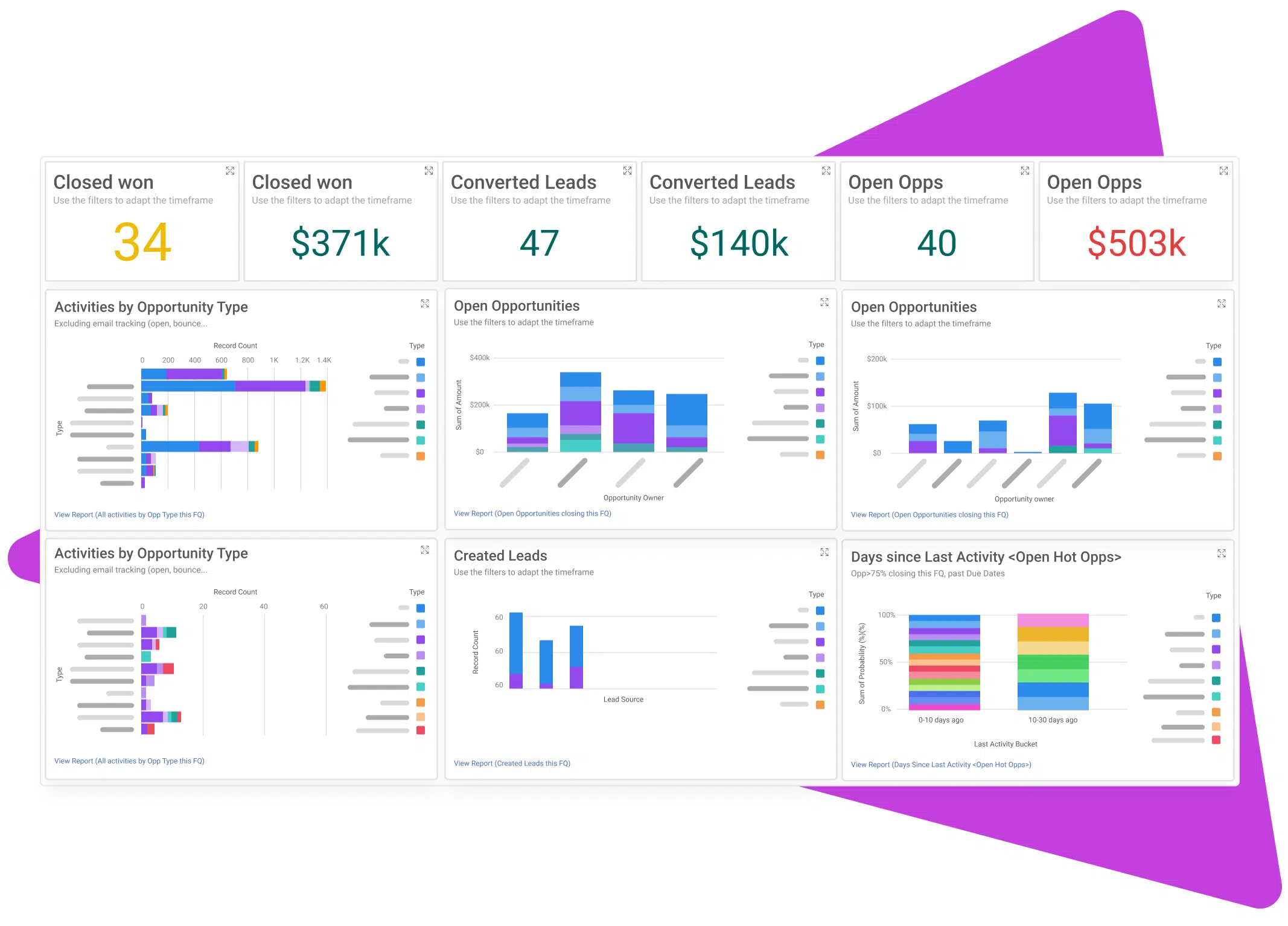
Mixmax is the SEP for teams that live in Gmail. Its sequences, tracking, scheduling, and automation all run directly inside the Gmail inbox — there is no separate platform to log into, no new interface to learn. In 2026, Mixmax restructured around a Copilot model — Engagement Copilot for sequences, Meeting Copilot for meeting intelligence, and Inbox Copilot for inbox prioritization — or all three as the Suite. For revenue teams where the inbox is the center of the sales workflow and adoption friction is a real concern, Mixmax removes the barrier entirely.
Who Is Mixmax Best For?
Small and mid-market revenue teams on Google Workspace where email is the primary engagement channel and reps are reluctant to adopt a separate platform. Customer success teams, account managers, and solo AEs benefit most from the inbox-native model. Less suitable for teams that need deep LinkedIn automation or outbound calling infrastructure built into the platform.
Key Features
- Engagement Copilot: AI-built multi-channel sequences, Smart Send delivery timing, and 1:1 personalization at scale — all inside Gmail.
- Meeting Copilot: Prepares reps for calls, captures notes automatically, and generates summaries with next steps — synced back to the CRM.
- Inbox Copilot: Inbox filtering and smart reminders so reps never miss a follow-up — without leaving Gmail.
- One-click scheduling: Embeddable availability links that book meetings without back-and-forth, available on all paid plans.
What Are Mixmax's Pros & Cons?
| Pros | Cons |
|---|---|
| Zero adoption friction — reps stay in Gmail; no new platform to learn or maintain | Gmail-only — does not support Outlook or other email clients |
| Modular Copilot pricing — teams pay only for the Copilot(s) they need; Meeting Copilot and Inbox Copilot both at $29/user/month | Limited phone and LinkedIn capabilities — not the right choice if multichannel outbound beyond email is essential |
| Free plan is usable — email tracking, templates, and basic scheduling at no cost | Sequences require Engagement Copilot at $49/user/month — the $29 entry plans cover meeting intelligence and inbox management only |
What Is Mixmax's Pricing?
Mixmax restructured to a modular Copilot model in 2026. Choose individual Copilots or the full Suite:
Free: Email open tracking, basic templates, and 1 scheduling link.
Meeting Copilot: $29/user/month — pre-meeting briefs, in-meeting note-taking, post-meeting action items and follow-ups.
Inbox Copilot: $29/user/month — inbox filtering and smart follow-up reminders.
Engagement Copilot: $49/user/month — AI-built multi-channel sequences, Smart Send, and 1:1 personalization at scale.
Mixmax Suite: $89/user/month — all three Copilots combined. All prices annual billing. Source: mixmax.com/pricing
7. Yesware — Most Affordable Entry Point for Email-First Sales Teams
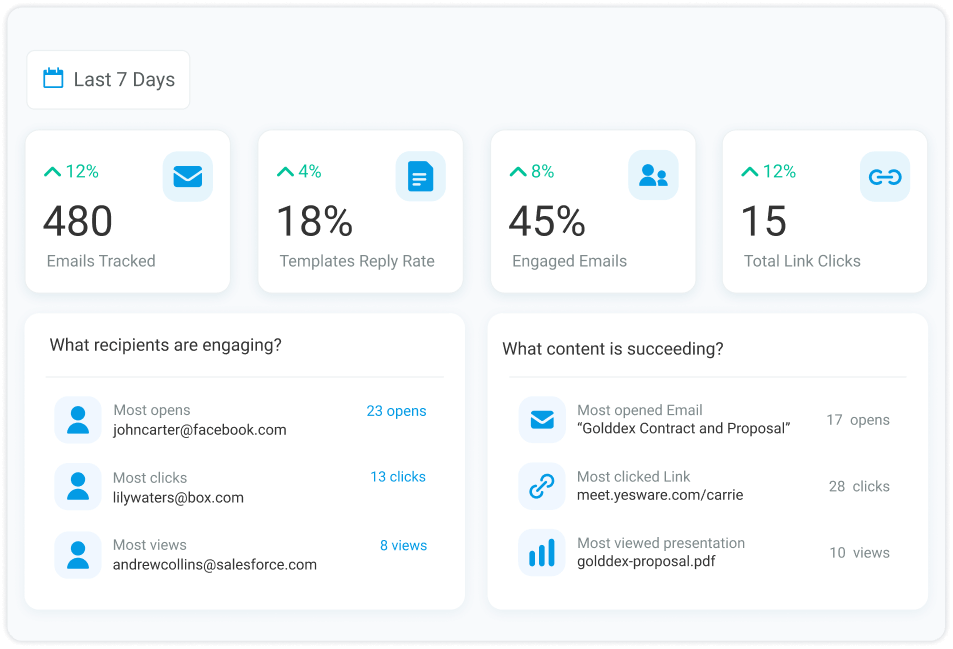
Yesware is the lightest-weight option on this list — an inbox-native engagement tool that works inside Gmail and Outlook, focused on email tracking, templates, campaigns, and reporting. Its free-forever plan includes genuine open and click tracking, making it the best starting point for individual reps or small teams that are not yet ready to invest in a full SEP but need more than a basic inbox.
Who Is Yesware Best For?
Individual contributors, early-stage sales teams, and account managers who need email tracking, templates, and basic campaign reporting without the overhead of an enterprise platform. Works in both Gmail and Outlook — which is a meaningful advantage over inbox-native tools like Mixmax that are Gmail-only.
Key Features
- Email tracking: Real-time open, click, and attachment view notifications — works inside Gmail and Outlook.
- Multi-channel campaigns: Automated email sequences with call reminders and LinkedIn touchpoints — available on paid plans.
- Team templates: Shared template library with performance analytics showing which templates get the most replies.
- Salesforce sync: Automatic activity logging to Salesforce — available on Premium and Enterprise plans.
What Are Yesware's Pros & Cons?
| Pros | Cons |
|---|---|
| Works in Gmail and Outlook — unlike most inbox-native tools, supports both email clients | Limited multi-channel depth — phone and LinkedIn automation is basic compared to Klenty or Apollo |
| Free forever plan is genuinely useful — real email tracking and templates at no cost, no artificial caps | Not suitable for large outbound teams — the feature ceiling is hit quickly once teams scale beyond basic email |
| Most affordable paid entry — Pro plan at $19/user/month is the lowest paid tier across all platforms on this list | Reporting is basic — advanced analytics and team insights require the Premium plan at $45/user/month |
What Is Yesware's Pricing?
Free Forever: Email tracking, basic templates, and meeting scheduler.
Pro: $19/user/month — unlimited tracking, multi-stage campaigns, and team templates.
Premium: $45/user/month — Salesforce integration, advanced reporting, and call logging.
Enterprise: $85/user/month — custom integrations, dedicated success manager, and SSO. All prices annual billing. Source: yesware.com/pricing
Ready to add AI-powered calling to your sales engagement stack?
8. Reply.io — Best for AI-Generated Multi-Channel Sequences
Reply.io's standout feature is Jason AI — an AI SDR that writes entire multi-channel sequences from a company description and ICP, optimizes messaging based on reply rates, and handles initial responses autonomously. For teams that struggle to write and iterate on outreach copy at scale, Reply removes one of the most time-consuming parts of the SDR workflow entirely.
Who Is Reply Best For?
SMB and mid-market teams running outbound campaigns across email, LinkedIn, and phone who want AI to write and optimize their sequences rather than doing it manually. Particularly strong for agencies running outreach on behalf of clients, where volume and iteration speed matter more than deep CRM integration.
Key Features
- Jason AI: Writes complete multi-channel sequences from an ICP description — handles personalization, A/B variants, and follow-up logic automatically.
- Multi-channel sequences: Email, LinkedIn, WhatsApp, SMS, and phone calls in coordinated cadences.
- AI reply handling: Detects positive replies and routes them to human reps — filters out auto-replies and OOO responses automatically.
- Built-in contact database: 1B+ B2B contacts via Reply Data for live prospecting — integrates with Apollo and ZoomInfo for enrichment.
What Are Reply's Pros & Cons?
| Pros | Cons |
|---|---|
| Jason AI is the strongest AI sequence writer on this list — generates complete, personalized cadences from a single ICP prompt | Multichannel requires the $89/user/month plan — LinkedIn, calls, and SMS are not available on the email-only entry tier |
| Good for agencies — multi-client workspaces and white-label options make it well-suited for outreach agencies | Pricing complexity — contact-based tiers (1K–500K active contacts) can be hard to model before knowing your outreach volume |
| 4.6/5 on G2 — strong user ratings for ease of use and AI quality across 1,000+ reviews | Phone calling is limited — for teams with heavy calling motions, Reply needs to be paired with a dedicated calling platform |
What Is Reply's Pricing?
Reply.io uses contact-based pricing (billed per active contacts/month) across two plan types:
Email Volume: From $49/user/month (1,000 active contacts) — email sequences, AI writing, anti-spam suite, and unlimited mailboxes. Scales by contact count.
Multichannel: From $89/user/month (1,000 active contacts) — everything in Email + LinkedIn automation, calls, SMS, WhatsApp, and Jason AI. Scales by contact count.
Jason AI SDR: From $500/month — fully autonomous AI SDR that finds prospects, runs outreach, and handles responses. All plans include a 14-day free trial. Source: reply.io/pricing/
9. Groove (Clari) — Best for Salesforce-Native Enterprise Teams
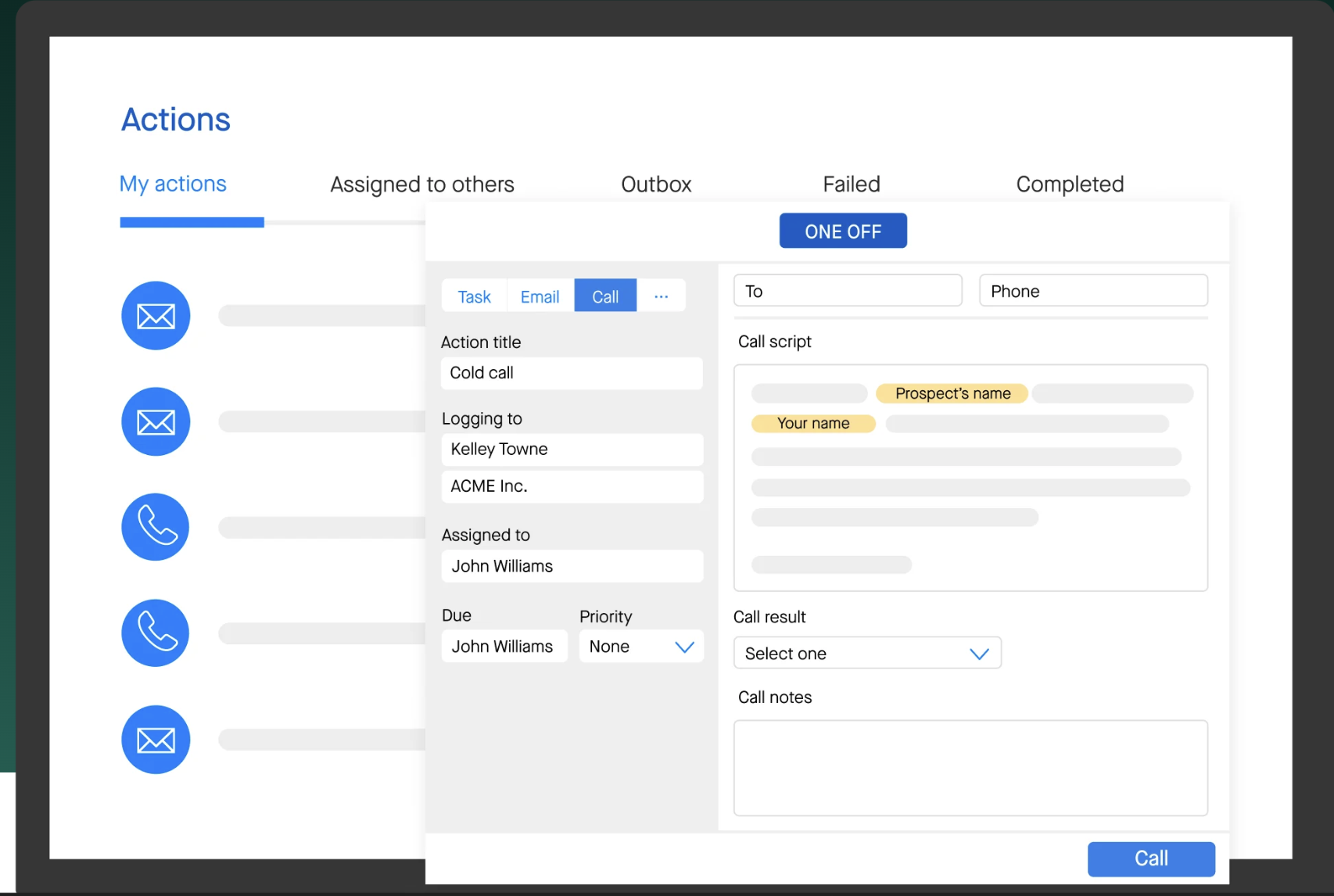
Groove, acquired by Clari in 2023, is built for Salesforce-centric enterprise organizations. Unlike other SEPs that integrate with Salesforce, Groove works inside Salesforce — sequences, activity logging, and pipeline visibility all operate within the SFDC interface. For large revenue teams where Salesforce is the system of record and any tool that doesn't update it immediately creates data gaps, Groove eliminates the problem entirely.
Who Is Groove Best For?
Enterprise organizations running Salesforce as their primary CRM where data hygiene is a strategic priority. Particularly strong for companies already using Clari for revenue forecasting — Groove + Clari creates a native loop between engagement activity and pipeline prediction. Not recommended for teams not on Salesforce — the platform's value proposition depends entirely on the SFDC integration.
Key Features
- Salesforce-native execution: Sequences and activity logging run inside SFDC — reps never leave Salesforce to manage outreach.
- Omni-channel cadences: Email, phone, LinkedIn, and SMS sequences with automatic CRM logging on every touchpoint.
- Clari integration: Connects engagement activity directly to revenue forecasting — deals at risk are surfaced automatically based on rep activity signals.
- Smart Scheduler: AI-powered meeting routing that connects qualified leads directly to the right rep based on territory, account ownership, and availability.
What Are Groove's Pros & Cons?
| Pros | Cons |
|---|---|
| Only SEP that works inside Salesforce — reps never leave SFDC to manage outreach or log activity | Salesforce-dependent — zero value for teams not on Salesforce |
| Clari integration creates a revenue intelligence loop — engagement signals feed directly into pipeline risk scoring | Custom pricing only — no published rates; enterprise-only positioning |
| Strong for large complex orgs — territory management, account-based routing, and advanced permissions built for 100+ rep teams | More limited SMB traction — fewer community reviews and case studies from teams under 50 reps |
What Is Groove's Pricing?
Groove uses custom enterprise pricing. No rates are published. Contact Clari/Groove sales for a quote at groove.co. Best suited for organizations with 50+ Salesforce seats.
10. Instantly — Best for High-Volume Cold Email Campaigns
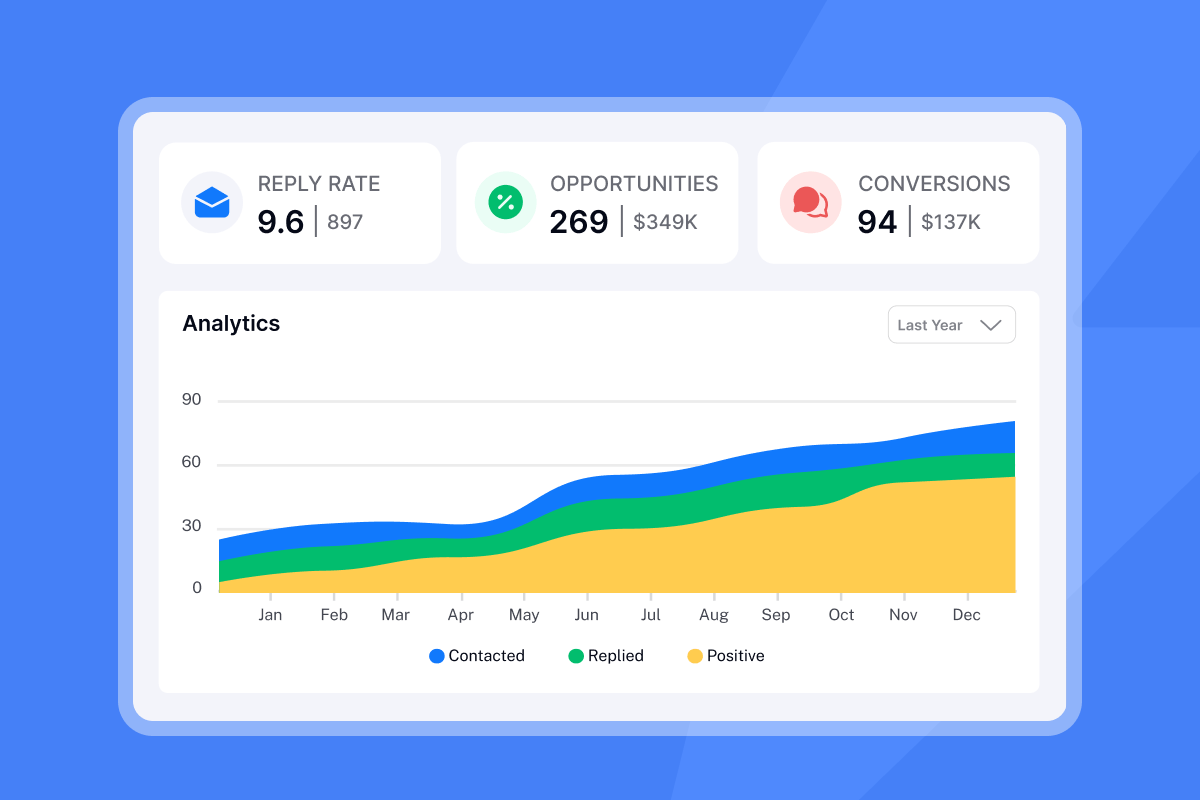
Instantly is purpose-built for teams running high-volume cold email at scale. Its deliverability network — which warms sending accounts automatically and rotates across unlimited email addresses — is the core differentiator. For agencies, founders, and outbound teams whose primary challenge is landing in inboxes rather than spam folders, Instantly solves the infrastructure problem that most SEPs ignore.
Who Is Instantly Best For?
Agencies managing multiple client campaigns, founders doing their own cold email outreach, and outbound-heavy teams that send large volumes of personalized cold email and need deliverability infrastructure rather than CRM-depth. Less suitable as a primary SEP for teams that also need phone, LinkedIn, and deal management in the same platform.
Key Features
- Deliverability network: Automatic email account warming across unlimited sending addresses — designed to structurally improve inbox placement rather than just sending volume.
- Unlimited email accounts: Connect unlimited sending addresses per campaign — distributes volume to protect domain reputation.
- AI personalization: Generates personalized first lines and subject lines from prospect data — at scale without manual input.
- Unibox: Unified inbox across all connected email accounts — manages replies from multiple campaigns in one view.
What Are Instantly's Pros & Cons?
| Pros | Cons |
|---|---|
| Best deliverability infrastructure on this list — automatic warm-up and account rotation built into the platform | Email-only — no phone, LinkedIn, or WhatsApp sequences; not a full-stack SEP |
| Highest G2 rating at 4.9/5 — across 3,000+ reviews, mostly from SMB teams and agencies | Modular pricing can add up — full stack (Outreach + Credits + CRM) runs $141/month at entry vs. the $47 headline price |
| Flat-rate pricing is not per-seat — $47/month Growth plan covers unlimited accounts and users, making it the best value for agencies | Not suitable as a standalone SEP — most teams pair Instantly with a separate tool for phone and LinkedIn outreach |
What Is Instantly's Pricing?
Instantly uses a modular pricing model — Outreach (sending), Credits (lead data & AI), and CRM are separate subscriptions.
Outreach Growth: $47/month — unlimited email accounts and warmup, 1,000 active leads, 5,000 emails/month.
Outreach Hypergrowth: $97/month — 25,000 active leads, 100,000 emails/month, premium support.
Outreach Lightspeed: $358/month — 100,000 active leads, 500,000 emails/month, SISR (private IP infrastructure for maximum deliverability).
Credits (for SuperSearch leads & AI) start at $47/month. CRM add-on from $47/month. Annual billing available with ~20% discount. Source: instantly.ai/pricing
How to Choose the Best Sales Engagement Platform for Your Team
Before evaluating specific platforms, align on five criteria — they eliminate most of the wrong options before you spend time on demos.
- 01Primary outreach channelEmail-first teams can choose almost any platform on this list. Phone-heavy teams need a dedicated calling infrastructure like CloudTalk alongside their SEP — the built-in dialers in most platforms are not sufficient for high-volume outbound. LinkedIn-heavy teams should prioritize Klenty or Apollo, which have the deepest native LinkedIn automation.
- 02Team size and budgetSmall teams and early-stage companies should start with Apollo's free plan or Yesware Pro at $19/user/month — both deliver real value without enterprise contracts. Teams of 20+ reps running complex outbound motions should evaluate Outreach or Salesloft. Mid-market teams wanting the best balance of capability and cost should look at Klenty or Reply.io.
- 03CRM stackIf your team lives in HubSpot, Sales Hub is the path of least resistance — but note that sequences require the Professional plan at $100/seat/month. If you run Salesforce at enterprise scale, Groove's native SFDC execution is worth evaluating seriously. If you use Pipedrive or another mid-market CRM, Apollo and Klenty both offer strong native sync.
- 04AI feature needsAI sequence generation: Reply.io and Klenty. AI call coaching during live calls: Outreach (Kaia) and Salesloft (Copilot). AI-powered dialing and call summaries: CloudTalk. If AI is central to your SEP strategy, plan for an SEP + calling platform combination rather than expecting one tool to do everything well.
- 05Deliverability requirementsIf high-volume cold email to cold lists is your primary motion, Instantly's deliverability infrastructure is purpose-built for this use case. For teams sending to warm lists or inbound leads, any platform on this list handles deliverability adequately.
Frequently asked questions
A sales engagement platform is software that automates and coordinates multi-channel outreach across email, phone, SMS, and LinkedIn — and logs every interaction back to your CRM automatically. Unlike a CRM that stores contact records, a sales engagement platform executes the activities: sending sequences, dialing prospects, tracking opens and replies, and updating deal records without manual input from reps. Modern platforms add AI to this layer — recommending who to contact based on intent signals, drafting personalized messages, and coaching reps during live calls. For a complete breakdown of how these tools work in practice, see our guide to B2B sales tools.
A CRM (Customer Relationship Management system) is a record-keeping tool — it stores contact information, deal stages, and interaction history. A sales engagement platform is an execution tool — it sends emails, dials prospects, runs LinkedIn touchpoints, and automatically logs all of that activity back into the CRM. The two are complementary: the CRM is the system of record, and the SEP is the activity layer that fills it with data. Most teams need both. For teams evaluating their full sales stack, see our guide to the best CRM software comparison to pair with your SEP choice.
For small businesses, Apollo.io offers the best entry point — its free plan includes real prospecting data, email sequences, and CRM sync, making it the most complete free tier on the market. Yesware Pro at $19/user/month is the most affordable paid option for email-first teams. HubSpot Sales Hub works best for small businesses already using HubSpot CRM. For teams with a strong calling motion, pairing any of these with CloudTalk adds AI-powered dialing and call coaching at $29/user/month — see our guide to small business sales software for a broader stack comparison.
Most sales engagement platforms connect to CRMs via native integrations or APIs. When connected, every email sent, call made, and LinkedIn message logged in the SEP automatically creates or updates a record in the CRM — without manual data entry from reps. The best integrations are bidirectional: contact updates in the CRM also update SEP sequences, and sequence outcomes (replied, bounced, meeting booked) feed back into CRM deal stages. For teams using Salesforce, see our guide to Salesforce VoIP integration to understand how calling data plugs into the same workflow.
The core features every sales engagement platform should include are: multi-channel sequence automation (email, phone, LinkedIn), email open and reply tracking, CRM sync without manual input, meeting scheduling, and basic performance analytics per sequence and rep. Beyond the core, look for AI-generated personalization, intent signal detection, conversation intelligence on calls, and A/B testing for subject lines and messaging. For teams running high-volume outbound calling, a dedicated AI sales dialer alongside the SEP is the most impactful investment — the built-in dialers in most platforms are not sufficient for serious outbound volume.
AI improves sales engagement across four layers in 2026. First, AI-generated sequences — platforms like Reply.io and Klenty write personalized cadences from an ICP description, eliminating hours of manual copy work per campaign. Second, intent-based prioritization — tools like Apollo and Outreach surface accounts showing buying signals (job changes, funding, technology stack shifts) so reps contact the right people at the right time. Third, real-time call coaching — Outreach's Kaia AI and Salesloft's Copilot whisper guidance during live calls and surface competitor mentions and objections instantly. Fourth, automated CRM updates — AI call summaries and outcome tagging (available in CloudTalk and most modern platforms) eliminate post-call admin entirely. For a broader look at how AI is reshaping the category, see our guide to AI for sales.