16 Best BigCommerce Integrations to Grow Your Store in 2026
TL;DR:
The best BigCommerce integrations eliminate busywork by syncing orders, tickets, and customer data across your stack, covering every workflow from call routing to CRM updates, with fast setup and no IT overhead. The right choices improve coordination across sales, support, and fulfillment, building an automated system that scales with your store and keeps customers coming back.
Here's a list of the best BigCommerce integrations:
- 01CloudTalk: Native calling, conversational AI, AI Voice Agents, and call transcripts
- 02HubSpot: Unify ecommerce data and campaigns in one CRM
- 03Salesforce: Centralize B2B customer data, orders, and workflows
- 04Pipedrive: Connect order data to deal stages and automation
- 05Zoho CRM: Sync customer info and automate follow-ups
- 06NetSuite: Sync orders, inventory, and financials with your ERP
- 07Zendesk: Manage order-related tickets and support conversations
- 08Freshdesk: Automate tickets and align support with order history
- 09Intercom: Turn chat into conversions with synced product data
- 10LiveAgent: Link calls, tickets, and customer records
- 11Front: Manage emails and support tickets with full context
- 12Monday.com: Turn orders into fulfillment tasks automatically
- 13Klaviyo: Power post-purchase email and SMS marketing flows
- 14Yotpo: Collect reviews and run loyalty programs that drive repeat orders
- 15Zapier: Connect BigCommerce to 8,000+ other tools
- 16Appy Pie Automate: Automate no-code workflows between hundreds of apps
Selling online is tough enough. The last thing you need is to lose a customer because your email platform didn't sync, your CRM missed the order, or support had no idea what went wrong. Sound familiar?
That's the chaos BigCommerce integrations are built to clean up.
Plug your store into the right tools, from HubSpot to Salesforce to CloudTalk, and you can automate the busywork, keep teams aligned, and unlock more revenue with fewer clicks. It's like giving your ecommerce backend a brain.
And it works: stores using integrated systems see up to 30% lower ops costs and 80% higher productivity 1. Not because they hustle harder, but because their tools do.
So instead of listing every app under the sun, we curated 16 BigCommerce integrations that solve real problems. For each one, we'll show you where it fits, what it fixes, and how it helps your store scale.
No more tab-switching. Just seamless workflows.

What Is a BigCommerce Integration?
A BigCommerce integration connects your store with other tools, like CRMs, email platforms, ERPs, or support software, to automate ecommerce workflows and eliminate manual tasks. The best BigCommerce integration options cover everything from marketing automation to a BigCommerce VoIP integration that routes calls with full order context.
Instead of juggling spreadsheets or re-entering order data, integrations move information across systems in real time. That means fewer errors, faster fulfillment, and a better customer experience.
Here's what they do:
- Automate workflows: trigger emails, assign tasks, or update records when someone takes action
- Sync data: keep contact info, deal status, and activity history up to date everywhere
- Trigger actions: set off alerts, create follow-ups, or move pipeline stages based on what happens in other tools
Does BigCommerce Integrate With VoIP and Phone Systems?
Yes, BigCommerce integrates with VoIP and phone systems. A BigCommerce phone system integration like CloudTalk syncs order history and contact data into your dialer, so agents see who is calling and why before they pick up. That BigCommerce call integration lets your team:
- Instantly route order-related calls to the right agent with full customer context
- Create or update support tickets based on missed calls or voicemails
- Centralize customer interactions across phone, order history, and support channels
Most BigCommerce integrations are powered by APIs or pre-built apps in the BigCommerce Marketplace. These BigCommerce third-party integrations range from one-click marketplace apps to PaaS ecommerce integrations built on the BigCommerce API.
Want BigCommerce to talk to your dialer, VoIP, and helpdesk?
How We Chose the Best BigCommerce Integrations
We did not rank every app in the marketplace. We focused on the best integrations for BigCommerce that solve real ecommerce problems, then judged each on five things: setup effort, depth of two-way data sync, reliability at peak volume, support quality, and price-to-value. Ratings and pricing were checked against each vendor's public data and verified user reviews on G2 and Capterra. For more on our process, see our software review methodology.
Best BigCommerce Integrations: Comparison Table
Here is a quick comparison of the best BigCommerce integrations, by category and core benefit:
| Software | Category | Key Benefit |
|---|---|---|
| CloudTalk | VoIP / AI | Native calling, conversational AI, AI Voice Agents, and call transcripts |
| HubSpot | CRM & Marketing | Unify ecommerce data and campaigns in one CRM |
| Salesforce | CRM | Centralize B2B customer data, orders, and workflows |
| Pipedrive | CRM | Connect order data to deal stages and automation |
| Zoho CRM | CRM | Sync customer info and automate follow-ups |
| NetSuite | ERP | Sync orders, inventory, and financials with your ERP |
| Zendesk | Helpdesk | Manage order-related tickets and support conversations |
| Freshdesk | Support | Automate tickets and align support with order history |
| Intercom | Live Chat | Turn chat into conversions with synced product data |
| LiveAgent | Helpdesk | Link calls, tickets, and customer records |
| Front | Shared Inbox | Manage emails and support tickets with full context |
| Monday.com | Project Mgmt | Turn orders into fulfillment tasks automatically |
| Klaviyo | Marketing Automation | Power post-purchase email and SMS marketing flows |
| Yotpo | Reviews & Loyalty | Collect reviews and run loyalty programs that drive repeat orders |
| Zapier | Automation | Connect BigCommerce to 8,000+ other tools |
| Appy Pie Automate | No-Code Automation | Automate workflows between hundreds of apps |
The 16 Best BigCommerce Integrations for 2026
Your BigCommerce store is only as strong as the tools you connect it with.
But with hundreds of apps and plugins to choose from, where do you start?
We've picked 16 high-impact BigCommerce integrations for 2026, based on real use cases like customer support, email marketing, CRM syncing, ERP, and sales automation. For each tool, we'll show you what it does, how it connects to BigCommerce, and what it helps you improve.
1. CloudTalk: The Best BigCommerce Phone System Integration
What Is CloudTalk?
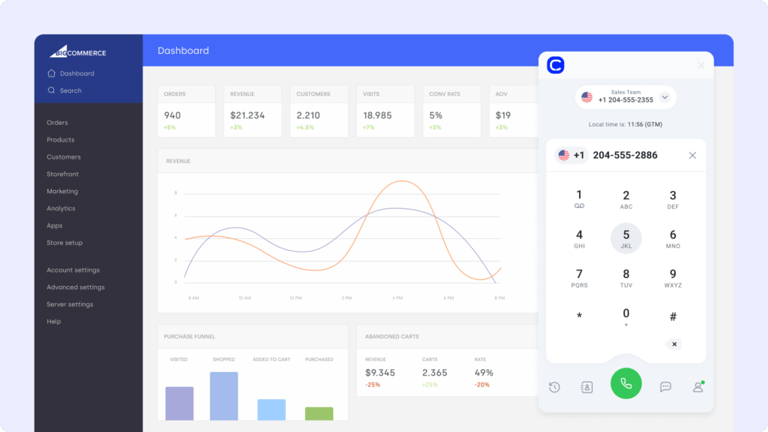
CloudTalk is a modern cloud-based phone system built for ecommerce teams that rely on voice to drive sales and support. The BigCommerce CloudTalk integration brings call activity, order context, and customer data into one streamlined workflow, with no tab-switching required. It is the strongest BigCommerce VoIP integration for stores that handle real phone volume.
What Is CloudTalk Best For?
Connect CloudTalk to BigCommerce to auto-log customer calls, match caller IDs with order history, and route support to the right agent. It is ideal for reducing wait times, improving resolution speed, and giving agents real-time context before they answer.
What Are CloudTalk's Key Features?
- Real-time call monitoring
- AI-Powered Conversation Intelligence
- Call recording and playback
- Sentiment Analysis
- AI Voice Agents
What Does CloudTalk Integrate With?
Beyond BigCommerce, CloudTalk connects with HubSpot, Salesforce, Pipedrive, Zoho CRM, Zendesk, Intercom, Front, and 35+ other tools through its integration marketplace, so call data flows straight into your CRM and helpdesk.
What Is CloudTalk's Pricing?
CloudTalk offers flexible plans tailored to business needs, with each plan offering more value than its competitors:
- Lite: $19/user/month (Americas)
- Starter: $25/user/month
- Essential: $29/user/month
- Expert: $49/user/month
- Custom: Pricing available upon request
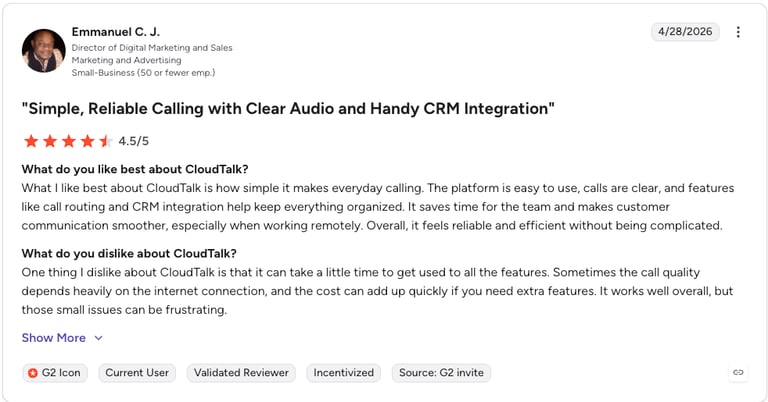
CloudTalk G2 Reviews
| Pros | Cons |
|---|---|
| Setup in minutes: native BigCommerce integration with no developer work | Voice-first: best paired with a CRM or helpdesk for non-call channels |
| Full context on every call: order history surfaces automatically | AI on higher tiers: transcripts and AI Voice Agents sit on Expert and above |
| AI built in: transcripts, sentiment analysis, and AI Voice Agents | Per-user pricing: cost scales with very large teams |
Give your BigCommerce store a phone system that already knows the customer.
2. HubSpot: Unify Ecommerce Data and Campaigns in One CRM
What Is HubSpot?
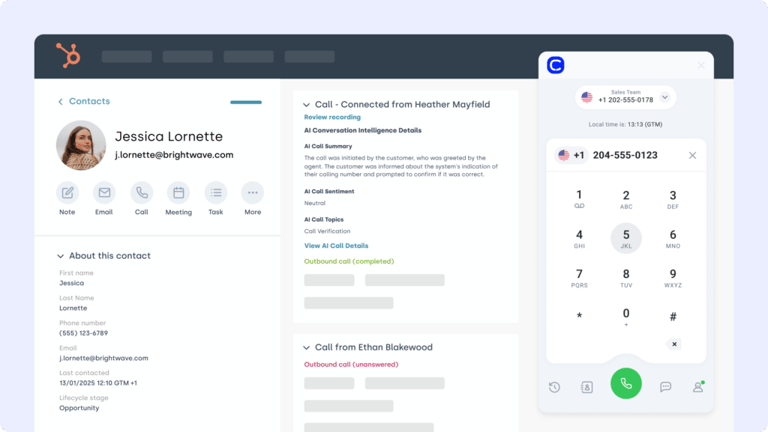
HubSpot is a leading CRM platform for marketing, sales, and service teams. The BigCommerce HubSpot integration connects your store with HubSpot's automation engine, so your campaigns, contacts, and order data stay perfectly in sync.
What Is HubSpot Best For?
Integrate HubSpot with BigCommerce to trigger email campaigns based on purchases, sync customer activity to contact records, and align your ecommerce and CRM data without manual updates.
What Are HubSpot's Key Features?
- Auto-sync BigCommerce customer data to HubSpot
- Trigger workflows from order events or cart activity
- Track lifetime value and purchase history in HubSpot timelines
What Does HubSpot Integrate With?
HubSpot connects with BigCommerce, Shopify, Gmail, Outlook, Slack, and 1,500+ apps in its marketplace, plus CloudTalk for click-to-call and call logging inside the CRM.
What Is HubSpot's Pricing?
HubSpot offers a free CRM plan, with paid tiers depending on your team's size and needs. See HubSpot pricing for the full breakdown:
- Free
- Starter: from $15/seat/month (annual)
- Professional: from $890/month
- Enterprise: from $3,600/month
HubSpot G2 Reviews
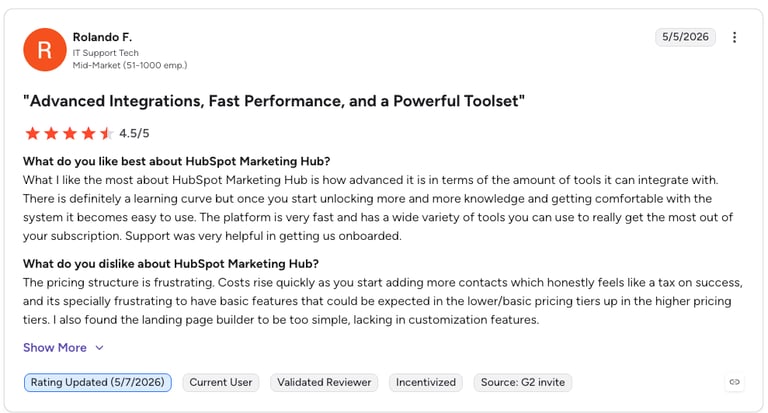
G2 reviewers give HubSpot Marketing Hub 4.4/5.
| Pros | Cons |
|---|---|
| All-in-one: CRM, marketing, and service in one platform | Price jumps: large gap between Starter and Professional |
| Free tier: genuinely usable CRM at no cost | Contact-based billing: costs climb as your list grows |
| Strong automation: workflows trigger from order events | Onboarding fees: Professional and Enterprise add setup costs |
3. Salesforce: Centralize B2B Customer Data, Orders, and Workflows
What Is Salesforce?
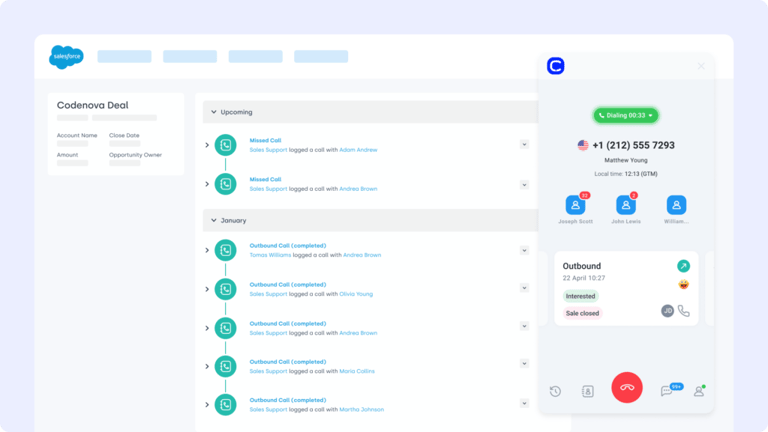
Salesforce is one of the most powerful CRMs available, built to handle complex B2B sales, service, and order workflows. The BigCommerce Salesforce integration keeps your store and CRM in sync, so customer and order data flows between platforms without friction.
What Is Salesforce Best For?
Integrate Salesforce with BigCommerce to automatically sync contacts, orders, and purchase history, giving your sales and service teams a full view of every customer journey, from lead to fulfillment.
What Are Salesforce's Key Features?
- Two-way sync between BigCommerce and Salesforce
- Auto-update contacts and order records across both tools
- Map product, lead, and customer fields to streamline reporting
What Does Salesforce Integrate With?
Salesforce connects with BigCommerce, thousands of AppExchange apps, and tools like Slack, Mailchimp, and CloudTalk, which logs calls and surfaces order data on the contact record.
What Is Salesforce's Pricing?
Salesforce offers various tiers. See the Salesforce pricing guide for details:
- Starter Suite: $25 per user/month
- Pro Suite: $100 per user/month
- Enterprise: $175 per user/month
- Unlimited: $350 per user/month
Salesforce G2 Reviews
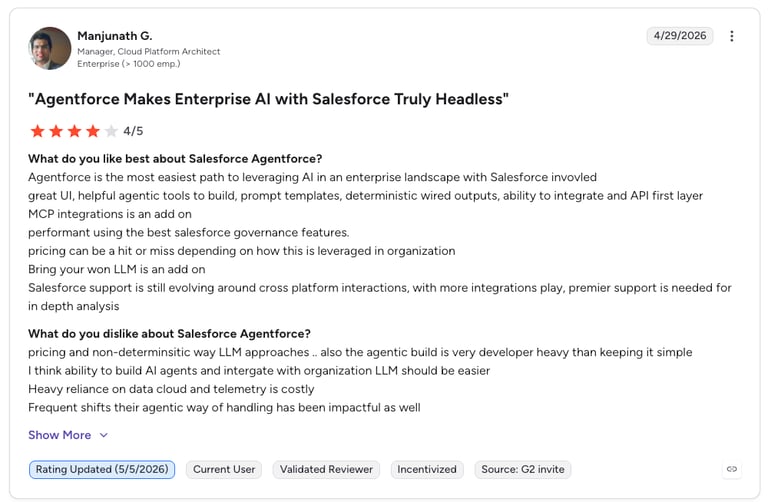
G2 reviewers give Salesforce Sales Cloud 4.4/5.
| Pros | Cons |
|---|---|
| Endlessly customizable: fits complex B2B workflows | Complex setup: often needs an admin or partner |
| Huge ecosystem: thousands of AppExchange integrations | Pricey: costs add up with add-ons and seats |
| Enterprise-grade reporting: deep analytics and forecasting | Overkill for small stores: more than many SMBs need |
4. Pipedrive: Connect Order Data to Deal Stages and Automation
What Is Pipedrive?
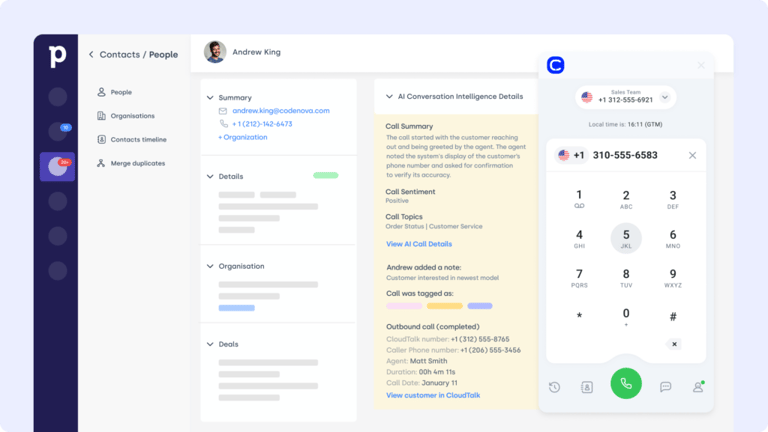
Pipedrive is a visual, sales-driven CRM built to move deals forward. The BigCommerce Pipedrive integration connects your store's order data with deal stages, so your sales and support teams stay aligned from first click to final delivery.
What Is Pipedrive Best For?
Sync customer info, order updates, and activity logs between BigCommerce and Pipedrive to automate follow-ups, reduce manual entry, and keep your sales pipeline tied to real-time ecommerce activity.
What Are Pipedrive's Key Features?
- Sync BigCommerce customer and order data to Pipedrive
- Auto-update deals and lead stages based on purchase behavior
- Log product activity directly into CRM timelines
What Does Pipedrive Integrate With?
Pipedrive connects with BigCommerce, 400+ marketplace apps, and tools like Slack, Google Workspace, and CloudTalk for two-way call logging and click-to-dial.
What Is Pipedrive's Pricing?
Pipedrive offers flexible plans based on team size and needs:
- Lite: $14/user/month
- Growth: $39/user/month
- Premium: $59/user/month
- Ultimate: $79/user/month
Pipedrive G2 Reviews
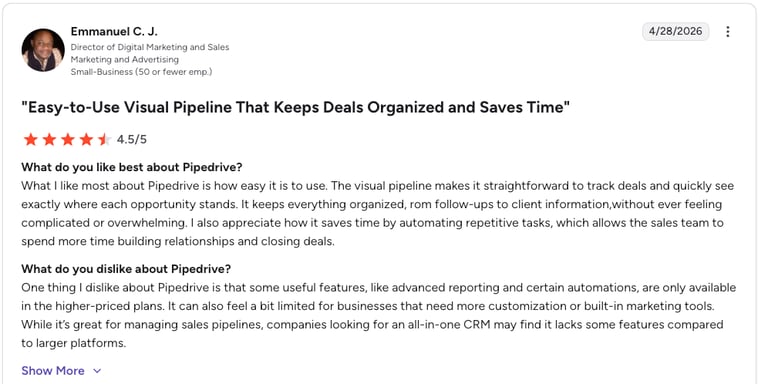
G2 reviewers give Pipedrive 4.2/5.
| Pros | Cons |
|---|---|
| Easy to learn: visual pipeline gets teams selling fast | Lighter on marketing: fewer native campaign tools |
| Affordable entry: strong value at lower tiers | Reporting limits: advanced insights need higher plans |
| Automation: triggers follow-ups from order events | Add-on costs: extras like LeadBooster cost more |
5. Zoho CRM: Sync Customer Info and Automate Follow-Ups
What Is Zoho CRM?
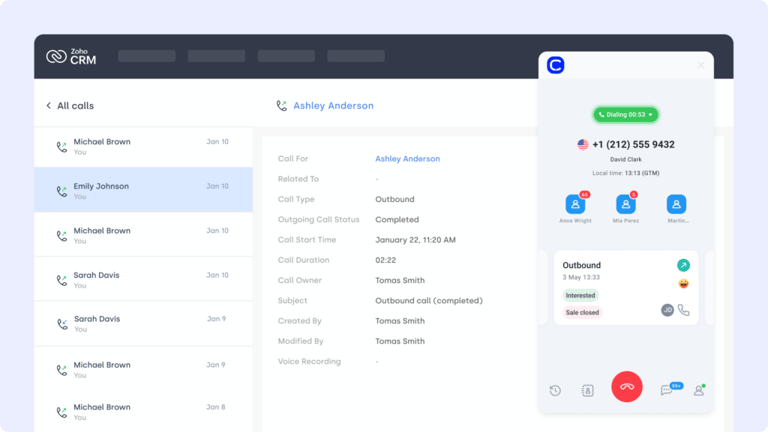
Zoho CRM is a versatile platform for managing sales, support, and marketing in one place. The BigCommerce Zoho CRM integration connects your store to Zoho's customer database, so every order, contact, and follow-up stays in sync without extra effort.
What Is Zoho CRM Best For?
Sync BigCommerce order details and customer data into Zoho CRM to automate lead updates, trigger follow-ups based on purchase behavior, and maintain a full view of your customer journey.
What Are Zoho CRM's Key Features?
- Sync BigCommerce customer and purchase data to Zoho contacts
- Auto-update lead or account stages based on order history
- Launch CRM automations tied to fulfillment, returns, or support
What Does Zoho CRM Integrate With?
Zoho CRM connects with BigCommerce, the wider Zoho suite, Google Workspace, Mailchimp, and CloudTalk for in-CRM calling and automatic call logging.
What Is Zoho CRM's Pricing?
Zoho CRM offers tiered plans for teams of all sizes:
- Standard: $14/user/month
- Professional: $23/user/month
- Enterprise: $40/user/month
- Ultimate: $52/user/month
Zoho CRM G2 Reviews
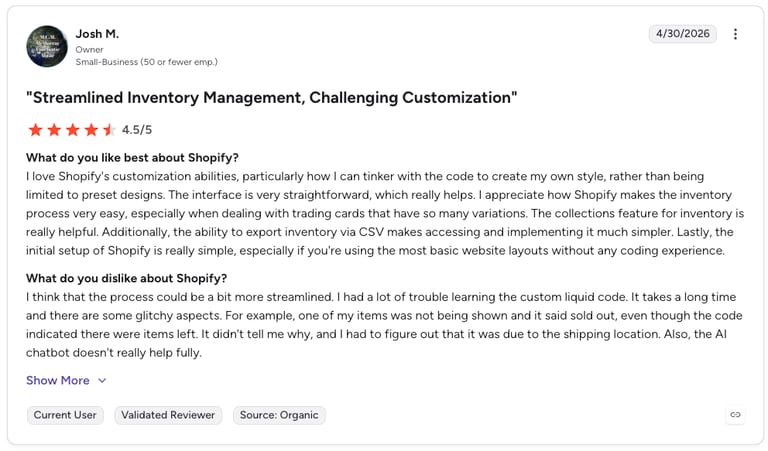
G2 reviewers give Shopify 4.4/5.
| Pros | Cons |
|---|---|
| Great value: feature-rich at a low price | UI feels dated: interface lags slicker rivals |
| One ecosystem: ties into the full Zoho suite | Support varies: response times can be slow |
| Flexible automation: workflows for orders and follow-ups | Learning curve: deep config takes time |
6. NetSuite: Sync Orders, Inventory, and Financials With Your ERP
What Is NetSuite?
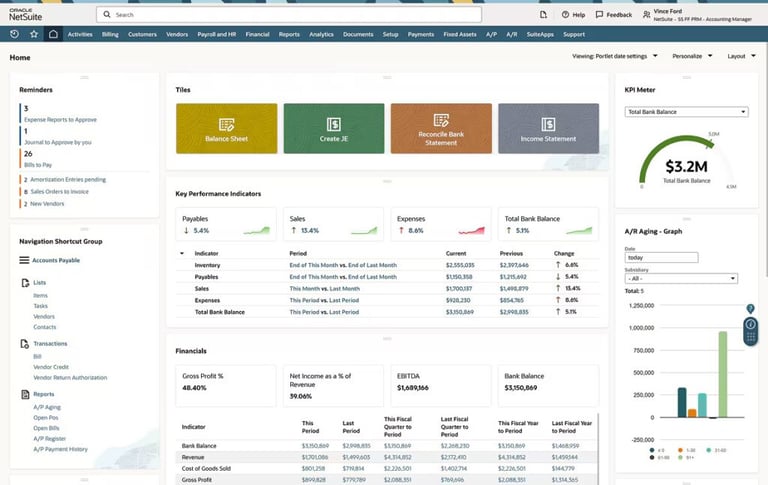
NetSuite is Oracle's cloud ERP for inventory, financials, and order management. There is no native connector, so a BigCommerce NetSuite integration runs through middleware like Celigo, Boomi, or APPSeCONNECT, syncing orders, inventory, customers, and fulfillment between your storefront and back office.
What Is NetSuite Best For?
NetSuite is best for mid-market and enterprise B2B brands that have outgrown spreadsheets. Connect it to BigCommerce to keep inventory accurate across warehouses, push orders into financials in real time, and run order-to-cash without manual reconciliation.
What Are NetSuite's Key Features?
- Real-time inventory sync across multiple locations to prevent overselling
- Automatic order, customer, and fulfillment flow between BigCommerce and the ERP
- Unified financials, invoicing, and revenue recognition in one system
- B2B support for multi-subsidiary, customer-tier, and multi-currency pricing
What Does NetSuite Integrate With?
NetSuite connects to BigCommerce, Shopify, Amazon, and Salesforce through connectors such as Celigo, Boomi, Jitterbit, and APPSeCONNECT, along with logistics and POS systems for omnichannel operations.
What Is NetSuite's Pricing?
NetSuite ERP uses custom, quote-based pricing (annual license plus modules and user fees), and implementation often starts around $10,000. The BigCommerce connection is a separate cost:
- APPSeCONNECT: flat rate from $99/month
- Dominate connector: from $199/month
- Celigo: roughly $500 to $2,000/month, usage-based
- Custom build: $10,000 to $60,000+ for complex setups
NetSuite G2 Reviews
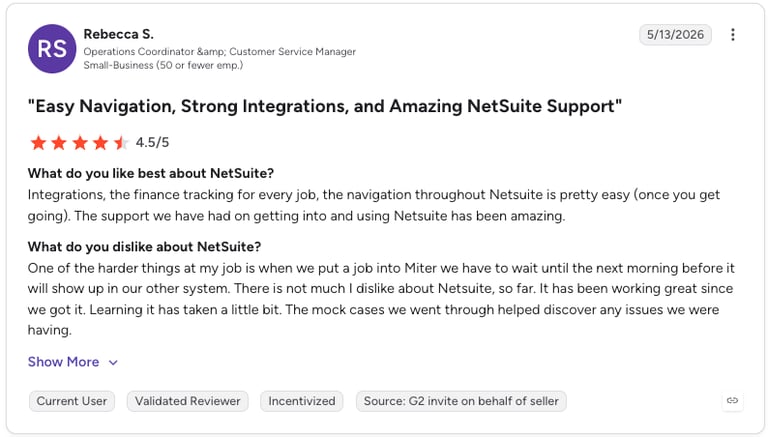
G2 reviewers give NetSuite 4.0/5, praising its all-in-one reporting while noting a heavy implementation.
| Pros | Cons |
|---|---|
| One source of truth: financials, inventory, and orders together | No native connector: needs middleware to reach BigCommerce |
| Scales with you: handles multi-entity, multi-currency growth | Expensive: license, connector, and implementation stack up |
| Highly customizable: molds to complex operations | Slow to implement: setup can take weeks or months |
7. Zendesk: Manage Order-Related Tickets and Support Conversations
What Is Zendesk?
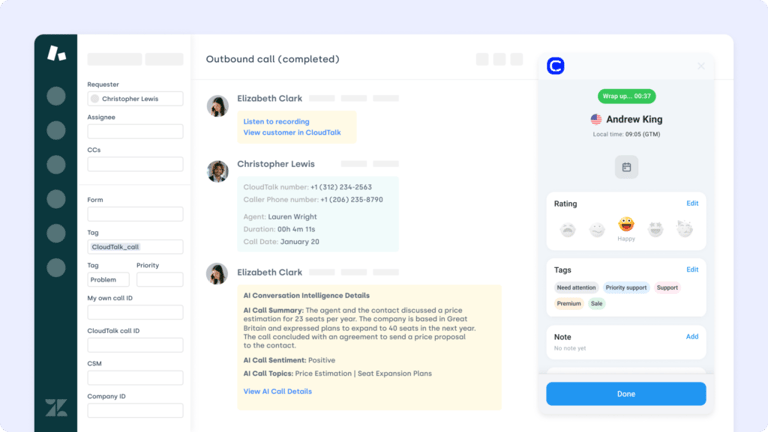
Zendesk is a leading support platform for managing multi-channel customer service at scale. The BigCommerce Zendesk integration helps ecommerce teams centralize support by connecting order history with ticketing, so agents can resolve issues faster with full context.
What Is Zendesk Best For?
Connect BigCommerce with Zendesk to auto-create tickets from order activity, sync status updates across systems, and give agents access to customer and order data in real time, ideal for post-purchase support.
What Are Zendesk's Key Features?
- Auto-generate Zendesk tickets from BigCommerce order events
- Sync order status and support interactions across platforms
- Link customer records to tickets for faster issue resolution
What Does Zendesk Integrate With?
Zendesk connects with BigCommerce, 1,000+ marketplace apps, Slack, Shopify, and CloudTalk, which adds voice with call recordings attached to tickets.
What Is Zendesk's Pricing?
See Zendesk pricing for the full breakdown. Support tiers include:
- Support Team: $19/agent/month
- Support Professional: $55/agent/month
- Support Enterprise: $115/agent/month
- Plus additional pricing for Sales and Chat products
Zendesk G2 Reviews
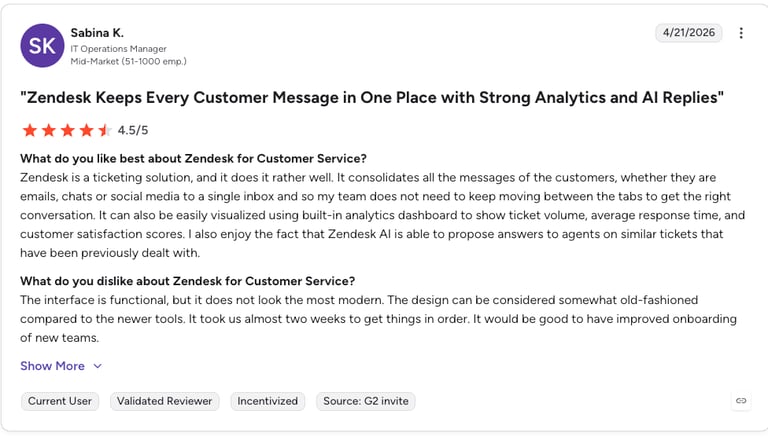
G2 reviewers give Zendesk Support Suite 4.3/5.
| Pros | Cons |
|---|---|
| Omnichannel: email, chat, and voice in one queue | Adds up: per-agent pricing climbs for big teams |
| Scales well: handles high ticket volume | Setup effort: advanced workflows take configuration |
| Deep integrations: large app marketplace | Add-on costs: Sales and Chat are priced separately |
8. Freshdesk: Automate Tickets and Align Support With Order History
What Is Freshdesk?
Freshdesk is a customer support platform built to manage tickets, automate responses, and keep customer conversations organized. The BigCommerce Freshdesk integration brings your storefront and support desk together, so order issues, returns, and questions are handled fast and in full context.
What Is Freshdesk Best For?
Connect Freshdesk to BigCommerce to auto-create tickets from order events, sync customer info across platforms, and give agents full visibility into purchases and past interactions.
What Are Freshdesk's Key Features?
- Auto-generate support tickets from BigCommerce actions
- Sync customer and order data to reduce resolution time
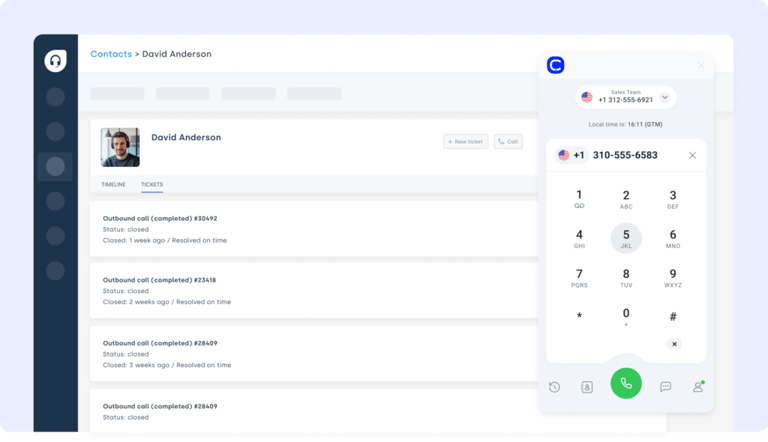
- Attach call recordings and notes to Freshdesk tickets via CloudTalk
What Does Freshdesk Integrate With?
Freshdesk connects with BigCommerce, 1,000+ marketplace apps, Slack, Shopify, and CloudTalk for voice support with synced call data.
What Is Freshdesk's Pricing?
Freshdesk offers multiple plans for growing support teams. See Freshdesk pricing for details:
- Growth: $29/agent/month
- Pro: $75/agent/month
- Enterprise: $115/agent/month
Freshdesk G2 Reviews
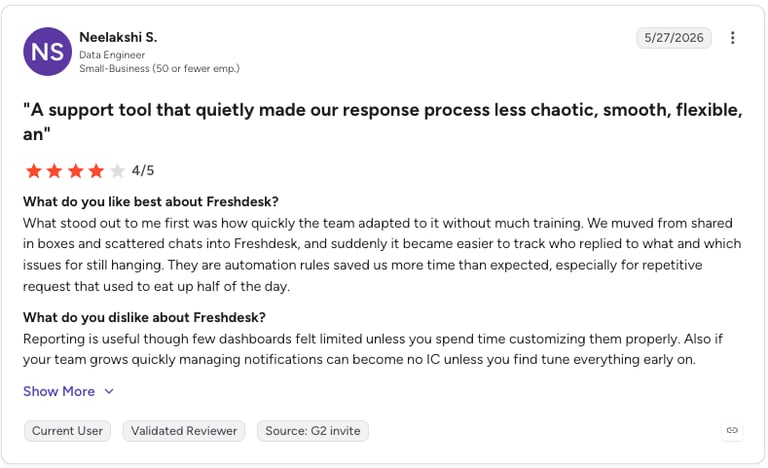
G2 reviewers give Freshdesk 4.4/5, citing quick setup and good value for small to mid-size teams.
| Pros | Cons |
|---|---|
| Fast to launch: simple, intuitive setup | Automation gated: best rules sit on higher tiers |
| Good value: competitive entry pricing | Reporting depth: advanced analytics need Pro+ |
| Order context: tickets carry purchase history | Add-on creep: bots and channels cost extra |
9. Intercom: Turn Chat Into Conversions With Synced Product Data
What Is Intercom?
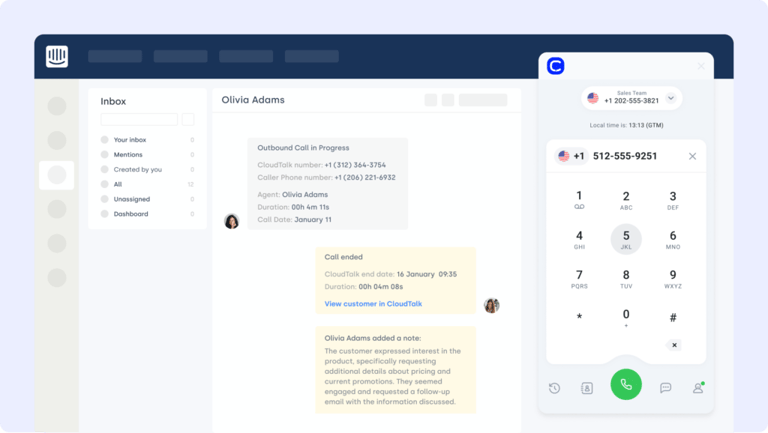
Intercom is a customer messaging platform built for live chat, automation, and personalized support. The BigCommerce Intercom integration lets you chat with shoppers in real time, resolve issues faster, and trigger workflows based on customer behavior or cart activity.
What Is Intercom Best For?
Connect Intercom to BigCommerce to trigger chat popups for returning visitors, escalate high-value customer questions, and sync conversations to orders or CRM records, so no message slips through the cracks.
What Are Intercom's Key Features?
- Trigger live chats based on cart or browsing behavior
- Route conversations by order value or urgency
- Sync customer data and chat history across platforms
What Does Intercom Integrate With?
Intercom connects with BigCommerce, 450+ apps, Shopify, Slack, and CloudTalk to bridge chat and voice on the same customer timeline.
What Is Intercom's Pricing?
Intercom offers pricing based on solution needs:
- Essential: $29/seat/month
- Advanced: $85/seat/month
- Expert: $132/seat/month
- Fin AI Agent: from $0.99 per resolution
Intercom G2 Reviews
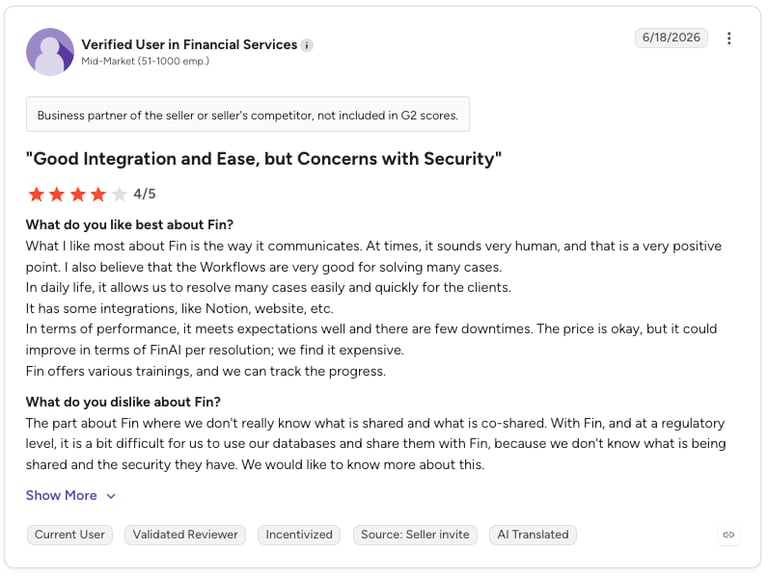
G2 reviewers give Intercom 4.5/5, praising its chat experience and Fin AI agent.
| Pros | Cons |
|---|---|
| Great chat UX: smooth for shoppers and agents | Pricing complexity: seats plus usage get confusing |
| Strong AI: Fin resolves common questions | Costs climb: resolution fees add up at volume |
| Behavior triggers: messages fire on cart activity | Overkill for basics: more than simple chat requires |
10. LiveAgent: Link Calls, Tickets, and Customer Records
What Is LiveAgent?
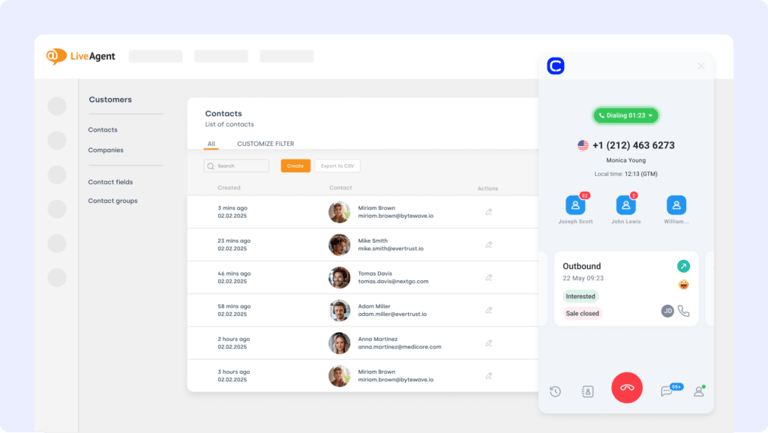
LiveAgent is a multichannel helpdesk platform that combines email, chat, and voice support in one place. The BigCommerce LiveAgent integration helps ecommerce teams manage order-related inquiries and customer issues without jumping between tools.
What Is LiveAgent Best For?
Connect BigCommerce to LiveAgent using automation tools to create tickets from order events, sync customer conversations across systems, and route support requests to the right team in real time.
What Are LiveAgent's Key Features?
- Auto-create tickets from BigCommerce actions like failed payments or returns
- Trigger internal alerts based on ticket status or order value
- Link support history and call recordings to customer profiles
What Does LiveAgent Integrate With?
LiveAgent connects with BigCommerce, 200+ apps, Shopify, social channels, and CloudTalk for unified voice and ticketing.
What Is LiveAgent's Pricing?
LiveAgent offers transparent pricing for support teams:
- Small Business: $15/agent/month
- Medium Business: $29/agent/month
- Large Business: $49/agent/month
- Enterprise: $69/agent/month
LiveAgent G2 Reviews
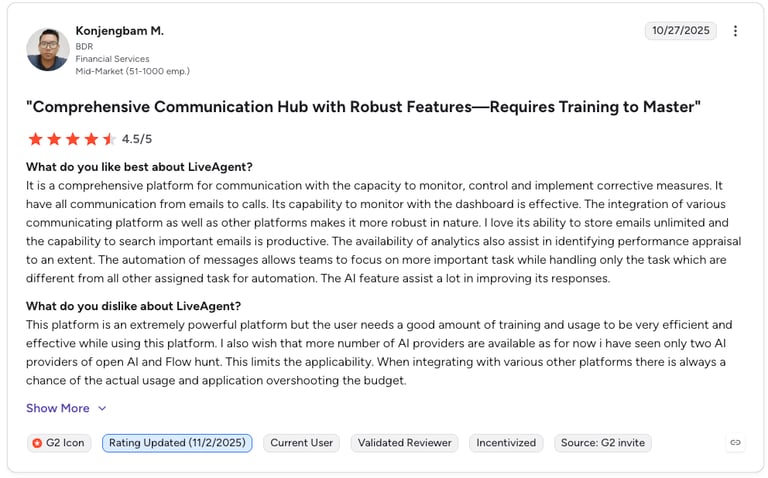
G2 reviewers give LiveAgent 4.5/5.
| Pros | Cons |
|---|---|
| All channels: email, chat, and voice in one desk | Busy interface: a lot of features to navigate |
| Affordable: strong feature-to-price ratio | Setup time: full configuration takes effort |
| Automation rules: tickets fire from order events | Reporting: analytics are basic versus rivals |
11. Front: Manage Emails and Support Tickets With Full Context
What Is Front?
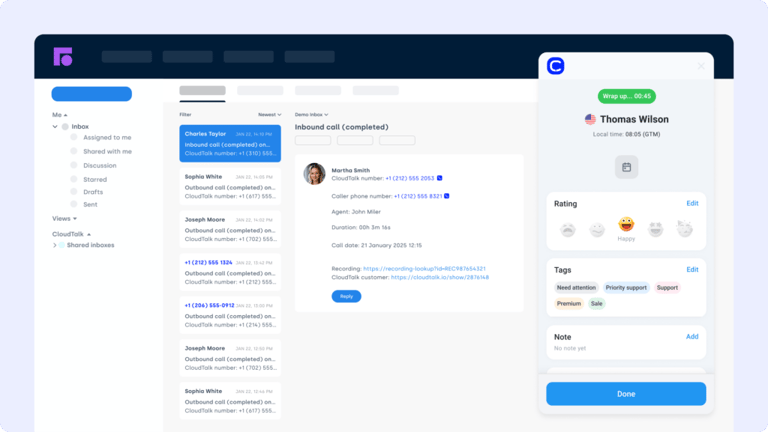
Front is a shared inbox platform that centralizes email, chat, and SMS conversations into a single workspace. The BigCommerce Front integration connects your store's customer communications to order and support workflows, so teams can respond faster with the full picture.
What Is Front Best For?
Sync Front activity with BigCommerce by automatically creating tickets from messages, tagging conversations by order status, and assigning replies based on customer value or urgency.
What Are Front's Key Features?
- Auto-generate tickets or tasks from Front messages
- Route conversations based on tags, priority, or order size
- Link communication history to BigCommerce customer profiles
What Does Front Integrate With?
Front connects with BigCommerce, Shopify, Salesforce, Slack, and CloudTalk, pulling calls and order context into the shared inbox.
What Is Front's Pricing?
- Starter: $25/seat/month
- Professional: $65/seat/month
- Enterprise: $105/seat/month
Front G2 Reviews
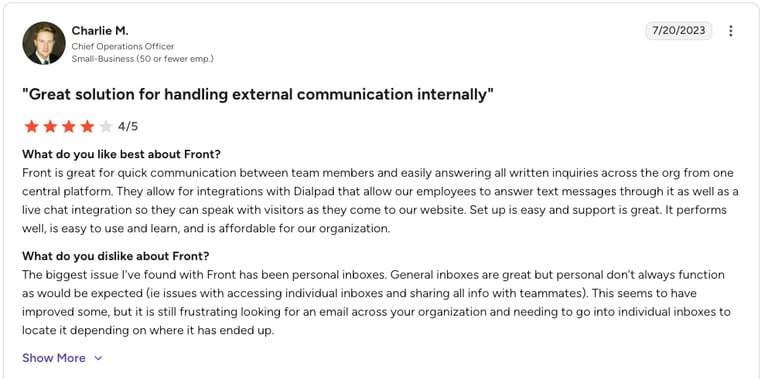
G2 reviewers give Front 4.7/5.
| Pros | Cons |
|---|---|
| Shared inbox: whole team works from one view | Not a full helpdesk: lighter on ticketing depth |
| Great collaboration: comments and assignments built in | Per-seat cost: adds up for large teams |
| Clean UX: fast to adopt | Reporting: analytics trail dedicated helpdesks |
12. Monday.com: Turn Orders Into Fulfillment Tasks Automatically
What Is Monday.com?
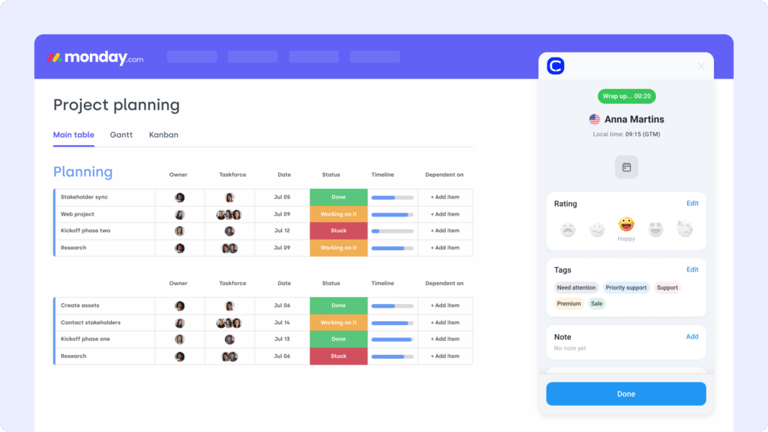
Monday.com is a visual project management platform designed to streamline workflows and task tracking. The BigCommerce Monday.com integration helps ecommerce teams turn customer orders, support issues, and fulfillment steps into actionable tasks, without spreadsheets or missed handoffs.
What Is Monday.com Best For?
Connect BigCommerce with Monday.com to auto-create tasks from order events, track fulfillment progress, and align operations, marketing, and support teams in one workspace.
What Are Monday.com's Key Features?
- Auto-create Monday tasks from BigCommerce triggers
- Track fulfillment and returns with status-linked workflows
- Centralize team updates and deadlines in shared boards
What Does Monday.com Integrate With?
Monday.com connects with BigCommerce, Shopify, Slack, Gmail, and 200+ apps, plus automation platforms like Zapier to wire orders into boards.
What Is Monday.com's Pricing?
Monday.com offers:
- Basic: $12/user/month
- Standard: $17/user/month
- Pro: $28/user/month
- Enterprise: Custom pricing
Monday.com G2 Reviews
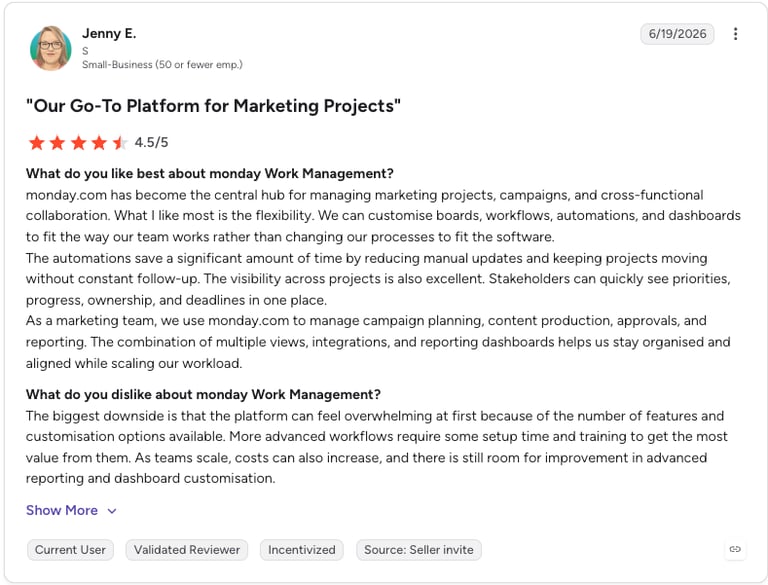
G2 reviewers give Monday.com 4.7/5, praising its visual boards and flexibility.
| Pros | Cons |
|---|---|
| Visual and flexible: boards adapt to any workflow | Not order-native: needs automation to pull order data |
| Easy adoption: teams pick it up quickly | Seat minimums: tiers bundle users in blocks |
| Automations: turn orders into tracked tasks | Cost at scale: per-user pricing grows fast |
13. Klaviyo: Power Post-Purchase Email and SMS Marketing Flows
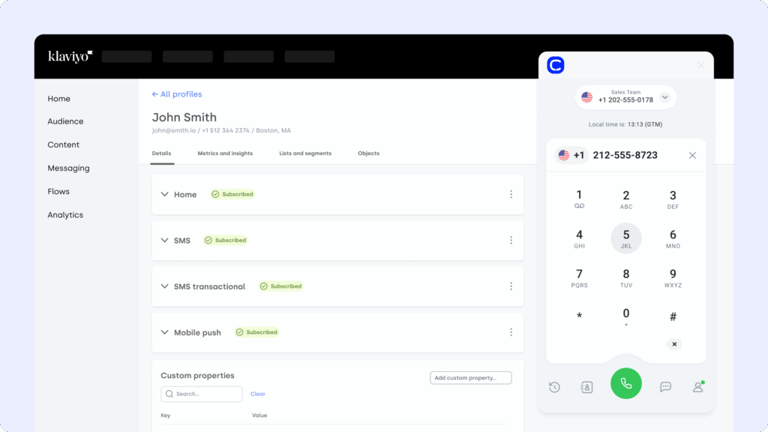
What Is Klaviyo?
Klaviyo is an ecommerce-native marketing automation platform for email and SMS. As one of the best marketing automation integrations for BigCommerce, the BigCommerce Klaviyo integration syncs order and behavior data into your flows, so every campaign is built on real purchase activity.
What Is Klaviyo Best For?
Connect Klaviyo to BigCommerce to run abandoned-cart, welcome, and post-purchase flows, segment shoppers by spend and behavior, and tie revenue back to each message. It is built for DTC brands that live and die by retention.
What Are Klaviyo's Key Features?
- Sync BigCommerce orders, products, and customers in real time
- Pre-built ecommerce flows for carts, browse abandonment, and win-back
- Predictive analytics like CLV and churn risk
- Behavioral segmentation and revenue attribution per campaign
What Does Klaviyo Integrate With?
Klaviyo connects with BigCommerce, Shopify, Meta, TikTok, and 350+ apps, and pairs with reviews tools like Yotpo to enrich segments with customer feedback.
What Is Klaviyo's Pricing?
Klaviyo bills by active profile count, not by emails sent:
- Free: up to 250 active profiles
- Email: from $20/month (251 to 500 profiles)
- Email + SMS: from around $35/month
- Scales with list size to roughly $150/month at 10,000 profiles and up
Klaviyo G2 Reviews
G2 reviewers give Klaviyo 4.6/5, praising its ecommerce flows while flagging how costs scale with list size.
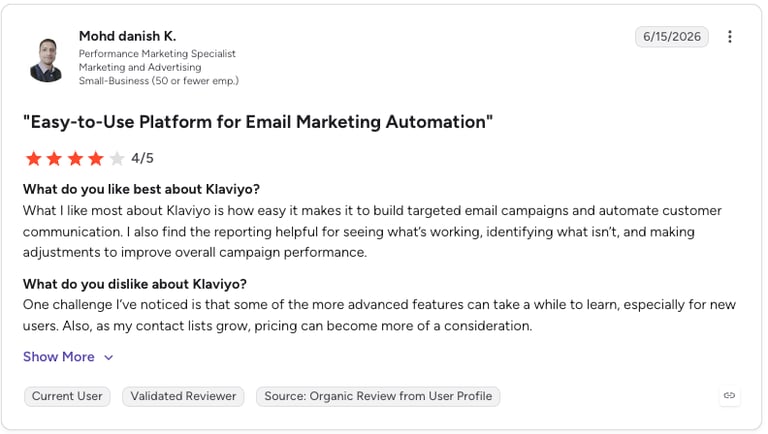
| Pros | Cons |
|---|---|
| Ecommerce-native: flows built for stores out of the box | Scales steeply: bill rises with profile count |
| Revenue attribution: ties dollars to each message | Profile billing: pay even for unengaged contacts |
| Strong segmentation: behavioral and predictive data | SMS extra: credits billed on top of email |
14. Yotpo: Collect Reviews and Run Loyalty Programs That Drive Repeat Orders

What Is Yotpo?
Yotpo is an ecommerce retention platform for customer reviews, user-generated content, and loyalty programs. Among review platform integrations, the BigCommerce Yotpo integration automates review collection and displays social proof right on your product pages.
What Is Yotpo Best For?
Connect Yotpo to BigCommerce to send automated post-purchase review requests, surface photo and video reviews on listings, and run loyalty and referral programs that turn one-time buyers into repeat customers. It is a strong fit for reputation management.
What Are Yotpo's Key Features?
- Automated review-request emails tied to BigCommerce orders
- On-site review widgets, galleries, and Google rich snippets
- Loyalty, VIP tiers, and referral programs
- Review syndication to Google Shopping for search visibility
What Does Yotpo Integrate With?
Yotpo connects with BigCommerce, Shopify, Klaviyo, Meta, TikTok, and Zendesk, feeding reviews and loyalty data across your retention stack. Note that Yotpo retired its own Email and SMS products at the end of 2025, so pair it with a messaging tool like Klaviyo.
What Is Yotpo's Pricing?
Yotpo prices each product line separately. Reviews tiers are:
- Free: up to 50 monthly orders
- Starter: $79/month
- Pro: $169/month
- Premium: from $699/month (Loyalty billed separately, from $199/month)
Yotpo G2 Reviews
G2 reviewers give Yotpo 4.3/5, praising review collection and Shopify and BigCommerce integrations while flagging price.
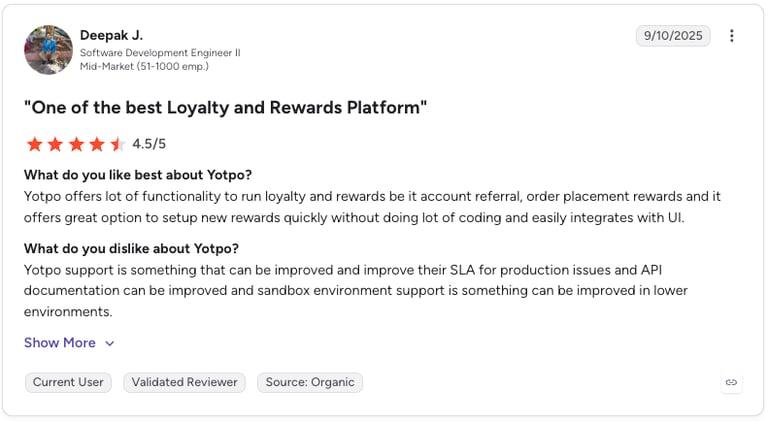
| Pros | Cons |
|---|---|
| Strong UGC: photo and video reviews on product pages | Expensive: modules billed separately add up |
| Reviews plus loyalty: retention tools in one suite | No more email/SMS: those products were sunset |
| Google syndication: reviews boost search visibility | Order overages: per-order fees past tier limits |
15. Zapier: Connect BigCommerce to 8,000+ Other Tools
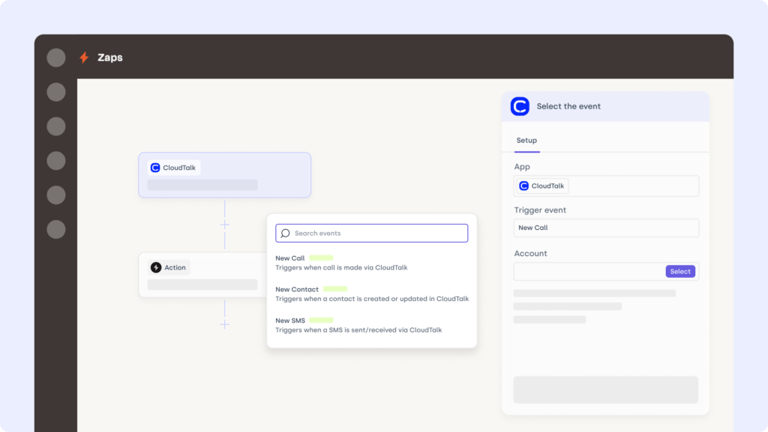
What Is Zapier?
Zapier is a no-code automation platform that connects BigCommerce with thousands of apps, no developer needed. The BigCommerce Zapier integration lets ecommerce teams automate repetitive tasks like syncing customer data, updating orders, or triggering alerts.
What Is Zapier Best For?
Use Zapier to trigger abandoned-cart emails, sync new BigCommerce customers to your CRM, or create support tickets when refund requests come in, without lifting a finger.
What Are Zapier's Key Features?
- Connect BigCommerce with CRMs, email tools, spreadsheets, and more
- Build multi-step automations triggered by order or customer events
- Customize logic and filters to fit your exact store setup
What Does Zapier Integrate With?
Zapier connects BigCommerce to 8,000+ apps, including HubSpot, Salesforce, Klaviyo, Google Sheets, Slack, and CloudTalk, making it the connective tissue for your whole stack.
What Is Zapier's Pricing?
Zapier offers various pricing tiers:
- Free: $0/month
- Professional: from $19.99/month
- Team: from $69/month
- Enterprise: Custom
Zapier G2 Reviews
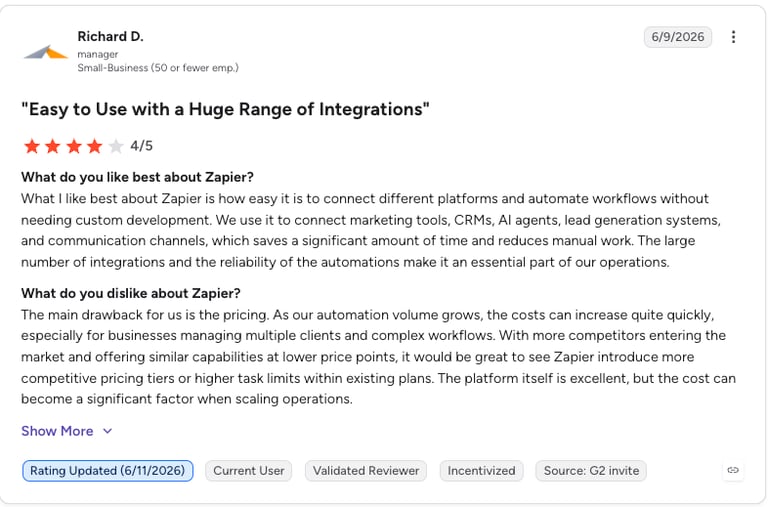
G2 reviewers give Zapier 4.5/5, praising its app coverage and ease of building automations.
| Pros | Cons |
|---|---|
| Massive coverage: connects to 8,000+ apps | Task limits: high-volume runs need pricier tiers |
| No code: anyone can build a workflow | Complex logic is hard: deep branching gets fiddly |
| Fast setup: templates for common flows | Shallow syncs: less robust than native two-way |
16. Appy Pie Automate: Automate No-Code Workflows Between Hundreds of Apps
What Is Appy Pie Automate?
Appy Pie Automate is a no-code AI workflow automation platform that connects BigCommerce with 1,000+ apps, all without touching a line of code. As one of the most versatile BigCommerce integrations, it syncs orders, customers, tickets, emails, and ops data across your tech stack. In short: it is an automation engine running your store in the background.
What Is Appy Pie Automate Best For?
Connect Appy Pie Automate to BigCommerce to auto-sync customer info to CRMs, trigger post-purchase email campaigns, generate support tickets from order events, or route workflows across marketing, sales, operations, and fulfillment. Ideal for teams that want scalable, AI-powered automation without relying on developers.
What Are Appy Pie Automate's Key Features?
- 1,000+ app integrations across CRMs, helpdesks, dialers, email, and PM tools
- AI-powered actions: summaries, classification, sentiment analysis, data enrichment
- Multi-step workflows with conditions, filters, and branching
- BigCommerce triggers: new orders, customers, updates, refunds, returns
What Does Appy Pie Automate Integrate With?
Appy Pie Automate connects BigCommerce with 1,000+ apps, including CRMs, helpdesks, email platforms, dialers, and project tools, with fail-safe task retries and error handling built in.
What Is Appy Pie Automate's Pricing?
Appy Pie Automate offers global pricing in USD:
- Basic: $16/month
- Gold: $36/month
- Platinum: $60/month
- Enterprise: Custom pricing
Appy Pie Automate G2 Reviews
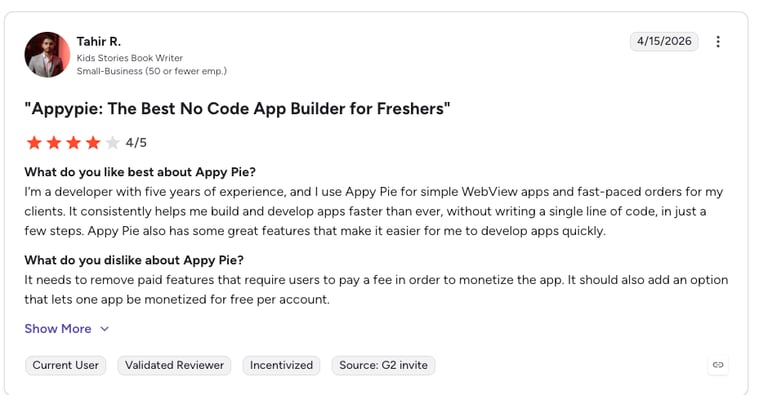
G2 reviewers give Appy Pie Connect 4.5/5.
| Pros | Cons |
|---|---|
| Low cost: cheaper entry than many rivals | Smaller catalog: fewer apps than Zapier |
| AI actions: summaries and enrichment built in | Less recognized: smaller community and docs |
| No code: business users build flows | Edge-case depth: complex syncs may need more |
Benefits of BigCommerce Integrations
Connecting BigCommerce to your broader tech stack isn't just convenient, it's a growth multiplier. Here's how the best BigCommerce integrations elevate your ecommerce operation:
- Fewer Clicks, Faster Orders: sync CRMs, support tools, and fulfillment systems with BigCommerce so orders flow automatically, with no copy-pasting customer info or tracking numbers.
- Automated Workflows That Scale With You: trigger emails, update inventory, or alert your sales team based on customer actions, without logging into five tools.
- One Source of Truth for Every Team: keep marketing, sales, and support aligned with real-time data sharing between BigCommerce and your key platforms.
- Better Customer Experience, Fewer Missed Steps: with synced tools, customers get faster responses, smarter recommendations, and fewer errors across every channel.
- More Revenue, Less Admin: automations reduce busywork so your team can focus on what matters, converting carts and building loyalty.
Workflows aren't broken. They're just disconnected. Reconnect them.
How to Choose the Right BigCommerce Integration for Your Business
Tailored for real-world BigCommerce users.
Identify What's Slowing You Down
Don't start with features, start with friction. Are your teams losing time updating inventory manually? Is customer data siloed between your CRM and ecommerce? The right BigCommerce integration solves real problems, not just adds noise.
Choose Integrations That Actually Launch
If it takes a dev team and three weeks to get running, it's not an integration, it's a distraction. Prioritize no-code tools or built-in BigCommerce apps. For example, CloudTalk's BigCommerce integration connects in minutes with zero developer work.
Think Beyond Today's Order Volume
Will this tool still scale when you add new sales channels or double your catalog? Look for integrations like CloudTalk's ecommerce call center solution that work across time zones, roles, and workflows, without breaking when volume spikes.
Prioritize Data Security
Every new connection is a new attack surface. Choose integrations with clear policies around authentication, user permissions, and data handling. CloudTalk's VoIP for BigCommerce supports secure call data logging, GDPR compliance, and user-level access control.
Make Sure There's a Real Person Behind the Chat
A fancy interface means nothing when your integration stops syncing during BFCM. Choose vendors that offer real, human support, like CloudTalk's support team, which helps resolve issues without chatbots or endless ticket loops.
How to Integrate BigCommerce With Other Platforms
BigCommerce offers several integration paths depending on your tech stack and goals. Whether you're connecting a CRM, ERP, support system, or marketing tool, you've got options, from no-code apps to full API access.
Here's how most BigCommerce integrations happen:
- Native Apps from the BigCommerce Marketplace: ideal for non-technical teams. These one-click installs, like HubSpot, Klaviyo, or Mailchimp, require zero coding and offer fast setup.
- Third-Party Integration Platforms (e.g. Zapier, Make): perfect for automating multi-step workflows. Use them to sync BigCommerce with thousands of tools like Pipedrive, Monday.com, or Google Sheets.
- Custom API Integrations: for high-complexity environments like ERPs or proprietary tools, BigCommerce's robust REST API lets developers build secure, scalable integrations.
- Middleware Connectors and iPaaS Solutions: platforms like Celigo or DCKAP offer prebuilt connectors tailored for ecommerce, great for these PaaS ecommerce integrations syncing BigCommerce with tools like NetSuite, Salesforce, or Zoho CRM.
No matter your route, the right BigCommerce integration solution should minimize manual work, enhance data visibility, and scale with your business.
Build Smarter Workflows, Not Just Bigger Stacks
Integrations aren't just about syncing platforms, they're about syncing your business. The follow-up after the checkout. The call after the return. The upsell after the ticket is closed.
With the right BigCommerce integrations, you turn disjointed tasks into one continuous, customer-friendly flow: automated, accurate, and built to scale.
You don't need more tools.
You need tools that work together.
Start with the one that connects voice, context, and commerce in one place.
Try CloudTalk for BigCommerce and turn ecommerce into an experience.
Setup shouldn't be a separate project. We can help you.
Source:
BigCommerce Integrations FAQs
The best BigCommerce integrations in 2026 include CloudTalk, HubSpot, Salesforce, Zendesk, NetSuite, Klaviyo, Yotpo, and Zapier. Each covers a specific ecommerce workflow, from cloud calling and CRM syncing to ERP, marketing automation, reviews, and customer support.
Yes. BigCommerce integrates with VoIP platforms like CloudTalk, which syncs customer order history and contact data directly into your phone system, so agents have full purchase context before they even say hello. It is the most popular BigCommerce VoIP integration for support and sales teams.
CloudTalk is the strongest BigCommerce phone system integration in 2026. It connects your store data with your call center, auto-logs interactions, surfaces order history in real time, and eliminates manual data entry across support and sales teams.
For DTC brands, the most impactful BigCommerce third-party integrations combine customer communication, retention, and fulfillment. CloudTalk handles support calls with full order context, Klaviyo powers post-purchase email flows, and Yotpo drives review collection, together creating a seamless experience from first purchase to repeat order.
Klaviyo is the leading marketing automation integration for BigCommerce, with HubSpot and Mailchimp close behind. Klaviyo syncs order and behavior data to power abandoned-cart, welcome, and post-purchase flows, while HubSpot suits teams that want marketing and CRM in one BigCommerce ecommerce integration.
For ERP workflows, the BigCommerce NetSuite integration works best when it syncs inventory, orders, and financial data in real time. Native connectors and middleware platforms like Celigo, Boomi, or APPSeCONNECT are widely used, keeping your store and back-office operations aligned without manual reconciliation.
Yotpo and Trustpilot are the top review platform integrations for BigCommerce reputation management. Yotpo automates post-purchase review requests and displays UGC across your storefront, while Trustpilot builds credibility with verified reviews that improve both conversion rates and search visibility.
BigCommerce supports 600+ integrations, covering everything from CRMs to VoIP to ERP, plus the best BigCommerce integration services through its app marketplace and API.
Some are free, but others, like BigCommerce ERP integrations or premium marketing tools, may require paid plans or third-party platforms. Many tools, including CloudTalk, offer free trials so you can test the BigCommerce integration before committing.
Basic integrations take minutes. No-code apps like CloudTalk connect almost instantly, while more advanced setups, like a BigCommerce NetSuite integration through middleware, can take a few days to a few weeks to configure.