10 Freshdesk Integrations for Effective Customer Service in 2026
SUMMARY:
We reviewed 30+ tools and chose the 10 best Freshdesk integrations for support, sales, and ops teams in 2026, based on workflow impact, setup speed, native compatibility, and real user reviews. The right Freshdesk integration turns your help desk from an isolated island into a connected network—syncing calls, tickets, contacts, and campaigns across your entire stack.
10 best Freshdesk integrations by use case:
For most support teams, CloudTalk is the best choice—it brings voice and ticketing together so agents get full caller context inside Freshdesk without switching tabs. For enterprise or compliance-heavy teams, CloudTalk also delivers SSO, role-based access, and a 99% uptime SLA built in from day one.
Research shows that smart workflow automation can cut ops costs by 30% and boost productivity by up to 80%.¹ The catch? Not all integrations are created equal—so we curated this list based on workflow impact, popularity, and usability.
What Is a Freshdesk Integration?
Think of Freshdesk as your support HQ—but without integrations, it’s running without radar. You’ve got agents, tickets, and SLAs flying in from all directions, but no way to sync them across your CRM, phone system, or project tools.
That’s where integrations come in.
Technically, freshdesk integrations act as the bridge between your help desk and the rest of your tech stack—including CRMs, VoIP systems, and ecommerce platforms—ensuring that support tickets never exist in a silo. Everything updates automatically, in context, and in real time.
Here’s what they actually do under the hood:
- Automate workflows: trigger emails, assign tasks, or update records when someone takes action
- Sync data: make sure contact info, deal status, and activity history stay up to date everywhere
- Trigger actions: set off alerts, create follow-ups, or move pipeline stages based on what happens in other tools
Take CloudTalk’s Freshdesk integration for example. With it, your team can:
- Auto-log calls and voicemails directly into Freshdesk
- Match inbound calls with customer records instantly
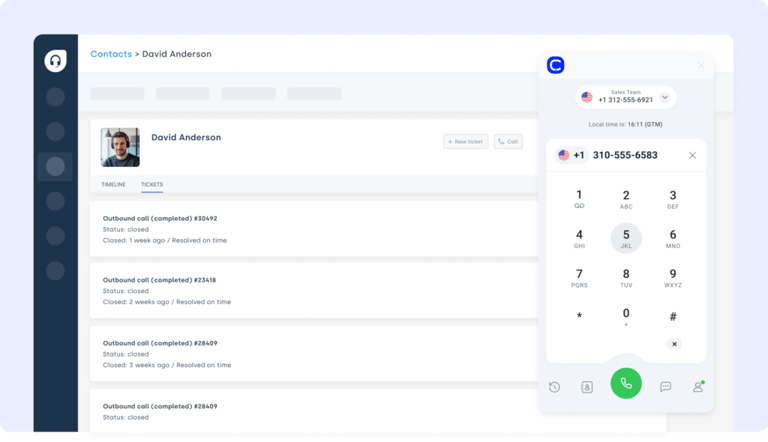
- Give agents full caller context—without switching tabs
In short: Freshdesk integrations don’t just save time. They give your team the context they need to support smarter.
Quick Comparison Table of the Best Freshdesk Integrations
How We Chose the Best Freshdesk Integrations
To create this guide, we evaluated 30+ leading customer service and CRM integration platforms using verified user reviews, product documentation, feature comparisons, and market research.
We weighed each Freshdesk integration against the criteria that actually move the needle for support teams: depth of features, ease of use, native compatibility and setup time, breadth of integrations, pricing transparency, customer support quality, scalability, and overall user satisfaction.
To keep our verdicts grounded in real-world use—not marketing claims—we cross-referenced sentiment across G2, Capterra, and TrustRadius, and factored in candid discussions from communities like Reddit and Quora. The result is an editorial shortlist built on evidence, not hype.
Why Trust Our Software Reviews?
For nearly a decade, we've helped over 30,000 professionals choose and implement better communication tools. We've reviewed 200+ products, analyzed 5,500+ verified reviews from G2 and Capterra, and drawn insights from real user discussions on platforms like Reddit or Quora.
In the past year alone, we've published 1,000+ articles, all written and reviewed by humans, for humans, to provide reliable, data-backed insights you can trust.
Learn how we keep our content integrity and our software review methodology.
Top 10 Freshdesk Integrations to Maximize Efficiency in 2026
The best customer support teams don’t just work inside Freshdesk—they supercharge it. By connecting Freshdesk with the right software tools, you can automate workflows, eliminate manual busywork, and give agents the full picture without jumping between tabs.
Below are ten high-impact Freshdesk integrations that help support, sales, and ops teams move faster, communicate better, and deliver smarter service.
1. CloudTalk: Best Freshdesk VoIP & Phone Integration for Support Teams
What Is CloudTalk?
CloudTalk is a modern cloud-based phone system built for support and sales teams that live on the phone. Its Freshdesk integration brings voice and ticketing together—so agents can manage calls and support cases without bouncing between tools. As a native freshdesk voip integration, it answers a question support leaders ask constantly: yes, Freshdesk does integrate with VoIP and phone systems, and CloudTalk makes that setup take minutes, not weeks.
Use Case: Connect CloudTalk to Freshdesk to auto-log calls, link voicemails to tickets, and instantly display caller details. It’s perfect for teams who want call activity and customer context in one place.
Benefits:
- Improved agent productivity with automated call workflows
- Better customer experience through real-time access to caller data
- Eliminate tab-switching between phone and support tools
Key Features:
- Click-to-Call from Freshdesk
- Automatic Call Recordings
- Smart Dialer and Power Dialer
- Real-time call analytics and dashboards
What Are CloudTalk Plans & Pricing?
CloudTalk’s pricing starts at $19 per user/month (NAM & LATAM) or $25 per user/month (worldwide), with each plan offering more value than its competitors:
- Lite: $19/user/month (Americas)
- Starter: $25/user/month
- Essential: $29/user/month
- Expert: $49/user/month
- Custom: Pricing available upon request
A 14-day free trial is available, so you can test the Freshdesk integration before you commit.
What Are CloudTalk Pros & Cons?
CloudTalk holds a 4.4/5 rating on G2, where reviewers consistently praise its ease of use, seamless helpdesk and CRM integrations, and responsive support.
2. Salesforce: Best CRM Freshdesk Integration for Sales-Support Alignment
What Is Salesforce?
Salesforce is one of the most powerful CRM platforms on the market—used by support and sales teams alike to manage customer data and interactions. The Freshdesk Salesforce integration ensures both platforms stay in sync, so no insight slips through the cracks. It’s the crm freshdesk integration of choice when sales and support need a shared view of every account.
Use Case: Integrate Salesforce with Freshdesk to automatically sync tickets, contacts, and case updates—giving support agents real-time access to CRM records and ensuring smoother handoffs between teams.
Benefits:
- Connect support and sales data for better customer visibility
- Reduce manual data entry across systems
- Empower agents with full customer history at their fingertips
Key Features:
- Two-way sync between Salesforce and Freshdesk tickets
- Auto-update contact and case records
- Map fields across platforms for consistent data
What Are Salesforce Plans & Pricing?
Salesforce pricing starts at $25/user/month and offers four Sales Cloud plans. There’s a 30-day free trial, but no permanent free plan:
- Starter Suite: $25 per user/month
- Pro Suite: $100 per user/month
- Enterprise: $175 per user/month
- Unlimited: $350 per user/month
What Are Salesforce Pros & Cons?
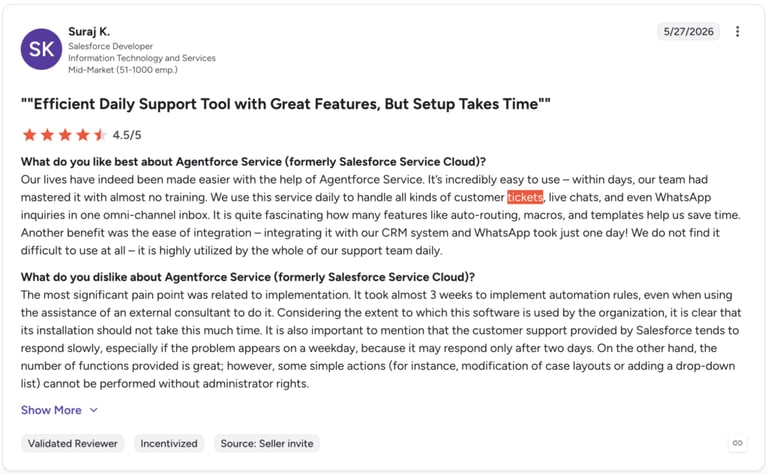
Salesforce earns a 4.4/5 on G2, where users call it an extremely powerful, customizable platform—tempered by a steep learning curve and premium cost.
3. Zendesk: Best for Unifying Multi-Helpdesk Support Workflows
What Is Zendesk?
Zendesk is a leading customer support platform. The Freshdesk Zendesk integration helps teams unify internal and external service workflows—making it easier to track issues, escalate tickets, and keep communication aligned across both platforms. For teams comparing contact center options, it’s a common pairing in the “Zendesk and Freshdesk” conversation.
Use Case: Use Zapier or similar tools to create Freshdesk tickets from Zendesk events, sync updates across systems, and ensure visibility for agents handling related cases.
Benefits:
- Centralize support workflows across internal IT and external customer teams
- Improve resolution speed by eliminating manual escalation steps
- Maintain a unified view of ticket statuses across both tools
Key Features:
- Auto-create tickets in Freshdesk from Zendesk triggers
- Two-way ticket syncing for real-time updates
- Cross-platform visibility for agents and team leads
What Are Zendesk Plans & Pricing?
Zendesk pricing starts at $19/agent/month and offers several tiers. A 14-day free trial is available, but there’s no free plan:
- Support Team: $19 per agent/month
- Suite Team: $55 per agent/month
- Suite Professional: $115 per agent/month
- Suite Enterprise: Custom pricing
What Are Zendesk Pros & Cons?
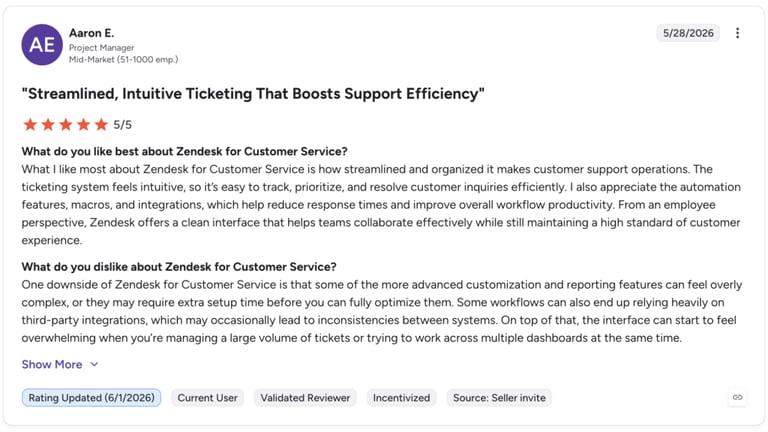
Zendesk holds a 4.3/5 on G2, where reviewers value its efficient, omnichannel ticket management but flag limited customization and a learning curve.
4. Zapier: Best No-Code Freshdesk Connector for 5,000+ Apps
What Is Zapier?
Zapier is a no-code automation tool that connects Freshdesk with thousands of other apps—no developers required. The Freshdesk Zapier integration helps support, ops, and IT teams automate routine tasks and reduce manual effort across the entire tech stack. It’s the most flexible freshdesk connector when you need to wire Freshdesk to a long tail of niche tools.
Use Case: Use Zaps to auto-create tickets from form submissions, update CRM records when ticket statuses change, or notify your team in Slack when a high-priority issue comes in—without lifting a finger.
Benefits:
- Eliminate manual work with event-based automation
- Reduce human error across connected platforms
- Free up agents to focus on complex, high-value support tasks
Key Features:
- Connect Freshdesk with 5,000+ apps using Zaps
- Auto-update spreadsheets, CRMs, or messaging tools
- Customize triggers and actions to fit your exact workflow
What Are Zapier Plans & Pricing?
Zapier offers a free plan plus paid tiers that scale by task volume rather than per user. A 14-day Professional trial is available:
- Free: $0/month (100 tasks)
- Professional: from $19.99/month (billed annually)
- Team: from $69/month (billed annually)
- Enterprise: Custom pricing
What Are Zapier Pros & Cons?
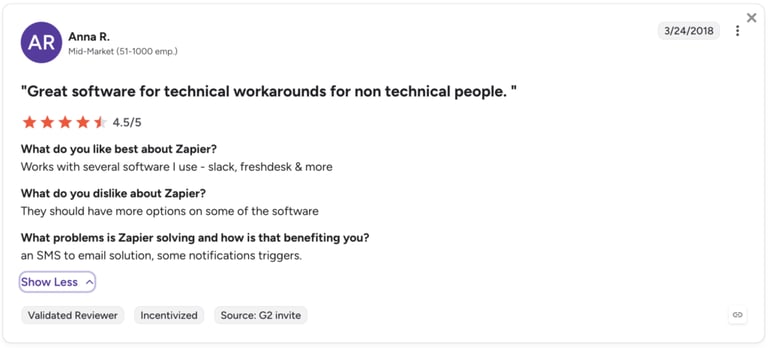
Zapier earns a 4.5/5 on G2, with reviewers praising effortless, broad app automation while noting it can get pricey and complex at scale.
5. Pipedrive: Best Freshdesk CRM Integration for Pipeline Visibility
What Is Pipedrive?
Pipedrive is a sales-focused CRM known for its visual pipeline and automation tools. The Freshdesk Pipedrive integration connects customer support with deal tracking—giving sales and support teams shared visibility into lead activity and customer conversations. It’s a strong freshdesk crm integration for revenue teams that need support context inside the pipeline.
Use Case: Sync ticket updates, contact details, and activity logs between Freshdesk and Pipedrive so your sales reps always have the latest context—without switching platforms.
Benefits:
- Eliminate CRM busywork with automated ticket and contact syncing
- Align support and sales with real-time data sharing
- Speed up follow-ups by triggering Pipedrive workflows from Freshdesk events
Key Features:
- Log Freshdesk ticket activity into Pipedrive records
- Sync contacts, deals, and ticket statuses across tools
- Trigger automations based on ticket updates or priorities
What Are Pipedrive Plans & Pricing?
Pipedrive pricing starts at $14/seat/month and offers four plans, all with a 14-day free trial (no free plan):
- Lite: $14/seat/month
- Growth: $39/seat/month
- Premium: $59/seat/month
- Ultimate: $79/seat/month
What Are Pipedrive Pros & Cons?
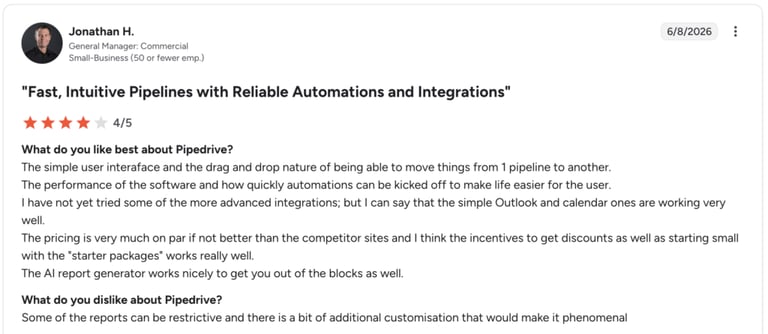
Pipedrive holds a 4.3/5 on G2, where users praise its intuitive visual pipeline but criticize costly add-ons and feature limits.
6. Front: Best Shared Inbox Integration for Freshdesk
What Is Front?
Front is a collaborative inbox platform that centralizes email, chat, and SMS into one streamlined interface. The Freshdesk Front integration connects shared conversations with support workflows—so your team can manage tickets and messages from one place.
Use Case: Sync Front activity—like replies, mentions, or tags—into Freshdesk to automatically create or update tickets, prioritize urgent threads, and give agents full context on customer conversations.
Benefits:
- Sync inbox activity with Freshdesk tickets in real time
- Gain shared visibility across support, account, and success teams
- Respond faster with contextual data from all communication channels
Key Features:
- Auto-generate Freshdesk tickets from Front conversations
- Trigger alerts based on tags, SLAs, or message status
- Link Front messages to Freshdesk contacts and tickets
What Are Front Plans & Pricing?
Front pricing starts at $25/seat/month and offers three plans, with a 14-day free trial (no free plan):
- Starter: $25/seat/month
- Professional: $65/seat/month
- Enterprise: $105/seat/month
What Are Front Pros & Cons?
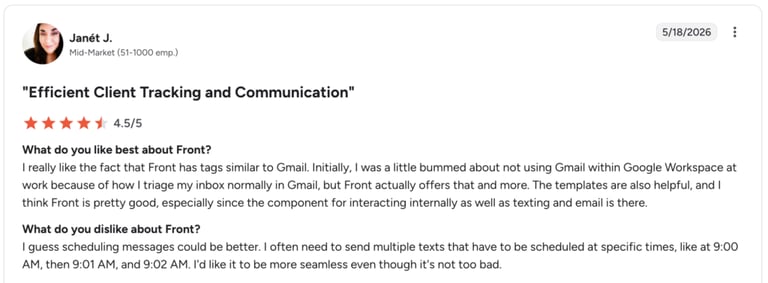
Front earns a 4.7/5 on G2—one of the highest on this list—thanks to its clean, collaborative shared inbox, with pricing and advanced-automation limits as the main complaints.
7. Zoho CRM: Best Freshdesk Integration for a Single Source of Truth
What Is Zoho CRM?
Zoho CRM is a flexible platform for managing customer relationships across sales, marketing, and support. The Freshdesk Zoho CRM integration helps unify contact, ticket, and deal data—so teams can work from a single source of truth.
Use Case: Sync Freshdesk tickets and contact updates into Zoho CRM automatically, trigger follow-up tasks based on ticket changes, and ensure every customer interaction is logged consistently across both platforms.
Benefits:
- Capture ticket history and updates inside Zoho CRM records
- Align support and sales with shared, real-time data
- Trigger CRM automations from Freshdesk ticket activity
Key Features:
- Sync Freshdesk ticket data with Zoho contacts and deals
- Auto-update lead or account status based on support interactions
- Launch CRM workflows tied to ticket resolution or priority
What Are Zoho CRM Plans & Pricing?
Zoho CRM pricing starts at $14/user/month and offers four tiers, plus a free edition for up to 3 users and a 15-day free trial:
- Standard: $14/user/month
- Professional: $23/user/month
- Enterprise: $40/user/month
- Ultimate: $52/user/month
What Are Zoho CRM Pros & Cons?
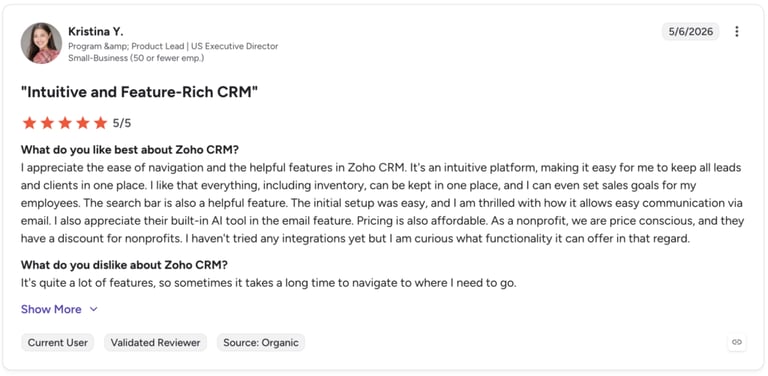
Zoho CRM holds a 4.1/5 on G2, where users praise its affordability and customizability while noting a learning curve and occasional integration friction.
8. HubSpot: Best All-in-One CRM Integration for Freshdesk
What Is HubSpot?
HubSpot is a leading CRM trusted by growing sales and support teams. The Freshdesk HubSpot integration bridges the gap between customer service and relationship management—ensuring contact records, tickets, and deal activity stay in sync across platforms.
Use Case: Connect HubSpot with Freshdesk to auto-sync ticket updates, contact changes, and customer interactions—so your agents and reps always have the full picture, no matter which tool they’re in.
Benefits:
- Align service and CRM workflows for better handoffs
- Boost resolution speed with up-to-date customer context
- Eliminate data silos with two-way syncing between systems
Key Features:
- Push Freshdesk ticket updates into HubSpot contact timelines
- Auto-create tickets from HubSpot workflows or forms
- Sync customer records and notes across both tools
What Are HubSpot Plans & Pricing?
HubSpot pricing starts with free CRM tools and scales into paid Sales Hub plans from $20/seat/month:
- Free Tools: $0 (up to 2 users)
- Sales Hub Starter: $20/seat/month
- Sales Hub Professional: $100/month
- Sales Hub Enterprise: Custom pricing
What Are HubSpot Pros & Cons?
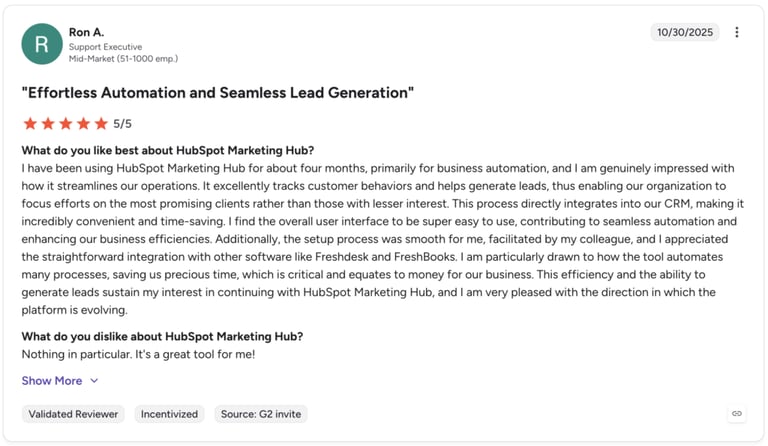
HubSpot earns a 4.4/5 on G2, where reviewers value its intuitive interface and sales visibility while citing rising cost and customization limits.
9. ActiveCampaign: Best Freshdesk Integration for Marketing Automation
What Is ActiveCampaign?
ActiveCampaign is an all-in-one platform for email marketing, automation, and CRM. The Freshdesk ActiveCampaign integration connects your support and marketing workflows—so you can trigger campaigns based on ticket activity and customer interactions.
Use Case: Trigger email automations in ActiveCampaign when a Freshdesk ticket is opened, closed, or escalated. It’s ideal for post-support follow-ups, satisfaction surveys, or re-engagement campaigns.
Benefits:
- Automate outreach from Freshdesk events and ticket status changes
- Align marketing and support teams with synced contact data
- Increase engagement by connecting service insights with email workflows
Key Features:
- Trigger automations based on Freshdesk ticket actions
- Sync contact and custom field data between platforms
- Track email and campaign performance within customer profiles
What Are ActiveCampaign Plans & Pricing?
ActiveCampaign pricing starts at $15/month (billed annually, up to 1,000 contacts) and scales with your contact count. A 14-day free trial is available, but there’s no free plan:
- Starter: from $15/month
- Plus: contact-based pricing
- Pro: contact-based pricing
- Enterprise: Custom pricing
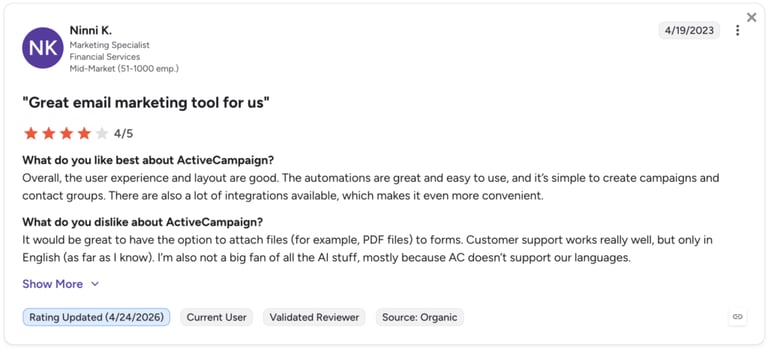
What Are ActiveCampaign Pros & Cons?
ActiveCampaign holds a 4.4/5 on G2, where users praise its powerful, flexible automation and segmentation while noting a learning curve and steep pricing on newer plans.
10. LiveAgent: Best Multi-Channel Helpdesk Integration for Freshdesk
What Is LiveAgent?
LiveAgent is a multi-channel helpdesk platform that combines chat, email, and voice support into one interface. The Freshdesk LiveAgent integration helps teams route issues between systems, unify ticket data, and streamline cross-platform collaboration.
Use Case: Use third-party tools to connect Freshdesk with LiveAgent—automatically creating tickets across platforms, syncing updates, and ensuring SLA alerts reach the right team without delay.
Benefits:
- Sync Freshdesk ticket data with LiveAgent for unified visibility
- Improve responsiveness with cross-platform alerts and updates
- Centralize internal and external support operations
Key Features:
- Convert Freshdesk events into LiveAgent tickets
- Trigger SLA alerts and internal notes across systems
- Link ticket histories and call recordings between tools
What Are LiveAgent Plans & Pricing?
LiveAgent pricing starts at $15/agent/month and offers four plans, with a 30-day free trial (no free plan):
- Small Business: $15/agent/month
- Medium Business: $29/agent/month
- Large Business: $49/agent/month
- Enterprise: $69/agent/month
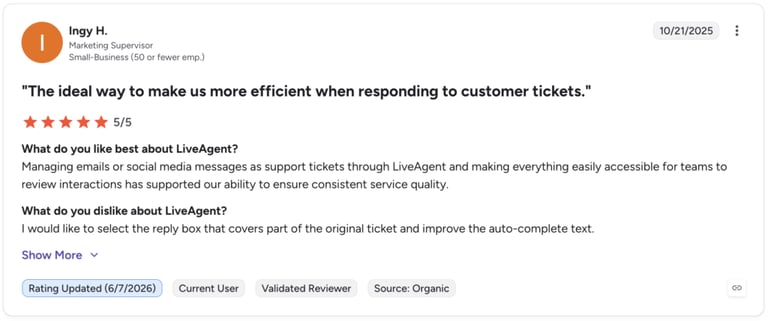
What Are LiveAgent Pros & Cons?
LiveAgent earns a 4.5/5 on G2, where reviewers like its affordable, all-in-one omnichannel inbox while flagging a dated UI and a weak mobile app.
Benefits of Freshdesk Integration
Connecting Freshdesk with your wider tech stack doesn’t just save time—it transforms how your support team works. Here’s how:
- Fewer Tabs, Faster Tickets: Integrations pull data from your CRM, dialer, or chat tool directly into Freshdesk—so agents stay focused and customers get faster replies.
- Automated Workflows That Actually Work: Trigger ticket creation, contact updates, or follow-up emails automatically when something changes in your other tools—no manual copy-paste required.
- Real-Time Context for Every Conversation: See caller history, purchase info, or deal status right inside Freshdesk. No more digging through dashboards for missing details.
- Fewer Errors, Better Records: When tools sync automatically, there’s less room for typos, outdated info, or duplicated tickets.
- Smarter Handoffs Across Teams: Syncing Freshdesk with your CRM or project management tool keeps sales, support, and ops on the same page—literally.
- Scalable Support Without the Burnout: As ticket volume grows, integrated tools help your team automate low-effort tasks so they can focus on complex cases.
- Tighter SLA Compliance and Tracking: Instant alerts and synchronized status updates make it easier to hit deadlines and avoid breaches—even when tickets escalate between platforms.
How to Choose the Best Freshdesk Integration
This guide to choosing freshdesk integrations is tailored for real-world users who need to eliminate manual data entry and fragmentation.
Identify Your Workflow Bottlenecks
Don’t start with features—start with friction. Are agents losing time switching between systems? Are SLAs slipping because caller data isn’t synced? The right integration fixes those gaps. For example, the CloudTalk Freshdesk integration logs calls, matches tickets, and updates contact records in real time—so agents stay focused on resolving, not retyping.
Prioritize Ease of Setup
If an integration takes weeks and custom code to implement, it’s not saving time—it’s creating another project. Look for one-click installs and native Freshdesk apps that work out of the box. CloudTalk’s calling integration takes minutes, not meetings, to launch.
Think Long-Term, Not Just Launch Day
Your tech stack should grow with you. Will this integration still work when your team scales to three regions or adds a new sales layer? The CloudTalk customer service solution supports everything from lean startups to enterprise-level support ops—without breaking at scale.
Choose Tools That Secure Your Data
Every new tool is a new doorway into your customer data. Choose integrations that support SSO, audit logs, and role-based access controls. The Freshdesk VoIP integration via CloudTalk is built with security from the start—so you’re not patching risks after launch.
Partner With Vendors Who Actually Show Up
The real test isn’t launch day—it’s outage day. Will your integration partner show up when something breaks? CloudTalk’s support team answers fast, with real humans, not chatbots or endless ticket queues.
Stop Copy-Pasting Support. Start Connecting Your Stack.
Integrations aren’t just about moving data—they’re about unlocking better service. The handoff between tickets and tasks. The context behind the call. The moment your agent doesn’t have to ask for the customer’s name—because Freshdesk already knows.
When your tools actually talk to each other, support becomes seamless. Automated. Context-rich. Scalable.
You don’t need more apps. You need smarter ones that work together.
Choose your first integration. Build your last workaround.
Source:
Frequently asked questions
The best Freshdesk integrations connect your help desk to the tools your team already uses—CRMs, phone systems, shared inboxes, and marketing platforms. For most support teams, CloudTalk leads the list as the best freshdesk voip integration, followed by Salesforce, Zendesk, Zapier, Pipedrive, Front, Zoho CRM, HubSpot, ActiveCampaign, and LiveAgent. The right pick depends on your biggest bottleneck—calling, CRM sync, or workflow automation.
Yes. Freshdesk integrates natively with VoIP and phone systems, and CloudTalk is the standout freshdesk phone integration. It auto-logs calls and voicemails into tickets, matches inbound calls with customer records, and gives agents full caller context—without switching tabs. Setup takes minutes through CloudTalk’s native Freshdesk app.
The best crm freshdesk integration depends on your CRM: Salesforce, HubSpot, Pipedrive, and Zoho CRM all sync tickets, contacts, and deal data with Freshdesk in real time. Most native connectors install in a few clicks; for CRMs without a native option, Zapier acts as a no-code freshdesk connector. Aim for two-way sync so support and sales always see the same record.
For no-code, point-and-click automation across Freshdesk and other ticketing tools, Zapier is the most flexible platform—it connects Freshdesk to 5,000+ apps without developers. For embedded calling and contact-center workflows inside Freshdesk, CloudTalk offers a native integration with deeper voice and AI features than a generic connector can provide.
CloudTalk is the best Freshdesk phone integration for support teams in 2026. It combines auto call logging, AI Conversation Intelligence, Sentiment Analysis, and click-to-call inside Freshdesk, holds a 4.4/5 rating on G2, and scales from small teams to enterprise with SSO and a 99% uptime SLA.
A two-way crm freshdesk integration works best for sales-support alignment, because it keeps tickets, contacts, and deals in sync without manual entry. Salesforce and HubSpot are the strongest options for tightly coupled revenue teams, while Pipedrive suits pipeline-first sales orgs. Pair any of them with CloudTalk so call activity flows into both the CRM and Freshdesk automatically.
For real-time CX automation, the best freshdesk real-time data integration syncs events the instant they happen—new tickets, status changes, or inbound calls. CloudTalk pushes live call data and Sentiment Analysis into Freshdesk as calls happen, while ActiveCampaign and Zapier trigger automated campaigns and workflows the moment a ticket changes state. Together they let you act on customer signals in the moment, not hours later.
CloudTalk is a leading contact center solution with native integrations for both Zendesk and Freshdesk, so you can keep your help desk while adding enterprise-grade calling, AI, and analytics. It logs calls and context into either platform automatically, making it ideal for teams that run—or are migrating between—multiple ticketing tools.