13 Best Freshworks Integrations for Businesses to Try in 2026 – CloudTalk
The Best Freshworks Integrations: Summary
For sales and support teams, best Freshworks CRM integrations are CloudTalk (voice and AI calling), Salesforce and Pipedrive (CRM sync), Zendesk and Freshdesk (ticketing), and Zapier (no-code automation).
In this guide, we cover the 13 best Freshworks integrations for sales and support success in 2026:
- 01CloudTalk — Best Freshworks VoIP integration for AI-powered calling
- 02Salesforce — Best enterprise CRM sync for Freshworks
- 03Zendesk — Best cross-helpdesk ticket collaboration
- 04Zapier — Best no-code automation across 5,000+ apps
- 05Pipedrive — Best pipeline CRM for outbound sales teams
- 06Front — Best shared inbox for omnichannel support
- 07Zoho CRM — Best budget-friendly CRM sync
- 08Freshdesk — Best internal + external support connection
- 09ActiveCampaign — Best marketing automation trigger integration
- 10LiveAgent — Best omnichannel helpdesk ticketing
- 11Kustomer — Best unified customer timeline view
- 12Gorgias — Best eCommerce support integration
- 13Google Sheets — Best lightweight reporting and analytics
No more tab-switching. Just seamless workflows.

What Is a Freshworks Integration?
A Freshworks integration connects your Freshworks product—whether it's Freshsales, Freshdesk, or Freshservice—with the rest of your tech stack. It allows data to flow seamlessly between tools, so your teams can work faster, smarter, and without jumping between tabs.
The strongest Freshworks CRM integrations cover calling, CRM, ticketing, and marketing, and the best Freshworks VoIP integration brings full caller context directly into the agent's workspace.
Instead of manually copying customer details, logging calls, or updating statuses, Freshworks integrations automate these processes in the background. They keep your systems in sync—whether you're managing tickets, tracking sales, or communicating with customers in real time.
Here's what that looks like in practice:
- Automate workflows: trigger emails, assign tasks, or update records when someone takes action
- Sync data: make sure contact info, deal status, and activity history stay up to date everywhere
- Trigger actions: set off alerts, create follow-ups, or move pipeline stages based on what happens in other tools
For example, CloudTalk's Freshworks integration lets you:
- Log and record calls directly in Freshworks
- Auto-match callers to contact records
- Give agents full caller context without having to switch tabs
Freshworks integrations aren't just about convenience—they're how you turn disconnected tools into a unified system that powers your customer experience.
Want Freshworks to talk to your dialer, VoIP, and helpdesk?
Freshworks Integrations Comparison Table
A quick side-by-side look at the best Freshworks integrations before the detailed reviews below.
| Software | Category | Key Benefit |
|---|---|---|
| CloudTalk | Cloud Calling / VoIP | Native calling, conversational AI, AI Voice Agents and call transcripts |
| Salesforce | CRM | Sync customer data and support history |
| Zendesk | Support Platform | Collaborate across helpdesks, escalate tickets |
| Zapier | Automation | Automate workflows between Freshworks + 5,000 apps |
| Pipedrive | CRM | Align deal stages and share contact activity |
| Front | Shared Inbox | Centralize email, chat, and tickets in one thread |
| Zoho CRM | CRM | Sync lead and contact info across sales and marketing |
| Freshdesk | Helpdesk Platform | Manage escalations and SLAs across channels |
| ActiveCampaign | Marketing Automation | Trigger email sequences from Freshworks updates |
| LiveAgent | Helpdesk Platform | Create tickets from calls or chats, sync timelines |
| Kustomer | Service CRM | Link customer timeline and case resolution in one view |
| Gorgias | eCommerce Support | Route and escalate eCom tickets with Freshworks context |
| Google Sheets | Reporting / Analytics | Export Freshworks data for dashboards and reporting |
The 13 Best Freshworks Integrations to Power Growth in 2026
Freshworks offers robust CRM, support, and IT tools—but its true power is unlocked when you integrate it with the platforms your team already uses. The best Freshworks integrations below eliminate data silos, reduce repetitive tasks, and supercharge both your sales and service workflows. Each one is here because it solves a specific, high-impact workflow challenge.
1. CloudTalk — Best Freshworks VoIP Integration for AI-Powered Calling
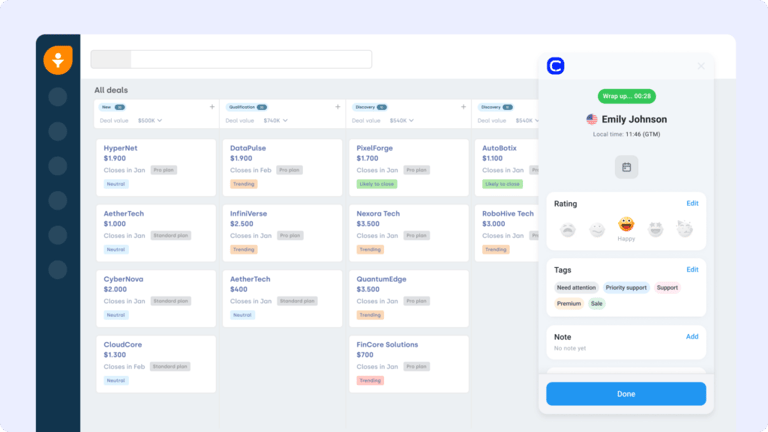
CloudTalk is a modern cloud-based phone system built for support and sales teams that rely on voice. As the best Freshworks VoIP integration and Freshworks phone system integration available, it connects your call center with ticketing and CRM features—so agents can manage calls and support cases without juggling platforms. It's also the strongest Freshworks call integration for distributed support teams that need full caller context the moment a call connects.
What Are CloudTalk's Key Features?
- Real-time call monitoring — Listen, whisper, or barge on live calls directly from Freshworks
- AI-Powered Conversation Intelligence — Summaries, topics, and transcripts pushed to Freshworks records
- Call recording and playback — Auto-logged recordings attached to caller contact records
- Sentiment Analysis — Flag negative calls for escalation automatically
- Auto caller matching — Match inbound callers to Freshworks contacts with no tab-switching
What Is CloudTalk's Pricing?
CloudTalk offers flexible plans tailored to business needs, with each plan offering more value than its competitors:
- Lite: $19/user/month (Americas)
- Starter: $25/user/month
- Essential: $29/user/month
- Expert: $49/user/month
- Custom: Pricing available upon request
How Do Users Rate CloudTalk?
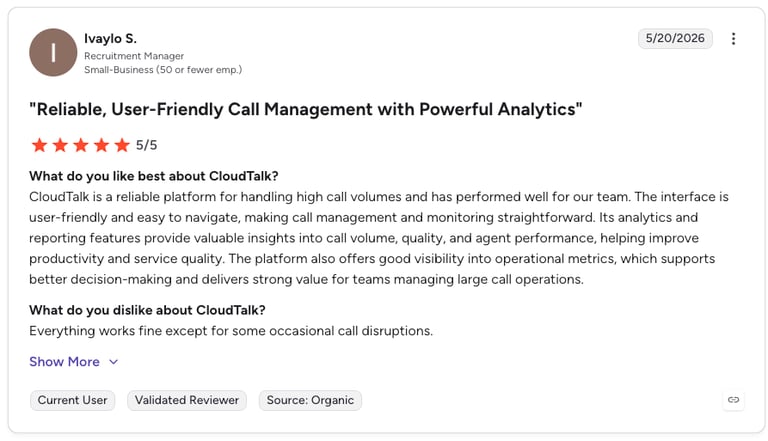
G2 reviewers give CloudTalk 4.4/5.
What Are CloudTalk's Pros & Cons?
| Pros | Cons |
|---|---|
| Native Freshworks integration — Calls, recordings, and AI notes sync automatically | Voice-first — Purpose-built for calling teams, not a general CRM |
| AI conversation intelligence — Summaries, transcripts, sentiment, topic extraction | No videoconferencing |
| Extensive country coverage — Strong international reach for distributed teams | |
| Fast setup — Live in minutes, no engineering required |
Who Is CloudTalk Best For?
If your team uses phone calls to generate or close revenue, CloudTalk is the strongest Freshworks VoIP integration available—putting caller context, recordings, and AI summaries inside Freshworks with zero manual input.
Connect CloudTalk to Freshworks and automate your entire call workflow
2. Salesforce — Best Enterprise CRM Sync for Freshworks
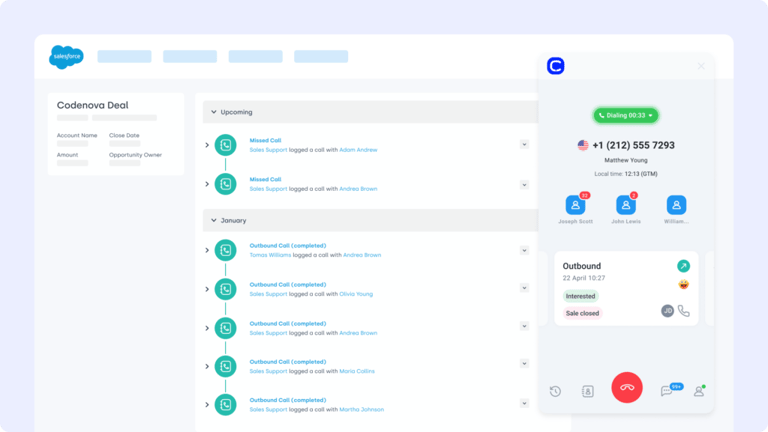
Salesforce is one of the most widely used CRM platforms in the world. The Freshworks Salesforce integration keeps your customer records, tickets, and sales data unified—bridging the gap between front-line support and long-term customer management.
What Are Salesforce's Key Features?
- Two-way sync of contacts, accounts, and ticket activity
- Custom field mapping to fit your workflows
- Real-time updates between Freshworks and Salesforce
- 360° customer context linking support tickets with CRM data
What Is Salesforce's Pricing?
Salesforce offers various pricing tiers. See dialer comparisons in the Salesforce pricing guide.
- Sales Cloud Essentials: $25 per user/month
- Sales Cloud Professional: $75 per user/month
- Sales Cloud Enterprise: $150 per user/month
- Sales Cloud Unlimited: $300 per user/month
How Do Users Rate Salesforce?
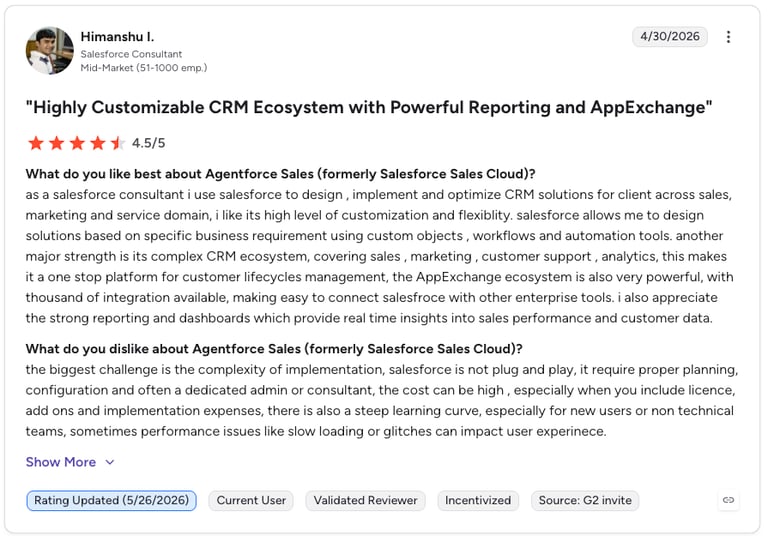
G2 reviewers give Salesforce Sales Cloud 4.4/5.
What Are Salesforce's Pros & Cons?
| Pros | Cons |
|---|---|
| Industry-leading CRM depth — Unmatched flexibility for enterprise workflows | High cost — Pricing escalates quickly, especially with add-ons |
| Two-way data sync — Cuts manual updates between platforms | Complexity — Requires admin expertise to configure at scale |
| Enterprise compliance — Strong security and audit logging | Overkill for SMBs — Feature set exceeds what small teams need |
| Ecosystem breadth — AppExchange adds thousands of integrations | Slow time to value — Implementation can run months |
3. Zendesk — Best Cross-Helpdesk Ticket Collaboration
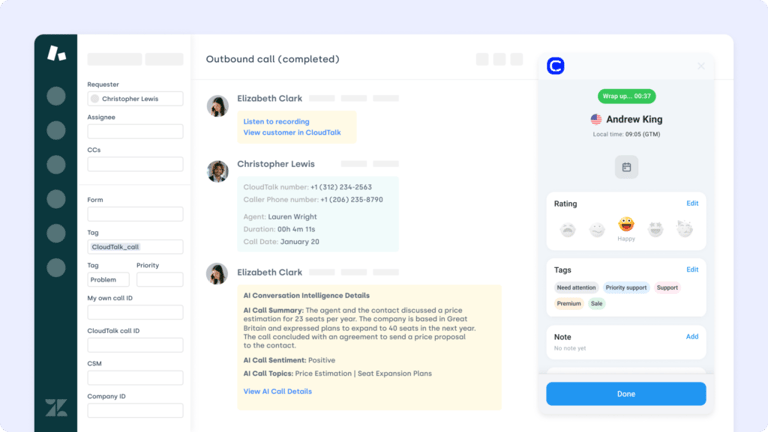
Zendesk is a leading customer service platform that excels at external support. The Freshworks Zendesk integration helps internal and external teams collaborate by syncing tickets and notes across both platforms.
What Are Zendesk's Key Features?
Bi-directional ticket sync so nothing slips through
Auto-generate Zendesk tickets from Freshworks events
Sync ticket status, tags, and comments across systems
Link Freshworks contacts to Zendesk conversations for full history
What Is Zendesk's Pricing?
Zendesk pricing tiers include the following. See the full breakdown in the Zendesk pricing guide.
- Support Team: $19 per agent/month
- Support Professional: $55 per agent/month
- Support Enterprise: $115 per agent/month
How Do Users Rate Zendesk?
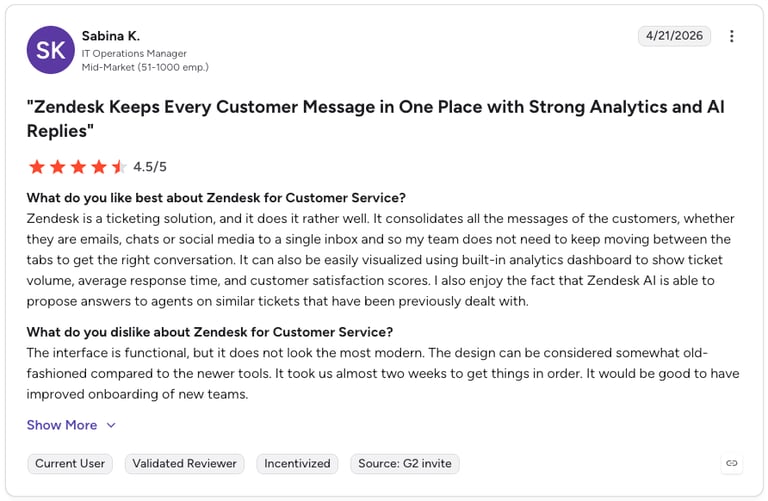
G2 reviewers give Zendesk Support Suite 4.3/5.
What Are Zendesk's Pros & Cons?
| Pros | Cons |
|---|---|
| Best-in-class ticketing — Industry standard for support workflows | Cost at scale — Pricing climbs with more agents or features |
| Bi-directional sync — Status, tags, and comments stay aligned | AI features cost extra — Advanced AI requires Suite add-ons |
| Omnichannel coverage — Email, chat, phone, and social in one place | Customization complexity — Deep config can need specialist knowledge |
| Strong reporting — Pre-built and custom support dashboards | Onboarding time — Teams often need 2–4 weeks to configure |
Recommended Reads
4. Zapier — Best No-Code Automation for Freshworks
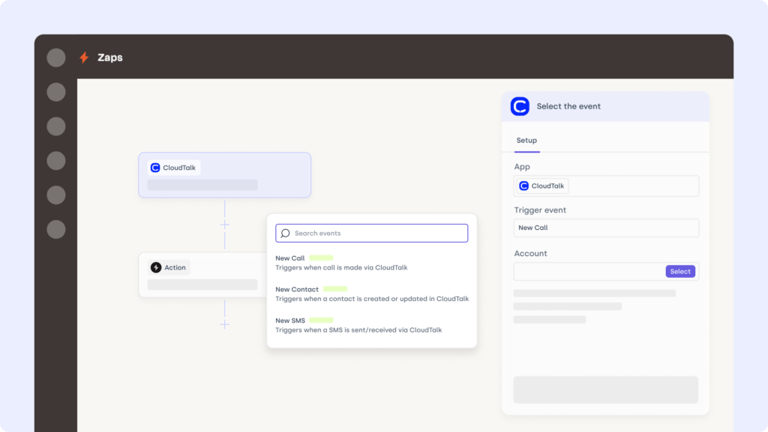
Zapier is the go-to tool for no-code automation. The Freshworks Zapier integration allows you to build powerful workflows between Freshworks and over 5,000 other apps—no developer required.
What Are Zapier's Key Features?
- Connect Freshworks to 5,000+ tools via Zaps
- Customize multi-step workflows with conditional logic
- Sync data between Freshworks, CRMs, email tools, and more
- Trigger ticket creation, contact updates, or Slack notifications automatically
What Is Zapier's Pricing?
Zapier offers flexible automation pricing:
- Free: 100 tasks/month
- Professional: $19.99/month
- Team: $69/month
- Enterprise: Custom
| Pros | Cons |
|---|---|
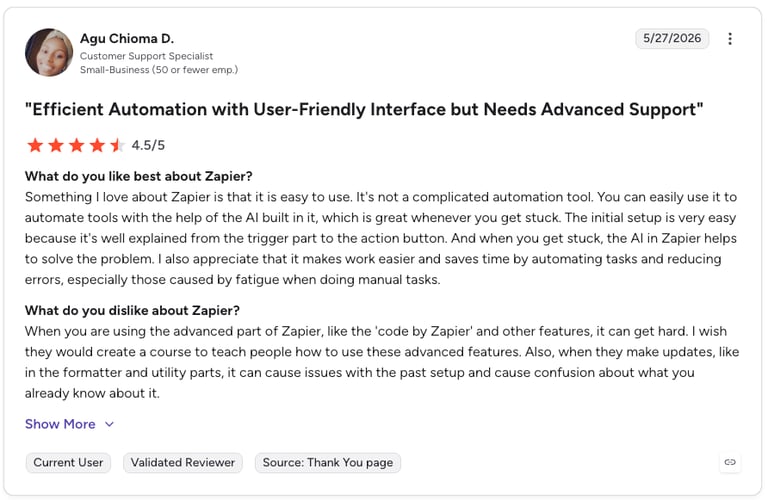
| Huge app library — 5,000+ integrations, more than any rival | Per-task pricing — Costs escalate with high-volume workflows |
| No-code setup — Build Zaps without a developer | Complex logic limits — Advanced branching needs higher tiers |
| Free tier — Useful for testing basic automations | Sync delays — Free and low tiers poll less frequently |
5. Pipedrive — Best Pipeline CRM for Outbound Sales Teams
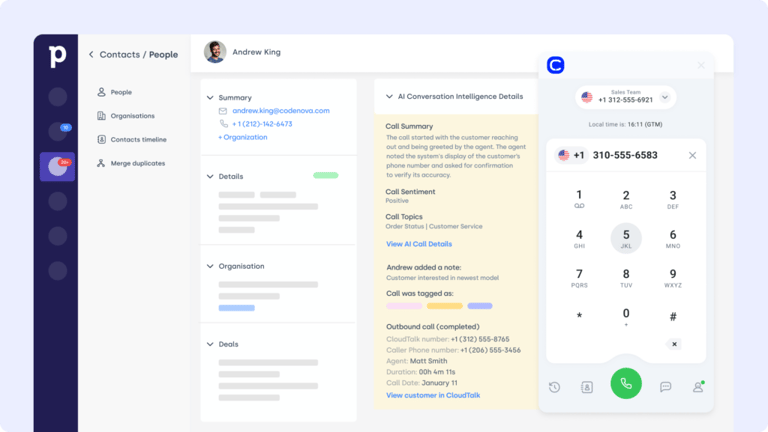
Pipedrive is a sales CRM designed for visual pipeline management. The Freshworks Pipedrive integration helps align deal stages, lead activity, and support tickets—so your sales team always has the full picture.
What Are Pipedrive's Key Features?
- Sync contact and lead data in both systems
- Log Freshworks ticket activity in Pipedrive timelines
- Trigger automations based on ticket tags or status changes
- Give reps support context before outreach
What Is Pipedrive's Pricing?
Pipedrive offers flexible plans based on team size and needs. See dialer comparisons in the Pipedrive pricing guide.
- Lite: $14/user/month
- Growth: $39/user/month
- Premium: $59/user/month
- Ultimate: $79/user/month
How Do Users Rate Pipedrive?
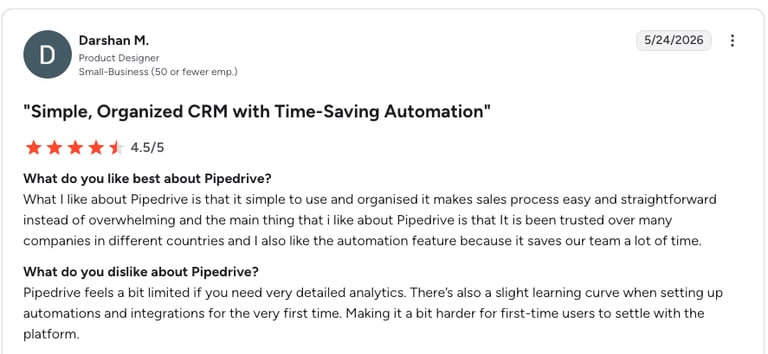
G2 reviewers give Pipedrive 4.3/5.
What Are Pipedrive's Pros & Cons?
| Pros | Cons |
|---|---|
| Sales-first design — Pipeline view is intuitive for outbound teams | Limited marketing automation — Weaker than HubSpot on email workflows |
| Affordable entry tier — $14.90/user/month for small teams | Reporting depth — Less granular than Salesforce at scale |
| Activity-based workflow — Task automation pairs well with Freshworks triggers | No free tier — No permanently free plan |
| Easy to adopt — Quick onboarding for reps | Automation locked — Workflow tools require Advanced tier or above |
6. Front — Best Shared Inbox for Omnichannel Support
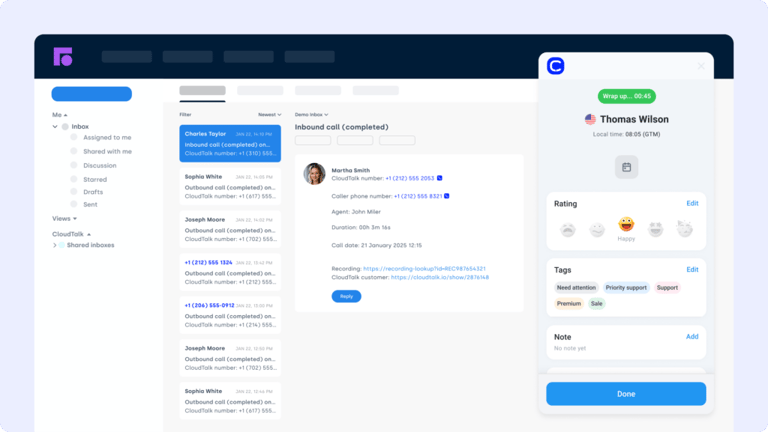
Front combines shared inboxes with CRM-style collaboration. The Freshworks Front integration brings structured communication—email, chat, and SMS—directly into your service workflows.
What Are Front's Key Features?
- View Front threads and internal notes in Freshworks
- Trigger Freshworks workflows based on Front activity
- Link inbox conversations to support tickets and agents
- Prioritize critical threads with shared SLA and tag rules
What Is Front's Pricing?
- Starter: $25user/month
- Professional: $65/user/month
- Enterprise: $105/user/month
How Do Users Rate Front?
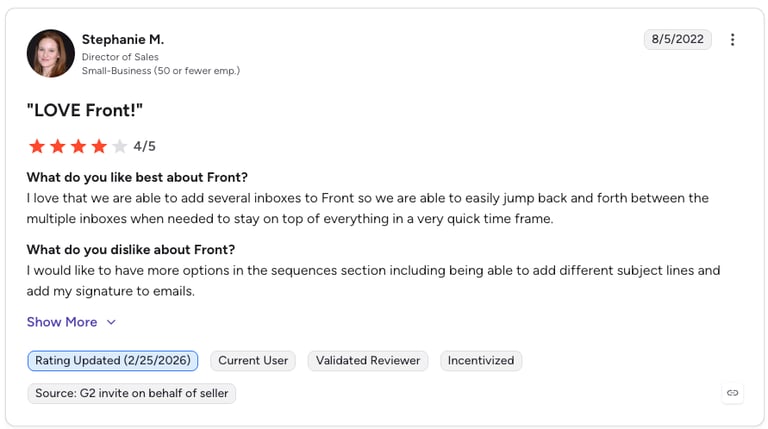
G2 reviewers give Front 4.7/5.
What Are Front's Pros & Cons?
| Pros | Cons |
|---|---|
| Shared inbox clarity — Email, chat, and SMS in one collaborative view | Per-seat cost — Adds up quickly for larger teams |
| Strong collaboration — Internal comments and assignments on every thread | Not a full helpdesk — Less robust than Zendesk for complex ticketing |
| SLA and tag rules — Prioritize critical conversations automatically | Learning curve — Rules engine takes time to configure |
7. Zoho CRM — Best Budget-Friendly CRM Sync for Freshworks
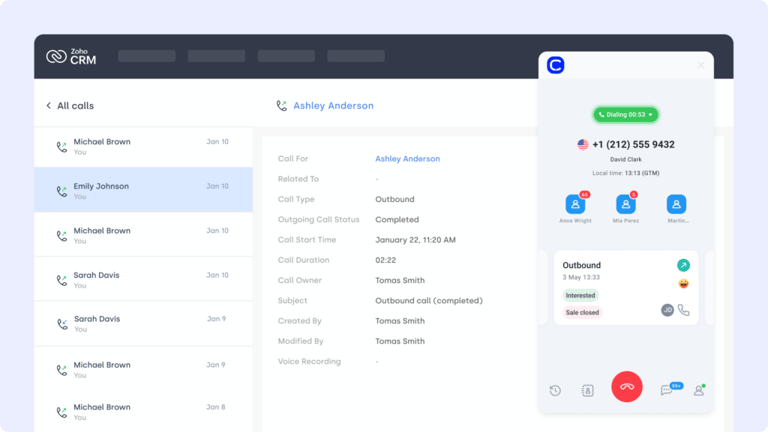
Zoho CRM is a flexible and cost-effective CRM for growing teams. The Freshworks Zoho CRM integration keeps your lead, contact, and deal data synced across sales and support—so no one's operating with outdated info.
What Are Zoho CRM's Key Features?
- Bi-directional sync of contact and deal records
- Auto-update lead statuses based on Freshworks activity
- Launch CRM automations directly from ticket events
- Maintain a complete view of customer interactions across teams
What Is Zoho CRM's Pricing?
Zoho CRM offers tiered plans for teams of all sizes. See more in the Zoho CRM pricing guide.
- Standard: $14/user/month
- Professional: $23/user/month
- Enterprise: $40/user/month
- Ultimate: $52/user/month
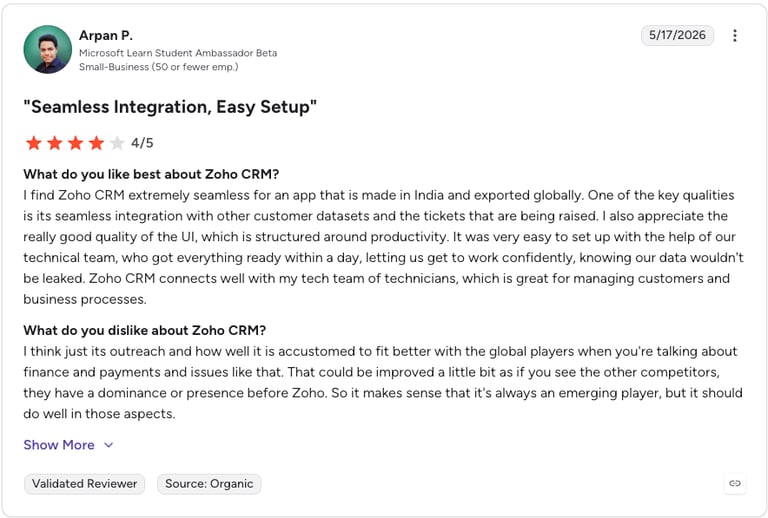
How Do Users Rate Zoho CRM?
G2 reviewers give Zoho CRM 4.1/5.
What Are Zoho CRM's Pros & Cons?
| Pros | Cons |
|---|---|
| Affordable pricing — One of the cheapest full-featured CRMs | UI complexity — Can feel cluttered vs Pipedrive or HubSpot |
| Free tier available — Useful for very small teams | Support quality — Slower than enterprise CRM vendors |
| Deep customization — Highly configurable workflows | Feature sprawl — Wide product suite can confuse setup |
| Bi-directional sync — Keeps Freshworks and Zoho aligned | Fewer native integrations — Smaller ecosystem than Salesforce |
8. Freshdesk — Best Internal + External Support Connection
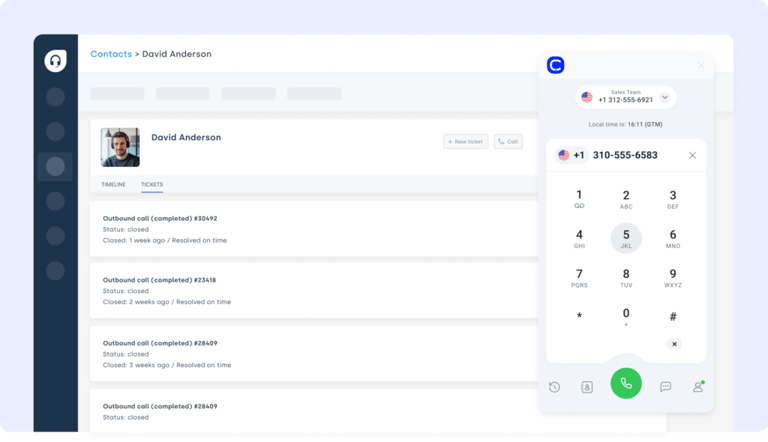
Freshdesk is another core product in the Freshworks suite, but teams often manage separate environments for internal and external support. The Freshworks Freshdesk integration connects these workflows to streamline SLA tracking, ticket escalations, and customer visibility.
What Are Freshdesk's Key Features?
- Trigger Freshdesk tickets from CRM updates or agent actions
- Share notes, ticket timelines, and user data between platforms
- Route tickets based on custom Freshworks fields or triggers
- Automate SLA alerts, priority flags, and status changes
What Is Freshdesk's Pricing?
Freshdesk offers multiple plans for growing support teams. See the Freshdesk pricing and integrations guide.
- Growth: $15/agent/month
- Pro: $49/agent/month
- Enterprise: $79/agent/month
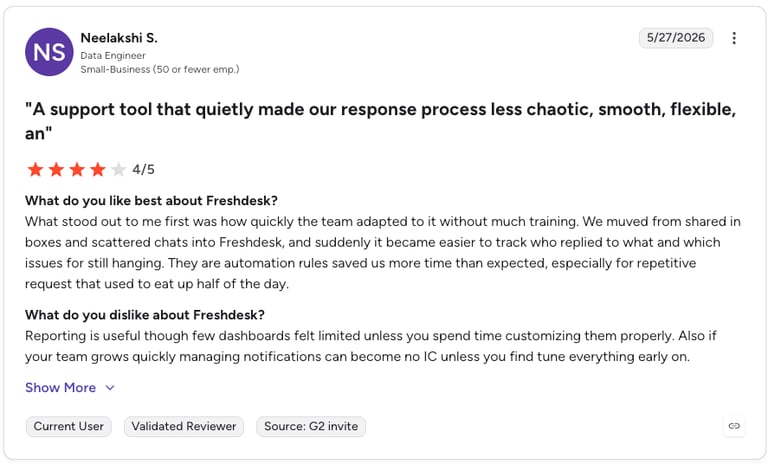
How Do Users Rate Freshdesk?
G2 reviewers give Freshdesk 4.4/5.
What Are Freshdesk's Pros & Cons?
| Pros | Cons |
|---|---|
| Native Freshworks suite — Tight fit with other Freshworks products | Feature gating — Advanced automation locked to higher tiers |
| SLA automation — Built-in alerts, priority flags, and routing | Reporting limits — Custom reports need Pro or above |
| Affordable entry — Growth plan at $15/agent/month | Scaling cost — Enterprise pricing climbs with agents |
Recommended Reads
9. ActiveCampaign — Best Marketing Automation Trigger Integration
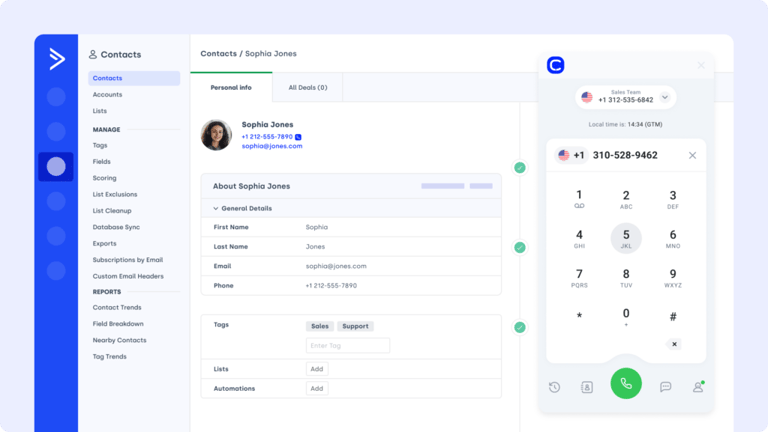
ActiveCampaign helps teams automate marketing, email campaigns, and lead nurturing. The Freshworks ActiveCampaign integration brings automation and CRM together—so every customer touchpoint is tracked and followed up on.
What Are ActiveCampaign's Key Features?
- Push contact updates from Freshworks to ActiveCampaign
- Trigger workflows based on tags, tickets, or actions
- Track campaign performance within customer records
- Increase engagement with behavior-based follow-ups
What Is ActiveCampaign's Pricing?
See how it compares in the ActiveCampaign pricing and integrations guide.
- Starter: $15/month
- Plus: $49/month
- Pro: $79/month
- Enterprise: $145/month
How Do Users Rate ActiveCampaign?
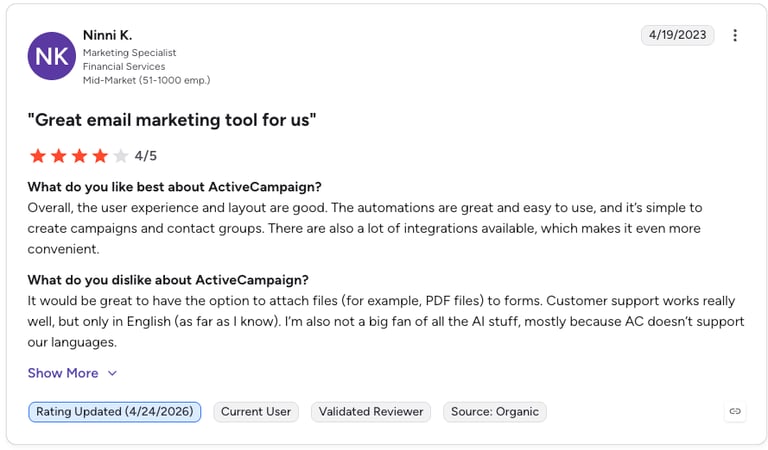
G2 reviewers give ActiveCampaign 4.5/5.
What Are ActiveCampaign's Pros & Cons?
| Pros | Cons |
|---|---|
| Best-in-class email automation — Sophisticated sequence builder | Contact-based pricing — Costs escalate as your list grows |
| Powerful segmentation — Tag-based logic for targeted follow-ups | Learning curve — Builder is powerful but takes time to master |
| Multi-channel — Email, SMS, and site tracking in one platform | No free tier — Minimum monthly cost even for small lists |
10. LiveAgent — Best Omnichannel Helpdesk Ticketing
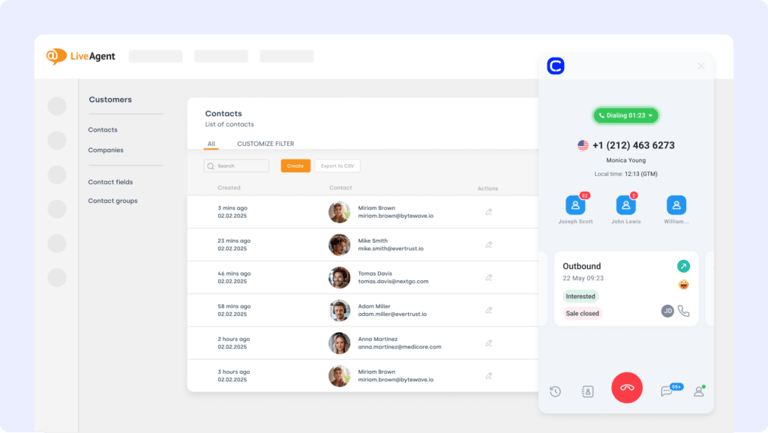
LiveAgent offers omnichannel support with email, chat, and call handling. The Freshworks LiveAgent integration unifies case management with ticketing, so every interaction is logged and tracked—without switching platforms.
What Are LiveAgent's Key Features?
- Convert Freshworks CRM actions into LiveAgent tickets
- Sync call data, replies, and resolution status across tools
- Trigger internal notifications for high-priority issues
- Improve SLA compliance with real-time alerts in Freshworks
What Is LiveAgent's Pricing?
LiveAgent offers transparent pricing for support teams. See the LiveAgent pricing and integrations guide.
- Small Business: $15/agent/month
- Medium Business: $29/agent/month
- Large Business: $49/agent/month
- Enterprise: $69/agent/month
How Do Users Rate LiveAgent?
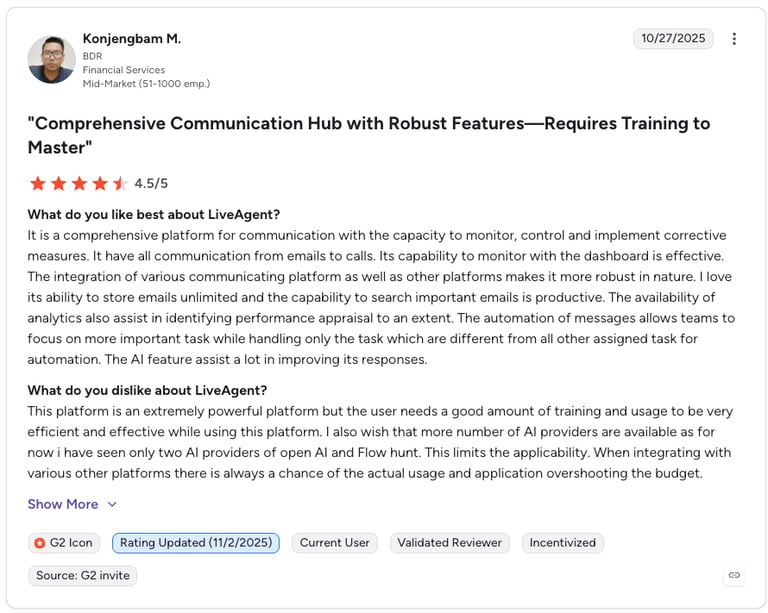
G2 reviewers give LiveAgent 4.5/5.
What Are LiveAgent's Pros & Cons?
| Pros | Cons |
|---|---|
| Affordable omnichannel — Email, chat, and calls from $9/agent | Interface dated — UI feels older than newer rivals |
| Unified ticketing — Logs every interaction in one timeline | Feature gating — Some tools locked to higher tiers |
| Real-time alerts — SLA breach and escalation notifications | Smaller ecosystem — Fewer native integrations than Zendesk |
Recommended Reads
11. Kustomer — Best Unified Customer Timeline View
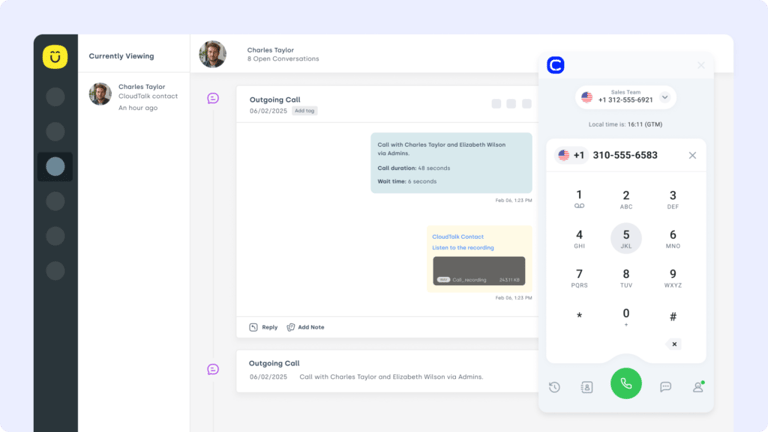
Kustomer is built for high-touch support and offers a single timeline view of all customer interactions. The Freshworks Kustomer integration helps your teams unify support cases, chat logs, and ticket updates across platforms.
What Are Kustomer's Key Features?
- Trigger Kustomer tickets from Freshworks activity
- Auto-alert agents to unresolved or escalated cases
- Route tickets using tags, urgency, or customer attributes
- Sync every Freshworks ticket with Kustomer's unified timeline
What Is Kustomer's Pricing?
Kustomer's pricing is available upon request, but their advertised pricing on Capterra is:
- Enterprise: $89/user/month
- Ultimate: $139/month
How Do Users Rate Kustomer?
G2 reviewers give Kustomer 4.4/5.
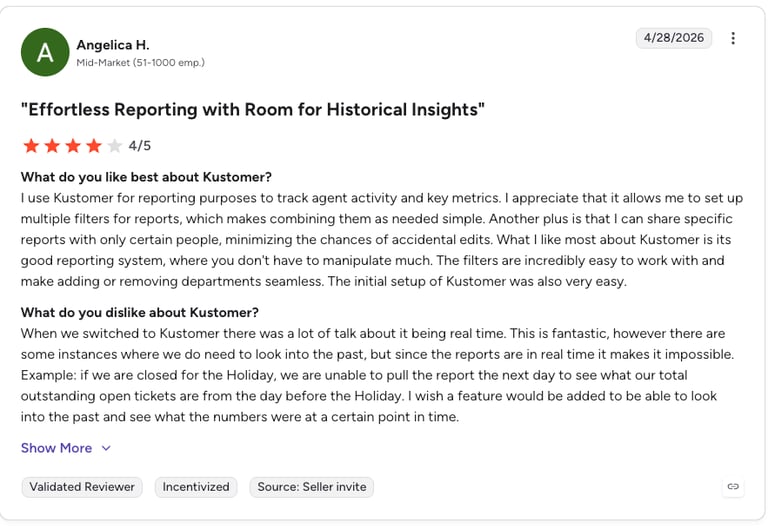
What Are Kustomer's Pros & Cons?
| Pros | Cons |
|---|---|
| Unified timeline — Every interaction in one customer view | Higher entry price — $89/user/month starting point |
| High-touch support — Built for relationship-driven service | Overkill for small teams — Best suited to larger support orgs |
| Smart routing — Tags, urgency, and attribute-based assignment | Setup effort — Timeline data modeling takes planning |
12. Gorgias — Best eCommerce Support Integration
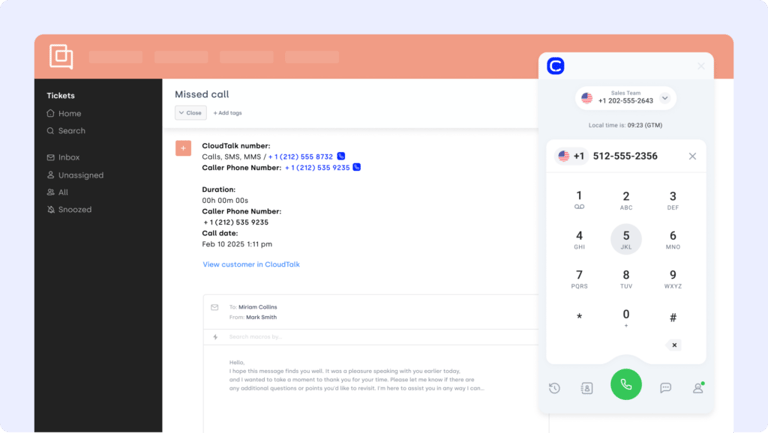
Gorgias is a helpdesk platform designed specifically for ecommerce brands. The Freshworks Gorgias integration connects ticket management with customer purchase history and order data—perfect for fast, personalized support.
What Are Gorgias' Key Features?
- Auto-create Gorgias tickets from Freshworks interactions
- Sync internal notes and activity history between tools
- Push SLA alerts and priority tags into both systems
- Escalate urgent tickets based on Freshworks-defined criteria
What Is Gorgias' Pricing?
- Starter: $10/month + usage
- Basic: $50/month + usage
- Pro: $300/month + usage
- Advanced: $750/month
- Enterprise: Custom volume
How Do Users Rate Gorgias?
G2 reviewers give Gorgias 4.6/5.
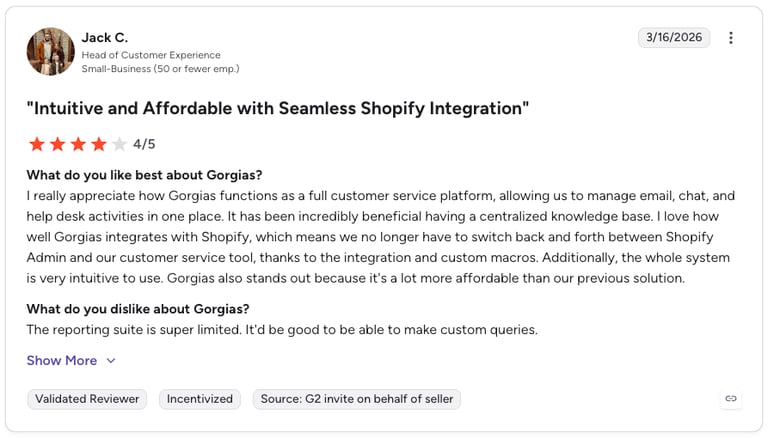
What Are Gorgias' Pros & Cons?
| Pros | Cons |
|---|---|
| eCommerce-native — Built around order and purchase data | Usage-based cost — Ticket volume adds to base price |
| Fast personalized support — Order context on every ticket | Niche focus — Less suited to non-retail teams |
| Affordable entry — Basic plan from $10/month | High-tier jump — Advanced plan is a steep step up |
13. Google Sheets — Best Lightweight Reporting and Analytics
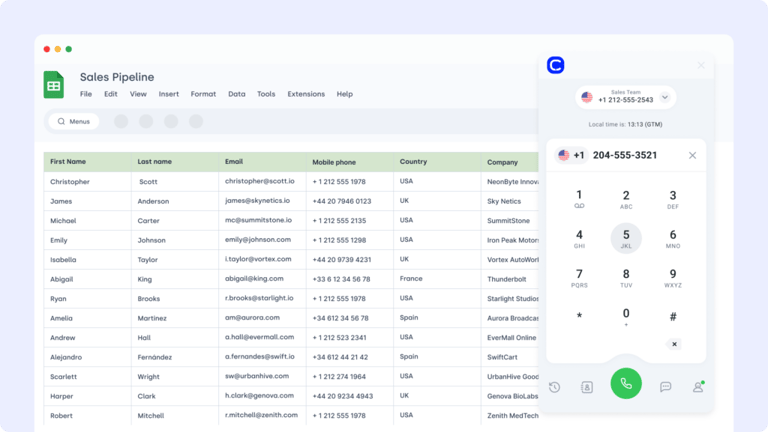
Google Sheets is a flexible reporting and data-sharing tool that many teams still rely on for custom dashboards and operational oversight. The Freshworks Google Sheets integration helps export ticket, contact, or asset data automatically—keeping leadership and teams aligned.
What Are Google Sheets' Key Features?
- Scheduled exports from Freshworks to Sheets
- Filtered syncs by status, tags, or assigned agent
- Built-in sharing and permissions to control access
- Real-time dashboards for ops, sales, or support metrics
What Is Google Sheets' Pricing?
- Free (personal): $0 via Google account
- Business Starter: $6/user/month
- Business Standard: $12/user/month
- Business Plus: $18/user/month
- Enterprise: Custom pricing
How Do Users Rate Google Sheets?
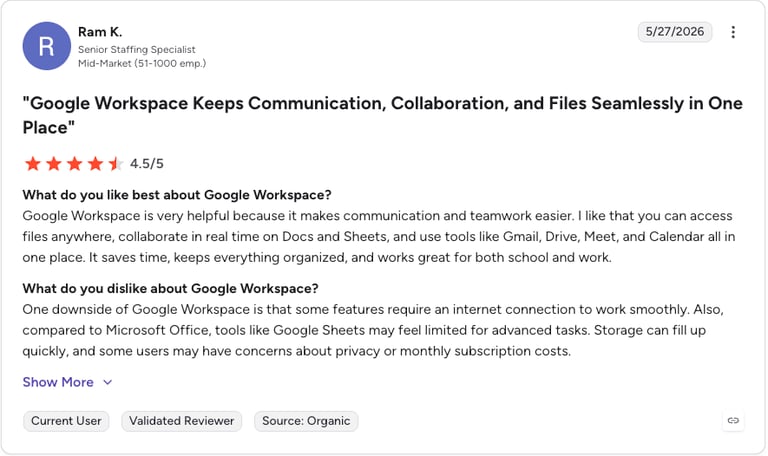
G2 reviewers give Google Workspace 4.6/5.
What Are Google Sheets' Pros & Cons?
| Pros | Cons |
|---|---|
| Free to use — No cost barrier for most teams | Not a real CRM — No pipeline or relationship management |
| Universal compatibility — Almost any data can output to Sheets | Scales poorly — Large datasets slow performance |
| Great for reporting — Easy dashboards to share with stakeholders | Manual analysis needed — Logging is automated, interpretation isn't |
How We Chose the Best Freshworks Integrations
We evaluated these Freshworks integrations against the workflows that matter most to revenue-generating teams. Here's the criteria we used:
- Native connector availability — Is there a pre-built Freshworks Marketplace app, or does setup require custom APIs?
- Trigger and action depth — How many events can trigger a workflow, and how many actions can be performed?
- Reliability and stability — Are there known sync delays, data loss issues, or rate-limit problems?
- Use case fit for sales and support — Does the integration serve the core workflows of customer-facing teams?
- G2 user ratings — What do verified users say about ease of use, value for money, and support quality?
- Pricing transparency — Is cost predictable, or does it escalate unpredictably with usage?
Benefits of Freshworks CRM Integration
Integrating Freshworks with the rest of your tech stack doesn't just save time—it unlocks better workflows, cleaner data, and smoother sales and support coordination. Here are five standout benefits of the best Freshworks CRM integrations:
- Fewer Tabs, More Context
No more toggling between your CRM, helpdesk, and phone system. Integrations bring contact history, ticket details, and call logs into one unified view. - Faster Follow-Ups and Resolutions
Trigger actions the moment a form is filled, a deal is updated, or a call ends. Integrated systems automate what used to take hours of manual work. - Cleaner Customer Data Across Platforms
Say goodbye to outdated fields and duplicated records. Integration keeps your contact, deal, and support data perfectly in sync—no copy-paste required. - Smarter Workflows, Less Manual Busywork
Whether it's assigning tickets, syncing call notes, or updating lifecycle stages, automation removes repetitive tasks so teams can focus on value—not data entry. - Stronger Alignment Between Sales and Support
When support agents see CRM data—and sales reps see ticket activity—everyone delivers more relevant, more responsive service at every stage.
Workflows aren’t broken—they’re just disconnected. Reconnect them!
How to Choose the Right Freshworks Integrations for Your Business
McKinsey reports that employees spend nearly 1.8 hours per day—almost 20% of their time—just searching for information or tracking down coworkers 1. That’s an entire workday, lost every week.
Freshworks integrations can transform your workflows—but only if you choose the right ones. Below are six key considerations to guide your decision, especially as your tech stack grows and your team scales.
Identify Your Business Needs
Don't pick tools based on popularity—pick them based on problems. Are your agents manually logging calls? Are sales reps missing context? Prioritize integrations that directly address these gaps. For example, CloudTalk's Freshworks CRM integration automatically logs call data, giving reps real-time context.
Prioritize Ease of Setup
If an integration requires custom APIs or weeks of dev time, it's more risk than reward. Look for tools that offer native Freshworks Marketplace apps or easy no-code connectors—like Zapier for Freshworks—that can be installed in minutes.
Choose Scalable Integrations
Today's integration should still work when your team doubles in size. Make sure your tools support role-based routing, multi-site operations, and team-level permissions. CloudTalk's smart dialer is one example of a scalable solution that grows with your needs.
Assess Security and Compliance
Any tool connected to your CRM handles sensitive customer data. Prioritize integrations with strong security features—SSO, permissioning, audit trails. CloudTalk's VoIP integration for Freshworks is built with compliance at its core.
Evaluate Cost-Effectiveness
Some integrations are free, others require a subscription. Know what's included—and what's not. Lightweight tools like Google Sheets integrations can handle custom reporting without extra cost, while high-volume use cases might justify premium plans.
Look at Real Support, Not Just Features
Features mean nothing if you can't reach support when things break. Before committing, ask: can I get a human when it matters? CloudTalk's inbound support center delivers real-time help without the AI hold music.
How to Integrate Freshworks CRM with Other Platforms
Integrating Freshworks CRM with other tools is easier than ever—no custom development required. Most integrations can be activated directly from the Freshworks Marketplace or via plug-and-play solutions like Zapier, Make, or native app connectors.
You typically have three options:
- Native Integrations: Available for tools like Salesforce, Slack, or CloudTalk. These require just a few clicks to connect and authenticate.
- iPaaS Platforms: Use tools like Zapier to connect Freshworks with 5,000+ apps, from spreadsheets to project tools.
- Custom APIs: For advanced needs, Freshworks offers a comprehensive API so your developers can build deep, tailored integrations into Freshdesk and other ticketing tools.
For example, CloudTalk's Freshworks integration takes less than five minutes to set up and starts syncing call data and tickets instantly—no engineering needed.
Connect the Dots With the Best Freshworks Integrations
You don't need more dashboards. You need fewer blockers.
The best Freshworks integrations eliminate tab overload, automate the busywork, and give your teams the context they need—exactly when they need it. Calls sync to tickets. Tickets sync to CRM. Everyone's on the same page.
So if your support and sales teams are still stuck juggling tools, it's time for an upgrade. Kickstart your workflow overhaul with CloudTalk's Freshworks integration.
Setup shouldn’t be a separate project. We can help you!
FAQs: Freshworks Integrations
The best Freshworks integrations for sales and support teams are CloudTalk (VoIP and AI calling), Salesforce and Pipedrive (CRM sync), Zendesk and Freshdesk (ticketing), Zapier (no-code automation), Zoho CRM (budget-friendly CRM), Front (shared inbox), ActiveCampaign (marketing automation), LiveAgent and Kustomer (helpdesk), Gorgias (eCommerce support), and Google Sheets (reporting). The right mix depends on whether your priority is calling, CRM sync, ticketing, or reporting.
Yes. Freshworks supports VoIP and phone system integration through Freshworks Marketplace apps and native connectors. The best Freshworks VoIP integration is CloudTalk, which logs and records calls directly in Freshworks, auto-matches callers to contact records, and gives agents full caller context without tab-switching. It's the strongest Freshworks call integration setup for distributed support teams that need real-time context on every call.
A wide range of apps integrate with Freshworks CRM, including CloudTalk (calling), Salesforce, Pipedrive, and Zoho CRM (CRM sync), Zendesk and LiveAgent (helpdesks), ActiveCampaign (email marketing), Slack (alerts), Google Sheets (reporting), and Zapier (which connects Freshworks to 5,000+ additional apps). Most are available as plug-and-play Freshworks Marketplace integrations.
For sales productivity in 2026, the best Freshworks CRM integrations combine calling and pipeline automation: CloudTalk for AI-powered calling and call logging, Pipedrive or Salesforce for pipeline management, and ActiveCampaign for automated email follow-ups. Together, they ensure every call outcome updates the CRM automatically, so reps spend time selling instead of on data entry.
For no-code in-product integrations between Freshdesk and other ticketing tools, Zapier is the most accessible platform, connecting Freshworks to 5,000+ apps without development. For deeper, custom integrations, the Freshworks API and Freshworks Marketplace SDK let developers build tailored connections. For calling-driven ticket automation specifically, CloudTalk's native integration auto-creates and updates tickets based on call events.
Freshworks tech stack integration is strong for SMBs and mid-market teams thanks to its Marketplace of native connectors, open API, and support for iPaaS tools like Zapier and Make. Compared to all-in-one alternatives like Salesforce or HubSpot, Freshworks is generally faster to set up and more affordable, though enterprise-scale consolidation may favor platforms with deeper native ecosystems. The right choice depends on team size, budget, and how custom your workflows are.
For custom tech stacks, the most flexible Freshworks integration capabilities are its REST API and webhooks (for bespoke connections), iPaaS platforms like Zapier and Make (for connecting niche apps without code), and native connectors for core tools like CloudTalk, Salesforce, and Slack. Webhook support effectively makes the range of possible integrations unlimited for teams with development resources.
The best Freshworks VoIP integration setup for distributed support teams pairs CloudTalk with Freshworks CRM or Freshdesk. CloudTalk provides cloud-based calling with international number coverage, real-time caller context inside Freshworks, call recording, and AI conversation intelligence—so remote agents in any location see the same caller history and can route, escalate, and log calls automatically. Setup takes under five minutes with no engineering required.
Some Freshworks integration tools are free, while others require premium features or subscriptions from Freshworks partners. Native Marketplace apps are often free to install, but the connected tool (such as a CRM, helpdesk, or VoIP provider) typically has its own pricing plan.