10 Best Avaya Alternatives: TL;DR Comparison Table
| # | Tool | Best For | Starting Price (annual billing) | G2 Rating |
|---|---|---|---|---|
| 1 | CloudTalk | Global SMB support and sales teams scaling beyond Avaya's constraints | $19/user/mo | 4.4/5 |
| 2 | RingCentral | Enterprises wanting a proven UCaaS suite with MS Teams integration | $20/user/mo | 4.2/5 |
| 3 | Genesys Cloud CX | Large contact centers needing enterprise AI and omnichannel routing | ~$75/user/mo | 4.4/5 |
| 4 | Nextiva | SMBs wanting all-in-one calling and CRM at transparent pricing | $15/user/mo | 4.5/5 |
| 5 | Dialpad | AI-native teams needing real-time transcription and call coaching | $80/user/mo (contact center) | 4.4/5 |
| 6 | Five9 | High-volume outbound call centers with enterprise-scale predictive dialing | from $119/agent/mo | 4.1/5 |
| 7 | Talkdesk | Mid-market support teams wanting no-code AI automation and CRM workflows | ~$85/user/mo | 4.4/5 |
| 8 | 8x8 | Single-vendor UCaaS and CCaaS buyers needing built-in compliance | $24/user/mo (X2) | 4.1/5 |
| 9 | Aircall | Fast-deploying support teams focused on CRM overlay and quick onboarding | $30/user/mo (3-user min) | 4.4/5 |
| 10 | Zoom Phone | Organizations already on Zoom Workplace moving their voice to the cloud | $16/user/mo | 4.6/5 |
Skip the Reading. See It Live.
Why Are Teams Searching for an Avaya Alternative?
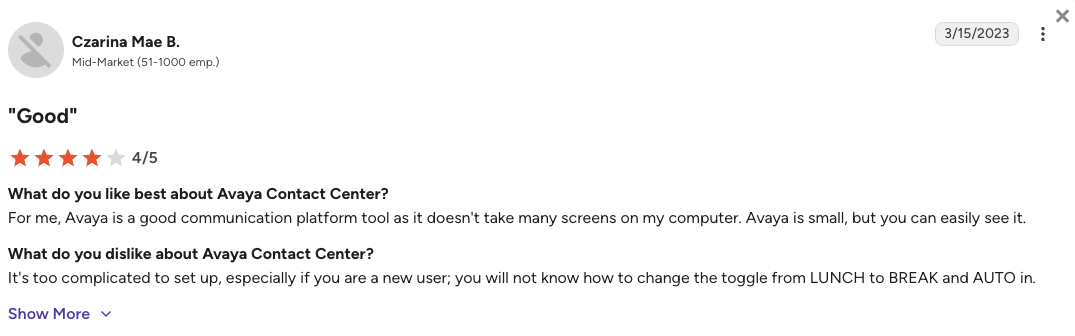
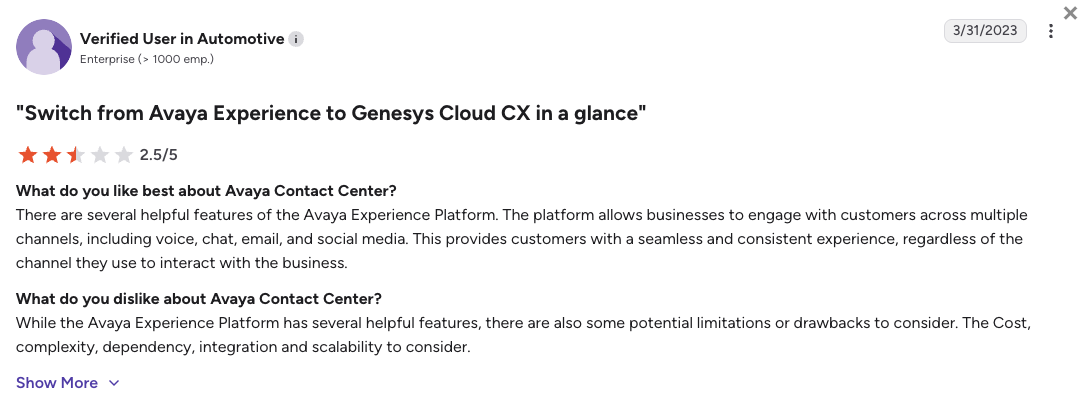
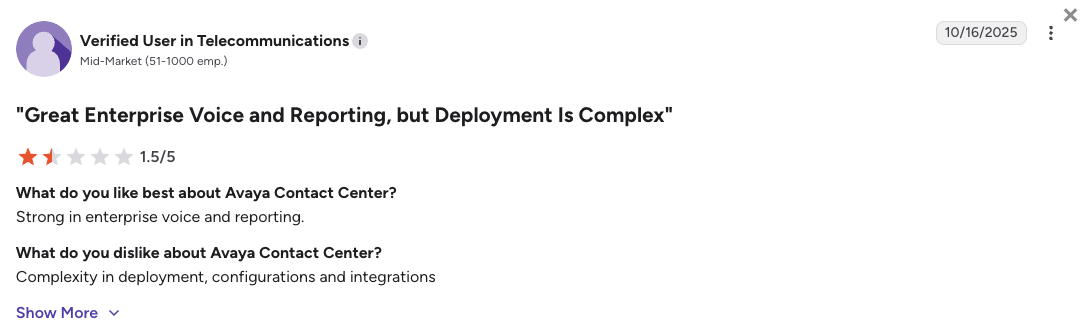
Teams start searching for Avaya alternatives when the platform's legacy roots and financial history create real operational risk. As Reuters reported, Avaya has filed for Chapter 11 bankruptcy twice¹, in 2017 and again in 2023, raising legitimate questions about long-term vendor stability. On G2 (where Avaya scores 4.1/5 across 180+ reviews) recurring complaints point to slow support resolution, complex on-prem migration overhead, and features locked behind expensive plan upgrades.
Avaya still has genuine strengths, particularly for large enterprises that already run its infrastructure. But for growing support teams and sales teams, five structural problems keep showing up across G2, Reddit, and community forums.
5 Main Cons of Avaya That Make Support Teams Look for an Alternative
- Legacy on-prem infrastructure slows everything downAvaya's roots are in on-prem hardware: Avaya Aura, IP Office, and CC Elite. Migrating to the cloud requires a certified partner, months of planning, and significant IT overhead. Growing teams that want to be live in days, not quarters, hit a wall immediately.
- CRM integrations locked behind the Advanced planOn Avaya Cloud Office, Salesforce, HubSpot, and 300+ CRM apps are only available from the Advanced tier at $25/user/mo. Core plan users are limited to basic Google and Microsoft integrations. Support teams that need live contact sync during calls have to upgrade just to get a shallow plugin connection that doesn't automatically log calls, transcripts, or recordings back to their CRM.
- Avaya Infinity has no public contact center pricingAvaya Infinity, the flagship platform for contact centers, has zero public pricing. Every deal is quote-based, requiring sales calls and procurement cycles before you can even compare costs. For teams evaluating options quickly, this is a hard stop that makes competitive analysis nearly impossible.
- Two Chapter 11 filings in six years create vendor riskAvaya filed for bankruptcy in January 2017 and again in February 2023, emerging in May 2023 as a private company. While the business continues to operate, the track record creates legitimate procurement and legal review hurdles. IT leaders often have to justify the vendor choice before evaluating cloud-native alternatives like CloudTalk.
- Auto call recording is not included in the base planOn Avaya Cloud Office, the Core plan only offers on-demand call recording. Automatic call recording, the standard expectation for support and compliance teams, requires upgrading to Advanced at $25/user/mo. That is a $5/user/mo jump just for a feature most teams treat as non-negotiable.
What Is the Best Alternative to Avaya?
CloudTalk is the best alternative to Avaya for growing global support and sales teams. Plans start from $19/user/month with basic contact center features like call recording, call queues, transfers, and unlimited inbound & outbound calling included., You don't need any hardware, IT team for deployment, or any extra add-ons to start supporting your customers from day one.
Why Do Teams Consider CloudTalk the Best Avaya Alternative?
CloudTalk solves Avaya's three biggest operational problems: the hardware dependency, the CRM integration quality, and the support friction. It runs entirely in the browser, connects to 100+ CRM tools with real-time two-way sync, and includes 24/7 human technical support on all plans (phone on Expert). Most importantly, with CloudTalk, your team can go from sign-up to live calls in hours, not months.
5 Reasons CloudTalk Is the Best Avaya Alternative
- Cloud-native setup in hours, zero hardware requiredCloudTalk runs entirely in the browser (+ mobile app), and setting it up isn't an IT project. A growing support team get virtual phone numbers, configure routing, and go live in under a day.
- 100+ native CRM integrations with real-time two-way syncCloudTalk connects natively with 100+ CRM and helpdesk tools, including Salesforce, HubSpot, Zendesk, Intercom, all with real-time bi-directional sync. Every call, transcript, and contact update logs to your CRM automatically. No manual entry. CloudTalk's AI voice agents plug into those same integrations, so when a human rep picks up, the full call history is already waiting in the CRM record.
- Transparent flat-rate pricing with a free trialAll available CloudTalk plans and add-ons are listed on the website, starting at $19/user/mo. You can compare plans yourself. A 14-day free trial is included on every account, something Avaya does not offer on any product.
- Global virtual numbers in 180+ countriesCloudTalk covers 180+ countries and 160+ national number types. For support teams serving customers across regions, this eliminates the geographic limitations of Avaya Cloud Office's 40-country UCaaS footprint.
- 24/7 human technical support, 99% uptime SLACloudTalk's support team is available 24/7 (phone on Expert). No partner-dependent escalation, no ticket queues for routine issues. The 99% uptime SLA keeps your contact center running without the infrastructure maintenance burden that Avaya on-prem customers manage themselves.
Stop Managing Legacy Infrastructure. Start Scaling with CloudTalk.
How We Chose the Best Avaya Alternatives and Competitors
To build this list, we reviewed official pricing pages, technical documentation, and thousands of unfiltered user reviews across G2, Trustpilot, Reddit, and Quora. Our focus was on the teams most likely to be evaluating Avaya alternatives: growing support centers, outbound sales teams, and IT leaders managing the jump from on-prem to cloud.
We evaluated every platform against six criteria that matter most to teams moving away from Avaya.
- Call stability and uptimeWe checked published uptime SLAs, user-reported call drop rates on G2, and architecture type (cloud-native vs. hybrid vs. on-prem), since Avaya's legacy stack is a key pain point.
- Overall cost of ownershipWe compared the true cost including add-on fees, plan minimums, and what is actually included at each tier, not just the advertised starting price. Avaya's Advanced plan paywall for basic features was a key benchmark.
- CRM integration depthWe looked specifically at Salesforce, HubSpot, and Zendesk sync reliability and which pricing tier unlocks them. Avaya locks these behind its Advanced plan, so we prioritized tools where integrations are accessible from day one.
- Global reach and virtual number coverageWe prioritized platforms with virtual numbers across multiple countries, especially relevant for support teams serving international customers that currently rely on Avaya Cloud Office's 40-country coverage.
- AI productivity and dialing toolsWe evaluated AI transcription, call summaries, and outbound dialer types. We also checked which plan tier each feature unlocks on, since Avaya Infinity's AI is enterprise-only with no public pricing.
- Support quality and vendor stabilityWe cross-referenced G2 support ratings and Reddit sentiment with each vendor's support model. Avaya's bankruptcy history and partner-dependent support model were direct benchmarks.
Top 10 Avaya Alternatives for 2026: Feature Comparison & Detailed Breakdowns
Before we look at 10 best Avaya competitors, here's a quick look at how the 4 strongest Avaya alternatives compare across the features that matter most when evaluating a switch from on-prem or legacy cloud infrastructure.
Avaya vs. Top Competitors: Feature Comparison
| Feature | Avaya | CloudTalk | RingCentral | Genesys Cloud CX | Nextiva |
|---|---|---|---|---|---|
| Starting Price (annual) | Custom (Infinity); $20/user/mo (ACO) | $19/user/mo | $20/user/mo | ~$75/user/mo | $15/user/mo |
| Free Trial |  | 14 days | | | |
| Minimum Agents | No minimum | 1 user | 1 user | No minimum | 1 user |
| CRM Integrations | Advanced+ ($25/mo) | Essential+ ($29/mo) | Advanced+ ($25/mo) | Included | Engage+ ($25/mo) |
| Auto Call Recording | Advanced+ ($25/mo) | Included (Starter+) | Advanced+ ($25/mo) | Included | Engage+ ($25/mo) |
| AI Features | Yes (ACO Core+; Infinity) | CI add-on + AI Receptionist | Yes (Advanced+) | Yes (native AI) | Yes (Power Suite CX) |
| Outbound Dialers | Preview/outbound (Infinity) | Power, Smart, Preview, Parallel | Auto dialer (add-on) | Predictive, progressive | Power Suite CX only |
| Global Coverage | 40+ countries (ACO) | 180+ countries | 100+ countries | Global | US + Canada primarily |
| Customer Support | Partner-dependent | 24/7 support (phone on Expert) | 24/7 | Enterprise SLA | 24/7 |
The Avaya Upgrade Tax
Teams drawn to Avaya Cloud Office's $20/user/mo Core plan quickly discover that CRM integrations and auto call recording both require upgrading to Advanced at $25/user/mo. For a 20-agent support team, that adds $100/month for a plugin-based connection that still won't automatically log calls, transcripts, or contact updates back to your CRM. Avaya Infinity, the contact center product, has no public pricing at all. You have to contact sales before you can compare costs.
1. CloudTalk: The #1 Avaya Alternative for Growing Support and Sales Teams
What Is CloudTalk?
CloudTalk is a cloud-native VoIP contact center platform built for SMB and mid-market support and sales teams that need reliable CRM integrations, smart call routing, and global virtual numbers without the infrastructure overhead of legacy platforms like Avaya. Unlike Avaya, CloudTalk requires no hardware, no partner-managed deployment, and no long-term IT implementation project. It runs in the browser and goes live the same day.
With 4,000+ customers worldwide, CloudTalk sits squarely between basic VoIP tools and monolithic enterprise platforms. Plans start at $19/user/month, with setup taking hours, not quarters.
Why Growing Support Teams Choose CloudTalk over Avaya?
- Cloud-native setup, no infrastructure project requiredCloudTalk deploys in hours. After a quick, intuitive setup, you'll be able to provision numbers, configure skill-based routing, and go live the same day. For anything more complex, our onboarding team is always ready to help.
- Real-time two-way CRM sync: every call, transcript, and contact update logs automatically100+ native business integrations are available from $29/user/mo, including the most popular helpdesk and CRM tools like Zendesk, HubSpot, Intercom, and Pipedrive. Salesforce is on the Expert plan. One you plug your stack in, every call and contact update logs automatically.
- Fully transparent pricing, free trial includedAvaya Infinity has no public pricing, and Avaya Cloud Office's key features require plan upgrades before you can evaluate the true cost. CloudTalk's approach is different. All plans and add-ons are listed on the website, with no sales call required to compare. And you get a 14-day free trial to try things out.
- 180+ countries, 160+ number typesVirtual numbers cover 160+ countries, well beyond Avaya Cloud Office's 40-country UCaaS footprint. For support teams serving customers globally, this removes a key geographic limitation.
- 99% uptime SLA with 24/7 human supportCloudTalk's support team is available 24/7 with human technical agents, not partner referrals or ticket queues. The workflow automation layer and 99% uptime SLA keep operations running without the maintenance burden of Avaya's on-prem stack.
What Are the Pros & Cons of CloudTalk?
| Pros | Cons |
|---|---|
| 160+ countries for global virtual numbers | No native video conferencing (voice-first by design) |
| 100+ stable CRM integrations, Salesforce from Expert plan | No built-in omnichannel (email ticketing, live chat) |
| Transparent pricing with a 14-day free trial included | Salesforce deep-sync requires Expert plan ($49/user/mo) |
| Power, Smart, and Parallel Dialers for outbound sales | |
| 24/7 human technical support on all plans |
What Are CloudTalk's Plans & Pricing?
CloudTalk pricing starts at $19/user/month (billed annually), with the following plans:
CloudTalk Pricing Plans
| Plan | Price (annual billing) | Key Features |
|---|---|---|
| Lite | $19/user/mo | Unlimited inbound calls, IVR, call recording, basic analytics |
| Starter | $25/user/mo | Everything in Lite + SMS, voicemail, call queues, auto call recording |
| Essential | $29/user/mo | Everything in Starter + 100+ CRM integrations, skill-based routing, workflow automation |
| Expert | $49/user/mo | Everything in Essential + Salesforce deep-sync, Power Dialer, Smart Dialer, 24/7 phone support |
| AI Add-on (Conversation Intelligence) | $9/user/mo | Call transcription, AI summaries, sentiment analysis, topic detection |
AI Receptionist and AI Voice Agents
AI Receptionist starts at $99/mo (200 min included) and handles inbound queries, FAQs, and routing automatically. Specialized AI Voice Agents start at $349/mo for complex inbound and outbound workflows. Both are available as add-ons on any plan.
What Are CloudTalk's Customers Saying?
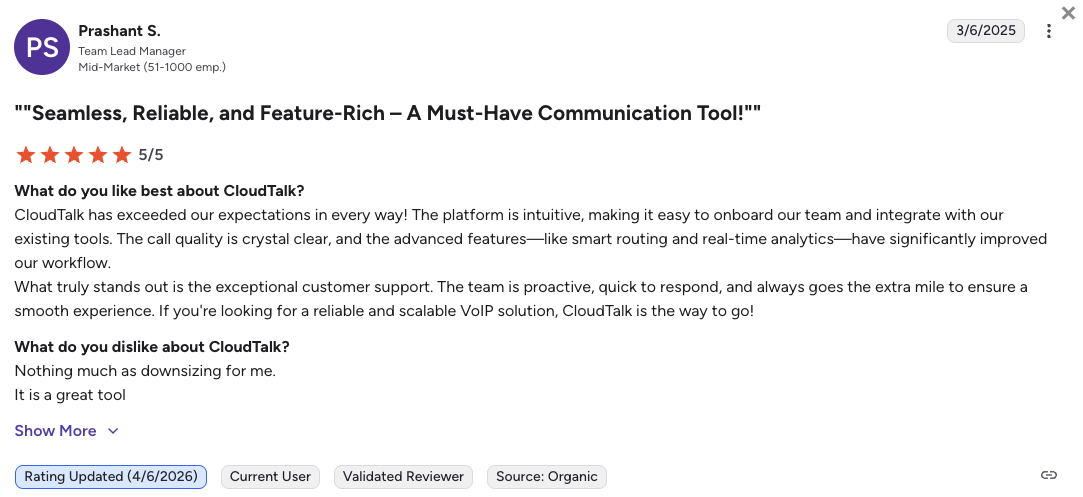
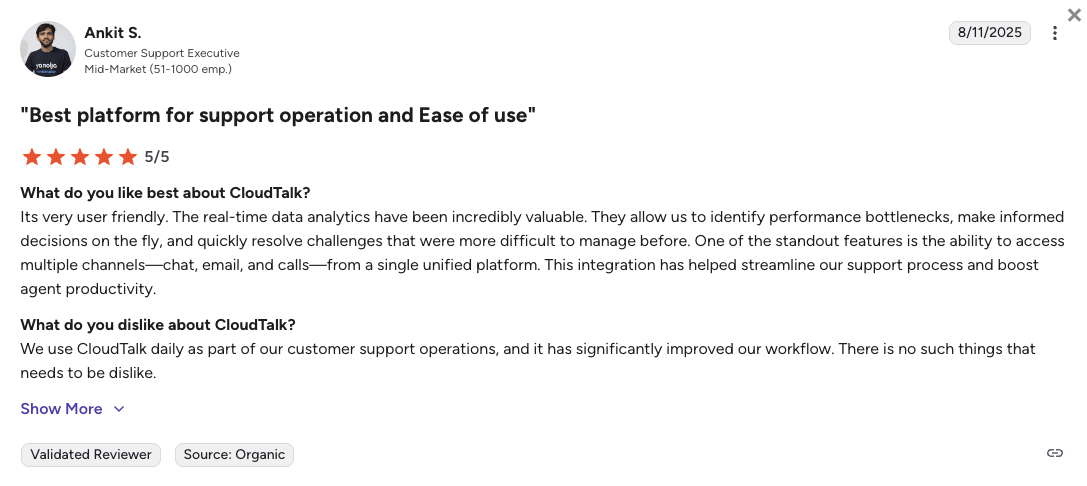
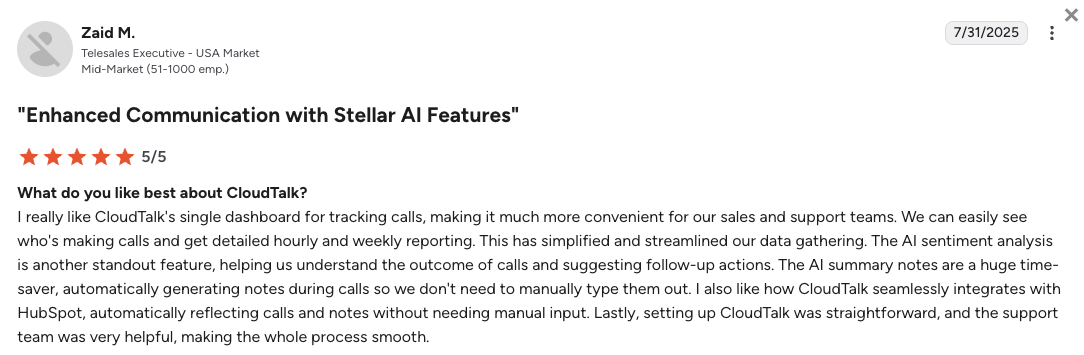
Support teams switching from Avaya consistently highlight three advantages: reliable CRM sync that keeps call data and ticket records aligned without manual entry, fast setup that gets agents live the same day, and AI tools they can actually budget for. The most common trade-off teams note is the absence of native video, which teams coming from Avaya Cloud Office (with its built-in video meetings) sometimes miss.
How Do G2 Users Rate CloudTalk?
CloudTalk's current G2 rating is 4.4/5, based on 1800+ verified user reviews.
Try out the Better Contact Center
2. RingCentral: Best for Enterprise Teams Wanting a Proven UCaaS Suite
What Is RingCentral?
RingCentral is an enterprise UCaaS (Unified Communications as a Service) and contact center platform combining calling, video meetings, team messaging, and AI tools under one product marketed as RingEX. It serves businesses from SMBs to Fortune 500 companies across 100+ countries and integrates with Salesforce, HubSpot, and 300+ other tools on its Advanced plan.
Why Is RingCentral a Strong Avaya Alternative?
- Cloud-native UCaaS with no on-prem hardware dependencyRingCentral eliminates the Avaya on-prem infrastructure entirely. Teams provision numbers and routing in days, no migration project.
- CRM integrations accessible at the Advanced tier ($25/mo)Salesforce, HubSpot, and 300+ CRM apps unlock at the Advanced plan. While this still requires a tier upgrade, it is considerably cheaper and faster to access than Avaya Infinity's enterprise-only contact center integrations.
- Proven global reliability with 100+ country coverageRingCentral operates across 100+ countries with 99.999% uptime. For enterprise teams replacing Avaya's global on-prem footprint, this matches or exceeds the geographic scope without the infrastructure overhead.
What Are the Pros & Cons of RingCentral?
| Pros | Cons |
|---|---|
| Proven enterprise reliability across 100+ countries | CRM integrations locked behind Advanced plan ($25/mo) |
| AI call transcription and summaries included on Core+ | Auto call recording also requires Advanced tier upgrade |
| Video, messaging, and calling in one unified platform | Contact center features (RingCX) require a separate license |
What Are RingCentral's Plans & Pricing?
RingCentral pricing starts at $20/user/month (billed annually), with the following plans available:
RingCentral (RingEX) Pricing Plans
| Plan | Price (annual billing) | Key Features |
|---|---|---|
| Core | $20/user/mo | Unlimited domestic calling, video (100 participants), IVR, AI transcription, voicemail |
| Advanced | $25/user/mo | Everything in Core + auto call recording, CRM integrations (Salesforce, HubSpot), AI call notes |
| Ultra | $35/user/mo | Everything in Advanced + unlimited storage, device analytics, custom reporting, video (200 participants) |
The RingCentral CRM Paywall
Like Avaya Cloud Office, RingCentral locks Salesforce and HubSpot integrations behind the Advanced plan ($25/user/mo). Teams that choose Core for the advertised $20 starting price will need to upgrade to get CRM sync, putting the effective cost on par with Avaya Cloud Office Advanced for most support workflows.
What Are RingCentral's Customers Saying?
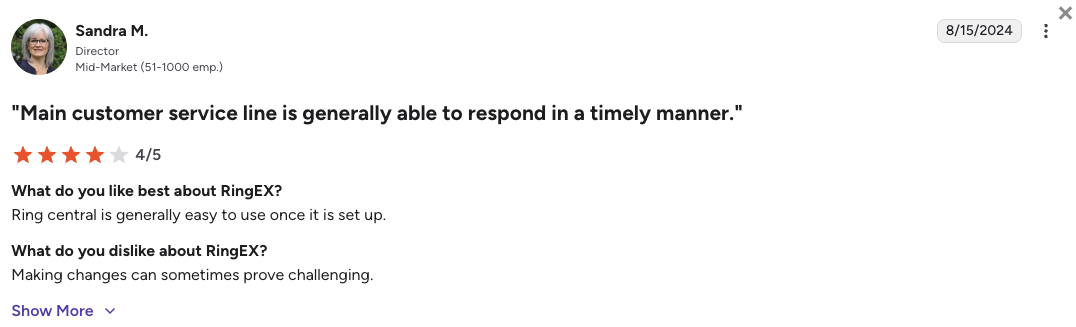
Enterprise teams consistently praise RingCentral's reliability and the breadth of its app ecosystem. The most common frustration is the feature wall between Core and Advanced, where essential tools for support teams (CRM sync and call recording) require a paid upgrade that can feel like a bait-and-switch from the advertised starting price.
How Do G2 Users Rate RingCentral?
RingCentral's current G2 rating is 4.2/5, based on 1,350+ verified user reviews.
3. Genesys Cloud CX: Best for Large Enterprise Contact Centers
What Is Genesys Cloud CX?
Genesys Cloud CX is a cloud-based enterprise contact center platform built for large-scale omnichannel operations. It serves major global enterprises with AI-powered routing, predictive dialing, workforce engagement management, and native digital channels across voice, email, chat, and social.
Unlike Avaya, Genesys publishes its pricing and has no on-prem dependency. Starting at approximately $75/user/mo, it is built for contact centers with 50+ agents rather than SMB teams.
Why Is Genesys a Strong Alternative to Avaya?
- Cloud-native CCaaS with no on-prem infrastructure dependencyGenesys Cloud CX eliminates the Avaya Aura and CC Elite infrastructure entirely. Enterprise teams moving off legacy on-prem contact centers get a modern cloud platform without ripping out and rebuilding from scratch.
- Transparent public pricing, unlike Avaya InfinityGenesys publishes its CX 1, CX 2, and CX 3 tiers publicly. This makes competitive evaluation straightforward, a key advantage over Avaya Infinity's quote-only model where teams cannot compare costs without a sales engagement.
- Native omnichannel across voice, email, chat, and socialGenesys handles all customer channels in one platform. Avaya Infinity offers similar omnichannel capability but only through its enterprise deployment, with no public pricing or self-serve access for growing contact centers.
What Are the Pros & Cons of Genesys?
| Pros | Cons |
|---|---|
| Enterprise AI features built into the core platform | Starts at ~$75/user/mo, far above most SMB budgets |
| Transparent public pricing, unlike Avaya Infinity | Significant onboarding complexity and implementation time |
| Full WFM, predictive dialers, and omnichannel included | No free trial, enterprise sales process required |
What Are Genesys Cloud CX's Plans & Pricing?
Genesys pricing starts at approximately $75/user/month (annual billing) and scales with capability tier:
Genesys Cloud CX Pricing Plans
| Plan | Price (annual billing) |
|---|---|
| CX 1 | ~$75/user/mo |
| CX 2 | ~$110/user/mo |
| CX 3 | $150+/user/mo |
The Enterprise Price Floor
Genesys's entry price is approximately four times higher than CloudTalk's starting rate. For growing teams that don't yet need full enterprise WFM and predictive AI, that price gap represents significant budget that could fund agents, coaching, or CRM tooling instead. Genesys is the right fit once you cross the 100-agent threshold.
What Are Genesys Cloud CX's Customers Saying?
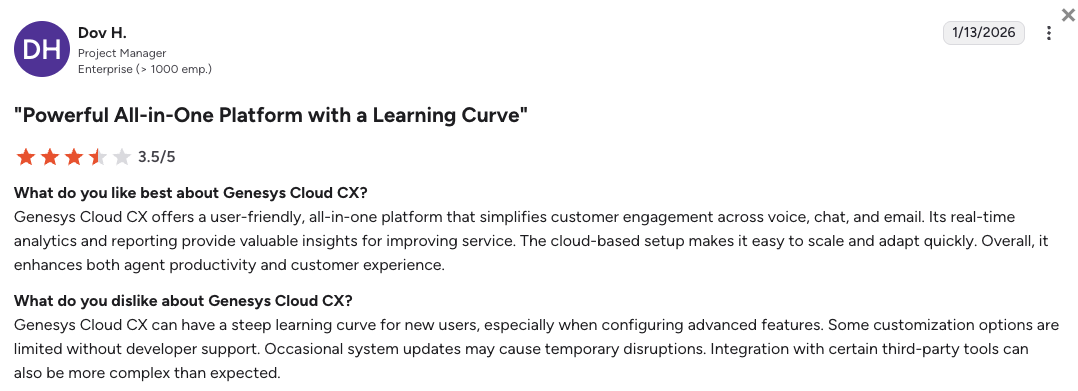
Enterprise teams rate Genesys highly for its routing intelligence, AI features, and omnichannel capabilities. The most common concern is the onboarding complexity and the total cost of ownership at scale, which can escalate significantly once add-ons and professional services are included.
How Do G2 Users Rate Genesys Cloud CX?
Genesys Cloud CX's current G2 rating is 4.4/5, based on 1,500+ verified user reviews.
4. Nextiva: Best for SMBs Wanting All-in-One Calling at Transparent Pricing
What Is Nextiva?
Nextiva is a cloud-based business communications platform for SMBs and mid-market teams. It combines calling, SMS, video meetings, and AI tools under one platform with fully transparent per-user pricing. Plans start from $15/user/mo on Core, with CRM integrations and auto call recording available from the Engage tier ($25/user/mo).
Why Is Nextiva a Strong Avaya Competitor?
- Fully cloud-native with transparent public pricingNextiva publishes all three of its plan tiers and feature inclusions publicly. No sales call required to compare costs. For teams frustrated by Avaya Infinity's quote-only model, this makes evaluation fast and straightforward.
- All-in-one platform: voice, video, SMS, and AI in one interfaceNextiva avoids the fragmented product stack that Avaya requires (ACO for UCaaS, Infinity for CCaaS, separate hardware for on-prem). Teams get calling, meetings, messaging, and basic contact center tools from one vendor.
- Strong reputation for support quality on G2Nextiva consistently earns high marks for support responsiveness, a direct contrast to the partner-dependent Avaya support model that G2 reviewers and Reddit threads flag as a top frustration.
What Are the Pros & Cons of Nextiva?
| Pros | Cons |
|---|---|
| High G2 rating (4.5/5) across 3,500+ reviews | CRM integrations (Salesforce, HubSpot) locked behind Engage ($25/mo) |
| AI assistant and call analytics included from Engage tier | Coverage primarily US and Canada, limited international scope |
| Strong 24/7 support quality per G2 and community reviews | No contact center-grade dialing tools below Power Suite CX ($75/mo) |
What Are Nextiva's Plans & Pricing?
Nextiva pricing starts at $15/user/month (billed annually, US and Canada calling), with the following calling plans available:
Nextiva Pricing Plans
| Plan | Price (annual billing) | Key Features |
|---|---|---|
| Core | $15/user/mo | Unlimited calling, voicemail transcription, basic analytics, 100 SMS/user |
| Engage | $25/user/mo | Everything in Core + call recording, CRM integrations, AI assistant, 500 SMS/user |
| Power Suite CX | $75/user/mo | Everything in Engage + omnichannel contact center, AI workforce management, advanced routing |
The Nextiva CRM Tier Jump
Like Avaya Cloud Office, Nextiva locks Salesforce and HubSpot integrations behind the Engage tier ($25/user/mo). Teams on Core who need CRM sync face the same upgrade path. For international support teams, Nextiva's coverage limitations (primarily US and Canada) are also worth evaluating before committing.
What Are Nextiva's Customers Saying?
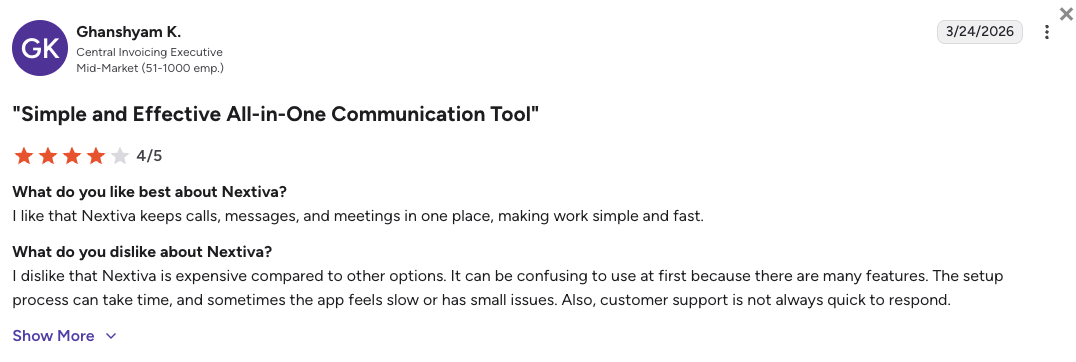
SMB teams rate Nextiva highly for its clean interface, responsive support, and reliable call quality. The most common complaint is the integration paywall on the Core plan and the US-centric coverage that limits teams with international operations.
How Do G2 Users Rate Nextiva?
Nextiva's current G2 rating is 4.5/5, based on 3,500+ verified user reviews.
5. Dialpad: Best for AI-Native Teams Wanting Real-Time Call Intelligence
What Is Dialpad?
Dialpad is an AI-native business communications platform that combines calling, messaging, and video with real-time transcription, call summaries, and live coaching built into the product from day one. It serves sales and support teams at SMB and mid-market scale, with plans starting from $15/user/mo on Standard.
Why Is Dialpad a Strong Avaya Alternative?
- Cloud-native platform, no on-prem infrastructure requiredDialpad runs entirely in the cloud with no hardware dependency. Teams evaluating alternatives to Avaya Aura or IP Office can deploy Dialpad in days rather than months, with no partner engagement or IT migration project required.
- AI features built into the base product from day oneReal-time call transcription, AI call summaries, and live coaching cues are included natively from the Standard tier. Avaya Cloud Office includes basic AI on Core+, but Avaya Infinity's advanced AI requires an enterprise contract with no transparent pricing.
- Transparent public pricing starting at $15/user/moAll three Dialpad plans are publicly listed. Teams can compare features and costs without a sales engagement, a direct contrast to Avaya Infinity's quote-only model.
What Are the Pros & Cons of Dialpad?
| Pros | Cons |
|---|---|
| Best-in-class real-time AI transcription and call summaries | CRM integrations (Salesforce, HubSpot) locked behind Pro ($25/mo) |
| Clean modern interface with a short agent learning curve | Auto call recording also requires Pro tier upgrade |
| Strong mobile app for remote and distributed teams | Not a full contact center solution at the base Standard tier |
What Are Dialpad's Plans & Pricing?
Dialpad pricing starts at $15/user/month (billed annually), but that's just the Connect suite. Support teams have to go for contact center plans that start at $80/user/month.
Dialpad Contact Center Pricing Plans
| Plan | Price (annual billing) | Key Features |
|---|---|---|
| Essentials | $80/user/mo | AI transcriptions, call queues, call routing, agent status, call recording, integrations |
| Advanced | $115/user/mo | Everything in Essential + live coaching cards, CRM triggers, additional channels |
| Premium | $150/user/mo | Everything in Advanced + automated quality management, CSAT, advanced analytics, forecasting, WEM |
The Contact Center Product Trap:
Mind that advanced support queues, shared company hold lines, and deep analytics require buying specialized Dialpad Support or Dialpad Sell products, where single seats quickly cross $80 per month.
What Are Dialpad's Customers Saying?
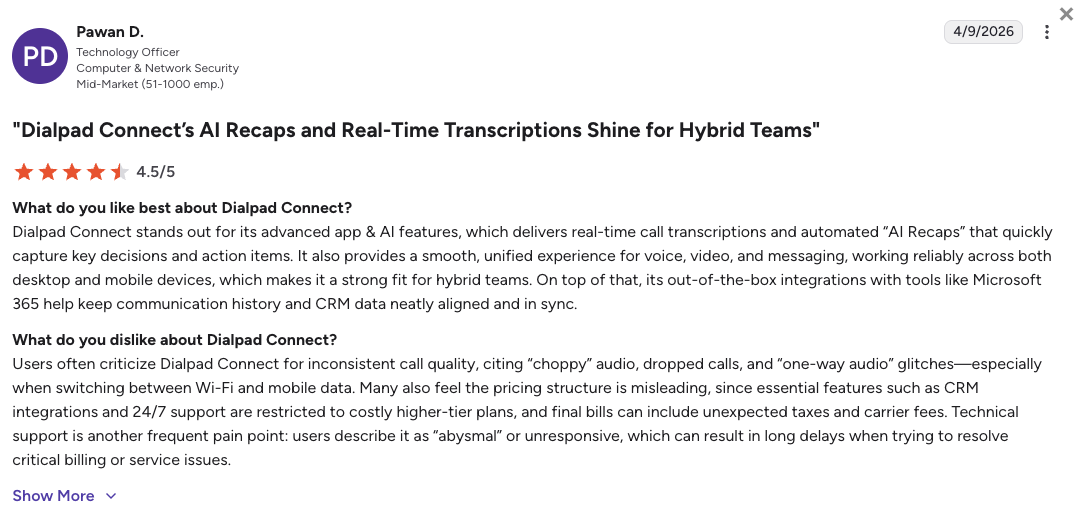
Sales and support teams consistently praise Dialpad's AI transcription quality and how fast agents ramp up on the interface. The most common frustration is the CRM paywall on Standard, which catches teams off guard when they go live and find that integration requires an immediate upgrade.
How Do G2 Users Rate Dialpad?
Dialpad's current G2 rating is 4.4/5, based on 4,100+ verified user reviews.
6. Five9: Best for High-Volume Outbound Contact Centers
What Is Five9?
Five9 is an enterprise cloud contact center platform built for high-volume inbound and outbound operations. It serves large call centers with predictive and progressive dialers, AI-powered agent assist, and deep CRM integrations. Starting at $119/agent/month for digital-only (voice starts at $159/agent/mo on Core), it sits firmly in the enterprise tier and is typically deployed by teams running 50 or more concurrent agents.
For teams evaluating Avaya Infinity alternatives, Five9 offers a comparable enterprise CCaaS feature set, but with publicly available pricing tiers and a cloud-native deployment model that eliminates Avaya's on-prem infrastructure requirements.
Why Is Five9 a Strong Avaya Competitor?
- Cloud-native CCaaS with enterprise-grade predictive dialingFive9's predictive and progressive dialers are purpose-built for high-volume outbound contact centers. Avaya Infinity offers similar dialing capability but only through an enterprise contract with no public pricing, while Five9 publishes its tier structure upfront.
- Deep Salesforce and CRM integration included in enterprise tiersFive9 integrates natively with Salesforce, ServiceNow, and major CRMs directly within the agent interface. Screen pops, activity logging, and case management sync automatically, without the tiered paywall structure that Avaya Cloud Office applies to basic integrations.
- AI agent assist and real-time coaching built into the platformFive9's AI Genius features surface knowledge base articles, suggest responses, and flag sentiment changes during live calls. These are native capabilities, not add-on purchases, making the total cost of ownership more predictable for large contact center teams.
What Are the Pros & Cons of Five9?
| Pros | Cons |
|---|---|
| Enterprise-grade predictive and progressive dialers | Digital from $119/agent/mo; voice (Core) from $159/agent/mo |
| Native AI agent assist with real-time coaching cues | No free trial and no self-serve signup, sales process required |
| Deep Salesforce and ServiceNow integration out of the box | Not suited for teams under 50 agents due to pricing floor |
What Are Five9's Plans & Pricing?
Five9 pricing starts at $119/agent/month for the Digital plan (voice requires Core at $159/agent/mo) (annual billing). Note that all plans above the entry tier are quote-based, and that Five9 enforces a 50-seat minimum:
Five9 Pricing Plans
| Plan | Starting Price | Key Features |
|---|---|---|
| Digital | from $119/agent/mo | Digital-only channels (chat, email, social), no voice calling |
| Core | Custom quote | Inbound/outbound voice, IVR, basic reporting, CRM integration |
| Premium | Custom quote | Everything in Core + workforce management, quality monitoring, predictive dialer |
| Optimum / Ultimate | Custom quote | Everything in Premium + AI Genius, performance dashboards, full omnichannel |
Five9 vs CloudTalk: Price vs Feature Fit
Five9 starts at approximately four times CloudTalk's entry price. For growing support teams that need CRM integrations, smart routing, and outbound dialers without the enterprise cost floor, CloudTalk's Expert plan provides comparable core features at $49/user/mo. Five9 makes sense once your team exceeds 50 agents and needs predictive dialing at scale.
What Are Five9's Customers Saying?
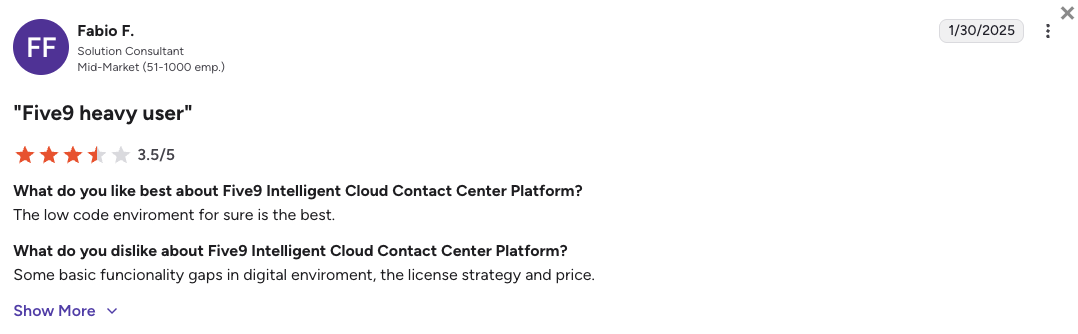
Enterprise contact center teams rate Five9 highly for dialer reliability and CRM depth. The most common concern is the pricing floor, which makes it inaccessible for teams under 50 agents, and the implementation complexity that requires professional services engagement for most deployments.
How Do G2 Users Rate Five9?
Five9's current G2 rating is 4.1/5, based on 600+ verified user reviews.
7. Talkdesk: Best for Mid-Market Support Teams Wanting No-Code AI Automation
What Is Talkdesk?
Talkdesk is a cloud-native contact center platform focused on no-code AI automation for support teams. It serves mid-market and enterprise buyers with AI-powered self-service (Autopilot), agent assist, CRM workflow automation, and workforce engagement management. Starting at approximately $85/user/month on CX Cloud Essentials, it sits between Genesys and CloudTalk on the price-feature spectrum.
Why Is Talkdesk a Strong Avaya Alternative?
- Cloud-native CCaaS with no on-prem infrastructure dependencyTalkdesk deploys entirely in the cloud with no hardware requirement. Mid-market support teams replacing Avaya's on-prem CC Elite or Avaya Infinity can migrate without an infrastructure overhaul or certified partner engagement.
- No-code AI Autopilot for self-service deflectionTalkdesk Autopilot handles common inbound queries without agent involvement, using no-code flow builders that support teams can configure without engineering resources. Avaya Infinity offers AI automation but only through enterprise deployments with no self-serve tooling.
- Deep CRM integrations with Salesforce and Zendesk includedTalkdesk's CRM integrations, including Salesforce and Zendesk, are native to the platform and do not require separate licensing. Avaya Cloud Office locks these behind its Advanced plan, and Avaya Infinity requires a full enterprise agreement.
What Are the Pros & Cons of Talkdesk?
| Pros | Cons |
|---|---|
| No-code AI Autopilot for inbound self-service | Starting price (~$85/user/mo) is high for small support teams |
| Native Salesforce and Zendesk CRM integrations | No free trial, enterprise sales process required above Essentials |
| Strong G2 rating (4.4/5) across 2,500+ reviews | Workforce management and advanced analytics are add-on costs |
What Are Talkdesk's Plans & Pricing?
Talkdesk pricing starts at approximately $85/user/month for CX Cloud Essentials (annual billing):
Talkdesk Pricing Plans
| Plan | Starting Price | Key Features |
|---|---|---|
| CX Cloud Essentials | ~$85/user/mo | Inbound/outbound voice, IVR, call recording, basic CRM integrations |
| CX Cloud Elevate | ~$115/user/mo | Everything in Essentials + AI Autopilot, quality management, digital channels |
| CX Cloud Elite | Custom quote | Everything in Elevate + workforce management, performance reporting, custom SLAs |
Talkdesk vs CloudTalk: When Price Matters
Talkdesk's entry tier starts at approximately twice the price of CloudTalk's Expert plan. For support teams with fewer than 50 agents that need CRM integrations and outbound workflows without a full enterprise contract, CloudTalk provides the core contact center functionality at a significantly lower cost per seat.
What Are Talkdesk's Customers Saying?
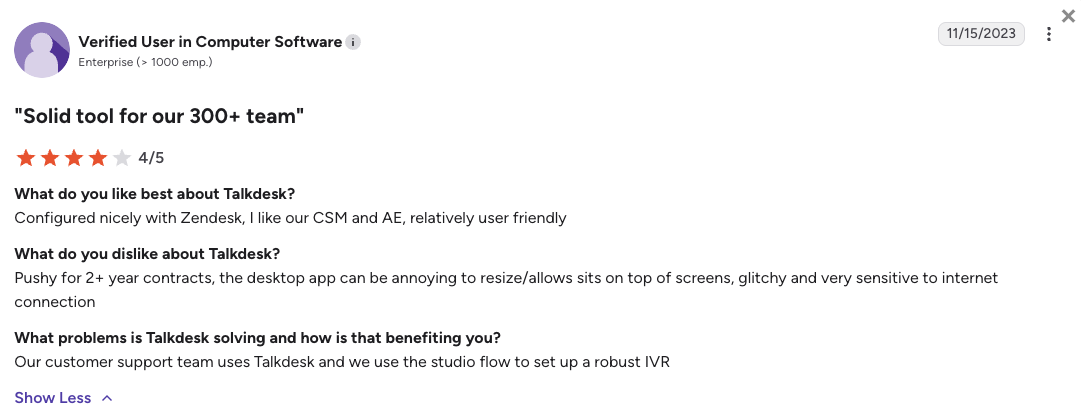
Mid-market support teams consistently praise Talkdesk's AI automation quality and CRM workflow depth. The most common friction points are the pricing step-up from Essentials and the add-on cost of workforce management, which can push total per-seat cost significantly above the advertised starting price.
How Do G2 Users Rate Talkdesk?
Talkdesk's current G2 rating is 4.4/5, based on 2,500+ verified user reviews.
8. 8x8: Best for Single-Vendor UCaaS and CCaaS with Built-In Compliance
What Is 8x8?
8x8 is a cloud-based business communications platform that offers UCaaS and CCaaS under one unified product. It serves SMB to enterprise teams across 55+ countries with built-in HIPAA compliance, SOC 2 certification, and a strong international calling footprint. Plans start at $24/user/month on X2.
Why Is 8x8 a Strong Avaya Alternative?
- Single-vendor UCaaS and CCaaS eliminates the Avaya product splitAvaya separates its UCaaS (Cloud Office) and CCaaS (Infinity) into distinct products with separate contracts. 8x8 combines both under one platform and one vendor agreement, reducing procurement complexity and integration overhead.
- Built-in compliance: HIPAA, SOC 2, and GDPR out of the box8x8's compliance certifications are included in its standard plans rather than enterprise add-ons. For support teams in healthcare, financial services, or regulated industries that need compliance coverage without a custom Avaya Infinity contract, this is a significant operational simplification.
- International coverage across 55+ countries8x8 offers calling across 55+ countries with its metered and unlimited bundles. This exceeds Avaya Cloud Office's 40-country UCaaS footprint and gives international support teams a cleaner option for global number provisioning.
What Are the Pros & Cons of 8x8?
| Pros | Cons |
|---|---|
| Single vendor for UCaaS and CCaaS, one contract and admin portal | Contact center features (X6+) start at $85+/user/mo |
| Built-in HIPAA, SOC 2, and GDPR compliance on standard plans | Fewer third-party app integrations compared to RingCentral or Dialpad |
| Calling across 55+ countries with metered or unlimited bundles | G2 rating (4.1/5) trails several alternatives in this list |
What Are 8x8's Plans & Pricing?
8x8 pricing starts at $24/user/month (X2, annual billing) for the UCaaS tier, with the following tiers:
8x8 Pricing Plans
| Plan | Starting Price | Key Features |
|---|---|---|
| X2 (UCaaS) | ~$24/user/mo | Unlimited calling (55+ countries), video meetings, team messaging, call recording |
| X4 (UCaaS) | ~$44/user/mo | Everything in X2 + supervisor analytics, call queues with priority routing |
| X6 / X8 (CCaaS) | ~$85+/user/mo | Everything in X4 + inbound/outbound contact center, predictive dialer, quality management |
8x8 Contact Center vs UCaaS Pricing Gap
8x8's UCaaS X2 plan at $24/user/mo is competitive, but support teams that need a full contact center (routing queues, dialers, quality monitoring) must step up to X6 at $85+/user/mo. That pricing jump mirrors the Avaya Cloud Office to Infinity gap. CloudTalk's Expert plan delivers core contact center functionality at $49/user/mo without requiring a separate CCaaS license.
What Are 8x8's Customers Saying?
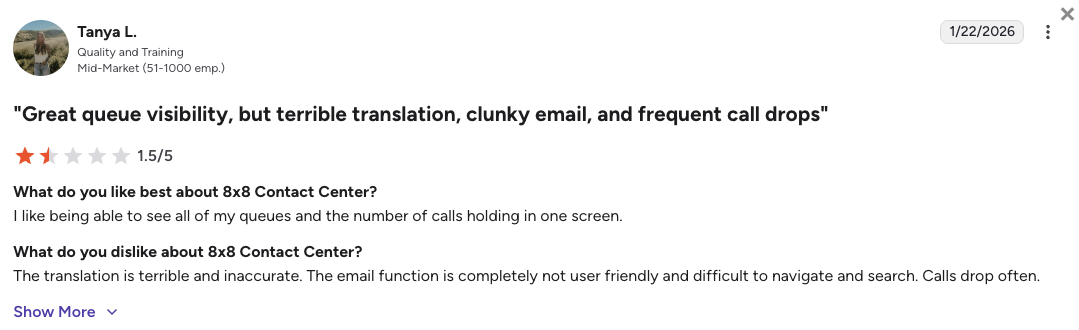
Teams in regulated industries value 8x8 for its compliance coverage and single-vendor simplicity. The most common concern is the large pricing step between the UCaaS and CCaaS tiers, which forces teams that need contact center features to commit to a significantly higher per-seat cost.
How Do G2 Users Rate 8x8?
8x8's current G2 rating is 4.1/5, based on 250+ verified user reviews.
9. Aircall: Best for Fast-Deploying Support Teams Focused on CRM Integrations
What Is Aircall?
Aircall is a cloud-based business phone system built for SMB and mid-market support and sales teams that want fast setup, clean CRM integrations, and a streamlined agent interface. Starting at $30/user/month (3-user minimum on the Essential plan, billed annually), it targets teams of 5 to 100 agents that prioritize time-to-value over enterprise depth.
Why Is Aircall a Strong Competitor of Avaya?
- Browser-based setup in minutes, no hardware or IT projectAircall deploys in the browser with no hardware dependency. Support teams evaluating Avaya alternatives purely on speed-to-deploy can go from sign-up to live calls within hours, a direct contrast to Avaya's on-prem or partner-managed cloud migration timelines.
- Native CRM integrations with Salesforce, HubSpot, and ZendeskAircall integrates directly with Salesforce, HubSpot, and Zendesk from the Professional plan. Call activities, contact data, and notes sync automatically without manual entry, which is a key friction point in Avaya Cloud Office's Core plan.
- High G2 satisfaction (4.4/5) with strong support quality ratingsAircall consistently earns high marks for support responsiveness and ease of use on G2. This positions it as a significant step up from the partner-dependent Avaya support model that frequently appears in community complaints.
What Are the Pros & Cons of Aircall?
| Pros | Cons |
|---|---|
| Fast browser-based setup, live in under an hour | Requires a 3-user minimum on the Essential plan |
| Native CRM integrations with Salesforce, HubSpot, and Zendesk | Advanced dialers and analytics require the Professional plan ($50/user/mo) |
| Clean, intuitive interface with a short agent learning curve | Limited global number coverage compared to CloudTalk |
What Are Aircall's Plans & Pricing?
Aircall pricing starts at $30/user/month (Essential, annual billing, 3-user minimum), with the following plans available:
Aircall Pricing Plans
| Plan | Price (annual billing) | Key Features |
|---|---|---|
| Essential | $30/user/mo (3-user min) | Unlimited calls, IVR, call recording, basic analytics, HubSpot and Salesforce integrations |
| Professional | $50/user/mo | Everything in Essential + Power Dialer, live call monitoring, advanced analytics, Salesforce deep-sync |
| Custom | Quote-based | Everything in Professional + custom onboarding, dedicated support, SLA guarantees |
Aircall vs CloudTalk: Global Coverage Gap
Aircall's Essential plan starts at $30/user/mo compared to CloudTalk's $19/user/mo entry point. For teams that need virtual numbers across more than 50 countries, CloudTalk covers 160+ countries vs Aircall's more limited global footprint. Support teams running international operations should evaluate country-specific number availability before committing.
What Are Aircall's Customers Saying?
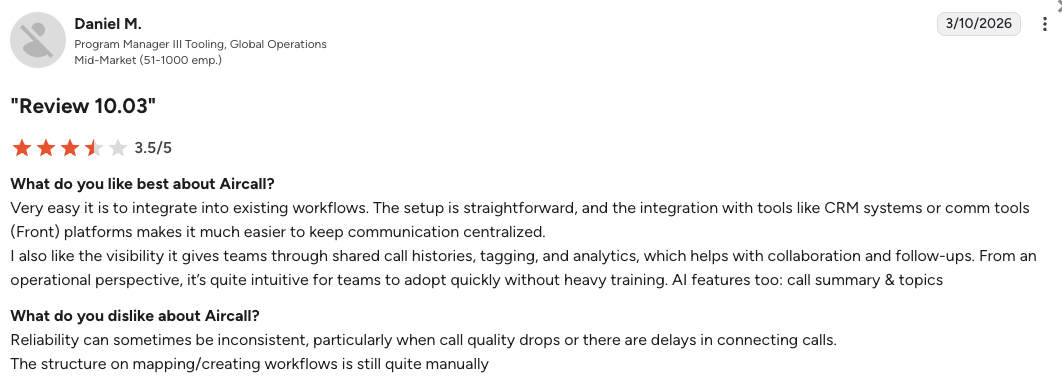
SMB support teams consistently rate Aircall highly for setup speed and CRM integration quality. The most common frustration is the 3-user minimum on Essential, which creates an unexpected cost floor for very small teams, and the step-up required to access the Power Dialer on Professional.
How Do G2 Users Rate Aircall?
Aircall's current G2 rating is 4.4/5, based on 1,600+ verified user reviews.
10. Zoom Phone: Best for Organizations Already on Zoom Workplace
What Is Zoom Phone?
Zoom Phone is a cloud-based VoIP phone system layered on top of the Zoom Workplace platform. It adds calling, voicemail, SMS, and call recording to organizations that already use Zoom for video meetings and team chat. Starting at $16/user/month on the US and Canada Unlimited plan (annual billing), it is one of the most affordable entry points on this list.
It is worth noting that Zoom Phone and Zoom Contact Center are separate products. Teams that need inbound contact center features, routing queues, or outbound dialers must license Zoom Contact Center separately at $69+/user/month.
Why Is Zoom Phone a Strong Avaya Alternative?
- Low entry price for organizations already on Zoom WorkplaceAt $16/user/mo, Zoom Phone is the most affordable entry on this list. For organizations already paying for Zoom Workplace, adding Zoom Phone means a single-vendor UCaaS setup with no new infrastructure, eliminating the on-prem Avaya hardware dependency immediately.
- Familiar Zoom interface reduces agent onboarding timeTeams already using Zoom for meetings face zero interface learning curve. Agents use the same app they already know for calling, voicemail, and SMS, which reduces training time significantly compared to migrating to an entirely new platform.
- High G2 rating (4.6/5) across 2,600+ verified reviewsZoom Phone earns the highest G2 rating on this list, driven by strong marks for call quality, reliability, and mobile app performance. For support teams prioritizing user satisfaction during a migration from Avaya, this track record is a meaningful data point.
What Are the Pros & Cons of Zoom Phone?
| Pros | Cons |
|---|---|
| Highest G2 rating on this list (4.6/5 across 2,600+ reviews) | Contact center features require a separate Zoom Contact Center license ($69+/user/mo) |
| $16/user/mo entry price, lowest on this list | Global Select plan (unlimited calling outside US/Canada) requires $24.50/user/mo |
| Familiar Zoom interface minimizes agent retraining | Not a standalone contact center, best fit when Zoom Workplace is already in use |
What Are Zoom Phone's Plans & Pricing?
Zoom Phone pricing starts at $16/user/month for US and Canada Unlimited (annual billing):
Zoom Phone Pricing Plans
| Plan | Price (annual billing) | Key Features |
|---|---|---|
| US & Canada Unlimited | $16/user/mo | Unlimited domestic calling, call recording, SMS, voicemail, HubSpot integration |
| Workplace Pro Plus | $20.50/user/mo | Everything in Unlimited + Zoom Workplace premium (AI Companion, team chat, video meetings) |
| Global Select | $24.50/user/mo | Everything in Pro Plus + unlimited calling in one of 40+ countries |
| Zoom Contact Center | $69+/user/mo | Separate license: inbound/outbound contact center, routing queues, IVR, WFM |
Zoom Phone Is Not a Contact Center
Zoom Phone handles calling, SMS, and voicemail but does not include inbound contact center routing, agent queues, or outbound dialers. Teams replacing Avaya for support or sales operations will need to add Zoom Contact Center at $69+/user/mo to match the core functionality of Avaya Cloud Office's Advanced plan or CloudTalk's Essential plan. Evaluate total cost across both licenses before comparing.
What Are Zoom Phone's Customers Saying?
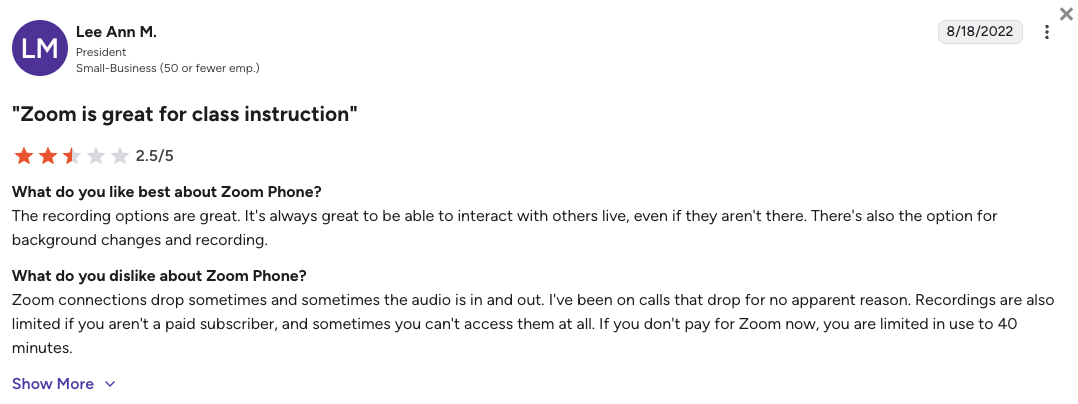
Teams already on Zoom Workplace consistently rate Zoom Phone as the lowest-friction Avaya migration path. The most common caveat is the hidden cost of adding Zoom Contact Center for support teams that need routing queues and call management beyond basic inbound/outbound calling.
How Do G2 Users Rate Zoom Phone?
Zoom Phone's current G2 rating is 4.6/5, based on 2,600+ verified user reviews.
See How CloudTalk Stacks Up Against All 10 Alternatives
What Real Users Are Saying about Avaya and Its Alternatives
Pricing pages and vendor websites tell you what a tool does. Real users tell you whether it actually works the way it claims. We reviewed hundreds of posts across Reddit, Quora, and G2 to surface what genuine Avaya users and IT managers are experiencing in 2026, and what they switched to when Avaya stopped working for them.
What Redditors Are Saying about Avaya Alternatives
We reviewed threads from r/avaya and r/ITManagers, where IT professionals and operations leaders share real-world experiences with Avaya. Three threads stood out as most relevant to teams actively evaluating migration options.
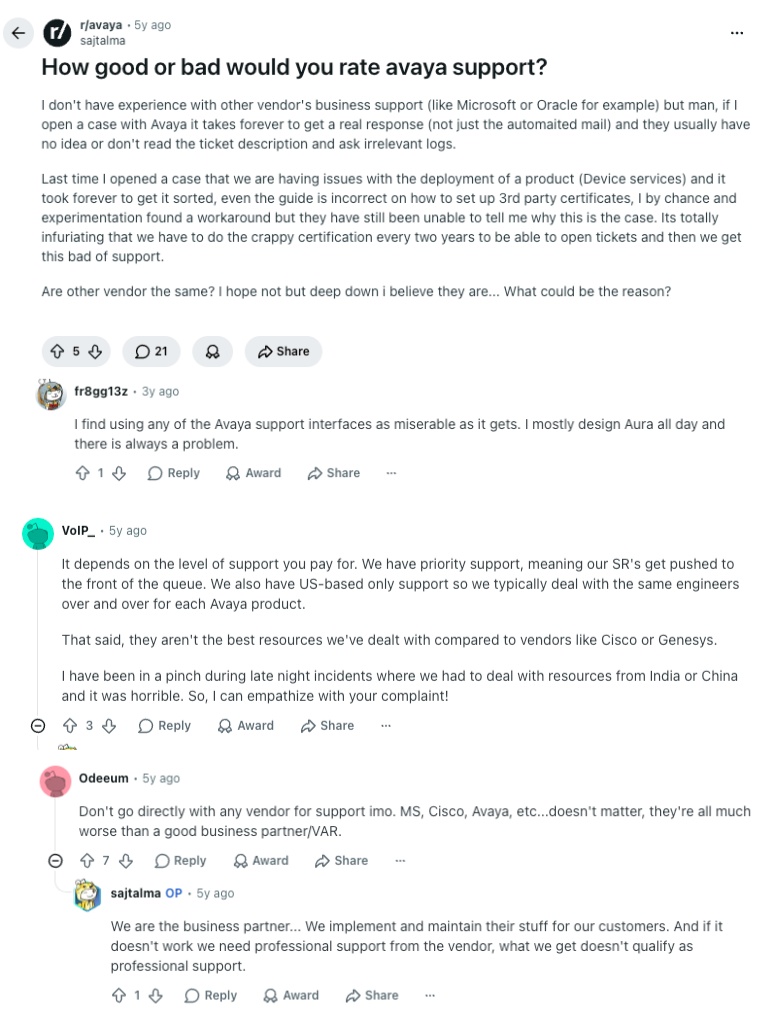
- Avaya support quality: A thread in r/avaya asking users to rate Avaya's support quality drew largely negative responses. Recurring themes: slow resolution times, dependency on certified partners rather than direct Avaya engineers, and difficulty getting consistent help for production issues. The pattern confirmed what G2 data shows, Avaya's support model is built for enterprise relationships, not growing or self-serve teams.
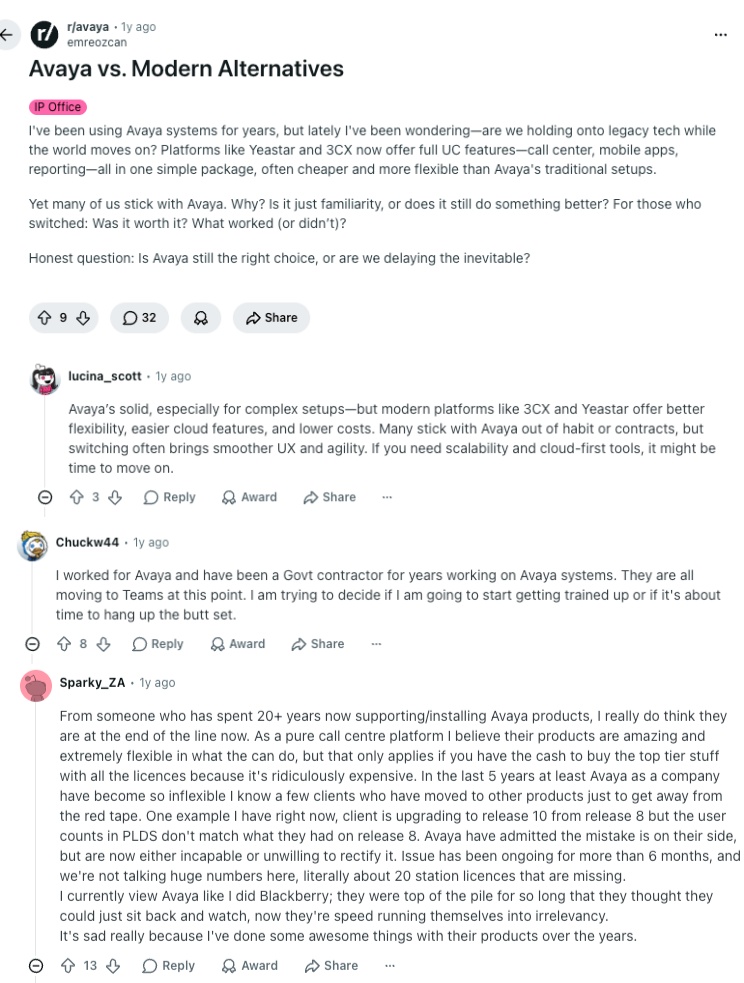
- Avaya vs. modern cloud alternatives: An r/avaya discussion comparing Avaya to cloud alternatives surfaced a consistent view: IT professionals acknowledge the platform's technical depth but question whether the infrastructure overhead still justifies the cost. Avaya's two Chapter 11 filings came up repeatedly as a real factor in vendor evaluation, with several users noting it changed how procurement teams approach Avaya renewals.
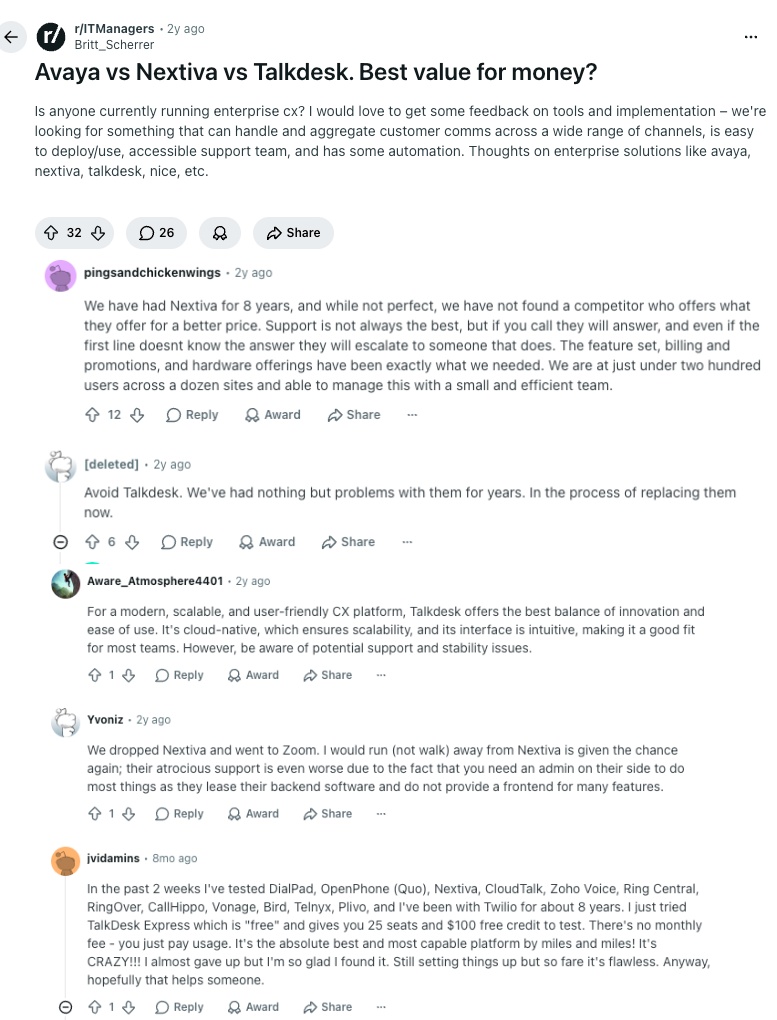
- Avaya vs. Nextiva vs. Talkdesk for SMB value: An r/ITManagers thread drew active migration evaluators. The consensus: Nextiva wins on total cost of ownership for UCaaS, Talkdesk for contact center AI automation. Both were preferred over Avaya for teams under 200 agents. Avaya was defended only by users managing large on-prem estates where switching cost outweighs subscription savings.
What Quora Users Are Asking about Avaya Alternatives
On Quora, questions about Avaya tend to come from IT managers and operations leads evaluating legacy platform replacements. Three discussions were especially relevant to understanding how buyers approach the Avaya migration decision.
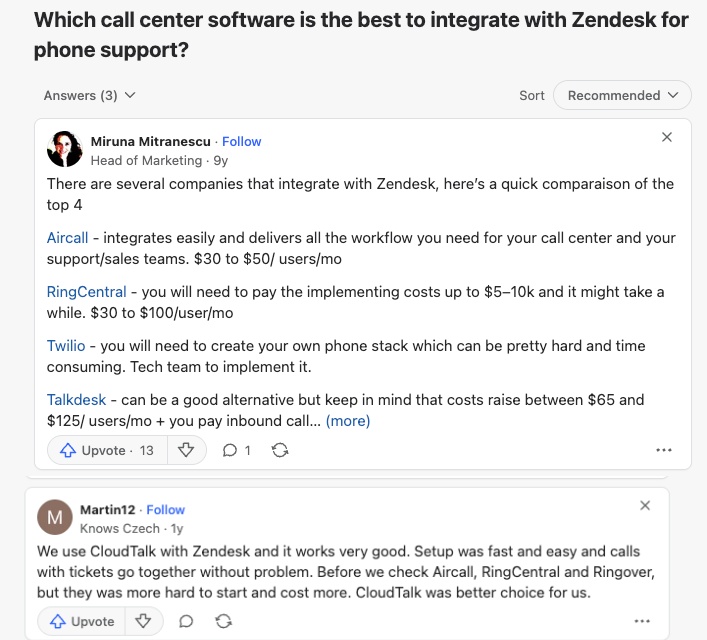
- Best call center software for Zendesk integration: A Quora thread on Zendesk integration included a direct mention of CloudTalk as a recommended option. One respondent highlighted its ability to manage calls, view customer history, and log activities directly inside Zendesk without switching platforms. Avaya was not referenced as a Zendesk integration option in the thread.
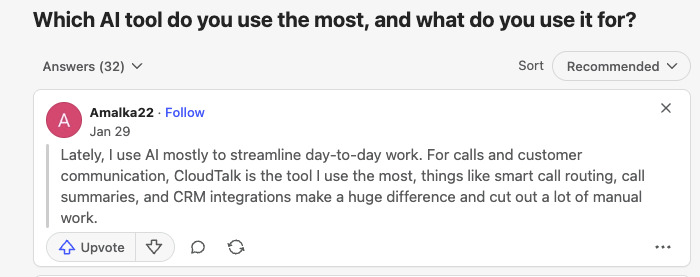
- AI tools for support teams: A popular Quora thread on AI tools for professional use included CloudTalk among the platforms recommended for support teams needing AI-assisted calling. A respondent highlighted CloudTalk's Conversation Intelligence add-on as a practical fit for real support budgets, covering transcription, sentiment, and post-call summaries without enterprise infrastructure. Avaya has no native AI features at any publicly priced tier.
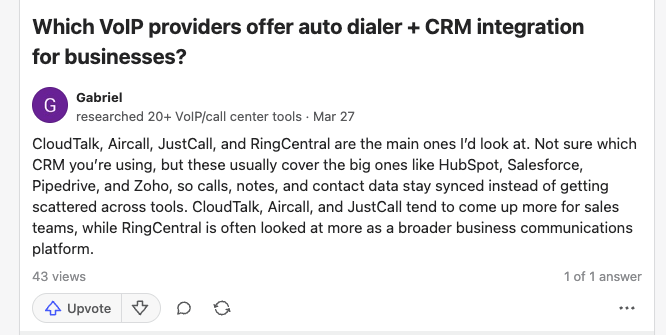
- VoIP providers with auto-dialer and CRM integration: A Quora thread on VoIP providers with auto-dialers and CRM features listed CloudTalk among the top recommendations, citing its Power, Smart, and Parallel Dialers with native CRM sync as a strong fit for sales teams. This directly addresses one of Avaya's core gaps: no outbound dialing tools at any UCaaS tier and CRM integrations locked behind the Advanced plan.
How CloudTalk, Avaya, Nextiva, and RingCentral Compare on G2
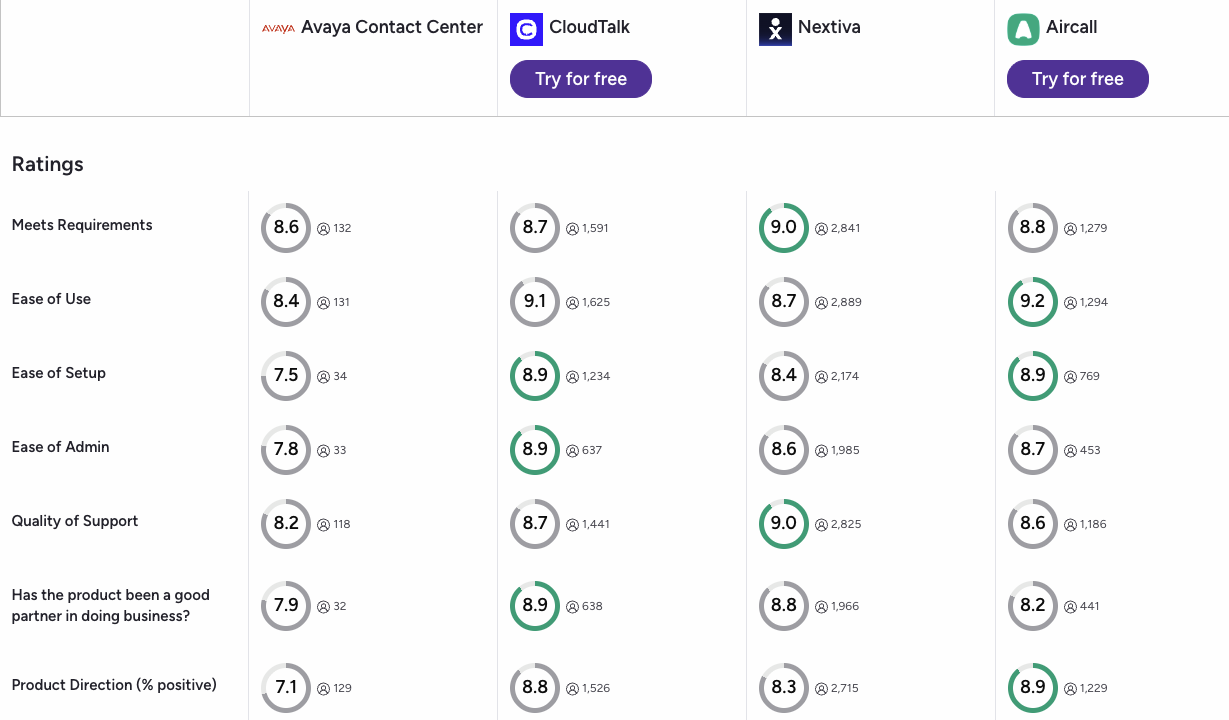
G2's comparison tool lets you view verified reviews for multiple platforms side by side. Here's what the data shows when you compare CloudTalk, Avaya Contact Center, Nextiva, and RingCentral directly.
- CloudTalk leads on ease of use, support, and setup: CloudTalk outscores Avaya Contact Center on ease of use, quality of support, and ease of setup across G2's verified review criteria. Avaya trails all three cloud alternatives on support satisfaction, consistent with the Reddit and Quora feedback above.
- Nextiva vs. CloudTalk on overall satisfaction: Nextiva leads on overall satisfaction in the SMB segment. CloudTalk scores comparably on feature-to-price value and leads specifically on setup speed and CRM integration reliability, making it the stronger pick for teams that prioritize what they get for what they pay.
- Avaya serves enterprise accounts well, but struggles on growth criteria: G2 data reinforces a consistent pattern. Avaya is well-rated by established enterprise users managing existing deployments but scores lower than cloud-native alternatives on the criteria growing support teams prioritize: setup speed, CRM depth, and support responsiveness.
CloudTalk vs. Avaya: Final Head-to-Head Comparison
The core difference is who each platform is built for. Avaya is engineered for large enterprises already running its on-prem infrastructure, where the cost of migrating away outweighs the platform's limitations. CloudTalk is built for growing support and sales teams that need reliable CRM sync, transparent pricing, and contact center features without a partner deployment or a 200-seat minimum.
CloudTalk vs. Avaya: Full Feature Comparison
| Feature | CloudTalk | Avaya | Winner |
|---|---|---|---|
| Starting Price (annual billing) | $19/user/mo | $20/user/mo (ACO Core); Infinity custom quote | Tie |
| Free Trial | 14 days, no credit card | None on any product | CloudTalk |
| Minimum Agents | 1 user | 200 seats (AXP Public Cloud) | CloudTalk |
| Deployment | Browser-based, live same day | On-prem or partner-managed cloud migration | CloudTalk |
| On-Prem / Hybrid Support | Cloud-only | Full on-prem, hybrid, and cloud deployment options | Avaya |
| CRM Integrations | 100+ native from Essential; Salesforce on Expert | Advanced plan only ($25/mo); Core limited to Google and Microsoft | CloudTalk |
| Auto Call Recording | Included from the start | Advanced plan only ($25/mo) | CloudTalk |
| Outbound Dialers | Preview, Smart, Power, and Parallel dialers | None on ACO; enterprise Infinity contract required | CloudTalk |
| AI Features | CI add-on ($9/mo) + AI Receptionist from $99/mo | Basic AI on ACO Core+; advanced AI on Infinity (enterprise only) | CloudTalk |
| Global Coverage | 160+ countries | 40+ countries (ACO) | CloudTalk |
| Transparent Pricing | All plans publicly listed | Infinity is quote-only; no self-serve evaluation | CloudTalk |
| Vendor Stability | Stable, no insolvency history | Two Chapter 11 filings (2017 and 2023) | CloudTalk |
| Customer Support | 24/7 live support; phone on Expert | Partner-dependent; no direct engineering support on standard plans | CloudTalk |
| G2 Rating | 4.4/5 (1,400+ reviews) | 4.2/5 (200+ reviews) | CloudTalk |
The 200-Seat Floor That Changes Everything
As of June 30, 2025, Avaya’s AXP Public Cloud requires a minimum of 200 seats across all bundles. Teams below that threshold are effectively locked out of Avaya’s cloud contact center entirely. CloudTalk has no seat minimum and works for teams of any size (from 1 agent to 1,000+), starting at $19/user/month with the same feature set regardless of headcount.
How to Choose the Best Avaya Alternative for Your Team
You should choose your new Avaya replacement based on your team size, your CRM stack, and how quickly you need to be live. Answers to these nine questions will help you narrow the field before you start a trial.
Do You Need a Full Contact Center or Just Business Calling?
Avaya Cloud Office is UCaaS (calling, messaging, video). Avaya Infinity is CCaaS (routing queues, dialers, WFM). Most alternatives split the same way. Teams replacing CC Elite or Avaya Infinity need a CCaaS platform like CloudTalk, Genesys, Five9, or Talkdesk. Teams replacing ACO Core can also use Nextiva, Dialpad, or Zoom Phone.
Which CRM Integrations Are Non-Negotiable on Day One?
The question is not just which platform supports your CRM. It's how deeply it syncs. CloudTalk connects natively with 100+ tools, with real-time two-way sync on every call: transcripts, recordings, and contact updates all log automatically. RingCentral, Aircall, Nextiva, and Dialpad all support major CRMs but gate them behind Advanced, Engage, and Pro tiers.
How Many Countries Do Your Agents and Customers Operate In?
Avaya Cloud Office covers 40+ countries. If your team operates globally, you need a replacement that matches or expands that footprint. CloudTalk lets you access numbers in 160 countries. RingCentral covers 100+. Nextiva and Aircall are primarily US and Canada focused.
What Is Your Real Budget, Including the Plan Tier You Actually Need?
The advertised starting price is almost never the effective cost for support teams. Avaya Cloud Office Core at $20/user/mo quickly becomes $25/user/mo if you need CRM integrations or auto call recording. RingCentral and Nextiva follow the same pattern. Budget for the tier that includes your required features, not the cheapest advertised option.
If you're looking for an Avaya alternative for predictable pricing, then CloudTalk is your best option, offering all contact center features at predictable, fairly priced plans, as well as flat-rate AI add-ons.
How Fast Does Your Team Need to Be Live?
Avaya on-prem migrations can take months. Cloud-native platforms vary significantly. CloudTalk, Aircall, and Dialpad are live in hours. Genesys, Talkdesk, and Five9 typically require professional services engagement measured in weeks. If you have a hard go-live deadline, filter on deployment speed before evaluating features.
Do You Need Outbound Dialers for Sales Workflows?
Avaya Infinity includes outbound dialing but only through an enterprise contract. Avaya Cloud Office has no dialing tools at any tier. If your team runs outbound sales alongside support, you need a platform with built-in dialers. CloudTalk includes Preview, Smart, and Power from the Expert plan, with Parallel dialing mode (up to 10 lines at once) as a flat-rate $39/mo add-on. Five9 and Talkdesk include predictive and progressive dialers at their enterprise tiers.
What Is the Best Avaya Alternative for Teams with Under 200 Agents?
As of June 30, 2025, Avaya's AXP Public Cloud contact center requires a minimum of 200 seats. Teams below that threshold either pay for agents they don't have or lose support entirely. This makes Avaya a non-starter for the vast majority of growing contact centers. CloudTalk has no minimum seat count and works for teams of any size. Talkdesk and Five9 both require 50+ agents. For teams under 50 agents, CloudTalk, Nextiva, and Dialpad are the most practical choices.
What Is the Best Avaya Alternative for Salesforce or HubSpot Integration?
CloudTalk is the best Avaya alternative for HubSpot and Salesforce integration. It offers 100+ integrations with real-time two-way sync from Essential plan, and Salesforce ecosystem integration from Expert. Every call logs automatically with full context: recording, transcript, duration, and sentiment.
Avaya Cloud Office locks both Salesforce and HubSpot behind the $25/user/mo Advanced plan, which is a few bucks less than CloudTalk, but the integration depth or AI continuity at any tier isn't comparable.
A huge benefit of CloudTalk is that its AI voice agents write back into those same CRM records too, so human reps never need to chase context after a handoff.
What Is the Best Avaya Alternative for International or Remote Teams?
If your team operates globally or works remotely, you need a platform that matches or expands that footprint without hardware dependencies. While Avaya Cloud Office only covers 40+ countries, CloudTalk offers virtual numbers in 160+ countries and runs entirely in the browser, on a reliable infrastructure delivering crystal-clear calls from anywhere.
What’s the Best Avaya Alternative for Growing Businesses?
CloudTalk is the best alternative to Avaya for growing businesses. It solves every structural limitation Avaya creates for scaling teams: automatic call recording is available from the start. Reliable deep-sync integrations let your team save hours on manual admin daily. Next-gen AI Receptionist with 50 free minutes lets you handle inbound routine 24/7. And the big pool of virtual numbers means your teams can support customers worldwide, while still feeling familiar an trustworthy.
Ready to Switch from Avaya?
Avaya filed for Chapter 11 twice and now requires a 200-seat minimum on its cloud contact center. If your team is under 200 agents, actively growing, or just done paying for features gated behind plan tiers, this isn't a close call.
CloudTalk is the clearest Avaya alternative for growing support and sales teams that need to connect globally, sync their CRM from day one, and go live without a certified partner or enterprise contract. It starts at $19/user/month, covers 180+ countries, and includes 24/7 human support on every plan. And there's no seat minimums.
Here's what you get if you switch from Avaya to CloudTalk from day one.
- Call recording from the start, no upgrade requiredStop paying for a mid-tier plan just to record calls. CloudTalk includes automatic call recording on the basic plan, which is the standard expectation for any support or compliance team.
- 100+ CRM and helpdesk integrations that eliminate adminYour phone system syncs with HubSpot, Salesforce, Zendesk, and 100+ other tools automatically. Every call logs with full context: recording, transcript, duration, and contact updates.
- Transparent flat-rate pricing with a free trialAll plans are transparent, including flat-rate AI intelligence or Parallel dialer add-ons, and AI voice agent bundles. A 14-day free trial is included on every account with no credit card required. You also get 50 free minutes on AI virtual receptionist that supports in 60+ languages and takes minutes to set up.
- 160+ national number typesBuy local virtual numbers wherever your customers are. CloudTalk's global coverage of 160+ countries far extends Avaya Cloud Office's limited 40-country footprint.
- 24/7 human support, 99% uptime SLACloudTalk's support team is always ready to help you solve any technical issues (with phone on Expert). And thanks to reliable global infrastructure with, your contact center keeps moving your pipeline 24/7.
One Demo Says It All
Sources:
- Reuters: Avaya files for Chapter 11 bankruptcy
Frequently Asked Questions About Avaya Alternatives
Answers to the most common questions about switching from Avaya and choosing the right contact center alternative for 2026.
Avaya is a business communications company that makes UCaaS (unified communications) and CCaaS (contact center) products. Its main platforms are Avaya Cloud Office (UCaaS, powered by RingCentral) for calling, video, and messaging, and Avaya Infinity for enterprise contact centers. Avaya also has an on-prem portfolio including Avaya Aura, IP Office, and CC Elite, which many legacy enterprise deployments still run.
Avaya's main competitors are CloudTalk, RingCentral, Genesys Cloud CX, Nextiva, Dialpad, Five9, Talkdesk, 8x8, Aircall, and Zoom Phone. In the enterprise CCaaS space, Avaya Infinity competes primarily with Genesys Cloud CX, Talkdesk, and Five9. In UCaaS, Avaya Cloud Office competes with RingCentral (which powers the ACO product), Microsoft Teams, and Zoom Phone. For growing support and sales teams that need reliable integrations and smart AI automation, CloudTalk is the strongest alternative.
Avaya filed for Chapter 11 bankruptcy protection twice: first in January 2017 and again in February 2023. The 2017 filing was driven by legacy pension liabilities and approximately $6 billion in debt from its 2007 private equity buyout. The 2023 filing came after Avaya struggled to transition its revenue base from hardware maintenance contracts to cloud subscriptions. Avaya emerged from its second bankruptcy in May 2023 as a private company.
As of 2023, Avaya is a private company owned by its reorganized creditors following its Chapter 11 exit in May 2023. The company emerged from bankruptcy with its debt restructured and is no longer publicly traded. It continues to operate its Avaya Cloud Office and Avaya Infinity product lines, though both compete in a market where cloud-native alternatives have captured significant share.
For large enterprise contact centers, Genesys Cloud CX is generally the stronger choice. It offers transparent public pricing (starting at ~$75/user/mo), native omnichannel, and advanced AI features without Avaya Infinity's on-prem overhead. Avaya Infinity's key disadvantage is its quote-only pricing model, which makes cost comparison impossible without a sales engagement. For teams under 100 agents, neither Avaya Infinity nor Genesys Cloud CX is the most cost-effective option. CloudTalk and Talkdesk serve that segment more efficiently.
Avaya and Cisco Webex both target enterprise communications but address different buyer profiles. Cisco Webex has a stronger position in video conferencing and collaboration, while Avaya has traditionally been stronger in on-prem PBX and contact center infrastructure. For teams evaluating a cloud migration, both carry significant on-prem legacy overhead. Cloud-native alternatives like CloudTalk, RingCentral, or Genesys Cloud CX typically offer faster deployment and lower total cost of ownership for teams not already committed to either vendor's ecosystem.
Avaya has a large enterprise customer base, particularly in financial services, government, healthcare, and telecommunications. Many Fortune 500 companies have run Avaya Aura or CC Elite on-prem for years. Avaya Cloud Office targets mid-market businesses moving to the cloud. The common thread is that most Avaya customers have an existing relationship with the platform, often built through resellers and certified partners, rather than having chosen Avaya for the first time recently.
Avaya has genuine technical depth, particularly in on-prem PBX and large-scale contact center infrastructure. However, two Chapter 11 bankruptcy filings in six years have raised questions about its long-term financial stability. Also, Avaya's cloud products lag behind cloud-native competitors on pricing transparency, self-serve access, and CRM integration accessibility. Teams that already run Avaya infrastructure may find it practical to stay. Teams evaluating Avaya for the first time face a more compelling set of modern alternatives.
Avaya Cloud Office starts at $20/user/month for the Core plan (annual billing). CRM integrations and auto call recording require the Advanced plan at $25/user/month. Avaya Infinity, the enterprise contact center product, has no public pricing and requires a sales quote. There is no free trial on the main Avaya Office product. By comparison, CloudTalk starts at $19/user/month with a 14-day free trial included on every account.
The best Avaya VoIP alternatives for small businesses are CloudTalk, Nextiva, Dialpad, and Zoom Phone. CloudTalk starts at $19/user/mo with no minimum agent count and business tools integrations from the Essential plan. Nextiva starts at $15/user/mo for US and Canada calling. Dialpad starts at $15/user/mo with AI transcription included from day one. Zoom Phone starts at $16/user/mo for teams already on Zoom Workplace. All four offer free trials or self-serve sign-up. Avaya does not offer a free trial on any product.
Yes. As of June 30, 2025, Avaya's AXP Public Cloud contact center platform requires a minimum commitment of 200 seats across all subscription bundles (Digital Only, Voice Only, and All Media). Teams with fewer than 200 agents either need to upgrade their seat count to meet the threshold or cancel without charge. This policy effectively pushes Avaya out of the small and mid-market contact center segment entirely. For teams under 200 agents, CloudTalk, Talkdesk, and Five9 are the strongest alternatives with no equivalent seat floor.
For teams still running Avaya on-prem systems and looking for reporting overlay tools, options include Akixi, Tollring iCall Suite, and Enghouse Networks. These tools connect to Avaya Aura or IP Office to provide analytics dashboards without replacing the underlying PBX. However, for teams considering a full migration away from Avaya, cloud-native platforms like CloudTalk include built-in call analytics, real-time dashboards, and historical reporting as part of their core feature set, eliminating the need for a separate reporting tool.
Ready to Switch from Avaya to CloudTalk?
Join 4,000+ businesses that chose CloudTalk. No setup fees, no lock-in. 14-day free trial.
Start Free Trial