Best Pabbly Integrations for Sales & Support Teams in 2026
Pabbly Integrations Summary
Pabbly integrations let you automate workflows across 1,000+ apps without writing a single line of code. You're welcome, everyone who lied on their resume about knowing Python.
In this guide, we cover the 10 best Pabbly Connect integrations for sales and support teams; from AI-powered calling to CRM sync, helpdesk ticketing, and billing automation.
- 01CloudTalk — Best Pabbly call center integration for AI-powered calling
- 02HubSpot — Best CRM that integrates with Pabbly for inbound automation
- 03Pipedrive — Best Pabbly CRM integration for outbound sales teams
- 04Salesforce — Best enterprise CRM for complex Pabbly Connect workflows
- 05Zendesk — Best helpdesk integration for support ticket automation
- 06Slack — Best team communication integration for real-time alerts
- 07Google Sheets — Best integration for lightweight data tracking
- 08Pabbly Subscriptions — Best native billing connector for subscription businesses
- 09Zoho CRM — Best budget-friendly CRM for Pabbly automation workflows
- 10ActiveCampaign — Best email marketing + CRM integration for sales sequences
See why thousands of sales teams choose CloudTalk for AI-powered calling

Pabbly Connect Integrations: Quick Comparison Table
| Tool | Category | Integration Type | Best For |
|---|---|---|---|
| CloudTalk | Phone & AI calling | Webhook | Best for sales & support teams needing AI-powered call automation |
| HubSpot | CRM | Native connector | Best for inbound lead nurturing and deal automation |
| Pipedrive | CRM | Native connector | Best for outbound sales pipeline automation |
| Salesforce | Enterprise CRM | Native connector | Best for large teams with complex multi-step workflows |
| Zendesk | Helpdesk | Native connector | Best for routing support tickets automatically |
| Slack | Team communication | Native connector | Best for real-time call and deal alerts |
| Google Sheets | Data tracking | Native connector | Best for lightweight contact and call logging |
| Pabbly Subscriptions | Billing | Native (same ecosystem) | Best for subscription billing trigger workflows |
| Zoho CRM | CRM | Native connector | Best for budget-conscious teams wanting deep CRM automation |
| ActiveCampaign | Email marketing & CRM | Native connector | Best for combining email sequences with call workflows |
What Is Pabbly Connect and What Integrations Does It Support?
Pabbly Connect is a no-code workflow automation platform that connects 1,000+ apps through trigger-and-action logic. It's like Zapier, but with a flat-rate pricing model that doesn't charge per task. Instead of paying per automation run, you pay a fixed monthly fee regardless of how many workflows you run or how many steps they contain...and unlike your Apple Watch, nobody's judging you for the number.
That makes Pabbly Connect integration automation features especially attractive for SMBs running high-frequency workflows — things like syncing every inbound call to a CRM, updating deal stages based on call outcomes, or firing a Slack alert every time a support ticket is opened.
At its core, a Pabbly Connect automation integration workflow consists of:
- One trigger — an event in a source app (e.g. a call ends in CloudTalk, a new lead enters HubSpot, a payment fails in Pabbly Subscriptions)
- One or more actions — tasks performed in other apps (e.g. create a Zendesk ticket, send a Slack message, update a Pipedrive deal)
- Optional logic steps — filters, formatters, routers, and iterators that manipulate data or branch workflows based on conditions
For teams running workflow automation for small business, this combination of breadth, simplicity, and flat-rate pricing is hard to beat.
How Many Integrations Does Pabbly Connect Support in 2026?
The Pabbly Connect number of integrations stands at 1,000+ as of 2026, spanning CRM, telephony, email marketing, e-commerce, helpdesk, payment gateways, project management, and more. Teams can extend coverage further using webhook-based connections with any app that supports them.
The 10 Best Pabbly Connect Integrations for Sales & Support Teams
Not all Pabbly Connect integrations deliver equal value for sales and support teams. The ones that generate the most ROI sit at the intersection of calling, CRM, and communication. Here's a breakdown of the 10 tools worth connecting — and exactly what you can automate with each.
1. CloudTalk — Best Pabbly Call Center Integration for AI-Powered Calling
What Is CloudTalk?
CloudTalk is the best AI-powered business phone system for sales and support teams that need more than just a dialer. It combines inbound and outbound calling, AI conversation intelligence, real-time analytics, and 160+ country coverage in a single platform — and connects to Pabbly Connect via webhook to automate call-triggered workflows across your entire tech stack.
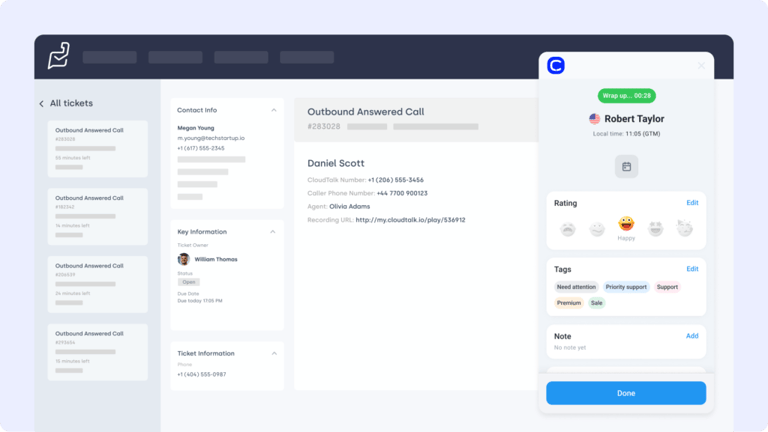
As the best Pabbly call center integration in 2026, CloudTalk lets you build automations that trigger on call events — new call started, call ended, voicemail received, call tagged — and push that data wherever it needs to go: CRMs, helpdesks, Slack, spreadsheets, or billing tools.
Key CloudTalk + Pabbly Connect Automation Features
- Call event triggers — Fire Pabbly workflows on call start, call end, missed call, voicemail, or custom tag applied
- AI call summaries — Automatically push post-call AI summaries and transcripts to your CRM or Slack via Pabbly Connect
- Contact sync — Create or update CRM contacts in HubSpot, Pipedrive, or Salesforce whenever a new caller is detected
- Call tagging → ticket creation — When a call is tagged "support issue," automatically open a Zendesk ticket with call details attached
- Sentiment-based routing — Use CloudTalk's sentiment analysis output as a Pabbly trigger to escalate negative calls automatically
- Power Dialer & Smart Dialer — Native outbound dialing features that pair with Pabbly to log outcomes and update pipeline stages automatically
What Is CloudTalk's Pricing?
CloudTalk starts at just $19/user/month, with flat-rate per-seat pricing with no credit limits or per-minute voice charges on standard plans. All plans include a 14-day free trial, no credit card required. See the full breakdown in the call center software cost guide.
- Lite: $19/user/month
- Essential: $29/user/month
- Expert: $49/user/month
- AI Voice Agents: $99/200 minutes
- 14-day free trial included, no credit card required
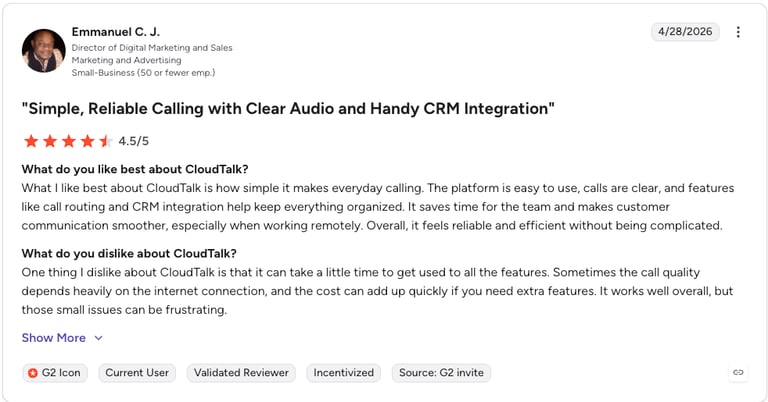
CloudTalk G2 Reviews
| Pros | Cons |
|---|---|
| Flat-rate pricing — No per-minute charges or credit limits | Webhook-based Pabbly setup — No dedicated native connector; requires webhook configuration |
| AI conversation intelligence — Summaries, transcripts, sentiment, and topic extraction included | Some AI features on higher tiers — Full AI feature set requires Expert plan |
| 160+ country coverage — Best international reach of any tool in this list | SMS more limited — Outbound SMS available but not a primary focus |
| 14-day free trial — No credit card required | Voice-first — Not a general automation tool; purpose-built for calling teams |
Use CloudTalk If:
If your team uses phone calls to generate or close revenue, CloudTalk is the strongest Pabbly call center integration available. Pair it with Pabbly Connect to push call data to your CRM, open tickets, send Slack alerts, and more — all without manual input.
Connect CloudTalk to Pabbly and automate your entire call workflow
2. HubSpot — Best CRM That Integrates with Pabbly for Inbound Lead Automation
What Is HubSpot?
HubSpot is one of the most widely used CRMs in the world, combining contact management, deal pipelines, email marketing, and service tools in a single platform. It's one of the most popular CRMs that integrate with Pabbly Connect, thanks to its native connector that supports both trigger events and actions across contacts, deals, companies, and tickets. Trigger warning.
Key HubSpot + Pabbly Connect Automation Features
- New contact trigger — When a new contact is created in HubSpot, trigger downstream actions in other apps
- Deal stage trigger — Fire a Pabbly workflow when a deal moves to "Closed Won" to notify the ops team or trigger onboarding
- Form submission → CRM action — Map web form data to HubSpot contact properties automatically
- Phone call logging — Push CloudTalk call outcomes and AI notes directly into HubSpot contact timelines via Pabbly
- Ticket creation — Automatically create HubSpot service tickets based on call tags or missed calls routed through Pabbly
What Is HubSpot's Pricing?
HubSpot offers a free CRM tier and paid plans from $20/seat/month. See the full breakdown in the HubSpot calling pricing guide.
- Free: $0, up to 2 users
- Starter: From $20/seat/month (annual)
- Professional: From $890/month (annual), includes full workflow automation
- Enterprise: From $3,600/month (annual)
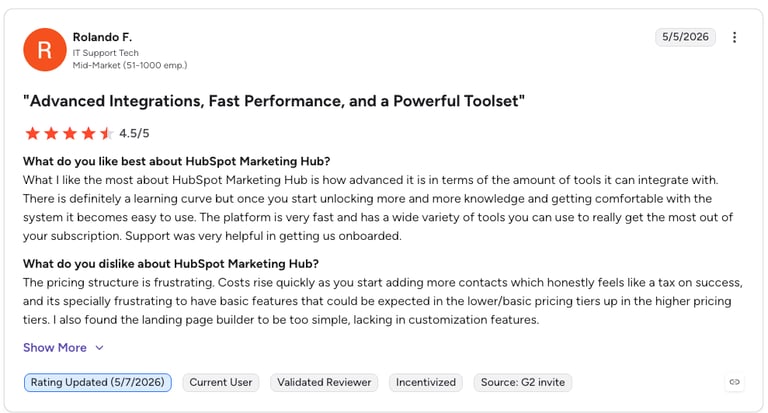
HubSpot G2 Reviews
G2 reviewers give HubSpot Marketing Hub 4.4/5.
| Pros | Cons |
|---|---|
| Free CRM tier — Genuinely useful even without paying | High cost at scale — Professional and Enterprise pricing is steep |
| Native Pabbly connector — Pre-built, no webhook setup needed | Mandatory onboarding fee — $1,500–$3,000 required on Professional+ |
| Deep CRM data — Rich contact timelines make automation context-aware | Workflow automation locked — Full automation only available from Professional tier |
| Strong ecosystem — 1,000+ native integrations beyond Pabbly | Learning curve — Feature depth can overwhelm smaller teams |
3. Pipedrive — Best Pabbly CRM Integration for Outbound Sales Pipeline Automation
What Is Pipedrive?
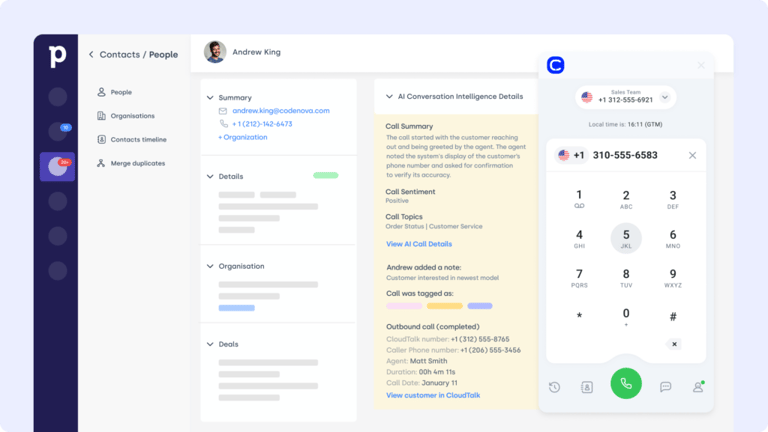
Pipedrive is a sales-focused CRM built around pipeline management and activity tracking. It's a natural fit for outbound teams using CloudTalk's Pipedrive integration who want to extend that automation further via Pabbly Connect — for example, triggering follow-up emails or Slack notifications whenever a deal stage changes or a call is logged.
Key Pipedrive + Pabbly Connect Automation Features
- Record create/update triggers — Fire Pabbly workflows when leads, contacts, opportunities, or cases are created or modified
- Opportunity stage automation — Trigger notifications, tasks, or onboarding flows when a deal closes
- Cross-platform data sync — Keep Salesforce records in sync with HubSpot, Google Sheets, or other tools via Pabbly
- Case management — Create or update Salesforce cases based on call events or form submissions from other apps
- SOQL query support — Advanced Pabbly workflows can query Salesforce data to inform conditional logic in multi-step automations
What Is Pipedrive's Pricing?
Pipedrive starts at $14/seat/month (Essential, billed annually). See dialer comparisons in the Pipedrive phone integrations guide.
- Essential: $14/seat/month (annual)
- Advanced: $34/seat/month (annual)
- Professional: $49/seat/month (annual)
- Power: $64/seat/month (annual)
- Enterprise: $99/seat/month (annual)
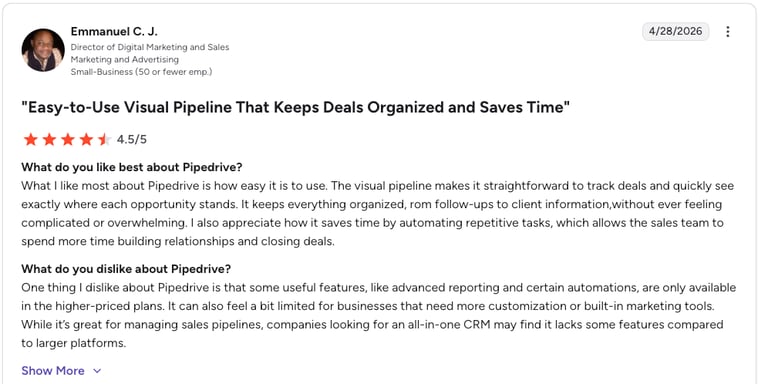
Pipedrive G2 Reviews
G2 reviewers give Pipedrive 4.2/5.
| Pros | Cons |
|---|---|
| Sales-first design — Pipeline view is intuitive for outbound teams | Limited marketing automation — Weaker than HubSpot on email marketing workflows |
| Native Pabbly connector — Straightforward trigger and action setup | Reporting depth — Less granular than Salesforce at enterprise scale |
| Affordable entry tier — $14/seat/month for small teams | No free tier — Unlike HubSpot, there's no permanently free plan |
| Activity-based workflow — Task automation pairs well with Pabbly triggers | Automation locked — Workflow tools require Advanced tier or above |
4. Salesforce — Best Enterprise CRM for Complex Pabbly Connect Workflows
What Is Salesforce?
Salesforce is the world's leading enterprise CRM. For teams already running CloudTalk's Salesforce integration, adding Pabbly Connect unlocks multi-app Pabbly workflows that go well beyond what Salesforce's native automation can do on its own — connecting call events, billing triggers, and external data sources into a single automated pipeline.
Key Salesforce + Pabbly Connect Automation Features
- Record create/update triggers — Fire Pabbly workflows when leads, contacts, opportunities, or cases are created or modified
- Opportunity stage automation — Trigger notifications, tasks, or onboarding flows when a deal closes
- Cross-platform data sync — Keep Salesforce records in sync with HubSpot, Google Sheets, or other tools via Pabbly
- Case management — Create or update Salesforce cases based on call events or form submissions from other apps
- SOQL query support — Advanced Pabbly workflows can query Salesforce data to inform conditional logic in multi-step automations
What Is Salesforce's Pricing?
Salesforce Sales Cloud starts at $25/user/month (Starter Suite, annual). See comparisons in our best Salesforce dialers guide.
- Starter Suite: $25/user/month (annual)
- Pro Suite: $100/user/month (annual)
- Enterprise: $165/user/month (annual)
- Unlimited: $330/user/month (annual)
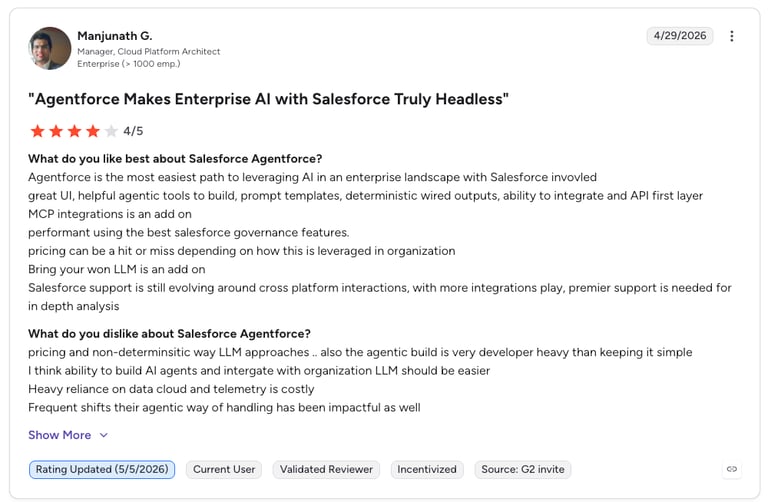
Salesforce G2 Reviews
G2 reviewers give Salesforce Sales Cloud 4.4/5.
| Pros | Cons |
|---|---|
| Industry-leading CRM depth — Unmatched flexibility for enterprise workflows | High cost — Pricing escalates quickly, especially with add-ons |
| Native Pabbly connector — Supports both trigger and action steps | Complexity — Requires admin expertise to configure at scale |
| Enterprise compliance — Strong security and audit logging | Overkill for SMBs — Feature set exceeds what most small teams need |
| Ecosystem breadth — AppExchange adds thousands of additional integrations | Slow time to value — Implementation timelines can run months |
5. Zendesk — Best Pabbly Helpdesk Integration for Support Ticket Automation
What Is Zendesk?
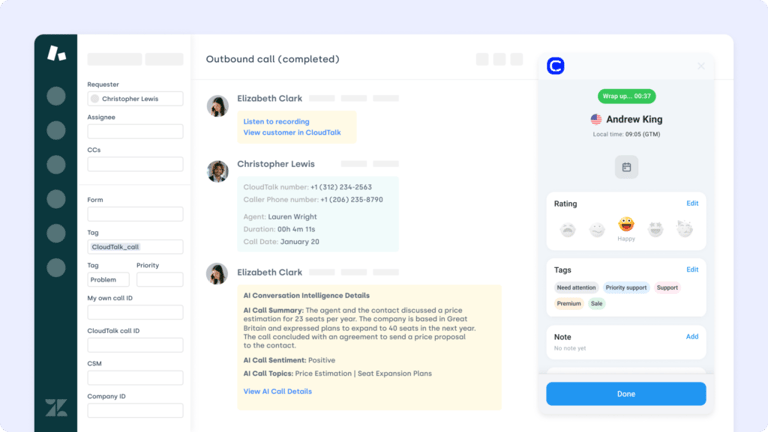
Zendesk is a leading customer service platform used by support teams to manage tickets, live chat, email, and phone interactions. Connecting Zendesk to Pabbly Connect automates the handoff between calling, ticketing, and other tools — so a call tagged as a support issue in CloudTalk automatically creates a Zendesk ticket with the right details and priority. For teams managing AI customer service at scale, this handoff automation is a significant time saver.
Key Zendesk + Pabbly Connect Automation Features
- Ticket creation triggers — Create Zendesk tickets automatically from call events, form submissions, or CRM updates
- Ticket update actions — Update ticket status, priority, or assignee based on actions in other apps
- User management — Create or update Zendesk user records from external app triggers
- Comment logging — Push CloudTalk call notes and AI summaries into Zendesk ticket comments via Pabbly
- Multi-app escalation — Route tickets to Slack or email based on Zendesk ticket priority level
What Is Zendesk's Pricing?
Zendesk Support plans start at $19/agent/month (annual). See the full comparison in the Zendesk Talk pricing guide.
- Team: $19/agent/month (annual)
- Growth: $55/agent/month (annual)
- Professional: $115/agent/month (annual)
- Enterprise: From $169/agent/month (annual)
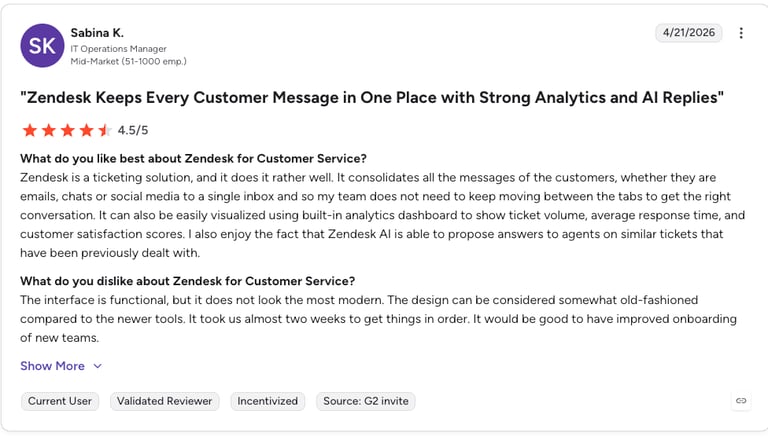
Zendesk G2 Reviews
G2 reviewers give Zendesk Support Suite 4.3/5.
| Pros | Cons |
|---|---|
| Best-in-class ticketing — Industry standard for support team workflows | Cost at scale — Pricing climbs steeply with more agents or features |
| Native Pabbly connector — Supports both ticket trigger and action steps | AI features cost extra — Advanced AI requires Zendesk Suite add-ons |
| Omnichannel coverage — Email, chat, phone, and social in one platform | Customization complexity — Deep configuration can require specialist knowledge |
| Strong reporting — Pre-built and custom dashboards for support metrics | Onboarding time — Teams typically need 2–4 weeks to fully configure |
6. Slack — Best Pabbly Connect Integration for Real-Time Sales & Support Alerts
What Is Slack?
Slack is the team communication platform used by millions of businesses for real-time messaging and channel-based collaboration. As a Pabbly Connect integration, Slack acts as the notification layer for your entire workflow stack — receiving alerts when calls are missed, deals close, tickets are escalated, or any other trigger fires across your connected apps.
Key Slack + Pabbly Connect Automation Features
- Channel notifications — Send formatted Slack messages to any channel based on any Pabbly workflow trigger
- Direct messages — Route call alerts or deal updates to specific team members via DM
- Missed call alerts — Instantly notify a sales rep in Slack when a lead's call goes unanswered
- Deal close celebrations — Trigger a #wins channel message when a Pipedrive or HubSpot deal reaches "Closed Won"
- Support escalation alerts — Route high-priority Zendesk tickets to a dedicated #urgent-support Slack channel
What Is Slack's Pricing?
- Free: $0, limited history and integrations
- Pro: $7.25/user/month (annual)
- Business+: $12.50/user/month (annual)
- Enterprise Grid: Custom pricing
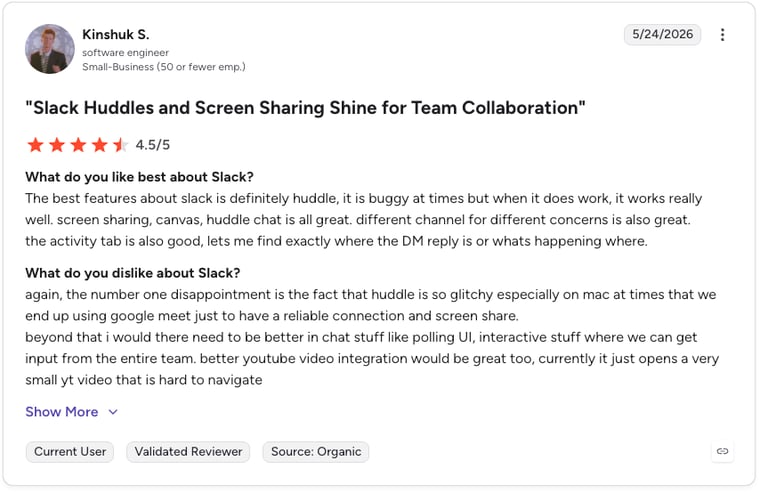
Slack G2 Reviews
See what real users say about Slack on G2.
| Pros | Cons |
|---|---|
| Universal adoption — Most teams already use Slack, no new tool to onboard | Not a CRM or task manager — Notifications only; follow-up actions need another tool |
| Native Pabbly connector — Easy message formatting, no coding required | Free plan limitations — Message history capped at 90 days on free tier |
| Highly flexible output layer — Works as the notification destination for virtually any Pabbly workflow | Notification overload risk — Too many automated messages can create noise |
7. Google Sheets — Best Pabbly Connect Integration for Lightweight Data Tracking
What Is Google Sheets?
Google Sheets is the cloud-based spreadsheet tool used by millions of teams for data tracking and reporting. As a Pabbly Connect integration, it's one of the most versatile output destinations available — any data flowing through a Pabbly workflow can be logged to a Sheet for analysis, or used as a lightweight CRM substitute, in the same way that a canoe is a substitute for a yacht. But, still might be useful for very small teams.
Key Google Sheets + Pabbly Connect Automation Features
- Row append — Log every call, form submission, or deal update as a new row automatically
- Row update — Update existing rows when a record changes in another app
- Lookup — Search for existing data in a Sheet before deciding what action to take downstream
- Call log tracking — Push CloudTalk call data (duration, agent, outcome, AI summary) to a master call log sheet
- Lead tracking — Build a lightweight lead database for teams not yet on a full CRM
What Is Google Sheets' Pricing?
- Free (personal): $0 via Google account
- Google Workspace Business Starter: $6/user/month (annual)
- Business Standard: $12/user/month (annual)
- Business Plus: $18/user/month (annual)
Google Sheets G2 Reviews
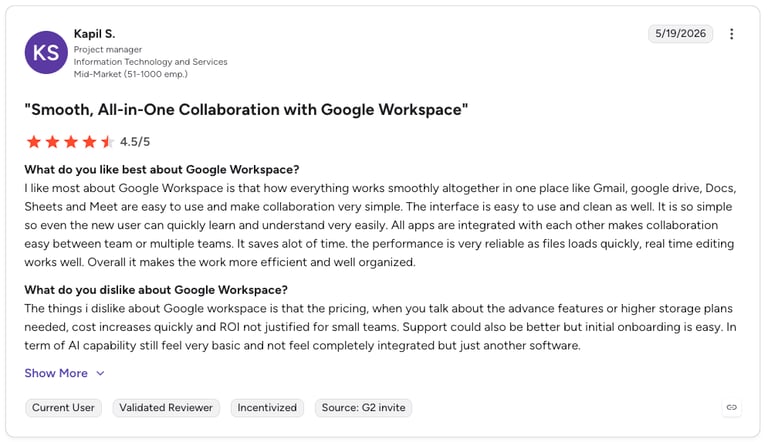
G2 reviewers give Google Sheets 4.6/5.
| Pros | Cons |
|---|---|
| Free to use — No cost barrier for most teams | Not a real CRM — No pipeline view, relationship management, or activity tracking |
| Universal compatibility — Almost every Pabbly workflow can output to Sheets | Scales poorly — Large datasets and complex formulas slow down performance |
| Great for reporting — Easy to build dashboards and share with stakeholders | Manual analysis still needed — Data logging is automated but interpretation isn't |
8. Pabbly Subscriptions — Best Native Billing Connector for Subscription Businesses
What Is Pabbly Subscriptions?
Pabbly Subscriptions is the billing and subscription management tool within the Pabbly ecosystem. As a native Pabbly subscriptions billing connector, it integrates seamlessly with Pabbly Connect to trigger workflows based on billing events — new subscription, payment failure, cancellation, upgrade, or renewal — and connect those events to your CRM, helpdesk, or communication tools.
For SaaS and subscription businesses, this unlocks powerful Pabbly workflows like: automatically creating a HubSpot deal when a subscription activates, firing a CloudTalk outbound call task when a payment fails, or routing a Slack alert to the customer success team when a high-value account cancels.
Key Pabbly Subscriptions + Pabbly Connect Automation Features
- New subscription trigger — Fire downstream onboarding workflows the moment a new customer subscribes
- Payment failure trigger — Automatically create a follow-up task or initiate an outbound call via CloudTalk when payment fails
- Cancellation trigger — Alert customer success in Slack and create a Zendesk ticket when a subscriber cancels
- Plan upgrade trigger — Push upgraded customer data to your CRM and send a personalized email automatically
- Renewal events — Log renewals to Google Sheets for cohort analysis or trigger a thank-you sequence
What Is Pabbly Subscriptions' Pricing?
- Starter: $19/month (up to $15K monthly revenue)
- Rookie: $37/month (up to $50K monthly revenue)
- Pro: $57/month (up to $100K monthly revenue)
- Advanced: $79/month (unlimited revenue, unlimited customers)
Pabbly Subscriptions G2 Reviews
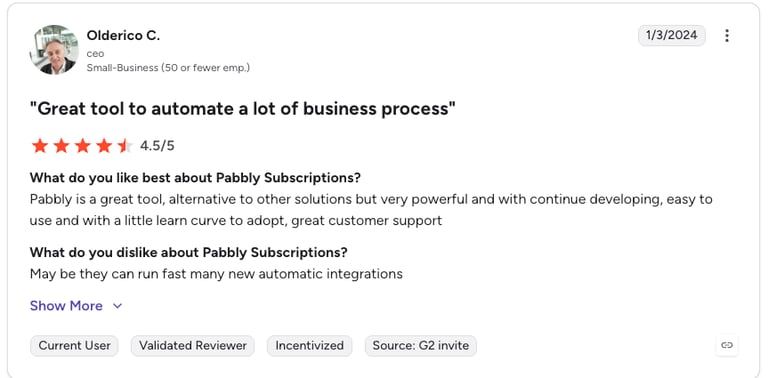
See what real users say about Pabbly Subscriptions on G2.
| Pros | Cons |
|---|---|
| Native Pabbly Connect integration — Zero friction setup within the Pabbly ecosystem | Limited payment gateway support — Fewer options than Stripe or Chargebee |
| Flat-rate pricing — No per-transaction fees unlike many billing tools | Smaller community — Fewer resources and templates than Stripe |
| Revenue-based tiers — Pricing scales with what you earn, not seat count | UI maturity — Interface lags behind dedicated billing platforms |
9. Zoho CRM — Best Budget-Friendly CRM for Pabbly Automation Workflows
What Is Zoho CRM?
Zoho CRM is a full-featured CRM platform that covers sales pipeline management, contact tracking, email automation, and analytics — at a price point significantly lower than HubSpot or Salesforce. It's a popular choice for SMBs who want a CRM that integrates with Pabbly Connect without the enterprise price tag. Zoho CRM's native Pabbly connector supports both trigger and action steps, making it easy to build multi-app Pabbly connect automation integration workflows around your calling and sales data. Teams using CloudTalk's Zoho CRM integration can extend that further by routing call events through Pabbly to trigger email sequences, task creation, or Slack alerts.
Key Zoho CRM + Pabbly Connect Automation Features
- New lead/contact trigger — Fire Pabbly workflows when a new lead or contact is created in Zoho CRM
- Deal stage trigger — Trigger downstream actions when an opportunity advances or is marked won or lost
- Record update actions — Update Zoho CRM contacts, leads, or deals from external app triggers via Pabbly
- Call log sync — Push CloudTalk call outcomes and AI summaries into Zoho CRM contact records automatically
- Task creation — Auto-create follow-up tasks in Zoho CRM based on call tags, missed calls, or form submissions
What Is Zoho CRM's Pricing?
Zoho CRM has a free tier for up to 3 users and paid plans starting at $14/user/month. See integrations in the Zoho CRM integrations guide.
- Free: $0, up to 3 users
- Standard: $14/user/month (annual)
- Professional: $23/user/month (annual)
- Enterprise: $40/user/month (annual)
- Ultimate: $52/user/month (annual)
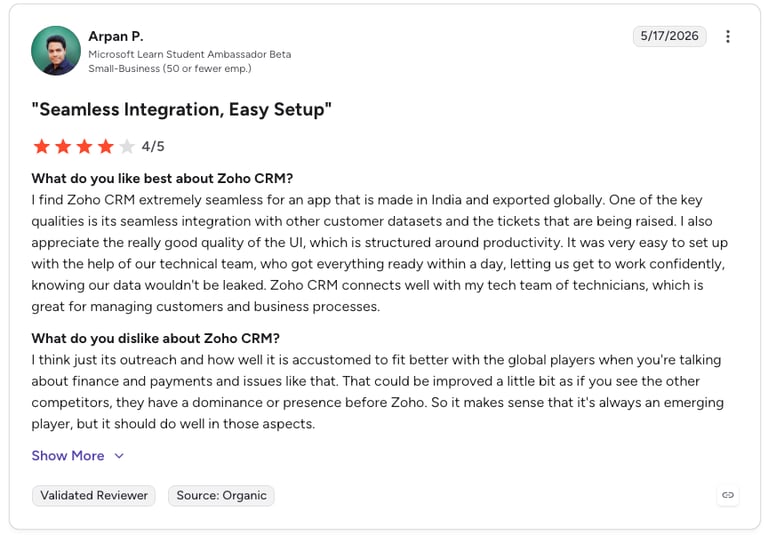
Zoho CRM G2 Reviews
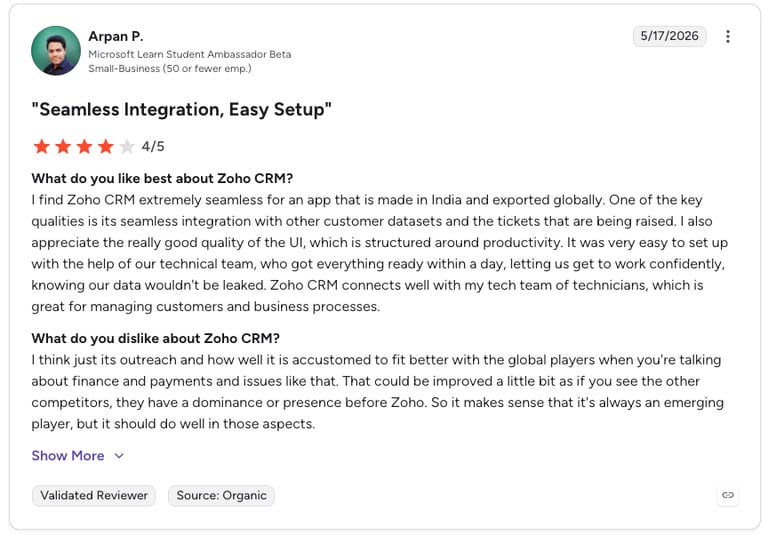
See what real users say about Zoho CRM on G2.
| Pros | Cons |
|---|---|
| Affordable pricing — One of the cheapest full-featured CRMs available | UI complexity — Interface can feel cluttered compared to Pipedrive or HubSpot |
| Free tier available — Up to 3 users for free, useful for very small teams | Support quality — Customer support can be slower than enterprise CRM vendors |
| Native Pabbly connector — Pre-built trigger and action steps, no webhook needed | Feature sprawl — Zoho's wide product suite can make setup confusing |
| Deep customization — Highly configurable for teams with specific workflow requirements | Third-party integrations — Fewer native integrations than HubSpot or Salesforce |
10. ActiveCampaign — Best Email Marketing + CRM Integration for Sales Sequences
What Is ActiveCampaign?
ActiveCampaign is a combined email marketing and CRM platform that specializes in automated customer journeys — sequences of emails, SMS messages, and internal tasks triggered by contact behaviour or external events.
It's a powerful addition to any Pabbly connect integrations list for sales teams that use both calling and email as part of their outreach, allowing call outcomes from CloudTalk to feed directly into email sequences without manual intervention. For teams running sales automation across multiple channels, the CloudTalk + Pabbly + ActiveCampaign combination is one of the most effective multi-touch outreach stacks available.
Key ActiveCampaign + Pabbly Connect Automation Features
- Contact create/update actions — Add or update ActiveCampaign contacts from any Pabbly trigger (form, call, CRM event)
- Automation trigger — Enroll a contact into an ActiveCampaign email sequence based on a call outcome or CRM event via Pabbly
- Deal pipeline sync — Create or update ActiveCampaign deals from Pabbly workflows triggered by calling or billing events
- Tag management — Apply or remove ActiveCampaign tags based on call outcomes, enabling dynamic segmentation
- Event tracking — Log custom events in ActiveCampaign (e.g. "completed sales call") to trigger behaviour-based email sequences
What Is ActiveCampaign's Pricing?
ActiveCampaign's Marketing plans start at $15/month for up to 1,000 contacts. Sales CRM plans start at $19/user/month (annual). See how it compares in the ActiveCampaign integrations guide.
- Starter (Marketing): $15/month (1,000 contacts, annual)
- Plus (Marketing): $49/month (1,000 contacts, annual)
- Pro (Marketing): $79/month (1,000 contacts, annual)
- Enterprise (Marketing): $145/month (1,000 contacts, annual)
- Sales CRM plans: From $19/user/month (annual)
ActiveCampaign G2 Reviews
See what real users say about ActiveCampaign on G2.
| Pros | Cons |
|---|---|
| Best-in-class email automation — Most sophisticated sequence builder in this list | Contact-based pricing — Costs escalate as your list grows |
| Native Pabbly connector — Supports contact, deal, tag, and automation trigger steps | CRM is secondary — Sales CRM functionality is less mature than Pipedrive or HubSpot |
| Powerful segmentation — Tag-based logic enables highly targeted follow-up sequences | Learning curve — Automation builder is powerful but takes time to master |
| Multi-channel — Email, SMS, site tracking, and CRM in one platform | No free tier — Minimum $15/month even for very small contact lists |
CloudTalk + Pabbly Connect: automate every call, every workflow, every team.
How Does Pabbly Connect Automate Integrations?
Pabbly Connect automates integrations through a trigger-action workflow engine. Each workflow — called a "Connection" in Pabbly's interface — consists of one trigger, one or more actions, and optional logic steps.
Unlike Zapier, which charges per task step, Pabbly Connect charges per workflow execution regardless of how many steps it contains. A 10-step Pabbly Connect automation integration workflow costs the same as a 2-step one — making it significantly better value for complex, multi-app sales automation workflows at scale.
Most Popular Pabbly Connect Workflows for Sales and Support Teams
- CloudTalk → HubSpot: Log every completed call as a CRM activity with AI summary, duration, agent, and outcome
- CloudTalk missed call → Slack + Pipedrive task: Alert the rep in Slack and create a follow-up task automatically
- HubSpot form → CloudTalk + Slack: When a high-intent form is submitted, notify the sales rep and queue an outbound call
- Pabbly Subscriptions payment failure → CloudTalk + Zendesk: Trigger a recovery call and open a billing support ticket simultaneously
- CloudTalk call tag → ActiveCampaign automation: Enroll a contact in a targeted follow-up email sequence based on the call outcome tag
- Zendesk ticket created → Google Sheets: Log every new ticket to a master support tracker for SLA reporting
How We Chose the Best Pabbly Connect Integrations
We evaluated these tools rigorously and objectively, which is exactly what someone who didn't would also say. But seriously, here's the criteria we looked at:
- Native connector availability — Does Pabbly Connect have a pre-built connector, or does setup require custom webhooks?
- Trigger and action depth — How many events can trigger a workflow, and how many actions can be performed?
- Reliability and stability — Are there known sync delays, data loss issues, or rate limit problems?
- Use case fit for sales and support — Does the integration serve the core workflows of revenue-generating teams?
- G2 user ratings — What do verified users say about ease of use, value for money, and support quality?
- Pricing transparency — Is cost predictable, or does it escalate unpredictably with usage?
One flat rate. No credit limits. No per-minute surprises.
FAQs: Pabbly Connect Integrations
Pabbly Connect is a no-code workflow automation platform that connects 1,000+ apps through trigger-and-action logic. It supports integrations across CRMs (HubSpot, Salesforce, Pipedrive, Zoho CRM), phone systems (CloudTalk), helpdesks (Zendesk), communication tools (Slack), spreadsheets (Google Sheets), billing platforms (Pabbly Subscriptions, Stripe), and email marketing tools (ActiveCampaign, Mailchimp). Unlike Zapier, Pabbly Connect uses flat-rate pricing that doesn't charge per workflow execution or per step.
CloudTalk is the best Pabbly call center integration in 2026. It connects to Pabbly Connect via webhook to trigger workflows on call events — call ended, call tagged, voicemail received — and supports AI call summaries, transcripts, and sentiment analysis that can be pushed downstream to CRMs, helpdesks, and communication tools automatically. CloudTalk's flat-rate pricing and 160+ country coverage make it the strongest choice for teams where phone calls are a core revenue channel.
Pabbly Connect supports 1,000+ app integrations as of 2026, with new connectors added regularly. Teams can also extend coverage further using webhook-based connections with any app that supports HTTP webhooks, which effectively makes the total number of possible integrations unlimited.
The most popular CRMs that integrate with Pabbly Connect for outbound calling workflows are HubSpot, Pipedrive, Salesforce, and Zoho CRM. All four have native Pabbly Connect connectors supporting both trigger and action steps. For outbound sales teams, the most effective combination is CloudTalk (calling) + Pabbly Connect (automation) + Pipedrive or HubSpot (pipeline) — so every call outcome automatically updates the CRM without manual data entry.
The best Pabbly Connect integration automation features for SMBs are: multi-step workflows with no per-step cost, conditional logic (filters and routers) for branching based on data values, formatters for transforming data between apps, iterators for processing lists, and webhook support for connecting any app that isn't in the native connector library. The flat-rate pricing model means SMBs can run high-frequency automations — like logging every inbound call to a CRM — without worrying about escalating per-task charges.
The most popular Pabbly Connect workflows for sales and support teams include: logging CloudTalk call data to HubSpot or Pipedrive, firing Slack alerts on missed calls or deal stage changes, creating Zendesk tickets when calls are tagged as support issues, pushing payment failure events from Pabbly Subscriptions to trigger outbound recovery calls, and enrolling contacts in ActiveCampaign email sequences based on call outcomes. These workflows eliminate manual data entry and ensure no lead or support issue falls through the cracks.
Both Pabbly Connect and Zapier connect call center tools like CloudTalk to CRMs, helpdesks, and communication apps. The key difference is pricing: Zapier charges per task, meaning each step in a multi-step workflow counts separately. Pabbly Connect charges per workflow execution regardless of steps, making it significantly cheaper for complex, multi-app automations. Zapier has a larger integration library and a more polished UI; Pabbly Connect wins on cost for teams running high-frequency or multi-step workflows.